1. Introduction
This manual provides essential instructions for the setup, operation, and maintenance of your CELLECOR M9 Pro Blaze Smartwatch. Please read this manual thoroughly before using your device to ensure proper functionality and to maximize your user experience. The CELLECOR M9 Pro Blaze is designed to integrate seamlessly into your daily life, offering advanced features for communication, health monitoring, and fitness tracking.

Image: The CELLECOR M9 Pro Blaze Smartwatch, featuring a brown strap and a vibrant display.
2. Package Contents
Upon unboxing, verify that all the following items are included in your package:
- 1U CELLECOR M9 Pro Blaze Smartwatch
- 1U Magnetic Charging Cable
- 1U User Manual (this document)
- 1U Warranty Card
3. Getting Started
3.1. Charging the Device
Before initial use, fully charge your smartwatch. Connect the magnetic charging cable to the charging points on the back of the watch and plug the USB end into a standard USB power adapter (not included).
- Ensure the charging pins align correctly with the watch's charging contacts.
- A full charge typically takes approximately 120 minutes.
- The watch display will indicate charging status.
3.2. Powering On/Off
- To Power On: Press and hold the side button until the CELLECOR logo appears.
- To Power Off: Press and hold the side button, then select the 'Power Off' option on the screen.
3.3. Pairing with Your Smartphone
To unlock all features, pair your M9 Pro Blaze with your smartphone via Bluetooth.
- Download the companion app (refer to the manual or packaging for app name) from your smartphone's app store.
- Enable Bluetooth on your smartphone.
- Open the companion app and follow the on-screen instructions to add your device.
- Select 'CELLECOR M9 Pro Blaze' from the list of available devices in the app.
- Confirm the pairing request on both your smartphone and smartwatch.
4. Operating Your Smartwatch
4.1. Touchscreen Navigation
The 2.01-inch AMOLED display is fully touch-sensitive. Swipe up, down, left, or right to navigate through menus, notifications, and widgets. Tap to select items or confirm actions.

Image: The vibrant 2.01-inch AMOLED display of the CELLECOR M9 Pro Blaze.
4.2. Using the Rotating Crown
The rotating crown on the side of the watch provides an intuitive way to navigate. Rotate it to scroll through lists, zoom in/out, or adjust settings. Press the crown to return to the home screen or confirm selections.
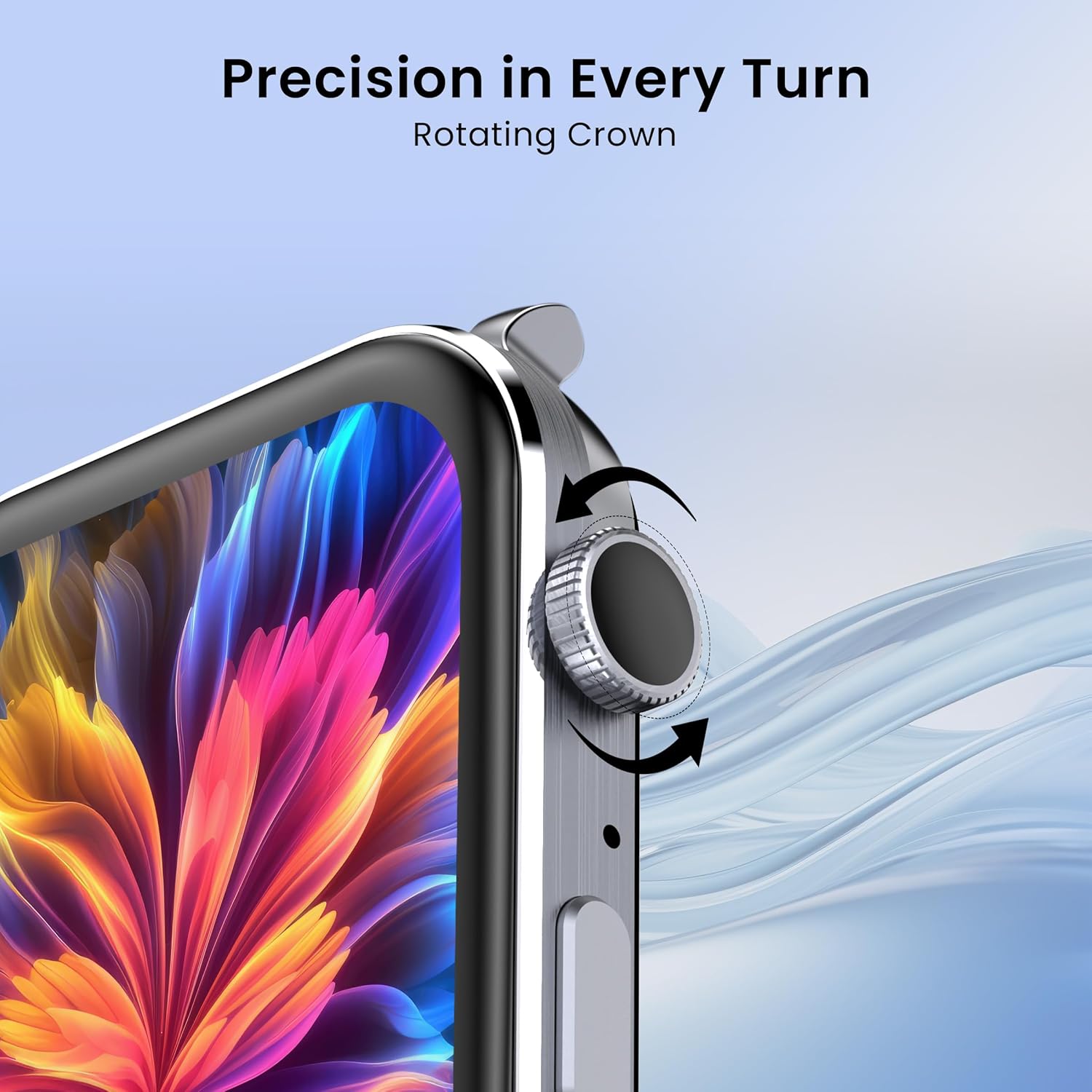
Image: The rotating crown feature for precise navigation on the CELLECOR M9 Pro Blaze.
4.3. Bluetooth Calling
With its built-in microphone and speaker, the M9 Pro Blaze supports Bluetooth calling directly from your wrist.
- Ensure your watch is paired with your smartphone.
- Access the dialer, contacts, or call history directly on the watch.
- Answer or reject incoming calls with a tap.
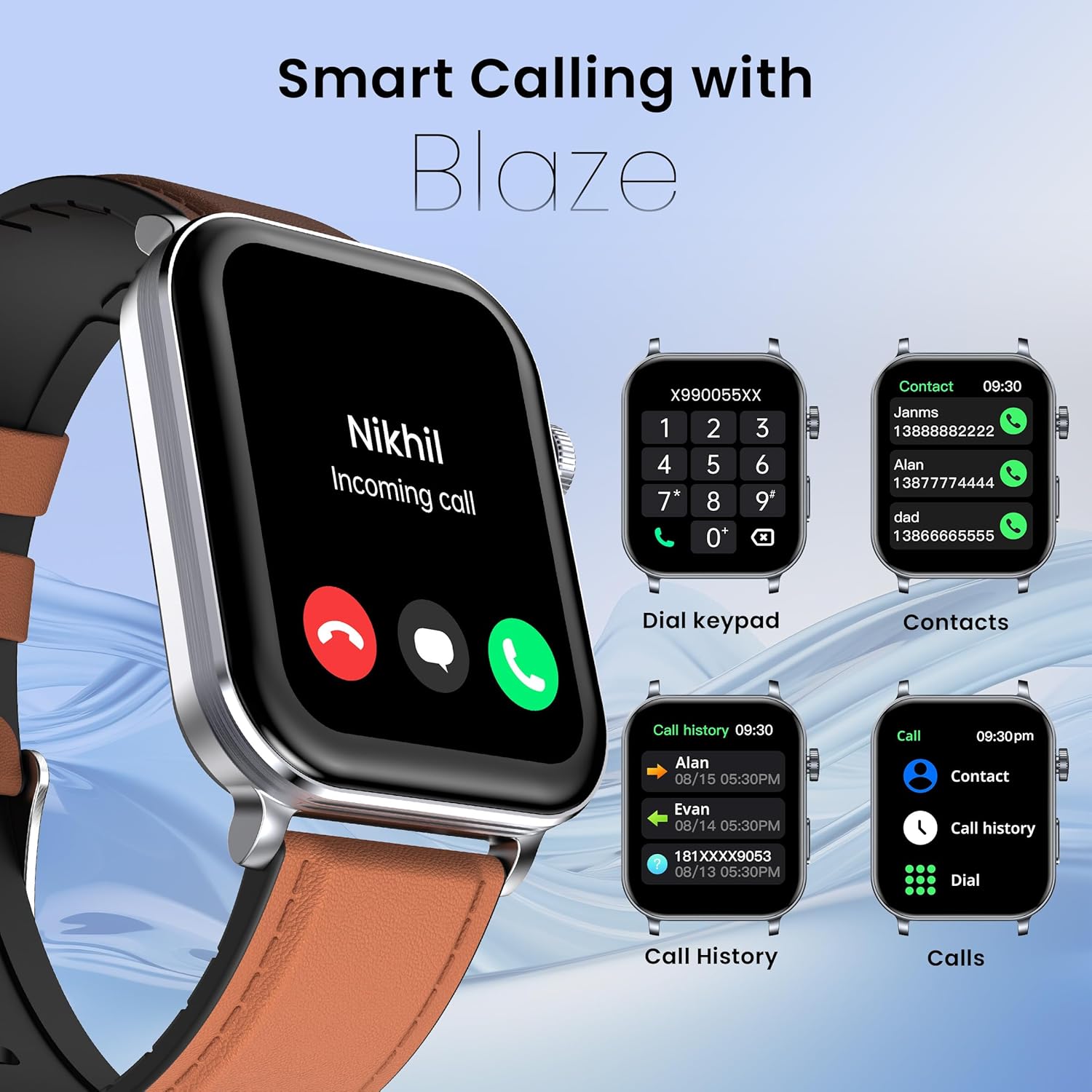
Image: Bluetooth calling features on the CELLECOR M9 Pro Blaze, including incoming call display, dial pad, and contact list.
4.4. Voice Assistance
Activate the voice assistant feature to perform tasks hands-free. Simply speak commands to set reminders, check weather, or control other functions.
4.5. Split Screen Functionality
The split screen feature allows you to view and interact with multiple applications or features simultaneously, enhancing multitasking efficiency.
5. Key Features
5.1. Display and Customization
- 2.01-inch AMOLED Display: Experience vibrant colors and deep blacks with a resolution of 240x296 pixels.
- 900 Nits Peak Brightness: Ensures excellent visibility even in direct sunlight.
- Always On Display: Keep essential information visible without needing to activate the screen.
- Unlimited Watch Faces: Personalize your smartwatch with over 100+ watch faces available through the companion app.

Image: The enhanced brightness of the CELLECOR M9 Pro Blaze's 900 Nits display compared to an ordinary display.

Image: A selection of multiple watch faces available for the CELLECOR M9 Pro Blaze.
5.2. Water Resistance (IP67)
The M9 Pro Blaze is IP67 rated, meaning it is resistant to dust and can withstand immersion in water up to 1 meter for 30 minutes. It is suitable for daily use and light water exposure, but not recommended for swimming or diving.
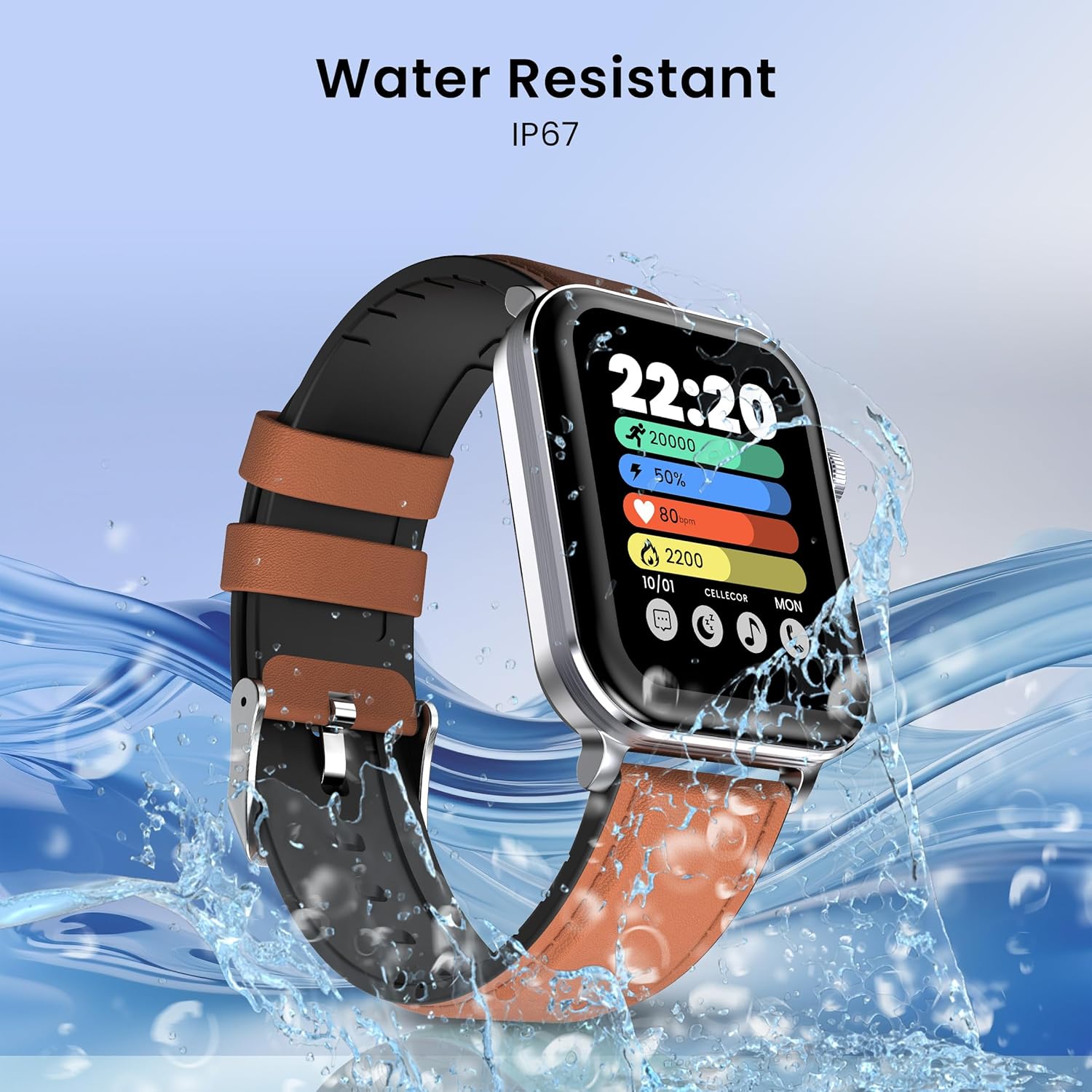
Image: The CELLECOR M9 Pro Blaze demonstrating its IP67 water resistance.
5.3. Health Monitoring
Monitor your well-being with comprehensive health tracking features:
- Heart Rate Monitoring: Continuous heart rate tracking to help you understand your cardiovascular health.
- SpO2 Monitoring: Measure your blood oxygen saturation levels.
- Stress Monitoring: Track your stress levels throughout the day.
- Sleep Monitoring: Analyze your sleep patterns, including deep sleep, light sleep, and wake times.
- Menstrual Tracking: For female users, track menstrual cycles and predict fertile windows.
5.4. Sports Modes
With over 100+ sports modes, the M9 Pro Blaze helps you track a wide range of physical activities, providing detailed data to help you achieve your fitness goals.

Image: The CELLECOR M9 Pro Blaze supports over 100 sports modes for comprehensive activity tracking.
6. Maintenance and Care
6.1. Cleaning Your Smartwatch
- Wipe the watch and strap regularly with a soft, damp cloth.
- Avoid using harsh chemicals or abrasive materials.
- Ensure the charging contacts are clean and dry before charging.
6.2. Water Resistance Guidelines
- The IP67 rating means the watch is protected against dust and temporary immersion in water (up to 1 meter for 30 minutes).
- Do not wear the watch while swimming, showering with hot water, or in saunas/steam rooms.
- Avoid exposing the watch to high-velocity water or sudden temperature changes.
- If the watch gets wet, dry it thoroughly before charging or using the buttons.
6.3. Battery Life Tips
- To extend battery life (up to 5-7 days), reduce screen brightness, limit notifications, and disable features like Always On Display when not needed.
- Avoid extreme temperatures, which can affect battery performance.
7. Troubleshooting
If you encounter issues with your CELLECOR M9 Pro Blaze, refer to the following common solutions:
| Problem | Possible Solution |
|---|---|
| Watch does not power on | Ensure the watch is fully charged. Press and hold the side button for at least 10 seconds. |
| Cannot pair with smartphone | Check if Bluetooth is enabled on your phone. Ensure the watch is within range. Restart both the watch and phone. Clear app cache. |
| Inaccurate health data | Ensure the watch is worn snugly on your wrist, not too tight or too loose. Clean the sensor on the back of the watch. |
| Notifications not received | Check app notification settings on your phone and within the companion app. Ensure the watch is connected via Bluetooth. |
| Touchscreen unresponsive | Restart the watch. Ensure the screen is clean and dry. |
8. Specifications
| Feature | Detail |
|---|---|
| Brand | CELLECOR |
| Model Name | SW-M9-PRO-BLAZE |
| Display Type | AMOLED |
| Screen Size | 2.01 Inches |
| Resolution | 240 x 296 |
| Brightness | 900 Nits Peak Brightness |
| Operating System | Android (compatible) |
| Memory Storage Capacity | 32 MB |
| Connectivity | Bluetooth |
| Battery Capacity | 290 Milliamp Hours |
| Battery Average Life | Up to 7 Days |
| Charging Time | 120 Minutes |
| Water Resistance | IP67 |
| Product Dimensions | 4.5 x 3.78 x 1.05 cm |
| Item Weight | 45 g |
| Special Features | Voice Assistance, Bluetooth Calling, 100+ Sports Modes, Split Screen, Rotating Crown, Health Tracking (HR, SpO2, Stress, Sleep, Menstrual), Unlimited Watch Faces, Notifications, Remote Camera/Music Control, Password Lock, Find Phone/Watch |
9. Warranty and Support
Your CELLECOR M9 Pro Blaze Smartwatch comes with a 1-Year Warranty from the date of purchase. Please refer to the included Warranty Card for detailed terms and conditions. For technical support, service, or warranty claims, please contact CELLECOR customer service through the contact information provided on the warranty card or the official CELLECOR website.