1. Product Overview
The SKYWORTH LC2315 is a versatile 5-megapixel Wi-Fi security camera designed for both outdoor and indoor surveillance. It features advanced capabilities such as full-color night vision, 360-degree panoramic viewing, AI-powered human and vehicle detection, motion tracking, and two-way audio communication. This manual provides detailed instructions for setting up, operating, and maintaining your camera to ensure optimal performance and security.

Image: The SKYWORTH LC2315 security camera, showing its dome design and dual antennas.
Key Features:
- 5-Megapixel High Resolution: Captures clear and detailed images, allowing for precise identification of faces and license plates.
- Full-Color Night Vision: Utilizes advanced technology to provide vivid color images even in complete darkness, surpassing traditional black and white modes.
- 360-Degree Panoramic View: Offers comprehensive coverage with 360° horizontal and 75° vertical rotation, eliminating blind spots.
- AI Human & Vehicle Detection: Intelligently distinguishes between humans, vehicles, and other moving objects, reducing false alarms.
- Motion Tracking: Automatically tracks and records moving objects, such as pets or intruders, within its field of view.
- Two-Way Audio: Enables real-time communication through the camera's built-in microphone and speaker, accessible via your smartphone.
- IP66 Weatherproof: Designed for durability, suitable for both indoor and outdoor environments, resistant to dust and water.
- Smartphone App Control: Remote monitoring and control of camera functions from your smartphone.
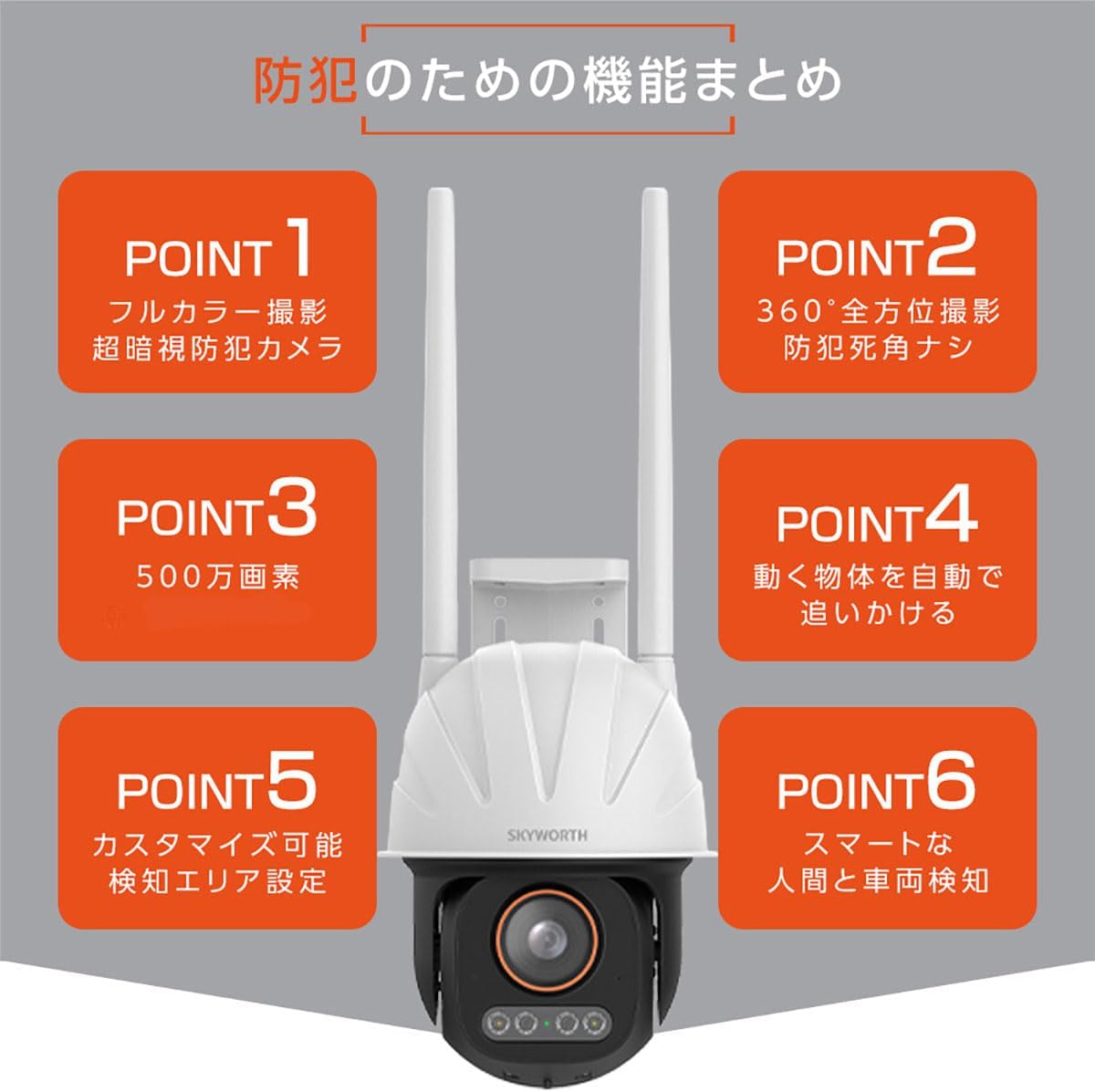
Image: A visual summary highlighting the camera's key features: full-color night vision, 360-degree coverage, 5MP resolution, motion tracking, customizable detection areas, and smart human/vehicle detection.
Durability and Security:

Image: The camera shown in a rainy environment, illustrating its IP66 waterproof and dustproof rating, ensuring reliable operation in various weather conditions.
The LC2315 is built with an IP66-rated enclosure, providing robust protection against dust and water, making it suitable for outdoor installation. Furthermore, it incorporates data security measures including encrypted user login and data transmission to protect your privacy and surveillance footage.

Image: A visual representation of data security, showing a smartphone app interface and encrypted data transmission, emphasizing user login encryption and data transfer encoding.
2. Package Contents
Please check the package for the following items:
- SKYWORTH LC2315 Camera Unit
- Instruction Manual
- Connection Accessories (e.g., power adapter, mounting screws)
3. Setup Guide
3.1. Installation Location
Choose a suitable location for your camera, considering the desired surveillance area and Wi-Fi signal strength. The camera is designed for wall mounting and is IP66 rated for outdoor use.
3.2. Power Connection
- Connect the power adapter to the camera's power input port.
- Plug the power adapter into a standard electrical outlet.
- Wait for the camera to power on and initiate its startup sequence.
3.3. App Download and Account Registration
- Download the official SKYWORTH security camera app from your smartphone's app store (iOS or Android).
- Open the app and follow the on-screen instructions to create a new user account or log in if you already have one.
3.4. Camera Pairing with Wi-Fi
Ensure your smartphone is connected to a 2.4GHz Wi-Fi network. The camera supports 2.4G Wi-Fi only.
- In the app, select "Add Device" or the '+' icon.
- Follow the app's instructions to connect the camera to your Wi-Fi network. This typically involves scanning a QR code displayed on your phone with the camera or entering Wi-Fi credentials.
- Once connected, the camera's status indicator will change, and you will see the camera feed in the app.
4. Operating Instructions
4.1. Live View and Remote Control
Access the live video feed from your camera through the smartphone app. You can remotely control the camera's pan (horizontal) and tilt (vertical) movements to adjust the viewing angle.

Image: A smartphone displaying the camera's live feed and controls, demonstrating remote adjustment of the camera's orientation to achieve a 360-degree view of a house exterior.
4.2. Two-Way Audio Communication
The camera features a built-in microphone and speaker, enabling two-way audio. Tap the microphone icon in the app to speak, and the sound will be transmitted through the camera's speaker. You can also hear audio from the camera's surroundings.

Image: A child playing on a bicycle in a yard, with the camera mounted on the house. Text bubbles indicate two-way communication: "Don't play in the road!" and "Yes!".
4.3. Motion Detection and Alerts
Configure motion detection settings in the app. When motion is detected, the camera can send instant alerts to your smartphone. The AI human and vehicle detection features help minimize false alarms.
- Customizable Detection Zones: Define specific areas within the camera's view where motion detection should be active.
- Sensitivity Adjustment: Adjust the sensitivity level to suit your environment and reduce unwanted triggers.
4.4. Motion Tracking
Enable motion tracking in the app to have the camera automatically follow and record moving objects. This ensures that any activity, such as a pet playing or an intruder, remains in frame.

Image: Multiple frames showing children running in a yard, with the camera rotating to follow their movement, illustrating the 360-degree automatic tracking feature.
4.5. Night Vision Modes
The camera offers advanced full-color night vision, providing clear and detailed color images even in low-light conditions. It can also operate in traditional black and white infrared mode if preferred.

Image: A comparison showing a night scene captured by the SKYWORTH camera with "Super Dark Technology" in full color, alongside a conventional camera's black and white image and an iPhone's low-light image, demonstrating superior clarity and color retention.

Image: A garden path illuminated by subtle lighting at night, captured in full color by the camera, showcasing its advanced night vision capabilities.
5. Maintenance
Regular maintenance ensures the longevity and optimal performance of your SKYWORTH LC2315 camera.
- Cleaning: Gently wipe the camera lens and body with a soft, damp cloth. Avoid using harsh chemicals or abrasive materials.
- Firmware Updates: Check the app periodically for available firmware updates. Keeping your camera's firmware up-to-date ensures access to the latest features and security enhancements.
- Power Cycle: If the camera experiences issues, try power cycling it by unplugging and re-plugging the power adapter.
6. Troubleshooting
If you encounter problems with your camera, refer to the following common issues and solutions:
| Problem | Possible Solution |
|---|---|
| Camera not connecting to Wi-Fi |
|
| Poor image quality |
|
| No motion detection alerts |
|
| Two-way audio not working |
|
7. Specifications
| Feature | Detail |
|---|---|
| Model Number | LC2315 |
| Video Capture Resolution | 5 Megapixels (1920p) |
| Wireless Communication Technology | Wi-Fi (2.4G) |
| Power Consumption | 12 W |
| Product Dimensions (LxWxH) | 12.9 x 12.9 x 34 cm |
| Special Features | Motion Sensor, Night Vision (Full-Color) |
| Indoor/Outdoor Use | Indoor, Outdoor (IP66 Weatherproof) |
| Mounting Type | Wall Mount |
| Compatible Devices | Smartphone |
8. Warranty and Support
The SKYWORTH LC2315 camera comes with a 1.5-year warranty. For any inquiries, technical assistance, or warranty claims, please contact our dedicated Japanese support window. Refer to the contact information provided in the product packaging or on the official SKYWORTH website.


