1. Important Safety Instructions
Please read all instructions carefully before using the shredder. Keep this manual for future reference.
- Keep children and pets away from the shredder.
- Keep loose clothing, jewelry, hair, and other foreign objects away from the paper entry slot.
- Do not insert fingers or hands into the paper entry slot.
- Do not spray any flammable products or lubricants into the shredder.
- Do not shred wet or sticky materials.
- Unplug the shredder when not in use or before cleaning.
- Do not operate the shredder if the power cord is damaged.
2. Product Overview
The VidaTeco 6-Sheet Cross-Cut Paper Shredder is designed for secure disposal of sensitive documents, credit cards, and other materials in home and small office environments.

Image: Front view of the VidaTeco 6-Sheet Cross-Cut Paper Shredder, showing the paper entry slot, control panel, and transparent waste bin window.
Key Features:
- P-4 Security Level: Cross-cuts paper into small particles (0.16 x 1.26 inches / 4 x 32 mm) for enhanced security.
- 6-Sheet Capacity: Shreds up to 6 sheets of 20-pound bond paper per pass.
- Multi-Material Shredding: Capable of shredding paper, credit cards, small paper clips, and staples.
- 5-Minute Continuous Run Time: Designed for efficient shredding tasks with a 40-minute cooling cycle.
- 3.04-Gallon Waste Bin: Provides ample capacity for shredded materials, reducing emptying frequency.
- User-Friendly Controls: Features Auto, Off, Reverse (Rev), and Forward (Fwd) modes.
- Overheat Protection: Equipped with an LED indicator to signal overheating.
3. Setup
- Unpack the Shredder: Carefully remove the shredder from its packaging. Retain packaging for potential future transport or returns.
- Position the Shredder: Place the shredder on a flat, stable surface. Ensure there is adequate space around the unit for ventilation and operation.
- Insert the Waste Bin: Ensure the 3.04-gallon waste bin is correctly seated within the shredder housing. The shredder will not operate if the bin is not properly inserted.
- Connect Power: Plug the power cord into a standard electrical outlet.
4. Operating Instructions
Control Switch Functions:

Image: Close-up of the shredder's control panel, illustrating the 'FWD', 'AUTO', 'OFF', and 'REV' switch positions.
- AUTO: This is the normal operating mode. The shredder will automatically start when paper is detected in the entry slot and stop when shredding is complete.
- OFF: The shredder is powered off. Always switch to OFF when emptying the bin or when the shredder is not in use.
- REV (Reverse): Moves the shredder blades in reverse. Useful for clearing paper jams.
- FWD (Forward): Manually activates the shredder blades in the forward direction.
Shredding Documents:
- Ensure the shredder is plugged in and the control switch is set to AUTO.
- Insert up to 6 sheets of paper (20-pound bond) into the paper entry slot. The shredder will automatically begin shredding. For credit cards, insert one card at a time into the designated slot. Small paper clips and staples do not need to be removed from paper.
- Allow the shredder to complete the shredding process. The motor will stop automatically.
- The shredder has a continuous run time of 5 minutes. After 5 minutes of continuous use, the shredder will automatically shut off to prevent overheating. Allow it to cool down for approximately 40 minutes before resuming operation. An overheat LED indicator will illuminate if the unit is too hot.

Image: The shredder actively processing 6 sheets of A4 paper, illustrating its capacity and continuous working time of 5 minutes.
5. Maintenance
Emptying the Waste Bin:
- Always switch the control to OFF and unplug the shredder before emptying the waste bin.
- The transparent window on the front of the bin allows you to monitor the fill level. When the bin is full, carefully lift the shredder head off the bin.
- Dispose of the shredded material.
- Replace the shredder head securely onto the waste bin.

Image: A person demonstrating how to lift the shredder head to easily empty the 3.04-gallon (11.5 liters) waste bin, which can hold up to 120 sheets of shredded paper.
Cleaning:
- Wipe the exterior of the shredder with a soft, dry cloth. Do not use abrasive cleaners or solvents.
- No Lubricants Needed: This shredder does not require oiling of the blades.
6. Troubleshooting
If you encounter issues with your shredder, refer to the following common problems and solutions:

Image: Close-up of the shredder's control panel, highlighting the blue Power indicator and red Overheat indicator lights.
- Shredder Does Not Turn On:
- Ensure the power cord is securely plugged into a working outlet.
- Check that the control switch is set to AUTO or FWD.
- Verify the waste bin is correctly seated. The shredder has a safety mechanism that prevents operation if the bin is not properly in place.
- Paper Jam:
- Switch the control to REV (Reverse) to attempt to clear the jam by backing out the paper.
- If the paper does not clear, switch to OFF, unplug the shredder, and carefully remove any visible paper from the entry slot.
- Avoid exceeding the maximum sheet capacity (6 sheets) to prevent jams.
- Overheating:
- If the red Overheat LED indicator illuminates, the shredder has exceeded its continuous run time (5 minutes).
- Switch the shredder to OFF and allow it to cool down for approximately 40 minutes before resuming operation.
7. Specifications
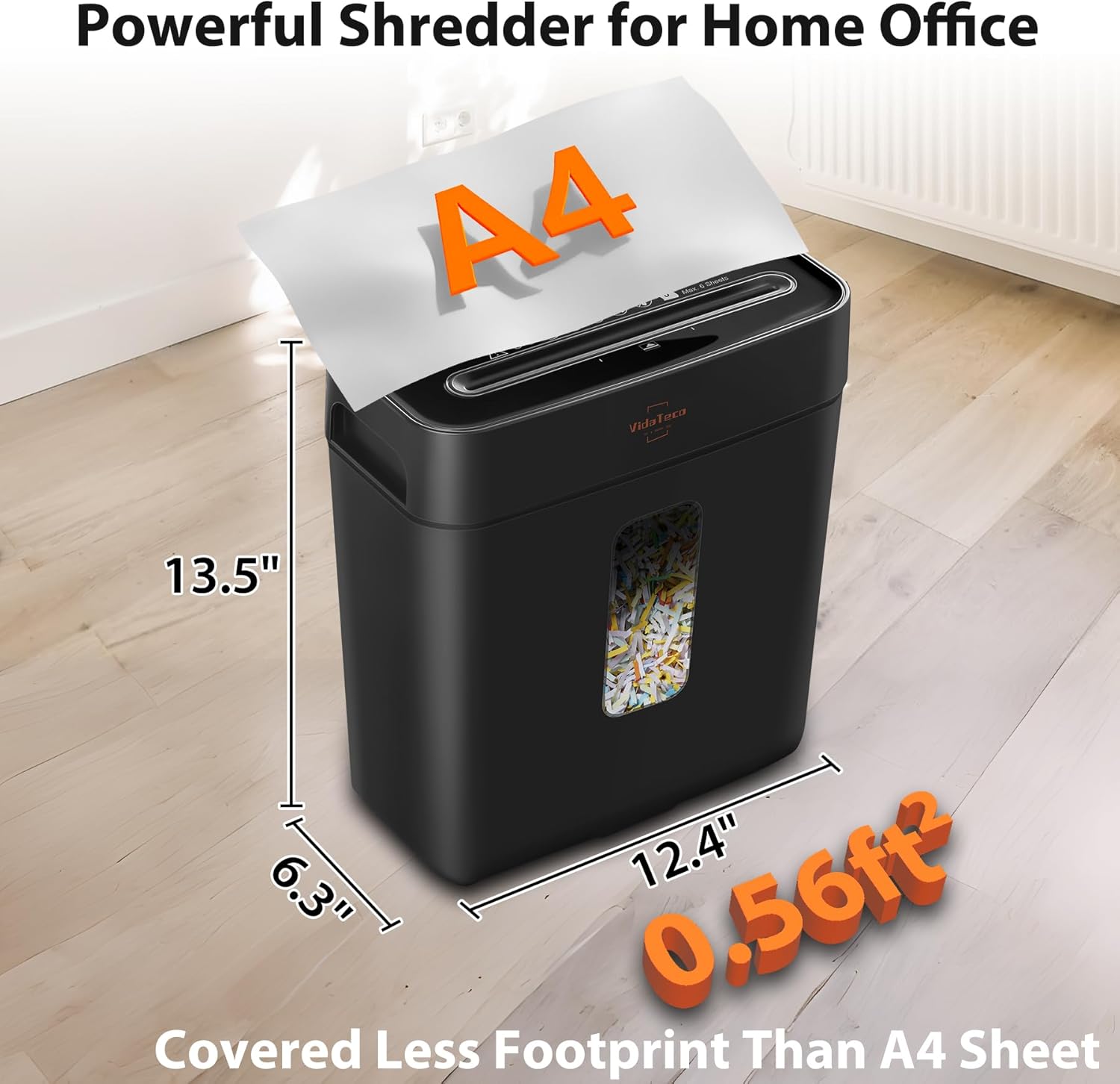
Image: The VidaTeco shredder positioned in a home office, with its dimensions (13.5" H x 12.4" W x 6.3" D) overlaid, demonstrating its compact footprint.
| Brand | VidaTeco |
| Model Number | Cross Cut-6 sheets(US ) |
| Cut Type | Cross Cut |
| Security Level | P-4 |
| Sheet Capacity | 6 sheets (20-pound bond paper) |
| Shred Size | 0.16 x 1.26 inches (4 x 32 mm) |
| Shreds Materials | Paper, Credit Cards, Small Paper Clips, Staples, Junk Mail |
| Continuous Run Time | 5 minutes |
| Cooling Cycle | 40 minutes |
| Waste Bin Capacity | 3.04 Gallons (11.5 Liters) |
| Product Dimensions | 6.18 x 12.6 x 13.98 inches |
| Item Weight | 6.3 pounds |
| Color | Black |
8. Warranty and Customer Support
This VidaTeco Paper Shredder comes with a 1-Year Protection warranty from the date of purchase.
For any usage questions, troubleshooting assistance, or warranty claims, please contact VidaTeco Customer Service:
- Email: service@vidateco.com
Please have your model number (Cross Cut-6 sheets) and purchase information ready when contacting support.