
LiTime 24V 50AH TM LTBT
LiTime 24V 50Ah LiFePO4 Battery User Manual
Model: 24V 50AH TM LTBT
1. Introduction
Thank you for choosing the LiTime 24V 50Ah LiFePO4 Battery. This manual provides essential information for the safe and efficient use of your battery. This deep cycle lithium iron phosphate battery is designed for demanding applications such as trolling motors, yachts, and boats, offering enhanced shock resistance and compliance with ABYC & ASA standards.
Key features include:
- Bluetooth 5.0 Connectivity: Monitor real-time battery data via a dedicated app.
- Low-Temperature Cut-off Protection (LTCP): Ensures safe charging and discharging in cold environments.
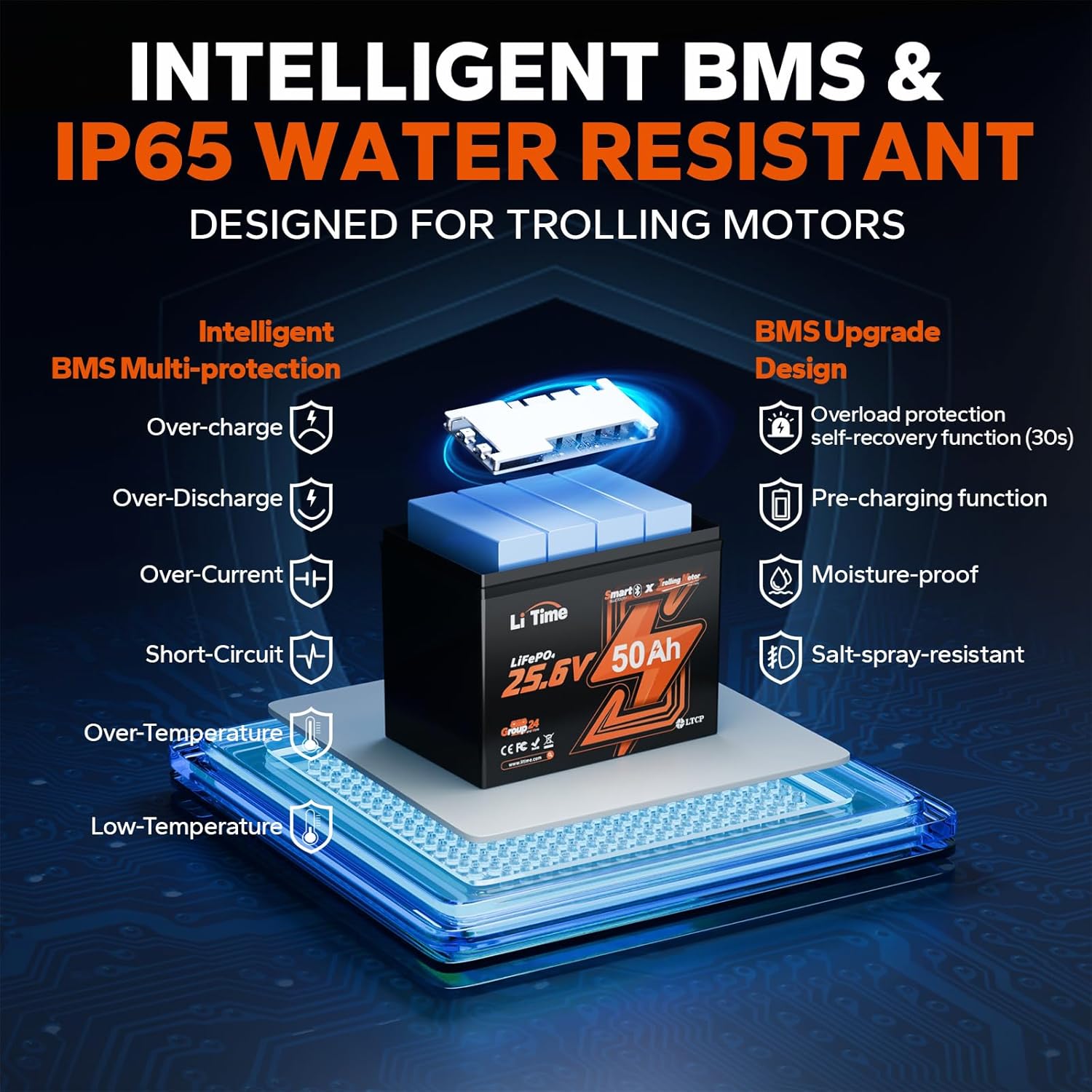
- Built-in 50A Battery Management System (BMS): Provides comprehensive protection against various electrical faults.
- Long Lifespan: Offers over 4,000 cycles at 100% Depth of Discharge (DoD).
- IP65 Rated Enclosure: Provides protection against dust and water jets.

2. Important Safety Information
Please read and understand all safety instructions before installing or operating the battery. Failure to follow these instructions may result in electric shock, fire, serious injury, or property damage.
- Always wear appropriate personal protective equipment (PPE), including safety glasses and insulated gloves, when handling batteries.
- Do not short-circuit the battery terminals. This can cause severe damage to the battery and pose a fire hazard.
- Ensure all connections are tight and secure to prevent arcing and overheating.
- Do not expose the battery to open flames, excessive heat, or direct sunlight for prolonged periods.
- Do not immerse the battery in water. While IP65 rated, it is not designed for submersion.
- Use only chargers specifically designed for LiFePO4 batteries. Using incompatible chargers can damage the battery and create safety risks.
- Do not attempt to open, disassemble, or modify the battery. There are no user-serviceable parts inside.
- Keep the battery away from children and pets.
- In case of fire, use a Class D fire extinguisher (for lithium fires). Water or standard ABC extinguishers may not be effective.
3. What's in the Box
Verify that all items are present upon unpacking:
- 1 x LiTime 25.6V 50Ah Bluetooth TM LiFePO4 Battery
- 2 x M8 - 5/8" (16MM) Terminal Bolts
- 2 x Insulating Caps for Bolts
- 1 x Product Manual (this document)
4. Specifications
| Feature | Specification |
|---|---|
| Brand | LiTime |
| Model | 24V 50AH TM LTBT |
| Battery Type | LiFePO4 (Lithium Iron Phosphate) |
| Nominal Voltage | 25.6V |
| Nominal Capacity | 50Ah |
| Built-in BMS | 50A |
| Low-Temperature Protection | Yes (Charging stops below 0°C/32°F, discharging stops below -20°C/-4°F) |
| Bluetooth | Bluetooth 5.0 |
| Cycle Life | 4,000+ cycles @ 100% DoD; 6,000 cycles @ 80% DoD; 15,000 cycles @ 60% DoD |
| Item Weight | 21 pounds (approx. 9.5 kg) |
| Product Dimensions | 10.24 x 6.61 x 8.3 inches (26 x 16.8 x 21.1 cm) |
| Terminal Type | M8 |
| Ingress Protection (IP) Rating | IP65 |
| Automotive Fit Type | Universal Fit |
| Manufacturer Part Number | L24V50-50-TM-BT-8-A70-2 |

5. Setup and Installation
5.1 Physical Installation
- Choose a secure, well-ventilated location for the battery, protected from direct sunlight and extreme temperatures.
- Ensure the mounting surface can support the battery's weight (21 lbs).
- Connect the battery terminals using the provided M8 terminal bolts. Ensure connections are tight to prevent resistance and heat buildup.
- Always connect the positive (+) terminal to the positive load/charger and the negative (-) terminal to the negative load/charger.
- For multiple batteries in series or parallel, consult a qualified electrician or the LiTime support team for proper wiring diagrams and safety precautions.
5.2 Bluetooth App Connection
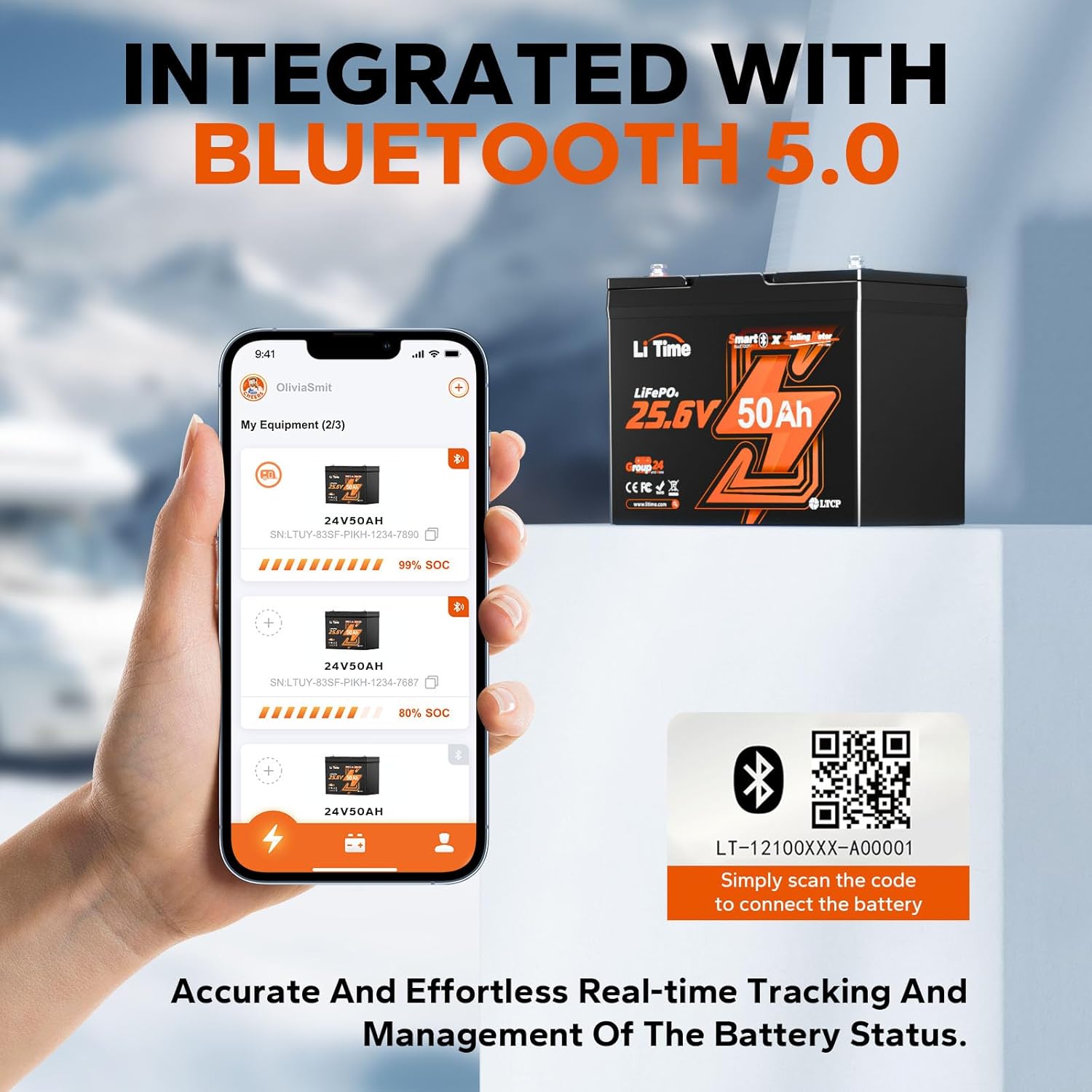
The LiTime battery features Bluetooth 5.0 for real-time monitoring via a smartphone app.
- Download the official LiTime app from your device's app store.
- Ensure Bluetooth is enabled on your smartphone.
- Scan the QR code located on the battery (e.g., LT-12100XXX-A00001) to initiate the connection.
- Follow the in-app instructions to pair your battery.
6. Operating the Battery
6.1 General Operation
- Once connected, the battery is ready to power your 24V systems.
- Monitor voltage, current, state of charge (SOC), and temperature through the LiTime app.
- The app allows for remote control of discharge, preventing unexpected shutdowns.
6.2 Low-Temperature Protection (LTCP)
The battery's integrated LTCP ensures safe operation in cold climates:
- Charging: Automatically stops below 0°C (32°F) and resumes above 5°C (41°F).
- Discharging: Automatically stops below -20°C (-4°F).

6.3 Charging Methods
The LiTime 24V 50Ah LiFePO4 battery can be charged using various methods:
- Dedicated LiFePO4 Charger: Recommended for optimal charging.
- Solar Panel: Connect via a compatible MPPT solar charge controller.
- Alternator: Requires a DC-to-DC charger that supports LiFePO4 charging modes.
- Generator: Requires an AC-to-DC LiFePO4 battery charger.

Video demonstrating how to charge a LiTime LiFePO4 battery using either an alternator with a DC-to-DC charger or a generator with an AC-to-DC charger, ensuring safe and efficient power replenishment.
7. Maintenance
The LiTime LiFePO4 battery is designed for minimal maintenance, but following these guidelines will ensure its longevity and performance:
- Regular Inspection: Periodically check the battery for any signs of physical damage, loose connections, or corrosion. Clean terminals if necessary.
- Keep Clean and Dry: Wipe the battery casing with a dry cloth. Despite its IP65 rating, avoid excessive moisture or direct water spray.
- Storage: If storing the battery for an extended period, ensure it is charged to approximately 50% State of Charge (SOC) and stored in a cool, dry place. Avoid storing in extreme temperatures.
- Avoid Deep Discharges: While LiFePO4 batteries tolerate deep discharges, frequent deep cycling can slightly reduce overall lifespan.
- Software Updates: Check the LiTime app periodically for any firmware updates for the battery's Bluetooth module or BMS.

8. Troubleshooting
The built-in 50A BMS provides extensive protection. If you encounter issues, refer to the following:
- No Power Output: Check battery connections for tightness. Verify the battery's SOC via the app. The BMS may have activated a protection mode (e.g., over-discharge, over-temperature).
- Battery Not Charging: Ensure the charger is compatible with LiFePO4 batteries and properly connected. Check for low-temperature cut-off activation (charging stops below 0°C/32°F). The BMS may have activated over-charge protection.
- Bluetooth Connection Issues: Ensure Bluetooth is enabled on your device and the battery is within range. Try restarting the app or your device.
- BMS Protection Activation: The BMS protects against over-charge, over-discharge, over-current, short-circuit, over-temperature, and low-temperature conditions. In most cases, the BMS will automatically recover after the fault condition is removed (e.g., after 30 seconds for overload protection).
- Unusual Odor or Swelling: Immediately disconnect the battery and contact LiTime support. Do not attempt to use or charge the battery.
If troubleshooting steps do not resolve the issue, please contact LiTime customer support.
9. Warranty and Support
For warranty information, technical support, or any questions regarding your LiTime 24V 50Ah LiFePO4 Battery, please visit the official LiTime website or contact their customer service department. Details are typically provided with your purchase documentation or on the product packaging.
You can also visit the LiTime Store on Amazon for more information and contact options.
Related documents24V 50AH TM LTBT

Ask a question about this manual
Ask about setup, troubleshooting, compatibility, parts, safety, or missing instructions. Manuals+ will review the question and use this page’s manual context to help answer it.