
Introduction
This manual provides comprehensive instructions for the aigo SA03 Open Ear Earbuds. Designed for comfort and high-fidelity audio, these wireless Bluetooth earphones are suitable for various activities including fitness, running, gym workouts, and daily use. Please read this manual thoroughly to ensure proper use and maintenance of your device.
What's in the Box
- aigo SA03 Open Ear Earbuds (Left and Right)
- Wireless Charging Case
- Charging Cable (Type-C)
- User Manual

Image: The aigo SA03 Open Ear Earbuds shown inside their wireless charging case.
Product Overview
The aigo SA03 earbuds feature an open-ear clip design for enhanced comfort and situational awareness. They are equipped with advanced audio technology and intuitive controls.
Open Ear Clip Design

Image: A person wearing the aigo SA03 earbuds during a cycling activity, demonstrating the open-ear clip design that allows ambient sound awareness.
The newly designed clip-on earphones combine style with functionality, ensuring a secure fit that is both comfortable and fashionable. The ergonomic soft silicone clip design provides 360° elasticity for a stable and comfortable fit during long-term use, ideal for running, fitness, and outdoor sports.
Superior Sound Quality

Image: An illustration showing sound waves emanating from the aigo SA03 earbuds, indicating immersive audio.
Featuring 11mm speaker drivers and an in-ear structure, these earphones deliver hi-fi sound with strong bass, clear mids, and bright treble. The large chamber acoustic design minimizes sound loss, ensuring clear audio even in noisy environments. Adaptive Noise Cancellation is also a feature.
Lightweight and Portable

Image: The aigo SA03 earbuds with an overlay indicating their lightweight nature, weighing only 0.16 ounces per earbud.
Engineered with innovative ergonomic design and premium memory silicone, each earbud weighs only 0.17 ounces (approximately 4.8 grams), providing a stable and comfortable fit for long-term use. The compact charging case makes them easily portable.
Product Overview Video
Video: A brief overview of the aigo SA03 Open Ear Earbuds, highlighting their design, features, and portability.
Setup
Charging the Earbuds and Case

Image: The aigo SA03 earbuds and charging case illustrating the 60-hour total battery life and 5.5 hours of single-use listening time.
- Place the earbuds into the charging case. Ensure they are correctly seated in their respective slots (L for left, R for right).
- Connect the provided Type-C charging cable to the charging port on the case.
- Connect the other end of the cable to a compatible USB power source (e.g., wall adapter, computer USB port).
- The charging case features an LED display to indicate battery status.
- A full charge for the case takes approximately 1.5 hours. The earbuds provide up to 5.5 hours of playback on a single charge, and the case supports 12-15 full charges, extending total listening time to approximately 60 hours.
One-Step Auto Pairing
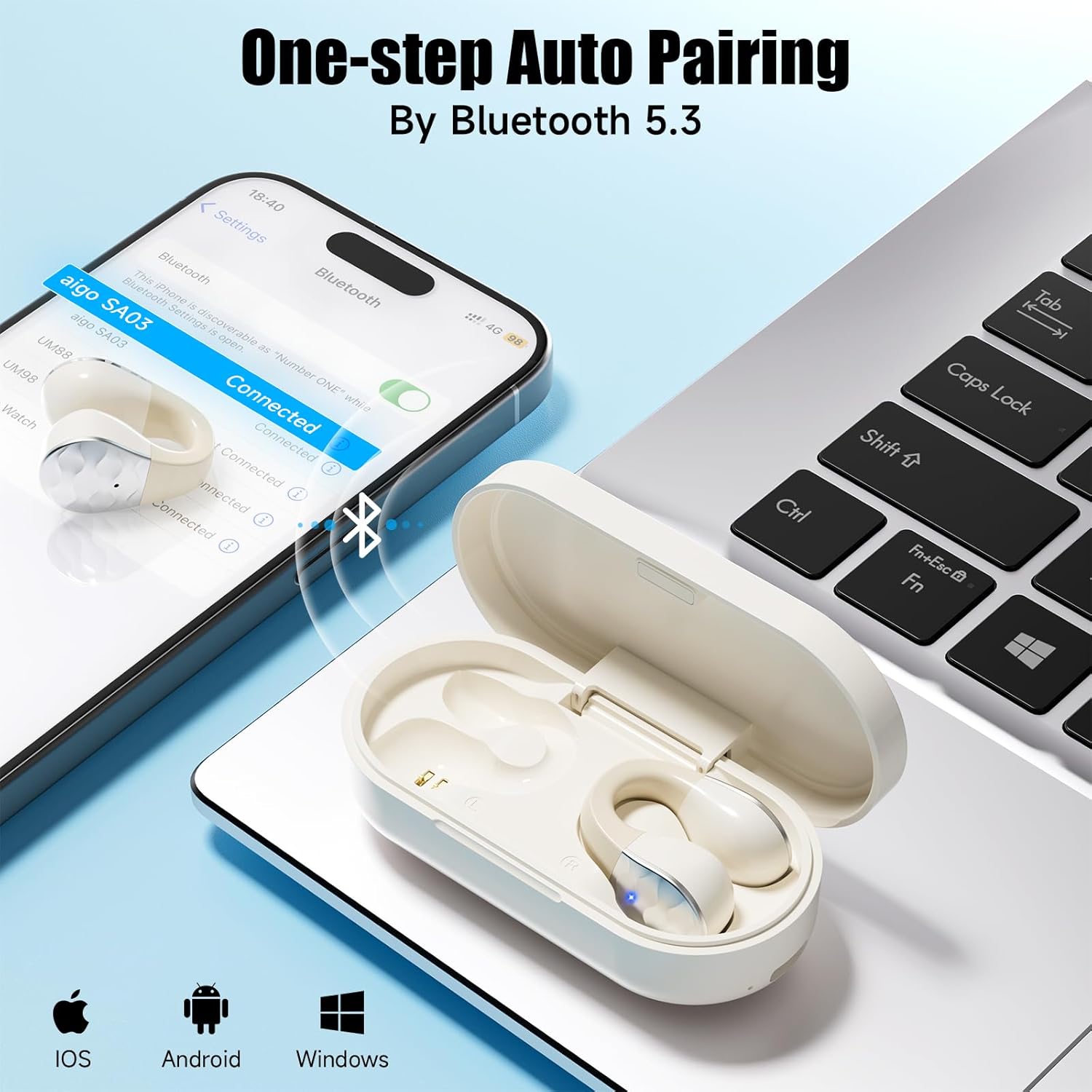
Image: The aigo SA03 earbuds and charging case next to a smartphone displaying Bluetooth pairing settings, showing "aigo SA03" as connected.
- Open the charging case. The earbuds will automatically power on and enter pairing mode.
- On your device (smartphone, tablet, laptop), enable Bluetooth.
- Search for "aigo SA03" in the list of available Bluetooth devices.
- Select "aigo SA03" to connect. Once connected, you will hear an audible confirmation.
- The earbuds utilize advanced Bluetooth 5.3 technology for stable connectivity and clear call quality.
Operating Instructions
The aigo SA03 earbuds feature smart touch controls for easy management of audio playback and calls.
Touch Control Functions

Image: A visual guide to the touch control functions on the aigo SA03 earbuds, showing single, double, and triple taps for various actions.
| Action | Function |
|---|---|
| Single Tap (L/R) | Play/Pause music, Answer/End call |
| Double Tap (L/R) | Switch Song (Previous/Next track) |
| Triple Tap (L/R) | Activate Voice Assistant |
| Long Press (L) | Volume Down |
| Long Press (R) | Volume Up |
| Long Press (during call) | Reject Call |
Maintenance
- Cleaning: Regularly clean the earbuds and charging case with a soft, dry, lint-free cloth. Avoid using abrasive materials or harsh chemicals.
- Water Resistance: The earbuds are sweat and water resistant with an IPX4 rating, making them suitable for workouts and light rain. However, they are not designed for swimming or showering. Do not submerge them in water. Ensure the earbuds are dry before placing them back in the charging case to prevent damage.
- Storage: When not in use, store the earbuds in their charging case to protect them from dust and damage. Store in a cool, dry place away from extreme temperatures.
- Battery Care: To prolong battery life, avoid fully discharging the earbuds and charging case frequently. Charge them regularly, even if not in constant use.
Troubleshooting
If you encounter issues with your aigo SA03 earbuds, please refer to the following common solutions:
- Earbuds not pairing:
- Ensure both earbuds are in the charging case and the case lid is opened to activate pairing mode.
- Turn off and then on your device's Bluetooth.
- Forget "aigo SA03" from your device's Bluetooth list and attempt to pair again.
- Ensure the earbuds and your device are within the Bluetooth range (up to 33 feet).
- No sound or low volume:
- Check the volume levels on both your connected device and the earbuds using the touch controls.
- Ensure the earbuds are properly seated in your ears.
- Reconnect the earbuds to your device.
- Charging issues:
- Verify the charging cable is securely connected to both the case and the power source.
- Try a different USB port or power adapter.
- Ensure the charging contacts on the earbuds and inside the case are clean and free of debris.
- Discomfort during wear:
- While designed for comfort, individual ear shapes vary. Experiment with slight adjustments to the earbud's position on your ear to find the most comfortable fit.
- Take short breaks if prolonged use causes discomfort.
Specifications
| Feature | Detail |
|---|---|
| Model Name | SA03 |
| Brand | aigo |
| Ear Placement | Open Ear |
| Connectivity Technology | Wireless, Bluetooth |
| Bluetooth Version | 5.3 |
| Bluetooth Range | 33 Feet |
| Audio Driver Size | 11 Millimeters |
| Noise Control | Adaptive Noise Cancellation |
| Water Resistance Level | IPX4 (Sweat and Water Resistant) |
| Earbud Battery Life (Single Use) | Up to 5.5 Hours |
| Total Battery Life (with Charging Case) | Up to 60 Hours |
| Charging Case Charging Time | Approx. 1.5 Hours (Type-C Fast Charging) |
| Control Method | Touch |
| Material | Silicone (for clip design) |
| Earbud Weight | 0.17 ounces (per unit) |
| UPC | 198168507001 |
Warranty and Support
For warranty information and customer support, please refer to the documentation included with your product or visit the official aigo website. Keep your purchase receipt for warranty claims.

