
Introduction
The ASHATA 234XL Crossover is a professional audio signal processing unit designed to optimize sound distribution in various audio systems, particularly for stage performances and outdoor events. This versatile device allows for precise frequency division, enabling a sound system to operate efficiently by directing specific frequency ranges to appropriate loudspeakers. It supports both stereo 2-way/3-way and mono 4-way configurations, providing comprehensive control over your audio output.
Product Features
- Powerful Performance: Equipped with advanced technology to provide premium sound crossover and stereo effect.
- Multifunctional Design: Suitable for stage performance and other scenes, providing a comprehensive solution for sound distribution and processing.
- Stable and Reliable: Fine manufactured to ensure the stability and reliability of the unit.
- Easy to Use: Simple to operate, suitable for all kinds of users, no need for professional skills.
- Premium Material: Made of premium ABS material, ensuring durability and a long service life.
Product Overview
Front Panel Controls

Front view of the ASHATA 234XL Crossover, showcasing its robust metal chassis and clearly labeled controls for Channel One and Channel Two.

Detailed top-down view of the 234XL Crossover's front panel, highlighting the individual gain, crossover frequency, and output level controls for precise audio adjustments.
Rear Panel Connections

Rear panel of the ASHATA 234XL Crossover, displaying the various input and output XLR connectors and mode switches for stereo 2/3-way and mono 4-way configurations.
Included Accessories
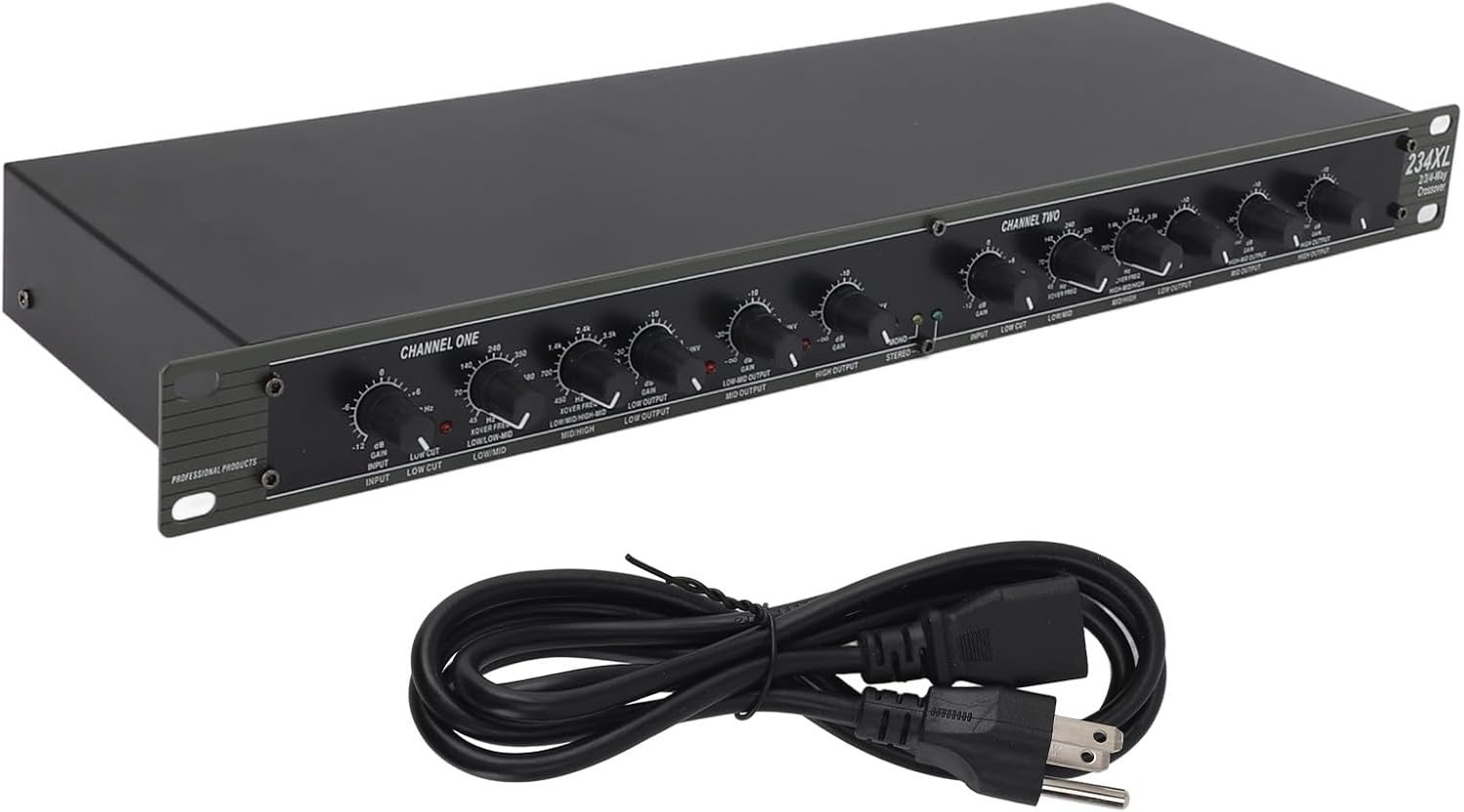
The 234XL Crossover unit alongside its included power cable, ready for connection to a standard power outlet.
Product Tour Video
This video provides a visual overview of the ASHATA 234XL Crossover, demonstrating its physical appearance, front panel controls, and rear panel connections. It highlights the compact design and the included power cable.
Setup
Unpacking
Carefully remove the 234XL Crossover from its packaging. Inspect the unit for any signs of damage that may have occurred during transit. Retain the original packaging for future storage or transport.
Placement
Place the crossover on a stable, flat surface. Ensure adequate ventilation around the unit to prevent overheating. Avoid placing it near heat sources, direct sunlight, or in areas with excessive moisture or dust.
Power Connection
Before connecting power, ensure all audio connections are made and the unit's controls are set to their minimum positions. Connect the provided AC power cable to the power inlet on the rear panel of the 234XL Crossover. Then, plug the other end of the power cable into a standard electrical outlet (100-120V~50/60Hz). Ensure the power source matches the unit's requirements.
Operating Instructions
Basic Operation
The 234XL Crossover divides a full-range audio signal into multiple frequency bands, allowing you to send specific frequencies to dedicated amplifiers and loudspeakers (e.g., low frequencies to subwoofers, mid frequencies to mid-range speakers, and high frequencies to tweeters). This optimizes the performance of your sound system and protects individual speaker components.
Configuring Operating Modes
The 234XL Crossover offers flexible configuration options via the MODE switch located on the rear panel:
- Stereo 2-Way/3-Way Mode: This is the standard stereo operation. In 2-way mode, the signal is split into Low and High frequencies. In 3-way mode, it's split into Low, Mid, and High frequencies. Use the corresponding switches and controls on the front panel to select and adjust the crossover points for each channel.
- Mono 4-Way Mode: In this mode, the unit operates as a single mono channel, splitting the signal into four distinct frequency bands: Low, Low-Mid, High-Mid, and High. This is ideal for complex mono sound reinforcement systems requiring precise frequency management.
Controls and Indicators
| Control/Indicator | Function |
|---|---|
| Input Gain | Adjusts the input sensitivity for each channel. Set to achieve optimal signal level without clipping. |
| Low Cut (HPF) | High-Pass Filter. Removes unwanted ultra-low frequencies that can cause distortion or waste amplifier power. |
| Crossover Freq. (Low/Mid, Mid/High) | Determines the frequency point where the audio signal is divided between adjacent bands. |
| Output Level (Low, Mid, High) | Adjusts the output volume for each specific frequency band (Low, Mid, High). |
| Mode Switch | Selects between Stereo 2-Way/3-Way and Mono 4-Way operation. Located on the rear panel. |
| LED Indicators | Provide visual feedback on signal presence and clipping, helping to prevent overload. |
Maintenance
- Cleaning: To clean the unit, use a soft, dry cloth. Do not use abrasive cleaners, waxes, or solvents. Ensure the unit is powered off and unplugged before cleaning.
- Storage: When not in use for extended periods, store the crossover in a cool, dry place, away from direct sunlight and extreme temperatures. It is recommended to use the original packaging for protection.
- Ventilation: Always ensure that the ventilation openings on the unit are not blocked to prevent overheating.
Troubleshooting
| Problem | Possible Cause | Solution |
|---|---|---|
| No Power | Power cable disconnected; Power outlet faulty. | Ensure power cable is securely connected. Test the power outlet with another device. |
| No Sound Output | Incorrect audio connections; Input/Output levels too low; Incorrect mode setting. | Verify all XLR audio cables are correctly connected. Increase Input Gain and Output Level controls. Check the MODE switch on the rear panel. |
| Distorted Sound | Input signal too high (clipping); Faulty cables; Improper impedance matching. | Reduce the Input Gain. Check all audio cables for damage. Ensure connected equipment has compatible impedance. |
| Hum or Buzzing Noise | Ground loop; Unshielded cables; Interference from other electronic devices. | Ensure proper grounding. Use high-quality shielded audio cables. Move the unit away from potential sources of electromagnetic interference. |
Specifications
| Attribute | Value |
|---|---|
| Model Number | ASHATAapgvfk7bid |
| Item Weight | 5.14 pounds |
| Package Dimensions | 21.75 x 11.25 x 2.5 inches |
| ASIN | B0CTY5G16T |
| Date First Available | February 4, 2024 |
Warranty and Support
For specific warranty information and details regarding product support, please refer to the documentation included with your purchase or visit the official ASHATA website. You may also contact ASHATA customer service directly for assistance with any product-related inquiries or technical support needs.