
DigiKuber TK10
DigiKuber TK10 Smartwatch User Manual
Model: TK10 | Brand: DigiKuber
1. Introduction
Thank you for choosing the DigiKuber TK10 Smartwatch. This device is designed to help you monitor your health and fitness with advanced features such as ECG, heart rate, blood pressure, blood oxygen, and body temperature tracking. It also offers convenient smart notifications and multiple sports modes to enhance your daily life. Please read this manual carefully to ensure proper use and maintenance of your smartwatch.

Figure 1.1: DigiKuber TK10 Smartwatch and DeepFit App Interface
2. Safety Information
- Do not use the watch for medical diagnosis or treatment. The health data provided is for reference only.
- Keep the device away from extreme temperatures, direct sunlight, and strong magnetic fields.
- Avoid dropping or subjecting the watch to strong impacts.
- Do not disassemble or attempt to repair the watch yourself. This will void the warranty.
- The watch is IP68 waterproof, suitable for daily use like hand washing or rain. Do not wear the watch for diving, hot water bathing, or sauna, as steam and hot water can damage the device.
- Keep out of reach of children.

Figure 2.1: IP68 Waterproof Rating
3. Package Contents
Please check the package contents upon unboxing:
- DigiKuber TK10 Smartwatch (with strap)
- Magnetic Charging Cable
- User Manual
4. Product Overview
Familiarize yourself with the components of your DigiKuber TK10 Smartwatch:
- 1.91-inch LED Touch Screen: High-definition display for clear visuals and easy navigation.
- Side Button: Used for power on/off, screen wake-up, and returning to the main interface.
- Sensors (Rear): ECG, PPG, Heart Rate, Blood Oxygen, and Temperature sensors for health monitoring.
- Charging Contacts (Rear): For magnetic charging.
- Watch Strap: Standard 22mm width, 255mm length.
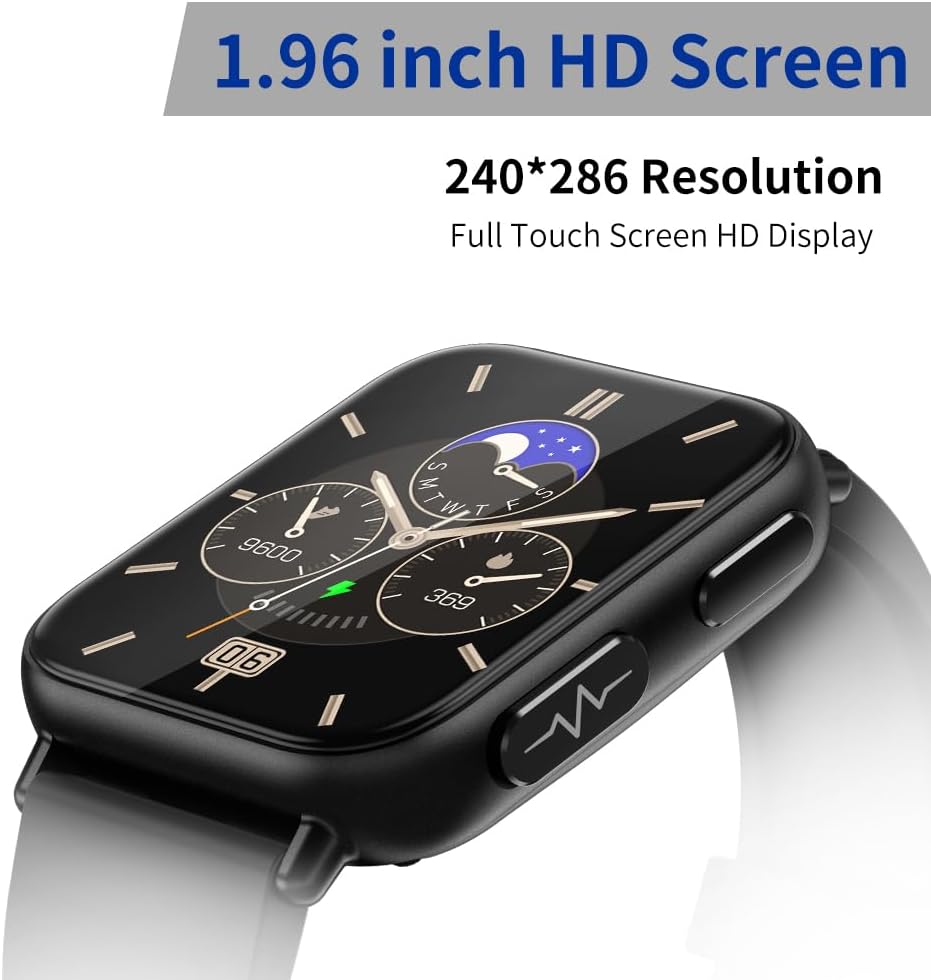
Figure 4.1: 1.91-inch HD Touch Screen

Figure 4.2: Smartwatch Dimensions
5. Setup
5.1 Charging the Smartwatch
Before first use, fully charge your smartwatch. Connect the magnetic charging cable to the charging contacts on the back of the watch. Connect the USB end of the cable to a standard USB power adapter (5V/1A) or a computer USB port.
- Charging time: Approximately 3-4 hours.
- Usage time: Approximately 5-7 days, depending on usage.

Figure 5.1: Magnetic Charging
5.2 Downloading the DeepFit App
To unlock the full potential of your smartwatch, download the 'DeepFit' app on your smartphone.
- For Android: Search for 'DeepFit' on the Google Play Store.
- For iOS: Search for 'DeepFit' on the Apple App Store.
- Alternatively, scan the QR code provided in the quick start guide (if available) or on the watch screen to download the app.
5.3 Pairing with Your Smartphone
Ensure your smartphone's Bluetooth is enabled.
- Open the DeepFit app on your smartphone.
- Follow the on-screen instructions to create an account or log in.
- Navigate to the 'Device' or 'Add Device' section within the app.
- The app will search for available devices. Select 'TK10' or the corresponding device name when it appears.
- Confirm the pairing request on both your smartphone and the smartwatch.
- Once paired, the watch will synchronize date and time with your phone.
6. Operating Instructions
6.1 Basic Navigation
- Swipe Up/Down: Scroll through menus and notifications.
- Swipe Left/Right: Access quick functions or different data screens.
- Tap: Select an item or confirm an action.
- Side Button Press: Wake up the screen, return to the main watch face, or go back to the previous screen.
6.2 Health Monitoring
The smartwatch offers comprehensive health monitoring features. Access these functions directly on the watch or view detailed reports in the DeepFit app.
- ECG Monitor: Provides electrocardiogram measurements. Export reports from the DeepFit app.
- Heart Rate (HR): Real-time heart rate tracking.
- Blood Pressure (BP): Measures systolic and diastolic blood pressure.
- Blood Oxygen (SpO2): Monitors blood oxygen saturation levels.
- Body Temperature: 24-hour body temperature monitoring. Data can be recorded in the DeepFit app.
- Sleep Monitor: Automatically tracks your sleep quality (deep sleep, light sleep, awake time) when worn during sleep. Synchronizes data with the DeepFit app.
- Stress Monitor: Provides stress level assessments.

Figure 6.1: ECG and Temperature Monitoring

Figure 6.2: DeepFit App Interface for Health Data
6.3 Sports Modes
The smartwatch supports various sports modes to track your activities:
- Running
- Cycling
- Fitness
- Table Tennis
- Basketball
- Badminton
- Jump Rope
- And more...
Select your desired sport mode on the watch to start tracking metrics like steps, calories burned, and mileage.

Figure 6.3: Multiple Sports Modes
6.4 Notifications
Once paired with your smartphone, the smartwatch can receive notifications for calls and messages.
- Call Notification: The watch will vibrate and display the caller ID. You can reject calls directly from the watch.
- Message Notification: Receive alerts for SMS, WhatsApp, Facebook, Twitter, and other app messages. You can view the message content on the watch screen.
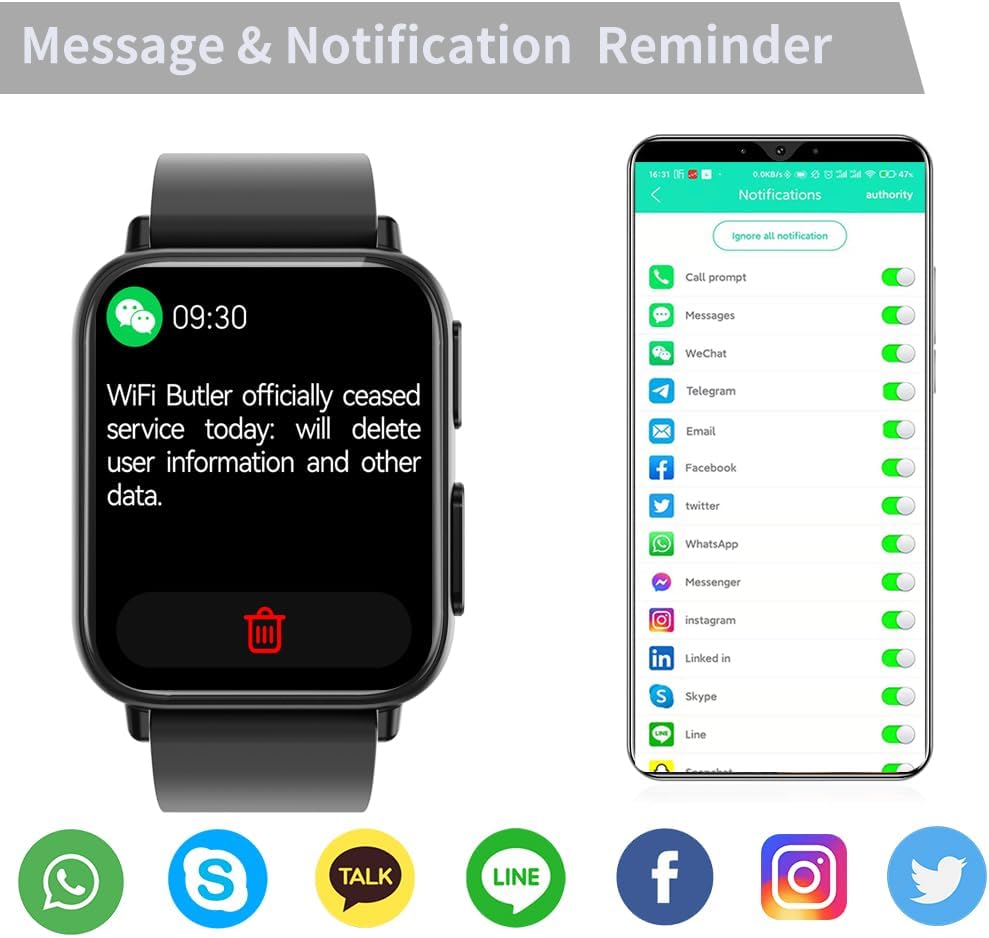
Figure 6.4: Message and Call Reminders
6.5 Other Functions
- Music Control: Control music playback on your smartphone (play, pause, skip tracks) directly from the watch.
- Countdown & Stopwatch: Built-in timer functions for various activities.
- Sedentary Reminder: Get alerts to move if you've been inactive for too long.
- Find My Phone: Use the watch to locate your paired smartphone.
- Alarm Clock: Set alarms through the DeepFit app to vibrate on your watch.
7. Maintenance
7.1 Cleaning
- Regularly clean the watch screen and strap with a soft, dry cloth.
- If necessary, use a slightly damp cloth for the strap, then dry thoroughly.
- Ensure the charging contacts are clean and dry before charging.
7.2 Water Resistance (IP68)
The DigiKuber TK10 Smartwatch has an IP68 waterproof rating, meaning it is resistant to dust and can withstand immersion in water up to 1.5 meters for 30 minutes. However, please note the following:
- It is suitable for daily use like hand washing, rain, or accidental splashes.
- DO NOT wear the watch for diving, swimming in deep water, hot water bathing, or sauna. Steam and hot water can penetrate the seals and cause damage.
- Avoid contact with chemical solvents, detergents, or corrosive liquids, as they may damage the watch's seals.
7.3 Battery Care
- Avoid completely draining the battery frequently.
- Charge the watch regularly, even if not in use for extended periods, to maintain battery health.
- Use only the provided magnetic charging cable.
8. Troubleshooting
| Problem | Possible Cause | Solution |
|---|---|---|
| Watch does not turn on | Low battery | Charge the watch for at least 30 minutes. |
| Cannot pair with phone | Bluetooth off, app issue, watch not discoverable | Ensure Bluetooth is on. Restart watch and phone. Reinstall DeepFit app. Ensure watch is charged. |
| Notifications not received | App permissions, Bluetooth disconnected, app not running in background | Check app notification permissions on your phone. Ensure DeepFit app is running. Reconnect Bluetooth. |
| Inaccurate health data | Improper wearing, sensor obstruction | Ensure watch is worn snugly on the wrist. Clean the sensor area on the back of the watch. |
| Screen unresponsive | Software glitch | Restart the watch by pressing and holding the side button. |
9. Specifications
| Feature | Detail |
|---|---|
| Model Number | TK10 |
| Brand | DigiKuber |
| Display | 1.91-inch LED Full Touch Screen |
| Operating System | AsteroidOS |
| Connectivity | Bluetooth |
| Battery Capacity | 280 mAh Lithium-polymer |
| Charging Time | Approx. 3-4 hours |
| Usage Time | Approx. 5-7 days |
| Water Resistance | IP68 |
| Strap Width | 22 mm |
| Strap Length | 255 mm |
| Compatible Devices | Android OS 6.0+ / iOS 11.0+ smartphones |
| Special Features | ECG Monitor, Body Temperature, Blood Pressure, Blood Oxygen, Sleep Monitor, Heart Rate, Stress, Notifications (Email/Messages/Call/SNS), Alarm, Timer, Stopwatch, Music Control, Find My Phone |
10. Warranty and Support
DigiKuber offers a one-year warranty for this product from the date of purchase. This warranty covers manufacturing defects and malfunctions under normal use.
The warranty does not cover:
- Damage caused by improper use, accident, abuse, or negligence.
- Damage caused by unauthorized repair or modification.
- Normal wear and tear.
- Damage caused by exposure to hot water, steam, or corrosive liquids.
For warranty claims or technical support, please contact DigiKuber customer service through the platform where you purchased the product or refer to the contact information provided on the official DigiKuber website (if available).
Related documentsTK10


Ask a question about this manual
Ask about setup, troubleshooting, compatibility, parts, safety, or missing instructions. Manuals+ will review the question and use this page’s manual context to help answer it.