
1. Introduction
The IceRiver KS0 Ultra is a high-performance ASIC (Application-Specific Integrated Circuit) miner designed for efficient Kaspa (KAS) cryptocurrency mining. With an impressive hash rate of 400 GH/s and a low power consumption of 100W, it offers an energy-efficient solution for cryptocurrency enthusiasts. This manual provides essential information for setting up, operating, maintaining, and troubleshooting your IceRiver KS0 Ultra miner.
2. Safety Information
- Always connect the miner to a grounded power outlet.
- Ensure proper ventilation around the device to prevent overheating. Do not block air vents.
- Keep the device away from water, moisture, and high humidity environments.
- Do not attempt to open or repair the device yourself. Refer to qualified personnel for service.
- Use only the provided power supply and power cord.
3. Package Contents
Please check the package for the following items:
- IceRiver KS0 Ultra Miner Unit
- Power Supply Unit
- Power Cord
4. Product Overview
Familiarize yourself with the IceRiver KS0 Ultra miner and its components.
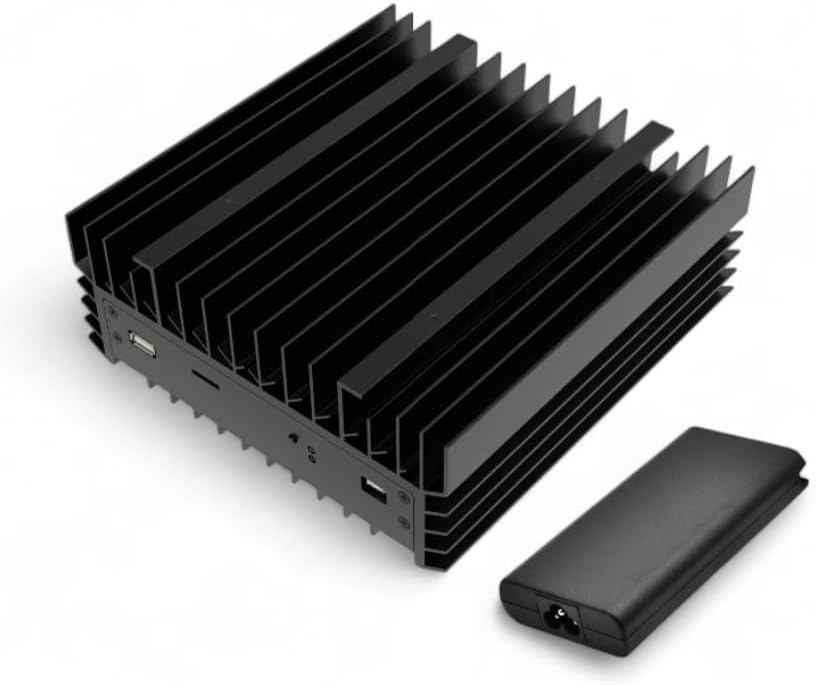
Figure 4.1: IceRiver KS0 Ultra Miner with included Power Supply Unit. The miner features a compact design with integrated heatsinks for efficient cooling.

Figure 4.2: Front view of the IceRiver KS0 Ultra, highlighting its 0.4 TH/s (400 GH/s) hash rate and 100W power consumption, optimized for Kaspa mining.
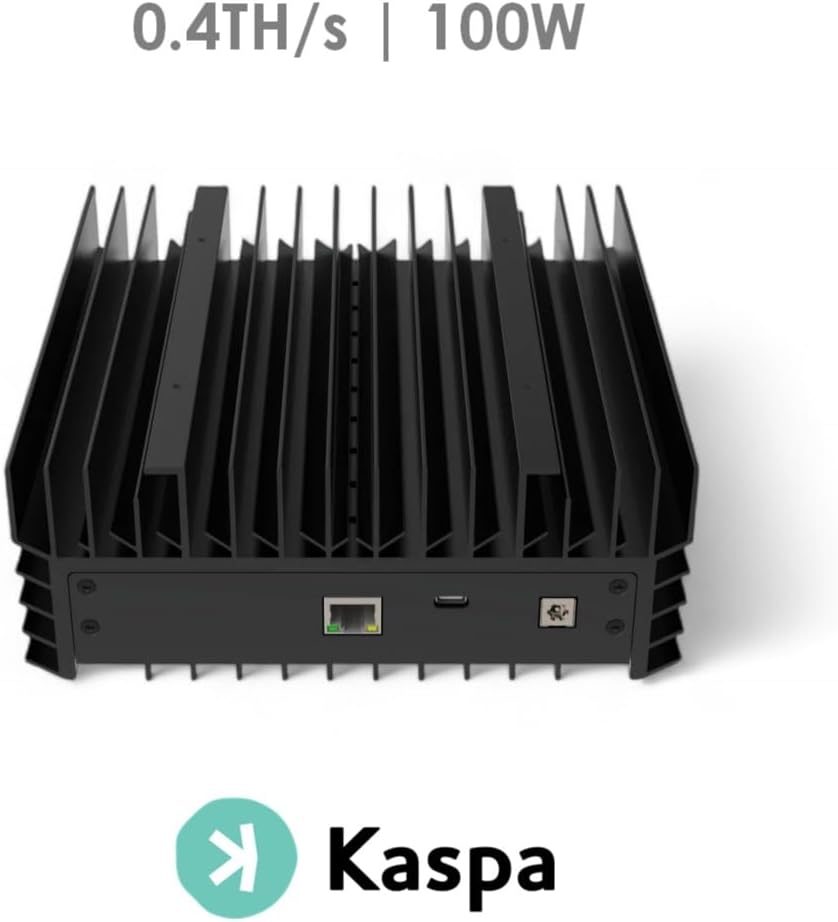
Figure 4.3: Rear view of the IceRiver KS0 Ultra, showing the Ethernet port for network connectivity and the power input port.
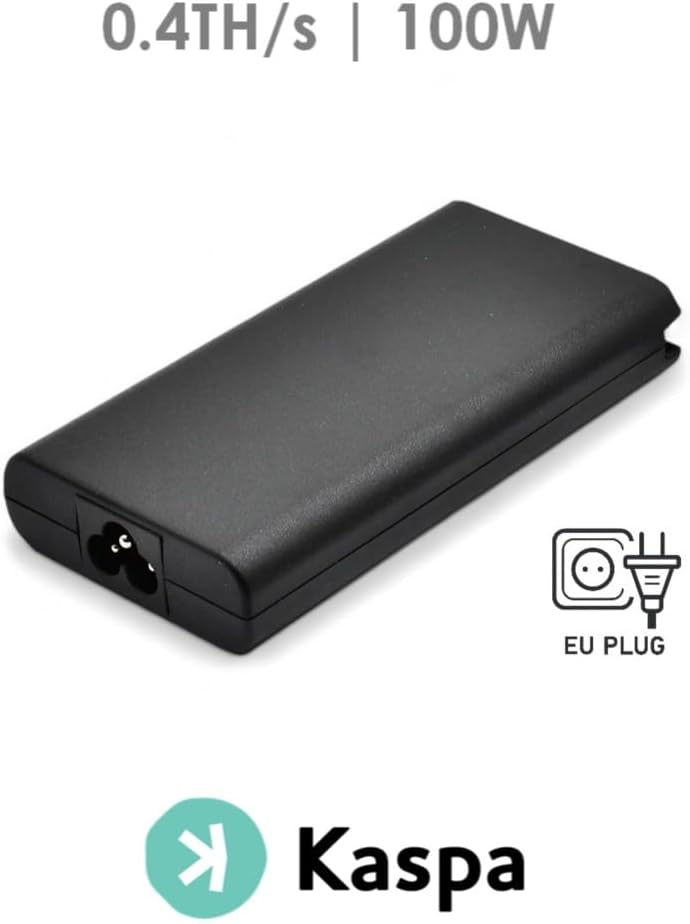
Figure 4.4: The dedicated power supply unit included with the IceRiver KS0 Ultra, featuring an EU plug type.
5. Setup Guide
Follow these steps to set up your IceRiver KS0 Ultra miner:
- Placement: Place the miner on a stable, flat surface in a well-ventilated area. Ensure there is adequate space around the device for airflow.
- Connect Network Cable: Connect one end of an Ethernet cable to the Ethernet port on the rear of the miner and the other end to your router or network switch.
- Connect Power: Connect the power supply unit to the miner's power input port. Then, connect the power cord to the power supply unit and plug it into a grounded electrical outlet.
- Power On: The miner should power on automatically. Observe the indicator lights for network activity and operational status.
- Access Web Interface: Once connected to the network, the miner will obtain an IP address. You can typically find this IP address through your router's connected devices list. Enter the miner's IP address into a web browser to access its configuration interface.
- Configure Mining Pool: Within the web interface, navigate to the mining settings. Enter your Kaspa mining pool details (pool URL, worker name, password) and your Kaspa wallet address. Save the settings.
6. Operating Instructions
After successful setup, the miner will begin hashing. You can monitor its performance through the web interface:
- Status Dashboard: The main dashboard of the web interface will display real-time information such as current hash rate, temperature, fan speed, and network status.
- Hash Rate Monitoring: Regularly check the reported hash rate to ensure the miner is operating at its optimal performance (around 400 GH/s).
- Temperature Monitoring: Keep an eye on the operating temperature. While the KS0 Ultra has an advanced cooling system, extreme ambient temperatures can affect performance and longevity.
- Reboot: If the miner becomes unresponsive or experiences issues, a soft reboot can often resolve minor problems. This option is usually available in the web interface. For a hard reboot, disconnect and reconnect the power.
7. Maintenance
Regular maintenance helps ensure the longevity and optimal performance of your miner:
- Dust Removal: Periodically clean the exterior of the miner and its vents using a soft brush or compressed air to prevent dust buildup, which can impede cooling.
- Environmental Control: Maintain a cool, dry, and dust-free environment for the miner. Avoid placing it in direct sunlight or near heat sources.
- Cable Management: Ensure all cables are securely connected and not tangled, which could obstruct airflow or cause disconnections.
8. Troubleshooting
If you encounter issues with your IceRiver KS0 Ultra, refer to the following common problems and solutions:
| Problem | Possible Cause | Solution |
|---|---|---|
| Miner does not power on | Loose power connection, faulty power supply, no power from outlet | Check all power connections. Test the power outlet with another device. Ensure the power supply unit is functioning. |
| No network connection | Loose Ethernet cable, router issue, incorrect IP settings | Ensure Ethernet cable is securely connected. Reboot your router. Check network settings in the miner's web interface. |
| Low hash rate | Incorrect pool settings, network issues, overheating, hardware fault | Verify mining pool configuration. Check network stability. Ensure proper ventilation. If issues persist, contact support. |
| Miner is overheating | Poor ventilation, high ambient temperature, dust buildup | Ensure clear airflow around the miner. Reduce ambient temperature if possible. Clean dust from vents and heatsinks. |
9. Specifications
| Feature | Specification |
|---|---|
| Model Name | IceRiver KS0 Ultra |
| Brand | db-tronic |
| Hash Rate | 400 GH/s (0.4 TH/s) |
| Power Consumption | 100 Watts |
| Cooling Method | Fan |
| Connectivity | Ethernet |
| Power Supply | Included (External) |
| Mounting Type | Tabletop |
10. Warranty and Support
For warranty information and technical support, please refer to the documentation provided with your purchase or contact the seller/manufacturer directly. Keep your proof of purchase for warranty claims.
For further assistance, you may visit the official db-tronic website or contact their customer service.