Ant Esports GP320

Ant Esports GP320 Wireless Gamepad User Manual

Model: GP320

Introduction

This manual provides detailed instructions for the setup, operation, and maintenance of your Ant Esports GP320 Wireless Gamepad. Please read this manual thoroughly before using the product to ensure proper functionality and to maximize your gaming experience. The GP320 offers multi-platform compatibility, including Android, Windows PC, iOS, Nintendo Switch, PS4, and PS3.

Package Contents

Verify that all items listed below are present in your package:

Product Overview

Familiarize yourself with the various components and controls of your gamepad.

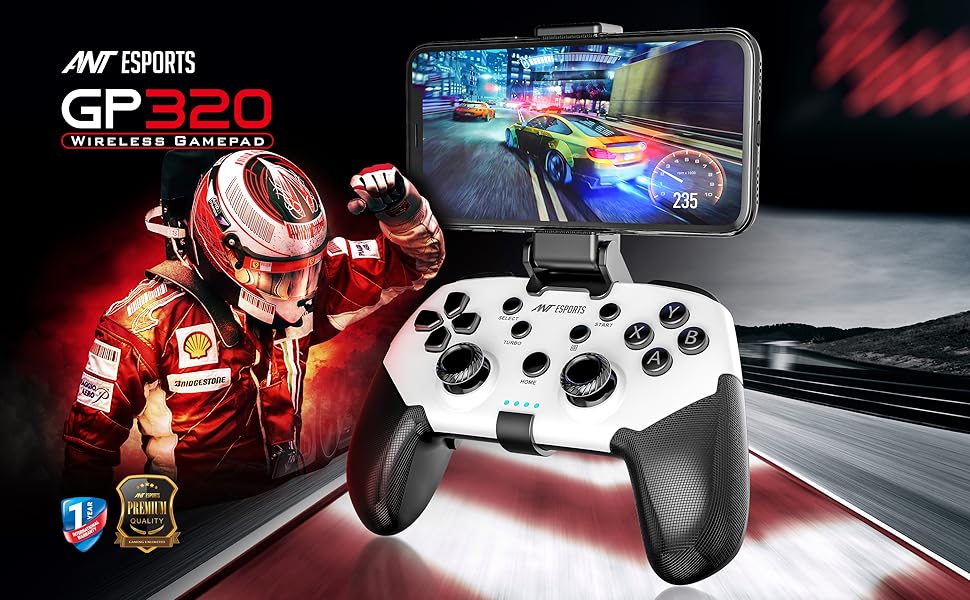
Ant Esports GP320 Wireless Gamepad with phone attached

Image: Front view of the Ant Esports GP320 Wireless Gamepad with a smartphone mounted in the holder, displaying a racing game. This illustrates the gamepad's design and its use with mobile devices.

Ant Esports GP320 Wireless Gamepad with labeled buttons

Image: Detailed view of the Ant Esports GP320 Wireless Gamepad, highlighting its various buttons and joysticks. This image helps users identify each control element.

Ant Esports GP320 Wireless Gamepad back buttons

Image: Rear view of the Ant Esports GP320 Wireless Gamepad, showing the programmable ML and MR back buttons. This image helps users locate and understand these additional controls.

Setup and Connectivity

Charging the Gamepad

Connect the supplied USB Type-A to Type-C cable to the gamepad's charging port and a compatible USB power source (e.g., computer USB port, USB wall adapter). The LED indicators will show charging status. A full charge typically takes approximately 2-3 hours.

Powering On/Off

Pairing Modes

The GP320 supports various connection modes. Select the appropriate mode for your device:

Operating Instructions

Basic Controls

The gamepad features standard controls including dual analog sticks, a D-pad, action buttons (A, B, X, Y), shoulder buttons (L1, R1), and triggers (L2, R2). Refer to the Product Overview section for button identification.

Turbo Function

The Turbo function allows a button to be repeatedly pressed automatically while held down.

Programmable Macro Buttons (ML & MR)

The ML and MR buttons on the back of the gamepad can be programmed to record a sequence of up to 18 button presses.

Compatibility

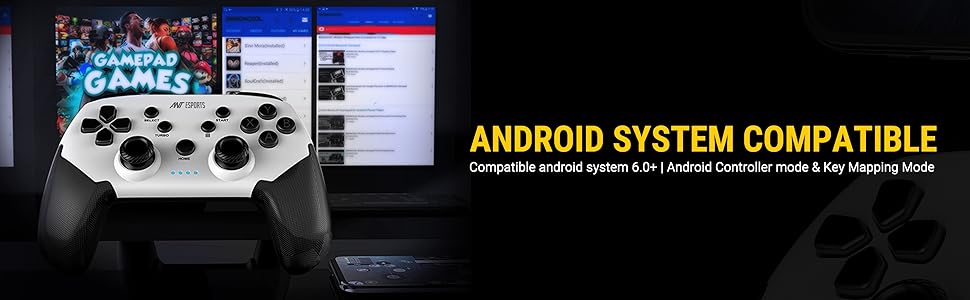
The Ant Esports GP320 Wireless Gamepad is designed for broad compatibility:

Ant Esports GP320 Wireless Gamepad compatibility with multiple platforms

Image: A banner showcasing the Ant Esports GP320 Wireless Gamepad's compatibility with various platforms, including PS4, Android, Windows, Switch, and iOS.

Specifications

ModelGP320
ConnectivityBluetooth 5.0, Wired (USB Type-C)
CompatibilityAndroid (6.0+), iOS (13.0+), Windows (7.0+), Mac OS, Nintendo Switch, PS4, PS3
Special FeaturesSix-axis gyroscope, Vibration motors, Turbo function, Programmable back buttons (ML/MR)
Mobile Holder Support5-7 inch (127-180mm) mobile phones and Nintendo Switch
Dimensions (LxWxH)16 x 11 x 5.5 cm
Weight166 g
Country of OriginChina

Maintenance

Troubleshooting

ProblemSolution
Gamepad does not power on.Ensure the gamepad is charged. Connect it to a power source using the USB Type-C cable.
Cannot pair with device.
  • Ensure the correct pairing mode is activated (e.g., Home + X for Android).
  • Make sure Bluetooth is enabled on your device.
  • Delete previous pairings from your device's Bluetooth list and try pairing again.
  • Restart both the gamepad and your device.
Gamepad disconnects frequently.
  • Ensure the gamepad is fully charged.
  • Reduce the distance between the gamepad and the connected device.
  • Minimize interference from other wireless devices.
  • For PC, try a wired connection if wireless is unstable.
Buttons or joysticks are unresponsive.
  • Restart the gamepad.
  • Ensure the gamepad is properly paired and connected.
  • Test the gamepad with another compatible device or game to isolate the issue.

Warranty and Support

Ant Esports products are designed for reliability and performance. For warranty information and technical support, please refer to the official Ant Esports website or contact their customer service directly. Keep your purchase receipt as proof of purchase for warranty claims.

Note: A review mentioned issues with customer support regarding missing accessories. While this manual cannot guarantee specific support outcomes, it is recommended to contact the seller or manufacturer directly for any product-related concerns.

Related Documents - GP320

Preview FL ESPORTS GP108 Keyboard: FN Key Combinations & Mode Guide
Comprehensive guide to the FL ESPORTS GP108 mechanical keyboard, detailing FN key combinations for Windows, Android, and iOS/MAC systems, 2.4G/wired/BT mode indicators, charging, and hibernation features.
Preview FL·ESPORTS OG98 2.4G & Bluetooth Three Mode Mechanical Keyboard User Manual
Comprehensive user manual for the FL·ESPORTS OG98 mechanical keyboard, detailing its 2.4G, Bluetooth, and wired modes, FN key combinations for Windows, Android, and iOS/MAC systems, indicator light descriptions, and full product specifications.
Preview Razer BlackShark V2 X Gaming Headset User Guide
Official user guide for the Razer BlackShark V2 X gaming headset, featuring detailed specifications, setup instructions, safety guidelines, and warranty information. Designed for PC, Mac, Xbox, PlayStation, and Nintendo Switch.
Preview Williams AV 72 MHz Antenna Selection and Installation Guide
Comprehensive guide from Williams AV on selecting and installing 72 MHz antennas for optimal performance, covering models ANT 005, ANT 021, ANT 024, ANT 025, ANT 028, ANT 029, and ANT 034, along with general installation best practices.
Preview MNDBPOE1 PoE Gateway + Bridge Combo Datasheet
Datasheet for the Minew MNDBPOE1 PoE Gateway + Bridge Combo, detailing its product overview, operational modes, detailed specifications, radio details, bridge and tag orientation, detailed drawings, project information, and compliance statements.
Preview POWER-LITE LED UFO High Bay Sensor HB-S Installation and Operation Instructions
Detailed instructions for the POWER-LITE LED UFO High Bay Sensor, model HB-S. Covers sensor functions, specifications, installation notes, corridor function, daylight sensor operation, wiring, and FCC compliance.