
1. Introduction
This manual provides comprehensive instructions for the safe and efficient operation of the FeelTech FY1100-5M and FY1100-02M Single Channel DDS Signal Generators. Please read this manual thoroughly before using the device to ensure proper functionality and to prevent damage or injury.
The FY1100 series signal generators utilize Direct Digital Synthesis (DDS) technology to produce accurate, stable, and low-distortion output signals. They feature a 2.4-inch color display for clear visualization of waveform parameters and offer high frequency resolution and accuracy.
2. Safety Notes and Warnings
2.1. General Safety Notes
- Before using this instrument, verify that the power supply is within normal operating parameters to ensure safe and proper function.
- This instrument must be operated strictly within its specified technical index range.
- Do not modify the instrument's internal circuitry without authorization. Unauthorized modifications can lead to equipment damage or safety hazards.
2.2. Warning Regarding Personal Injury
This product is not intended for use in safety protection devices, emergency stop systems, or any other applications where product failure could result in personal injury or death, unless specifically authorized for such use. Adherence to all technical specifications and parameters outlined in this manual is crucial. Failure to comply with these guidelines may result in severe personal injury or death. The manufacturer and its affiliates will not be held responsible for any claims arising from non-compliance with these instructions.
3. Product Features
- Display: Equipped with a 2.4-inch (320x240 pixel) color display for clear visualization of waveform parameters.
- High Frequency Resolution: Offers a full-range frequency resolution of 10mHz (0.01Hz).
- Sampling Rate: Features a sampling rate of 150MSa/s with 12-bit vertical resolution.
- DDS Technology: Utilizes Direct Digital Synthesis (DDS) technology for accurate, stable, and low-distortion output signals.
- High Frequency Accuracy: Achieves a frequency accuracy of up to 10-2 orders of magnitude.
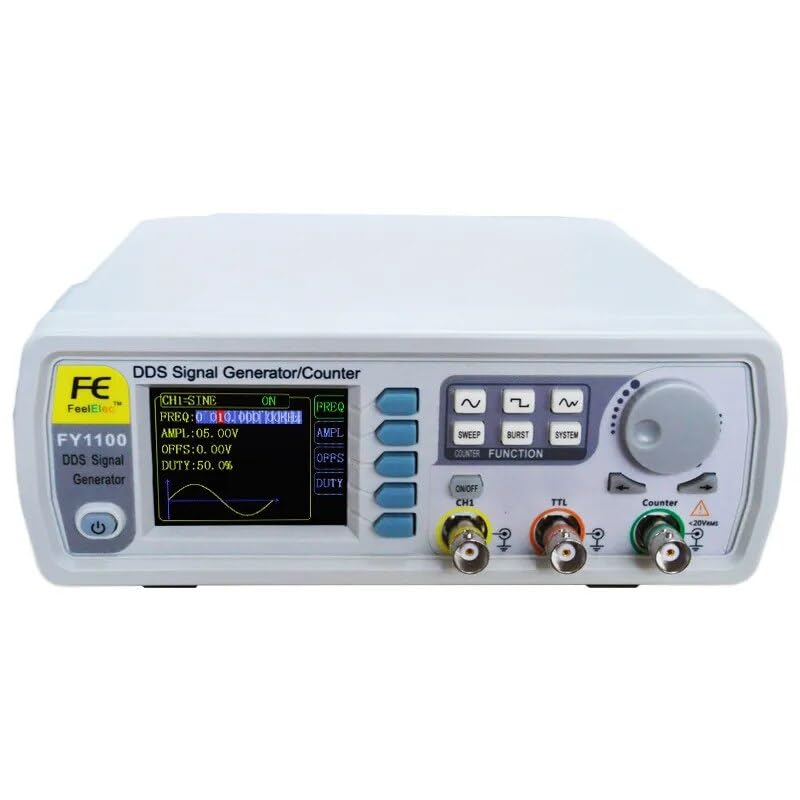
Figure 3.1: Front panel of the FY1100 DDS Signal Generator, highlighting the display and controls.
4. Package Contents
The standard package for the FeelTech FY1100 series typically includes the following items:
- FY1100 Series DDS Signal Generator Unit (1)
- 5V 1A Power Adapter (1)
- USB-B Data Cable (1)
- BNC-Clip Cable (2)
- BNC-BNC Cable (1)
- Warranty Card (1)
Optional accessories, such as the FYA2000 Series Amplifier or FPA1000 Series Amplifier, may be available separately from authorized FeelTech distributors.
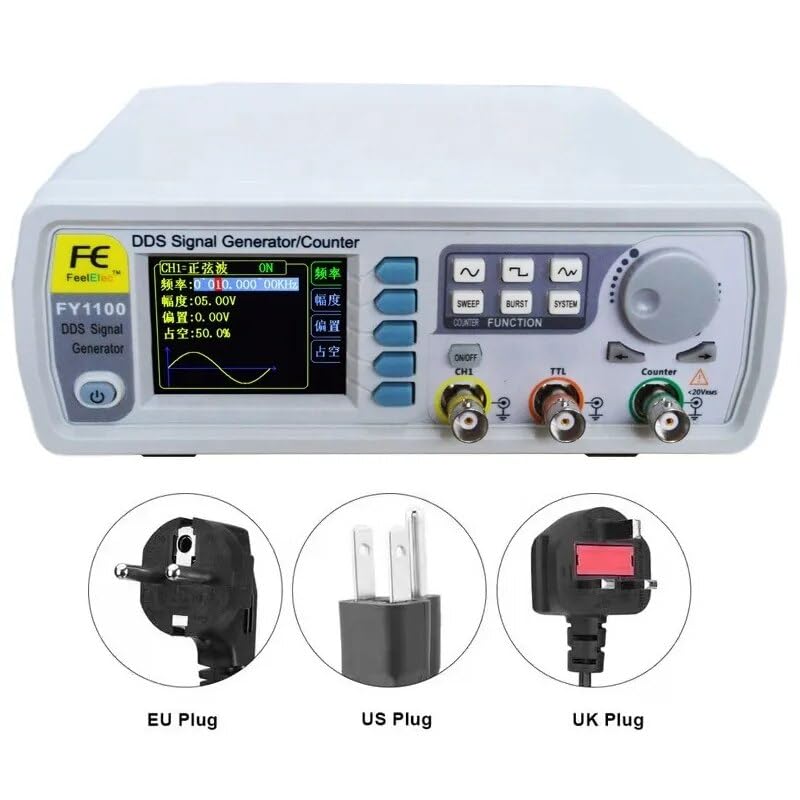
Figure 4.1: FY1100 Signal Generator with various power plug types.
5. Setup
5.1. Unpacking and Inspection
Carefully remove the signal generator and all accessories from the packaging. Inspect all components for any signs of damage during transit. If any damage is found, contact your supplier immediately.
5.2. Power Connection
- Ensure the signal generator is placed on a stable, level surface with adequate ventilation.
- Connect the provided 5V 1A power adapter to the DC input port on the rear of the device.
- Plug the power adapter into a suitable electrical outlet.
- Press the power button on the front panel to turn on the device. The display should illuminate.
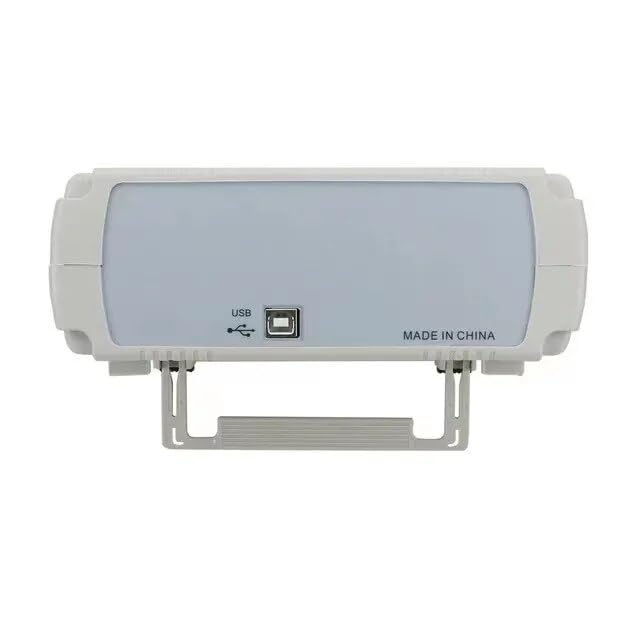
Figure 5.1: Rear panel connections, including power input and USB port.
5.3. Connecting Output Cables
Use the BNC-Clip cables or BNC-BNC cables to connect the signal generator's output channels (CH1, TTL, Counter) to your desired test equipment (e.g., oscilloscope, frequency counter).
6. Operation
The FY1100 series signal generator features an intuitive interface with a color display and dedicated function buttons. Detailed operational instructions are typically provided in the full product manual. Below are general steps for basic waveform generation:
6.1. Basic Waveform Generation
- Power On: Press the power button.
- Select Waveform: Use the waveform selection buttons (Sine, Square, Triangle, etc.) to choose the desired output waveform.
- Adjust Frequency: Use the rotary encoder and corresponding buttons to set the output frequency. The display will show the current frequency.
- Adjust Amplitude/Offset/Duty Cycle: Use the dedicated buttons (AMPL, OFFS, DUTY) and the rotary encoder to adjust the amplitude, DC offset, and duty cycle (for square waves) as needed.
- Enable Output: Press the "ON/OFF CH1" button to enable or disable the main channel output.

Figure 6.1: FY1100 Signal Generator in a typical lab setup.
7. Maintenance
Proper maintenance ensures the longevity and reliable performance of your FeelTech FY1100 DDS Signal Generator.
- Cleaning: Regularly clean the exterior of the device with a soft, dry cloth. Avoid using abrasive cleaners or solvents that could damage the casing or display.
- Ventilation: Ensure that the ventilation slots on the device are not obstructed to prevent overheating.
- Storage: When not in use for extended periods, store the device in a dry, dust-free environment, away from direct sunlight and extreme temperatures.
- Battery: The device includes a Lithium Metal battery. Refer to local regulations for proper disposal if replacement is ever needed. Battery replacement should only be performed by qualified personnel.
8. Troubleshooting
This section provides basic troubleshooting steps for common issues. For more complex problems, contact FeelTech customer support.
8.1. No Power
- Check if the power adapter is securely connected to both the device and the electrical outlet.
- Verify that the electrical outlet is functional by plugging in another device.
- Ensure the power button on the front panel is pressed.
8.2. No Output Signal
- Confirm that the "ON/OFF CH1" button is activated.
- Check the connection of the BNC cables to both the signal generator and the receiving instrument.
- Verify that the amplitude setting is not set to 0V.
- Ensure the frequency is within the specified range for the selected waveform.
9. Specifications
The following table details the technical specifications for the FeelTech FY1100-5M and FY1100-02M DDS Signal Generators.
| Parameter | Specification (FY1100-5M) | Specification (FY1100-02M) |
|---|---|---|
| Product Name | FY1100-5M | FY1100-02M |
| Sine Wave Frequency Range | 0 ~ 5MHz | 0 ~ 2MHz |
| Square Wave Frequency Range | 0 ~ 2MHz | 0 ~ 2MHz |
| Triangle Wave Frequency Range | 0 ~ 3MHz | 0 ~ 2MHz |
| TTL Digital Wave Range | 0 ~ 5MHz | 0 ~ 2MHz |
| Minimum Frequency Resolution | 10mHz (0.01Hz) | |
| Frequency Accuracy | ±5 x 10⁻⁶ | |
| Frequency Stability | ±1 x 10⁻⁶ / 3 hours | |
| Output Impedance | 50Ω ±10% (typical) | |
| Waveform Sampling Rate | 150MSa/s | |
| Vertical Resolution | 12 bits | |
| Product Dimensions | 9.84 x 7.87 x 5.91 inches (250 x 200 x 150 mm) | |
| Item Model Number | GT-FY1100-5M | |
| Weight | 2.2 Pounds (approx. 1 kg) | |
| Manufacturer | FeelTech/FeelElec | |
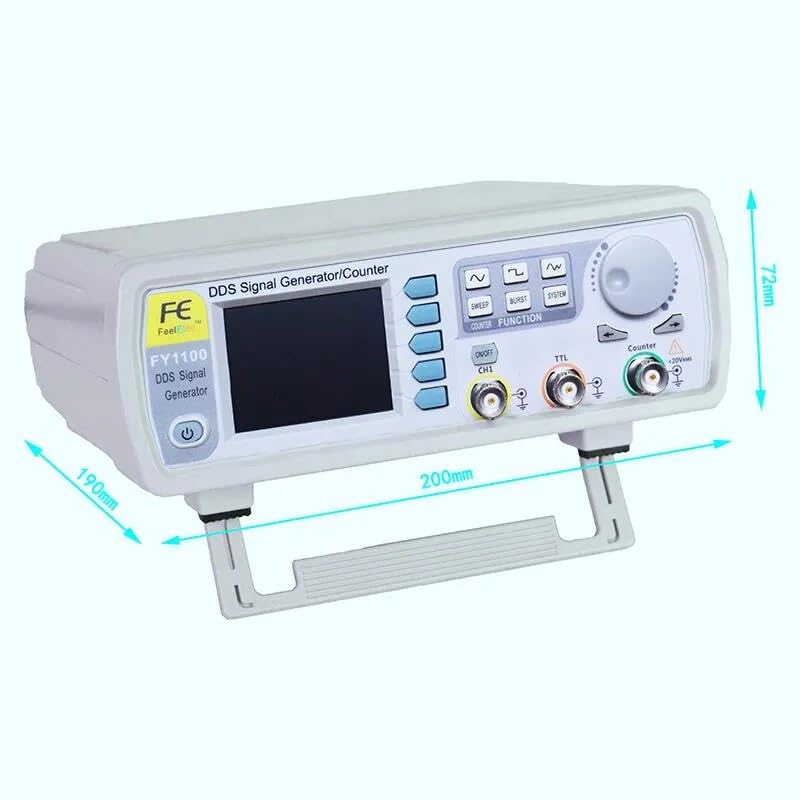
Figure 9.1: Physical dimensions of the FY1100 Signal Generator.
10. Warranty and Support
FeelTech products are covered by a limited warranty. Please refer to the included Warranty Card for specific terms and conditions. For technical support, troubleshooting assistance, or warranty claims, please contact your authorized FeelTech distributor or visit the official FeelTech website for contact information.
When contacting support, please have your product model number (FY1100-5M or FY1100-02M) and serial number ready.