
1. Introduction
The MVMT Field II 3H Timepiece is designed for durability and clear readability, suitable for various activities. This manual provides essential instructions for setting up, operating, and maintaining your watch.
The watch features a classic 3-hand design with a date window, powered by a Miyota 2415 quartz movement. Its hardened mineral crystal glass case enhances durability, and it is water-resistant up to 10 ATM (100 meters).
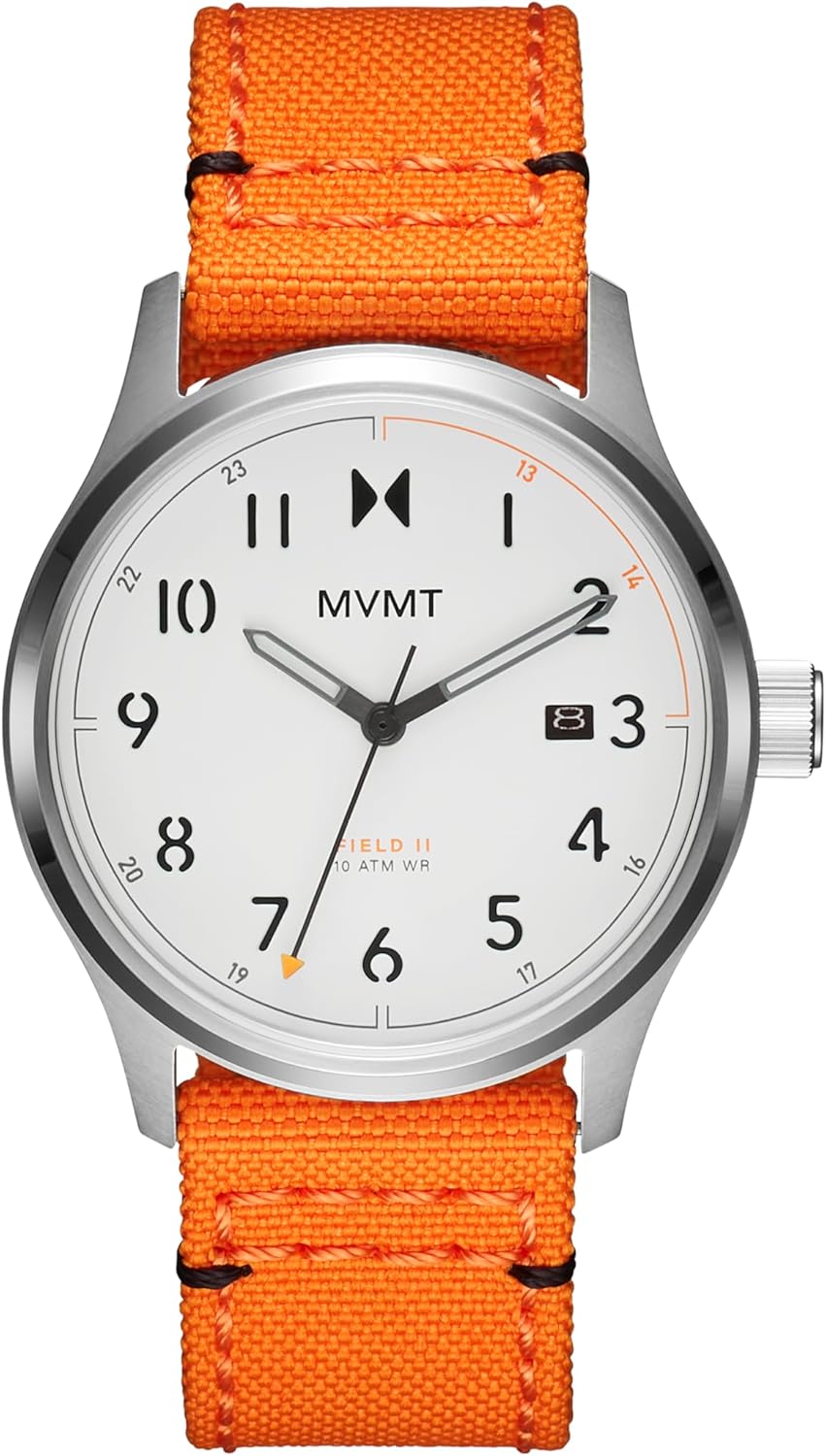
Front view of the MVMT Field II 3H Timepiece, showcasing its white dial, black numerals, and vibrant orange textile strap.
2. Setup
2.1 Setting the Time
- Pull the crown (the small knob on the side of the watch) out to position 2.
- Turn the crown clockwise or counter-clockwise to move the hands and set the correct time.
- Once the time is set, push the crown back into position 0 (normal operating position).
2.2 Setting the Date
- Pull the crown out to position 1.
- Turn the crown clockwise to advance the date. Avoid setting the date between 9:00 PM and 3:00 AM, as this may interfere with the automatic date change mechanism.
- Once the date is set, push the crown back into position 0 (normal operating position).

Angled view of the watch, showing the crown used for setting time and date.
3. Operating
3.1 Wearing the Watch
Adjust the textile strap to fit comfortably around your wrist. The buckle clasp ensures a secure fit for daily wear and various activities.

The MVMT Field II watch worn on a wrist, demonstrating its fit and appearance.
3.2 Water Resistance
Your MVMT Field II timepiece is water-resistant up to 10 ATM (100 Meters). This rating indicates that the watch is suitable for:
- Everyday use, including splashes and brief immersion in water.
- Swimming and snorkeling.
- Showering (avoid prolonged exposure to hot water or steam).
Important Considerations:
- Do not operate the crown or pushers while the watch is wet or submerged.
- Ensure the crown is fully pushed in before any water exposure.
- Water resistance is not a permanent condition and may diminish over time due to wear and tear, impacts, or temperature changes.
- Avoid exposing the watch to extreme temperature changes (e.g., hot shower immediately followed by cold water).
4. Maintenance
4.1 Cleaning Your Watch
To maintain the appearance and longevity of your watch:
- Wipe the watch case and crystal with a soft, dry, lint-free cloth regularly.
- For the textile strap, gently clean with a damp cloth and mild soap if necessary, then allow it to air dry completely. Avoid harsh chemicals.
4.2 Battery Replacement
The watch is powered by a quartz battery. When the watch stops running, it indicates the battery needs replacement. Battery replacement should be performed by a qualified watch technician to ensure proper sealing and maintain water resistance.
5. Troubleshooting
5.1 Watch Not Running
- Ensure the crown is fully pushed in to position 0.
- If the watch still does not run, the battery may need to be replaced. Consult a professional watch repair service.
5.2 Date Not Changing
- Check if the time is set correctly, especially the AM/PM cycle. The date typically changes around midnight.
- If the date is stuck, try manually advancing it using the crown in position 1.
5.3 Water Inside the Watch
If you observe condensation or water droplets inside the watch crystal, it indicates a breach in water resistance. Immediately take the watch to a professional watch repair service to prevent further damage to the movement.
6. Specifications
| Feature | Detail |
|---|---|
| Model Number | Field II |
| Movement | Miyota 2415 Quartz (3 Hand + Date) |
| Case Material | Stainless Steel |
| Case Diameter | 41mm |
| Water Resistance | 10 ATM / 100 Meters |
| Glass | Hardened Mineral Crystal |
| Strap Type | Nylon Textile |
| Clasp Type | Buckle |
| Item Weight | 8.47 ounces |
7. Warranty and Support
7.1 Two-Year Guarantee
Your MVMT Field II timepiece comes with a two-year guarantee from the date of purchase, covering manufacturing defects. This guarantee does not cover normal wear and tear, accidental damage, or damage resulting from improper use or unauthorized repairs.
7.2 Customer Support
For warranty claims, technical assistance, or any other inquiries, please refer to the official MVMT website or contact their customer service department. Keep your proof of purchase for warranty validation.


