1. Introduction
Thank you for purchasing the Shark EX150 CarpetXpert Upright Carpet, Area Rug & Upholstery Cleaner. This manual provides essential information for the safe assembly, operation, maintenance, and troubleshooting of your new appliance. Please read all instructions carefully before use and retain this manual for future reference.

Figure 1.1: Shark EX150 CarpetXpert Cleaner and Included Accessories
2. Important Safety Instructions
When using an electrical appliance, basic precautions should always be observed, including the following:
- Read all instructions before using this appliance.
- Always connect to a properly grounded outlet.
- Do not immerse the appliance in water or other liquids.
- Do not use with a damaged cord or plug. If the appliance is not working as it should, has been dropped, damaged, left outdoors, or dropped into water, return it to a service center.
- Do not pull or carry by cord, use cord as a handle, close a door on cord, or pull cord around sharp edges or corners. Keep cord away from heated surfaces.
- Do not allow children to operate the cleaner. Close supervision is necessary when used near children.
- Use only as described in this manual. Use only manufacturer’s recommended attachments and cleaning solutions.
- Turn off all controls before unplugging.
- Do not handle plug or appliance with wet hands.
- Do not put any object into openings. Do not use with any opening blocked; keep free of dust, lint, hair, and anything that may reduce airflow.
- Keep hair, loose clothing, fingers, and all parts of body away from openings and moving parts.
- Do not pick up anything that is burning or smoking, such as cigarettes, matches, or hot ashes.
- Do not use to pick up flammable or combustible liquids, such as gasoline, or use in areas where they may be present.
- Do not use without tanks in place.
- Exercise extra care when cleaning on stairs.
- Unplug before connecting or disconnecting the hose or tools.
3. What's in the Box
Carefully unpack all components and ensure you have received the following items:
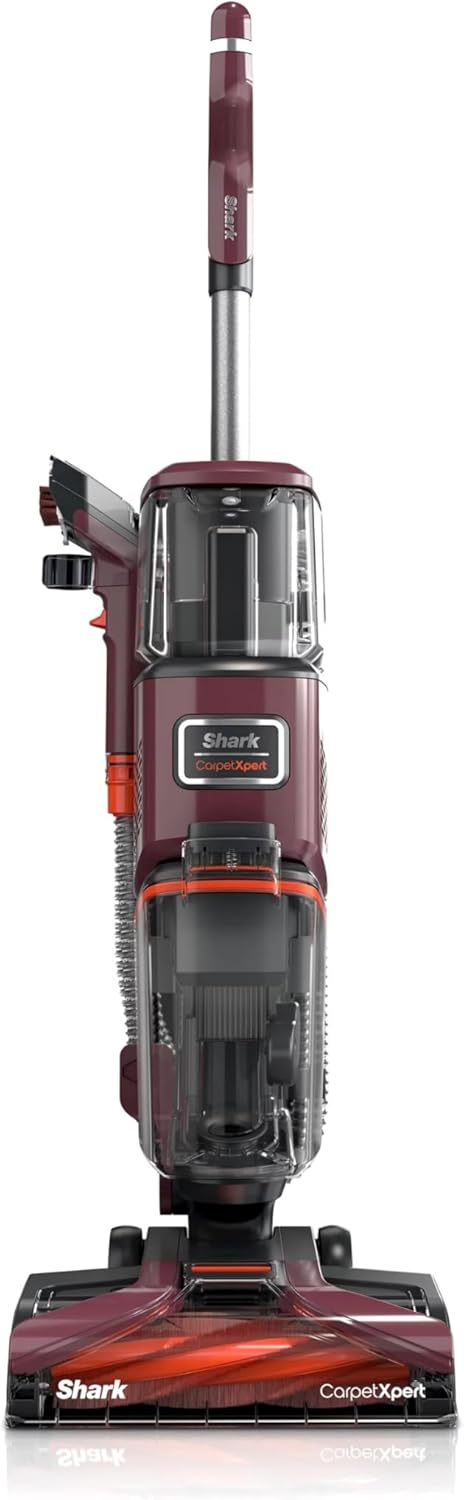
Figure 3.1: Included Components
- Shark EX150 CarpetXpert Main Unit
- 3.5" Reversible Bristle Tool
- Integrated Crevice Tool
- Hose-Cleaning Tool
- 12 oz. Shark CarpetXpert Deep Clean Essential Formula (Starter Size)
4. Assembly and Setup
Follow these steps to assemble your Shark EX150 CarpetXpert cleaner:
- Attach Handle: Insert the handle into the main body of the cleaner until it clicks securely into place.
- Secure Hose: Ensure the flexible hose is properly connected to the port on the main unit.
- Fill Clean Water Tank: Remove the clean water tank from the unit. Unscrew the cap and fill the tank with warm tap water up to the 'Water Fill' line. Add the recommended amount of Shark CarpetXpert Deep Clean Essential Formula up to the 'Formula Fill' line. Securely replace the cap and reinsert the tank into the unit.

Figure 4.1: Integrated Upright and Handheld Cleaning System
5. Operating Instructions
5.1. Deep Cleaning Carpets and Area Rugs
- Prepare Area: Vacuum the carpet or rug thoroughly to remove loose dirt and debris.
- Power On: Plug the cleaner into a grounded electrical outlet. Press the power button to turn on the unit.
- Engage Cleaning Mode: Select the appropriate cleaning mode (e.g., Deep Clean) if available.
- Clean Carpet: Push the cleaner forward slowly while holding down the spray trigger to apply cleaning solution. Release the trigger and pull the cleaner backward slowly over the same area to extract the dirty solution. Overlap passes slightly.
- Repeat: Continue cleaning in sections until the entire area is treated. For heavily soiled areas, repeat the process.

Figure 5.1: Carpet Deep Cleaning Action
5.2. Using the Handheld Spot & Stain Eliminator
The integrated handheld spot cleaner is ideal for upholstery, stairs, and small spills.
- Attach Tool: Detach the handheld spot cleaner from the main unit. Connect the desired cleaning tool (e.g., 3.5" Reversible Bristle Tool) to the end of the hose.
- Spot Clean: Hold the tool over the stain. Press the trigger to spray cleaning solution onto the stain. Gently scrub the stain with the brush tool. Release the trigger and apply pressure to the tool to extract the dirty solution.
- Blot Dry: For upholstery, blot the cleaned area with a clean, dry cloth to remove excess moisture.

Figure 5.2: Handheld Spot Remover in Use

Figure 5.3: Cleaning Pet Messes with Handheld Tool
5.3. Emptying the Dirty Water Tank
Empty the dirty water tank when it reaches the 'Max Fill' line or after each cleaning session.
- Power Off & Unplug: Turn off the cleaner and unplug it from the wall outlet.
- Remove Tank: Press the release button and pull the dirty water tank out from the main unit.
- Empty: Carry the tank to a sink or drain. Open the tank lid and pour out the dirty water.
- Rinse & Replace: Rinse the tank with clean water. Securely close the lid and reinsert the tank into the cleaner until it clicks into place.
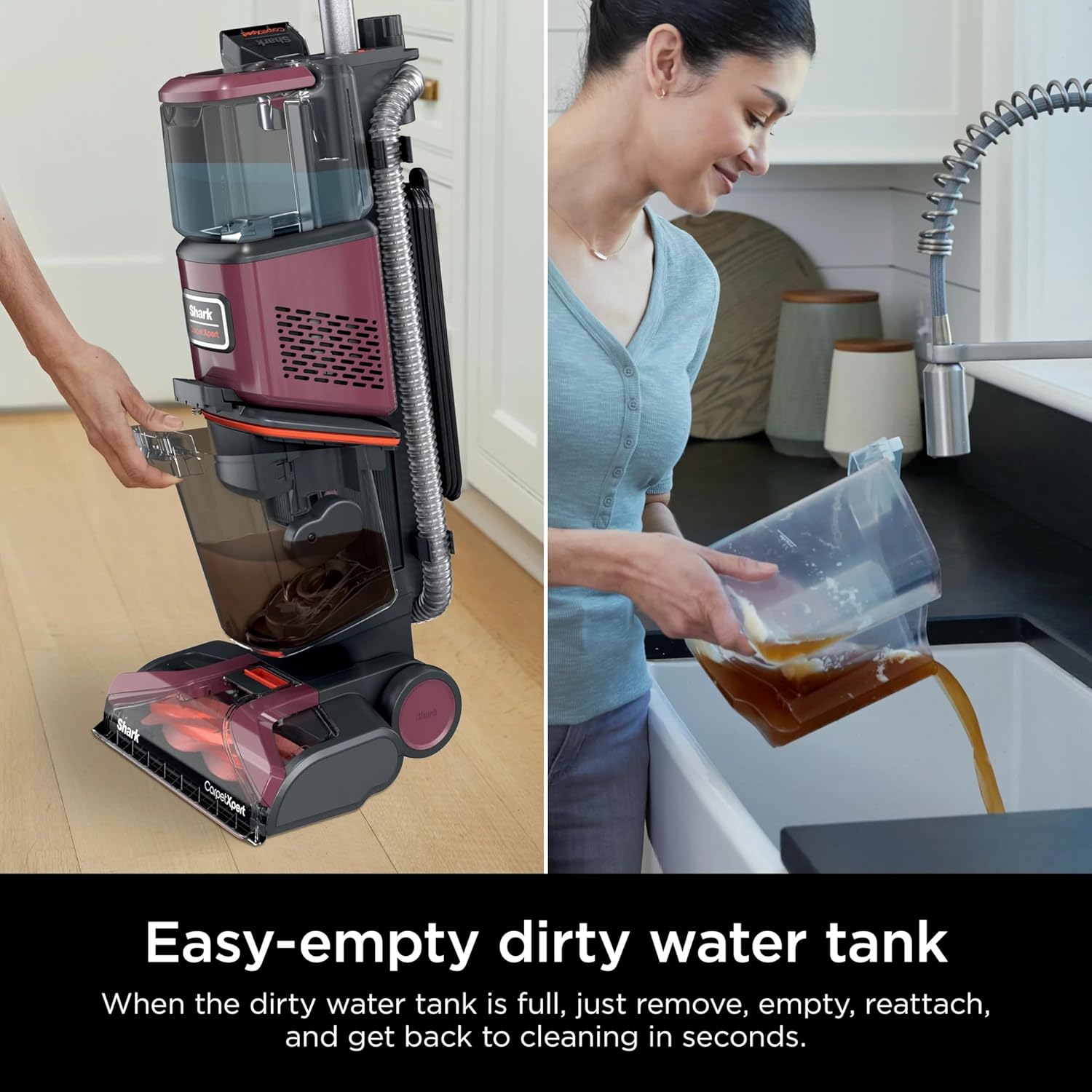
Figure 5.4: Removing and Emptying the Dirty Water Tank
6. Maintenance
Regular maintenance ensures optimal performance and extends the life of your cleaner.
6.1. Cleaning the Brushroll
- Power Off & Unplug: Always turn off and unplug the cleaner before performing any maintenance.
- Access Brushroll: Lay the cleaner flat. Locate the brushroll cover on the bottom of the cleaning head.
- Remove Debris: Use scissors to carefully cut away any hair, string, or debris wrapped around the brushroll.
- Clean Cover: Wipe the brushroll cover and surrounding area with a damp cloth.
6.2. Cleaning the Hose and Tools
- Rinse Tools: After each use, rinse the handheld tools under running water to remove any residue.
- Use Hose-Cleaning Tool: For the internal hose, attach the hose-cleaning tool to the end of the hose. Run clean water through the hose while using the tool to clear any blockages.
- Air Dry: Allow all tools and the hose to air dry completely before storing.
6.3. Storage
Store the cleaner in a dry, protected area. Ensure both clean and dirty water tanks are empty and clean before storage.
7. Troubleshooting
Review this section for common issues and their solutions.
| Problem | Possible Cause | Solution |
|---|---|---|
| Cleaner not turning on | Not plugged in; circuit breaker tripped; power button not pressed. | Ensure plug is fully inserted; check circuit breaker; press power button firmly. |
| No spray from nozzles | Clean water tank empty; tank not seated correctly; nozzles clogged. | Refill clean water tank; re-seat tank until it clicks; clean nozzles with a small brush. |
| Poor suction | Dirty water tank full; tank not seated correctly; hose or tools clogged; brushroll obstructed. | Empty dirty water tank; re-seat tank; clear any blockages in hose/tools; clean brushroll. |
| Brushroll not spinning | Brushroll obstructed by debris; belt broken. | Clear debris from brushroll; contact customer support if belt is broken. |
8. Specifications
- Brand: Shark
- Model Name: Shark EX150
- Item Model Number: #EX49KT1
- UPC: 732388011513
- Product Dimensions: 13.15 x 11.97 x 43.5 inches
- Item Weight: Approximately 17 Pounds (16.98 pounds)
- Color: Magenta
- Manufacturer: SharkNinja

Figure 8.1: Front View of Shark EX150 CarpetXpert
9. Warranty and Support
For warranty information, please refer to the warranty card included with your product or visit the official SharkNinja website. If you require assistance with your Shark EX150 CarpetXpert cleaner, have questions about its operation, or need to order replacement parts, please contact Shark customer support.
- Online Support: Visit the official SharkNinja website for FAQs, troubleshooting guides, and product registration.
- Telephone Support: Refer to your product packaging or the SharkNinja website for customer service contact numbers.