Introduction
This manual provides detailed instructions for the safe and effective use of your Supersonic TB-1000 Sonic Zoom+ Advanced Rotating Electric Toothbrush. Please read this manual thoroughly before first use and retain it for future reference.
The Supersonic TB-1000 is designed to enhance your daily oral hygiene routine with its advanced rotating technology, delivering 8,800 oscillations per minute (OPM) for a comprehensive clean. It features multiple cleaning modes, a built-in timer, wireless charging, and a waterproof design for convenience and durability.

Image: Supersonic TB-1000 Sonic Zoom+ Electric Toothbrush highlighting its features such as 8800 OPM, 2-minute auto-timer, 3 brush modes, wireless charging, 30-second interval reminder, IPX7 waterproof rating, and the inclusion of 6 brush heads.
Package Contents
Upon opening the package, ensure all items are present and in good condition:
- 1 x Supersonic TB-1000 Electric Toothbrush Handle
- 6 x Replacement Brush Heads
- 1 x Wireless Charging Base
- 1 x Travel Case
- 1 x User Manual (this document)

Image: The Supersonic Sonic Zoom+ Electric Toothbrush and its packaging, illustrating the included components.
Setup and Charging
Initial Charging
- Place the wireless charging base on a stable, dry surface.
- Connect the charging base to a power outlet.
- Place the toothbrush handle onto the charging base.
- The red LED indicator light on the toothbrush will illuminate to indicate charging.
- The red LED indicator light will turn off when the battery is fully charged. Note: Contrary to some documentation, the light does not turn green; it simply extinguishes.
- A full charge can provide up to 20 days of use.
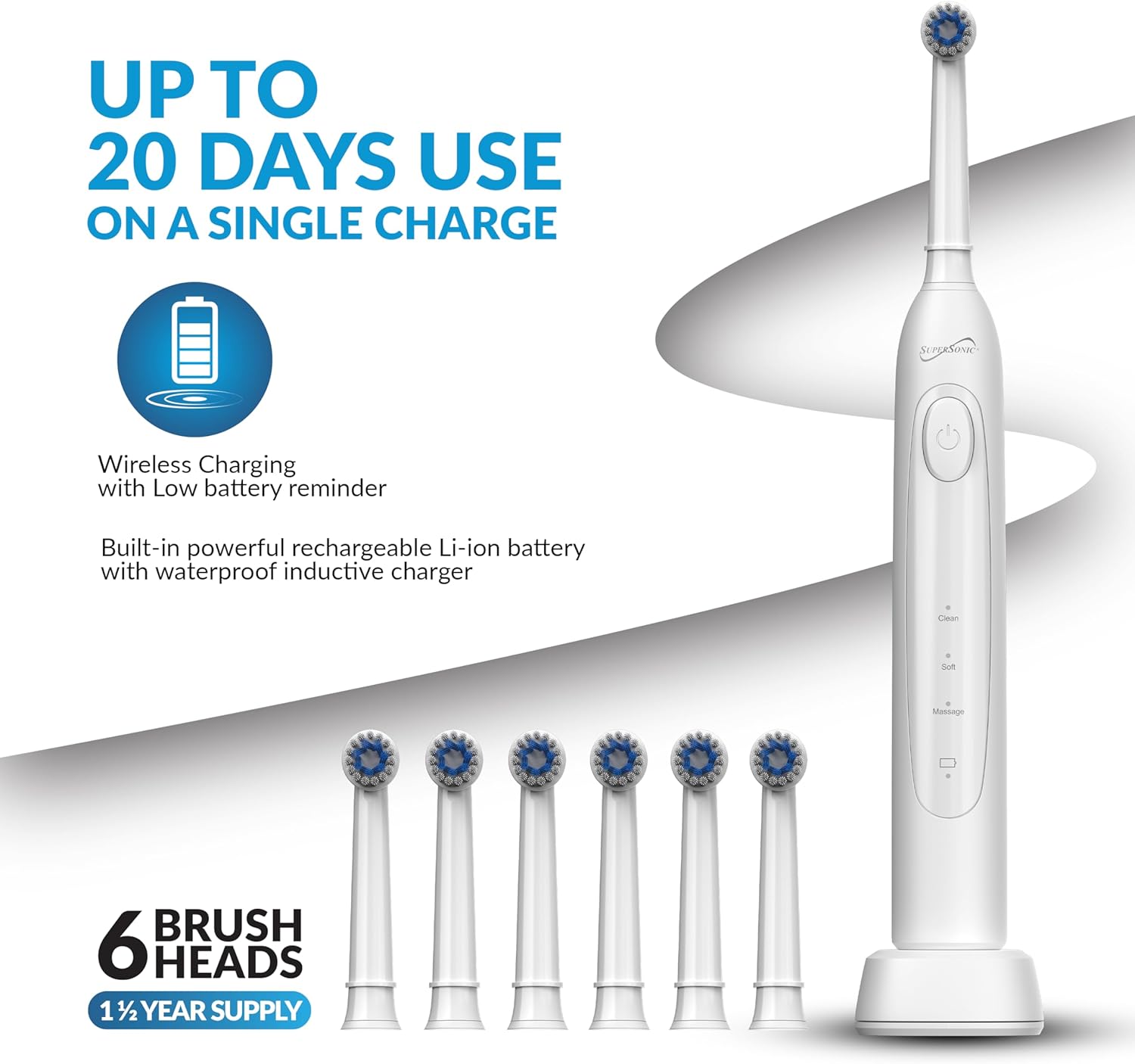
Image: The Supersonic TB-1000 Electric Toothbrush on its wireless charging base, accompanied by six brush heads, illustrating the charging feature and extended battery life.
Attaching a Brush Head
- Align the brush head with the metal shaft on the toothbrush handle.
- Push the brush head down firmly until it clicks into place. Ensure it is securely attached.
Operating Instructions
Power On/Off and Mode Selection
- Press the power button once to turn on the toothbrush. It will start in the last used mode.
- Press the power button repeatedly to cycle through the three cleaning modes:
- Clean Mode: Provides a strong, effective clean for daily plaque removal.
- Soft Mode: Gentle vibrations suitable for sensitive teeth and gums, or first-time electric toothbrush users.
- Massage Mode: Pulsating action designed to gently stimulate and massage gums.
- To turn off the toothbrush, press and hold the power button for 2 seconds, or cycle through all modes until it turns off automatically.

Image: Detail of the toothbrush handle, illustrating the power button and the three distinct brush modes: Clean, Soft, and Massage.
Brushing Technique
- Wet the brush head and apply a small amount of toothpaste.
- Place the brush head against your teeth at a slight angle towards the gum line.
- Turn on the toothbrush.
- Guide the brush head slowly from tooth to tooth, allowing it to clean each surface for a few seconds. Do not scrub aggressively.
- The built-in 2-minute auto-timer will ensure you brush for the dentist-recommended duration. A 30-second interval reminder will prompt you to move to a different quadrant of your mouth.
- After brushing, rinse your mouth and the brush head thoroughly.
Maintenance
Cleaning the Toothbrush
- After each use, rinse the brush head and bristles thoroughly under running water while the toothbrush is still on.
- Turn off the toothbrush and remove the brush head. Rinse both the brush head and the handle separately.
- Wipe the handle with a damp cloth. The toothbrush is IPX7 waterproof, making it safe for rinsing under water.
- Ensure the charging base is kept dry and clean.
Brush Head Replacement
- Dentists recommend replacing brush heads every 3 to 4 months, or sooner if the bristles are frayed.
- The Supersonic TB-1000 includes 6 brush heads, providing approximately 1.5 years of supply.
- To replace, simply pull the old brush head off the handle and push a new one on until it clicks.

Image: The Supersonic TB-1000 Electric Toothbrush displayed with its six replacement brush heads and the included travel case.
Travel and Storage
- Use the provided BPA-free travel case to protect your toothbrush and brush heads when traveling.
- Ensure the toothbrush is clean and dry before placing it in the travel case.
Troubleshooting
| Problem | Possible Cause | Solution |
|---|---|---|
| Toothbrush does not turn on. | Battery is drained. | Place the toothbrush on the charging base for a full charge. |
| Toothbrush does not charge. | Charging base not powered; toothbrush not correctly placed on base. | Ensure the charging base is plugged in and the toothbrush is seated correctly. The red LED should illuminate. |
| Red LED charging indicator does not turn green. | Normal operation. | The red LED indicator light will turn off when the battery is fully charged; it does not change color to green. |
| Motor feels weak or vibrations are low. | Low battery; incorrect mode selected. | Ensure the toothbrush is fully charged. Try switching to "Clean" mode for maximum power. If the issue persists after charging, contact customer support. |
| Brush head feels loose. | Brush head not fully seated. | Push the brush head down firmly until it clicks into place. Replace if damaged. |
Specifications
- Model: TB-1000
- Oscillations Per Minute (OPM): 8,800
- Cleaning Modes: 3 (Clean, Soft, Massage)
- Timer: 2-minute auto-timer with 30-second interval reminders
- Charging: Wireless inductive charging
- Battery: Rechargeable Lithium-ion
- Battery Life: Up to 20 days on a single charge
- Waterproof Rating: IPX7 (suitable for bath and shower use)
- Included Brush Heads: 6 (approx. 1.5 years supply)
- Product Dimensions: 2.2 x 1.87 x 10.2 inches
- Weight: 1 Pound
- Bristle Material: Nylon
- Handle Material: Plastic
- Noise Reduction: Approximately 70dB
Safety Information
- This product is intended for adult use only. Keep out of reach of children.
- Do not use if the product appears damaged.
- Do not attempt to disassemble or repair the toothbrush. Contact customer support for assistance.
- Do not immerse the charging base in water.
- Consult your dentist before using this product if you have severe gum disease or have undergone oral surgery.
Warranty and Support
For warranty information or technical support, please contact Supersonic customer service. Refer to the product packaging or the Supersonic website for contact details.
Please retain your proof of purchase for warranty claims.


