
1. Introduction
Thank you for choosing the Tribesigns Modern File Cabinet. This manual provides comprehensive instructions for the safe assembly, proper operation, and effective maintenance of your new file cabinet. Please read this manual thoroughly before beginning assembly or use to ensure optimal performance and longevity of your product.
Important Safety Information
- Always use caution when moving the cabinet on casters.
- Do not overload the cabinet. The maximum weight capacity is 150 lbs (68 kg).
- Ensure all screws and fasteners are securely tightened before use. Periodically check and re-tighten as necessary.
- Keep small parts and packaging materials away from children to prevent choking hazards.
- Assemble the unit on a soft, clean surface to prevent scratches.

Figure 1.1: Tribesigns Modern File Cabinet (Grey)
This image displays the front of the Tribesigns Modern File Cabinet, highlighting its design with two drawers, a lockable cabinet door, and an open top shelf suitable for a printer or other office items.
2. Package Contents
Before beginning assembly, please verify that all components and hardware are present and undamaged. If any parts are missing or damaged, please contact customer support.
Included Components:
- All necessary hardware (screws, dowels, cam locks, etc.)
- Assembly tools (e.g., Allen wrench)
- Wood panels for cabinet body, drawers, and door
- Metal frame components
- Drawer slides
- Lock mechanism and keys
- Rolling casters (4 units)
- Handles for drawers and door

Figure 2.1: Cabinet Components Overview
This image provides an exploded view of the file cabinet, illustrating the various wood panels, metal frame pieces, and hardware that constitute the complete unit.
3. Assembly Instructions
Assembly typically takes 1-2 hours for one person. Having a second person may assist with certain steps, particularly door installation. Follow the numbered steps carefully.
Preparation:
- Clear a spacious area for assembly.
- Lay out all components and hardware, organizing them by type.
- Ensure you have the included tools readily available. A Phillips head screwdriver may also be useful.
Assembly Steps:
- Assemble the Main Frame: Connect the metal frame components using the provided screws. Ensure the frame is stable and square.
- Attach Side and Back Panels: Secure the wooden side and back panels to the metal frame.
- Install Shelves: Insert and secure the internal shelves, including the middle shelf for the open compartment.
- Assemble Drawers: Construct the two drawers. Pay close attention to the orientation of the drawer sides and bottom. Important: Carefully distinguish between similar-looking screws (e.g., 'C' and 'D' screws) to avoid damaging the wood. Double-check screw types before insertion.
- Install Drawer Slides: Attach the drawer slides to both the cabinet interior and the assembled drawers. Ensure they are aligned for smooth operation.
- Attach Casters: Secure the four rolling casters to the bottom of the cabinet base.
- Install Cabinet Door: Attach the hinges to the cabinet door and then to the main cabinet body. This step may require two people to hold the door steady while securing the hinges. Install the lock mechanism and handle.
- Attach Drawer Handles: Secure the handles to the front of each drawer.
- Final Check: Verify that all connections are tight and the cabinet is stable. Test the drawers and door for smooth operation.

Figure 3.1: Drawer Assembly and Operation
This image illustrates the smooth functionality of the cabinet's drawers, with one drawer partially extended to show its internal capacity and the quality of the drawer slides.
4. Operation
Your Tribesigns File Cabinet is designed for versatile storage and easy mobility.
Drawers:
- The top drawer is suitable for smaller office supplies and accessories.
- The bottom drawer is designed to accommodate letter-sized files, ensuring organized document storage. It includes rails for hanging file folders.
- Pull handles gently to open and push firmly to close.
Lock Mechanism:
- The cabinet door is equipped with a lock for securing confidential documents and personal belongings.
- Insert the key into the lock and turn to secure or unlock the door. Keep the key in a safe place.
Rolling Casters:
- The four rolling casters at the base allow for effortless movement of the cabinet around your home office.
- To move the cabinet, gently push or pull it to the desired location.
- For stability, ensure the cabinet is on a flat, level surface when stationary.
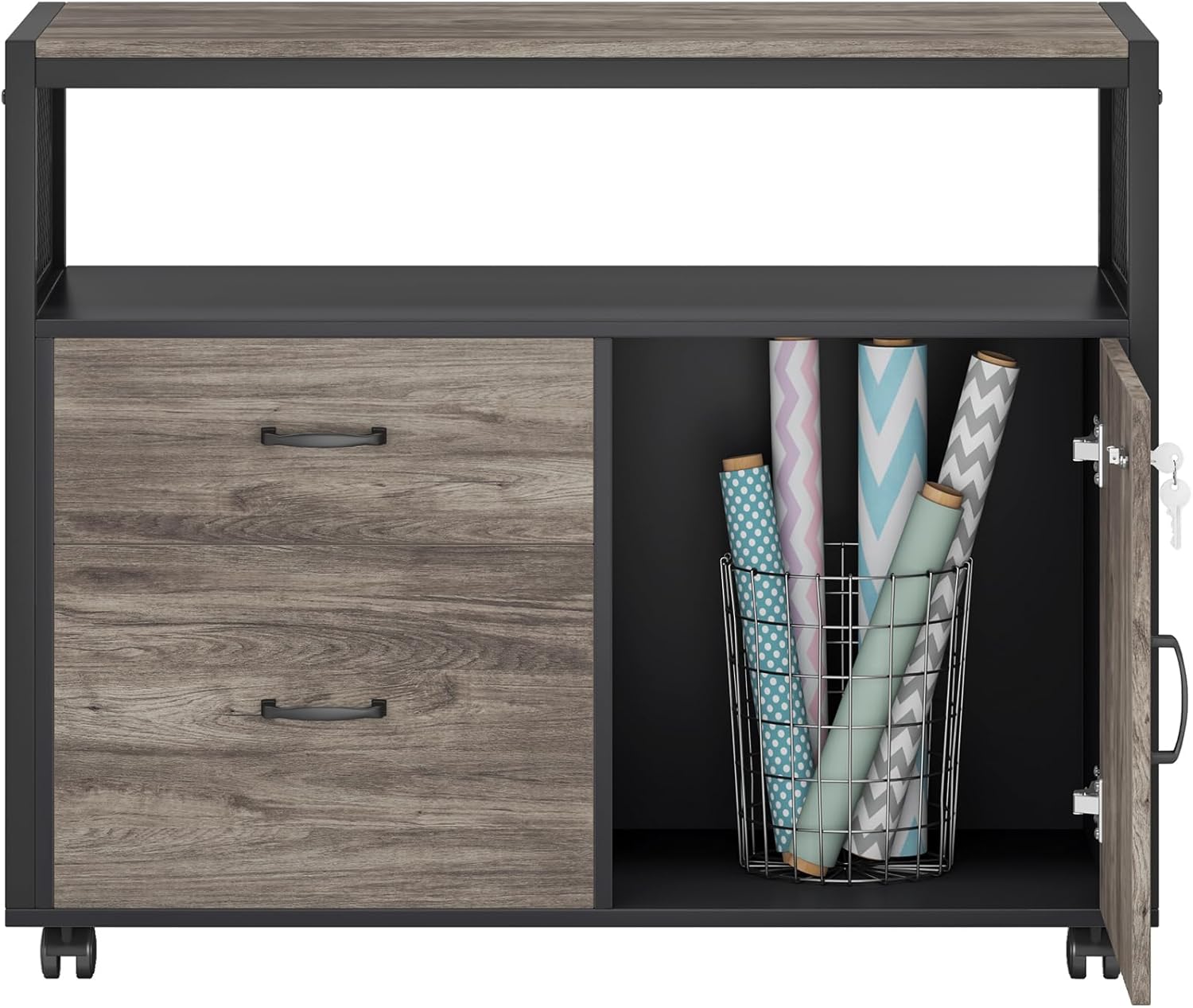
Figure 4.1: Storage and Accessibility
This image shows the cabinet's storage capabilities, with the lockable door open to reveal internal shelving and both drawers extended to display their capacity for various office items, including letter-sized files.
5. Maintenance
Proper care will help maintain the appearance and functionality of your file cabinet.
- Cleaning: Wipe surfaces with a soft, damp cloth. Avoid harsh chemicals or abrasive cleaners, as they may damage the finish.
- Dusting: Regularly dust with a dry, soft cloth to prevent buildup.
- Spills: Clean spills immediately with a dry cloth to prevent staining or warping of the wood.
- Hardware Check: Periodically check all screws and fasteners to ensure they remain tight. Re-tighten if necessary to maintain stability.
- Caster Care: Keep casters free of debris (hair, dust) to ensure smooth rolling.
6. Troubleshooting
If you encounter any issues with your file cabinet, refer to the following common problems and solutions.
| Problem | Possible Cause | Solution |
|---|---|---|
| Drawers do not slide smoothly. | Misaligned drawer slides; debris in slides; loose screws. | Check alignment of slides and re-adjust if necessary. Clean any debris from the tracks. Tighten all screws on drawer slides and drawer components. |
| Cabinet feels wobbly or unstable. | Loose assembly screws; uneven floor. | Ensure all assembly screws are fully tightened. Move the cabinet to a level surface. |
| Cabinet door does not close properly or is misaligned. | Misaligned hinges; loose hinge screws. | Adjust the hinge screws to align the door. Ensure hinges are securely attached to both the door and the cabinet frame. |
| Casters do not roll easily. | Debris caught in casters; casters not securely attached. | Clean any hair or debris from the caster wheels. Ensure casters are tightly screwed into the cabinet base. |
| Difficulty with assembly. | Complex step; similar-looking parts/screws. | Review the assembly diagrams carefully. Ensure correct screws are used for each step (e.g., 'C' vs. 'D' screws). If a step is particularly challenging (like door installation), consider seeking assistance from another person. |
7. Specifications
Detailed technical specifications for your Tribesigns Modern File Cabinet.
| Feature | Detail |
|---|---|
| Brand | Tribesigns |
| Model Name | 2108 |
| Color | Grey |
| Product Dimensions | 31.49"D x 15.74"W x 29.92"H |
| Item Weight | 60 Pounds |
| Weight Limit | 150 Pounds |
| Material | Engineered Wood, Metal Frame |
| Number of Shelves | 2 (internal) |
| Base Type | Casters |
| Assembly Required | Yes |

Figure 7.1: Product Dimensions
This diagram provides precise measurements for the Tribesigns File Cabinet, detailing its overall dimensions and the internal space available within the drawers and shelves.
8. Warranty and Support
Tribesigns is committed to providing high-quality products and excellent customer service.
Customer Support:
If you have any questions regarding assembly, missing parts, or product functionality, please do not hesitate to contact Tribesigns customer service. Friendly after-sales service is always available to assist you.
Return Policy:
This product is eligible for a 30-day easy return policy. Please refer to your purchase platform for specific return instructions and conditions.
Official Product Videos:
No official product videos from the seller were found that meet the criteria for inclusion in this manual.


