
Livarno 99584
Livarno Home Digital Water Meter Instruction Manual
Model: 99584
Introduction
This manual provides comprehensive instructions for the Livarno Home Digital Water Meter, Model 99584. This device is designed to help you monitor your water consumption and temperature during showering, promoting water and energy savings.
Product Overview
The Livarno Home Digital Water Meter offers the following key features:
- Real-time display of water consumption and temperature.
- Clear digital display with color-coded consumption indicators.
- Three-color illumination based on water usage: Green (up to approx. 40L), Orange (approx. 40-60L), Red (over 60L).
- Reset function for water consumption tracking.
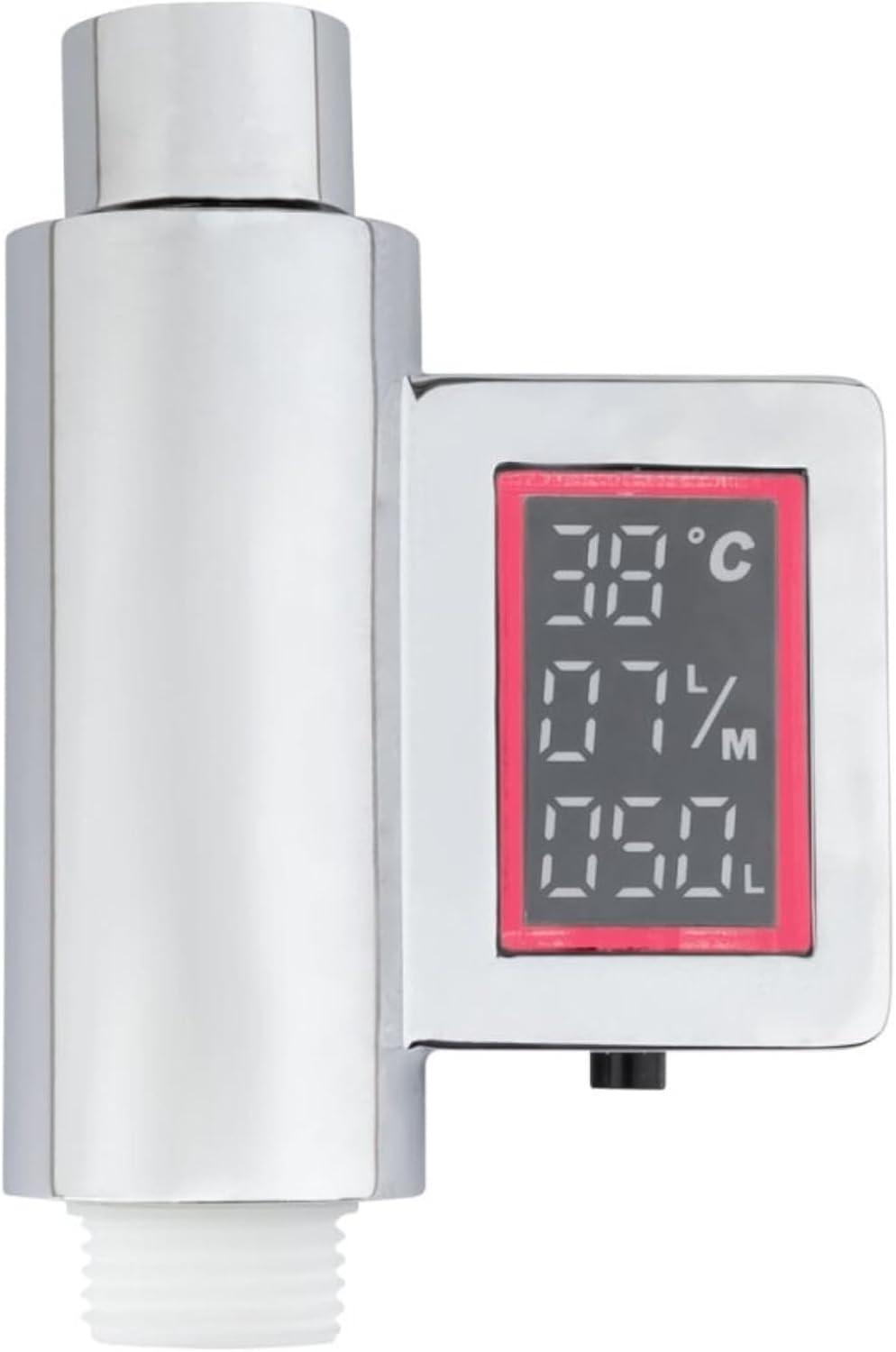
- Displays real-time flow rate in liters/minute and total water consumption since the last reset.
- Easy installation with standard G 1/2" connection.
- Self-powered by water flow, no batteries required.

Setup and Installation
Follow these steps for proper installation of your digital water meter:
- Preparation: Ensure your shower system has a standard G 1/2" connection. No additional mounting hardware is typically required.
- Installation: Screw the Livarno Home Digital Water Meter directly onto your shower tap or shower hose. Ensure a tight fit to prevent leaks.
- Water Pressure: The device requires a minimum water pressure of 1.5 bar to function correctly.
- Initial Operation: Once installed, turn on the water. The device will automatically power on and begin displaying water temperature and consumption.
Operating Instructions
Display Information
The digital display provides the following information:
- Water Temperature: Shown in degrees Celsius (°C).
- Flow Rate: Displays real-time water flow in liters per minute (L/min).
- Total Consumption: Shows the cumulative water consumption in liters (L) since the last reset.
Color-Coded Consumption Indicator
The display backlight changes color to indicate water consumption levels:
- Green: Water consumption up to approximately 40 liters.
- Orange: Water consumption between approximately 40 and 60 liters.
- Red: Water consumption exceeding approximately 60 liters.


Reset Function
To reset the total water consumption counter, locate the reset button on the device (refer to product images for exact location). Press and hold the button until the consumption display resets to zero.
Maintenance
To ensure optimal performance and longevity of your Livarno Home Digital Water Meter:
- Cleaning: Clean the device regularly with a soft, damp cloth. Avoid abrasive cleaners or solvents that could damage the surface or display.
- Inspection: Periodically check the connections for any signs of leaks. Tighten if necessary.
- Storage: If storing the device for an extended period, ensure it is clean and dry.
Troubleshooting
If you encounter any issues with your digital water meter, please refer to the following common solutions:
- No Display/Device Not Turning On:
- Ensure water flow is active. The device is hydro-powered and requires water flow to operate.
- Check if the minimum water pressure of 1.5 bar is met.
- Verify that the device is securely installed and water is flowing through it.
- Inaccurate Readings:
- Ensure the device is installed correctly and there are no leaks around the connections.
- If issues persist, contact customer support.
- Leaks at Connection Points:
- Gently tighten the connection. Do not overtighten, as this may cause damage.
- Ensure the rubber gaskets or seals are properly seated within the connection.
Specifications
| Feature | Detail |
|---|---|
| Brand | Livarno |
| Model Number | 99584 |
| Color | Chrome |
| Material | Chromed Plastic |
| Dimensions | Approx. L 10.1 x W 6.85 x H 3.3 cm |
| Weight | Approx. 500 g |
| Required Water Pressure | Minimum 1.5 bar |
| Power Source | Hydro-powered (no batteries) |
| Connection Type | Standard G 1/2" |
Warranty and Support
For warranty information or technical support, please refer to the product packaging or contact Livarno customer service directly. Keep your purchase receipt as proof of purchase. You may also visit the official Livarno website for additional resources and contact details.
Ask a question about this manual
Ask about setup, troubleshooting, compatibility, parts, safety, or missing instructions. Manuals+ will review the question and use this page’s manual context to help answer it.