
1. Introduction
The FeelTech FY1100 Series is a single-channel DDS (Direct Digital Synthesis) signal generator designed for producing accurate, stable, and low-distortion output signals. It features a user-friendly interface with a 2.4-inch TFT color LCD screen (320x240 pixels) that simultaneously displays output signal parameters and current key functions. This instrument is ideal for various applications requiring precise waveform generation, including electronic circuit testing, education, and research.
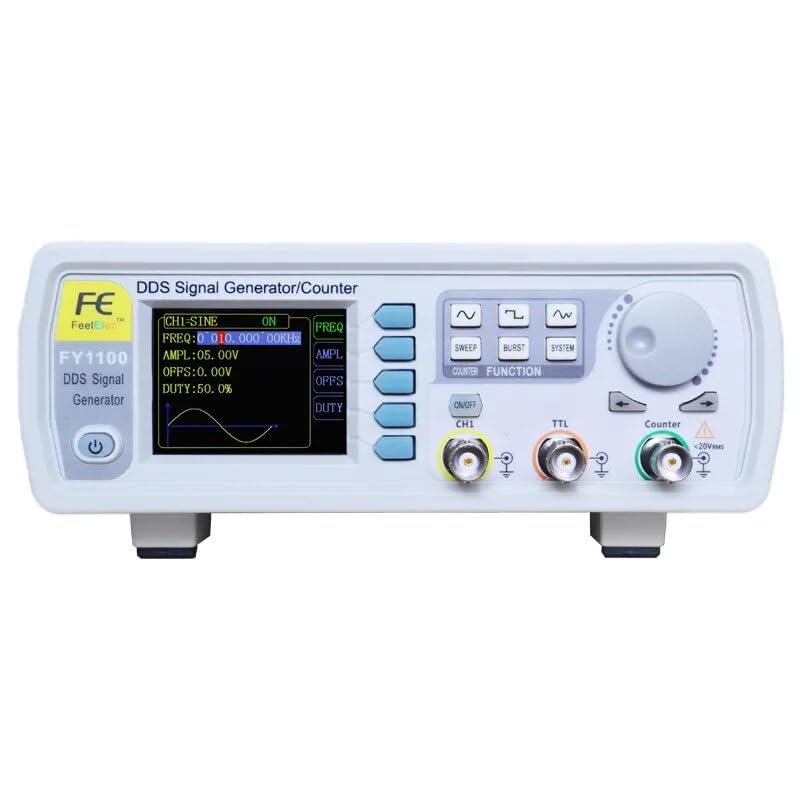
Figure 1.1: Front view of the FeelTech FY1100 Series DDS Signal Generator, showing the display, control buttons, rotary encoder, and output ports.
2. Key Features
- DDS Technology: Generates accurate, stable, and low-distortion output signals.
- Display: 2.4-inch (320x240 pixels) TFT color LCD for clear parameter display.
- High Resolution: 150MSa/s sampling rate and 12-bit vertical resolution.
- Wide Waveform Variety: Includes Sine, Square (adjustable duty cycle), COMS (adjustable duty cycle), DC, Triangle, Rising Sawtooth, Falling Sawtooth, Step Triangle, Full Wave, Positive Half Wave, Random Noise, AM, and FM waveforms.
- High Frequency Accuracy: Up to 10-2 orders of magnitude.
- High Frequency Resolution: 10mHz (0.01Hz) across the full range.
- High Amplitude Resolution: Minimum 10mV (0.01V).
- DC Bias Function: Adjustable from -7.5V to +7.5V.
- Compact Design: Desktop unit with durable ABS plastic shell.
3. Setup
Follow these steps to set up your FeelTech FY1100 Series DDS Signal Generator:
- Unpacking: Carefully remove the signal generator and all accessories from its packaging. Inspect for any signs of damage.
- Power Connection: Connect the provided 5V DC power adapter to the DC input port on the rear of the unit. Ensure you use the correct plug adapter for your region (EU, US, UK).
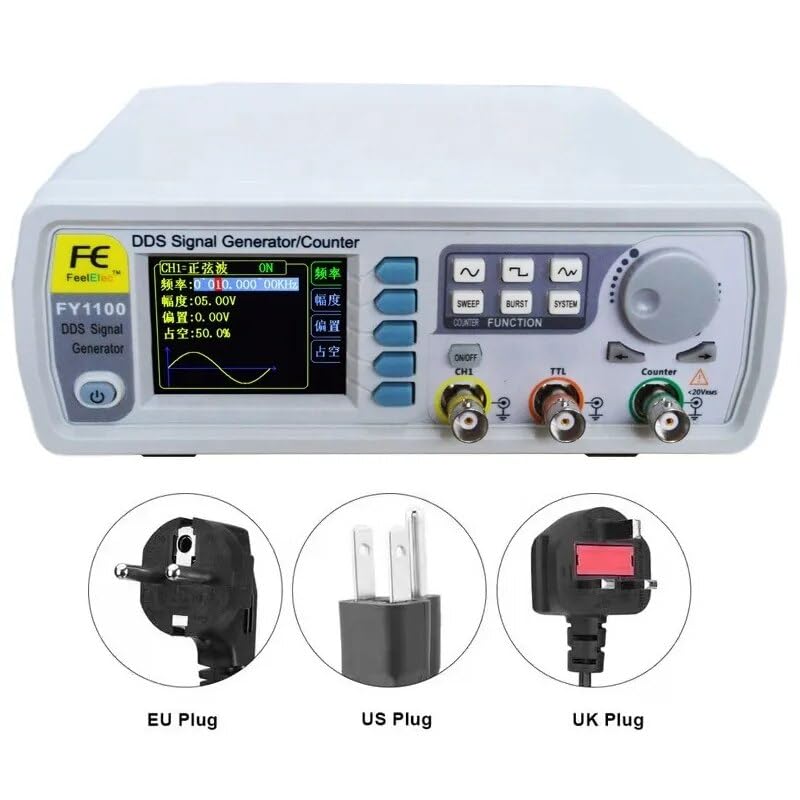
Figure 3.1: Examples of power plug types (EU, US, UK) for connecting the power adapter.
- Rear Panel Connections: The rear panel includes a USB port for potential future firmware updates or PC connectivity.
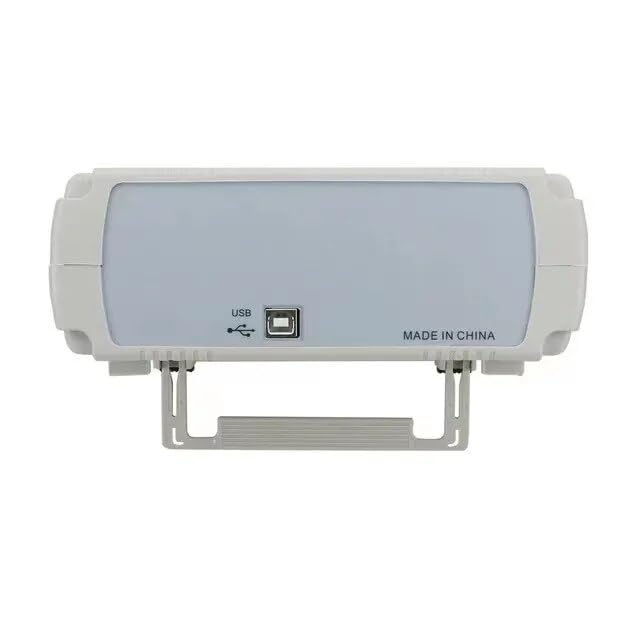
Figure 3.2: Rear view of the signal generator, highlighting the USB port for connectivity.
- Power On: Press the power button on the front panel to turn on the device. The LCD screen will illuminate.
4. Operation
The FY1100 Series signal generator is designed for intuitive operation. The front panel features a display, function buttons, a rotary encoder, and output connectors.
4.1 Front Panel Controls
- Display Screen: Shows waveform parameters, frequency, amplitude, offset, duty cycle, and current function prompts.
- Function Buttons: Dedicated buttons for SWEEP, BURST, SYSTEM settings, and waveform selection (Sine, Square, Triangle, etc.).
- Rotary Encoder: Used to adjust parameter values. Turn clockwise to increase, counter-clockwise to decrease. Press to confirm selection or enter a menu.
- ON/OFF CH1 Button: Toggles the main channel 1 output.
- TTL Output: Dedicated BNC connector for TTL level output.
- Counter Input: BNC connector for frequency counting functions.
4.2 Generating a Waveform
- Select Waveform: Press the desired waveform button (e.g., Sine, Square) to select the output waveform type.
- Adjust Frequency: Use the rotary encoder to set the desired frequency. The display will show the current frequency.
- Adjust Amplitude: Use the amplitude control (often a dedicated button or menu option accessed via the rotary encoder) to set the peak-to-peak voltage.
- Adjust Offset (DC Bias): If needed, adjust the DC offset using the corresponding control. The range is -7.5V to +7.5V.
- Adjust Duty Cycle: For Square and COMS waves, you can adjust the duty cycle using the dedicated control or menu option.
- Enable Output: Press the ON/OFF CH1 button to enable the signal output on Channel 1.
- Connect to Device: Connect the BNC output of Channel 1 to your testing circuit or oscilloscope.
5. Maintenance
Proper maintenance ensures the longevity and optimal performance of your signal generator.
- Cleaning: Use a soft, dry cloth to clean the exterior of the device. Do not use abrasive cleaners or solvents.
- Storage: Store the device in a cool, dry place away from direct sunlight and extreme temperatures.
- Ventilation: Ensure the ventilation slots are not obstructed to prevent overheating.
- Power Supply: Always use the original or a compatible 5V DC power adapter.
6. Troubleshooting
If you encounter issues with your signal generator, refer to the following common problems and solutions:
- No Power:
- Check if the power adapter is securely connected to both the device and the power outlet.
- Verify the power outlet is functional.
- Ensure the power button is pressed.
- No Output Signal:
- Confirm that the ON/OFF CH1 button is activated (output enabled).
- Check the connection cable from the signal generator to your testing equipment.
- Verify that the amplitude is set to a non-zero value.
- Ensure the frequency is within the operational range.
- Incorrect Waveform Display:
- Ensure the correct waveform type is selected.
- Check the settings for frequency, amplitude, and offset.
If the problem persists, please contact customer support.
7. Specifications
Detailed technical specifications for the FeelTech FY1100 Series DDS Signal Generator.

Figure 7.1: Detailed specifications table for the FY1100-5M model.
| Parameter | Value |
|---|---|
| Manufacturer | FeelTech/FeelElec |
| Model Number | GT-FY1100-5M |
| Dimensions (L x W x H) | 25 x 20 x 15 cm |
| Weight | 1 Kilogram |
| Material | Acrylonitrile Butadiene Styrene (ABS) |
| Power Source | Battery Powered (1 Lithium metal included), 5V DC |
| Power Consumption | 15 Watt-hours |
| Country of Origin | China |
| Parameter | FY1100-5M | FY1100-02M |
|---|---|---|
| Max Output Frequency | 5MHz | 2MHz |
| Sine Wave Frequency Range | 0~5MHz | 0~2MHz |
| Square Wave Frequency Range | 0~2MHz | 0~2MHz |
| Triangle Wave Frequency Range | 0~3MHz | 0~2MHz |
| TTL Digital Wave Range | 0~5MHz | 0~2MHz |
| Minimum Frequency Resolution | 10mHz (0.01Hz) | |
| Frequency Accuracy | ±5x10⁻⁶ | |
| Frequency Stability | ±1x10⁻⁶ / 3 hours | |
| Output Impedance | 50Ω + 10% (typical) | |
| Waveform Sampling Rate | 150MSa/s | |
| Vertical Resolution | 12 bits | |
| Amplitude Resolution | 10mV (0.01V) | |
| Measurement Precision | 0.5% | |
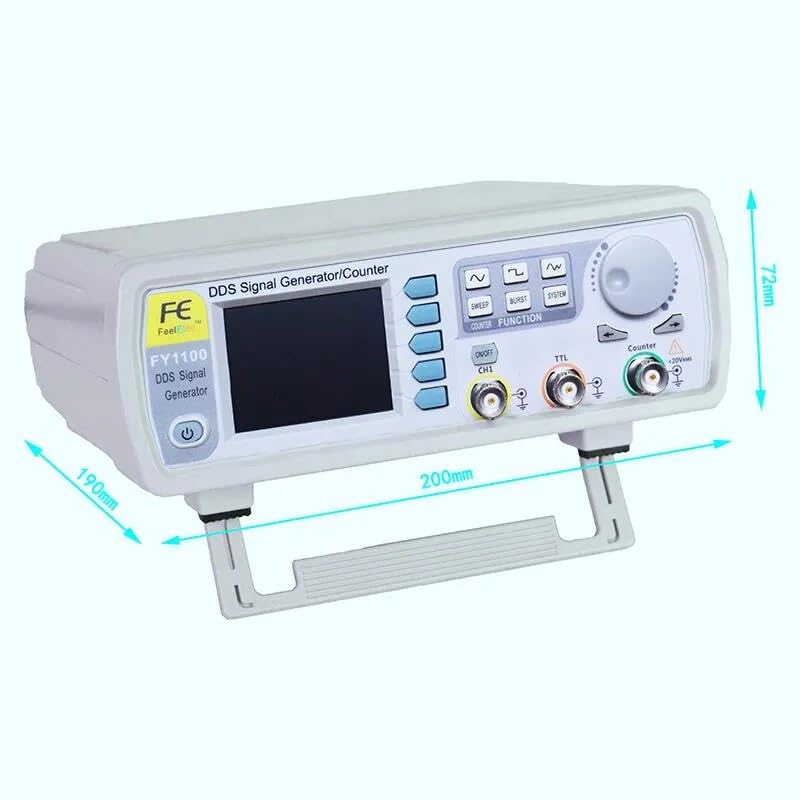
Figure 7.2: Physical dimensions of the signal generator.
8. Warranty and Support
8.1 Warranty Information
The FeelTech FY1100 Series DDS Signal Generator comes with a 1-year warranty from the date of purchase. This warranty covers manufacturing defects and malfunctions under normal use. Please retain your proof of purchase for warranty claims.
Spare parts are available for 2 years from the date of purchase.
8.2 Customer Support
For technical assistance, troubleshooting beyond this manual, or warranty inquiries, please contact your retailer or the manufacturer's customer support. Refer to the product packaging or the FeelTech official website for contact details.


