Product Overview
The Hopestar SC02-mini is a portable wireless Bluetooth speaker designed for versatile use, featuring RGB lights, 360° surround stereo sound, and Bluetooth V5.3 connectivity. Its compact design and durable strap make it suitable for both indoor and outdoor environments.

Image: Front view of the Hopestar SC02-mini portable Bluetooth speaker with its RGB lights illuminated and a wrist strap attached.
Package Contents
Please check the package for the following items:
- Hopestar SC02-mini Portable Bluetooth Speaker
- TYPE C data cable
Product Features
- RGB Lights: Dynamic LED lighting that pulsates and glows with music, enhancing the ambiance.
- Mini Speaker Design: Compact size with crisp, balanced sound and enhanced bass.
- Tear-resistant Strap: Equipped with a durable silicone strap for easy portability and attachment.
- 360° True Wireless Stereo (TWS) Support: Allows pairing of two speakers for a more powerful stereo sound experience.
- Bluetooth V5.3 Connectivity: Ensures stable and efficient wireless connection.

Image: The Hopestar SC02-mini speaker showcasing its vibrant RGB lighting feature.

Image: A person holding the Hopestar SC02-mini speaker by its integrated tear-resistant strap, demonstrating its portability.

Image: Two Hopestar SC02-mini speakers shown together, illustrating the True Wireless Stereo (TWS) pairing capability for enhanced sound.
Setup Guide
Charging the Speaker
- Locate the Type-C charging port on the speaker.
- Connect the provided Type-C data cable to the speaker's charging port.
- Connect the other end of the cable to a compatible USB power adapter (not included) or a computer's USB port.
- The LED indicator on the speaker will show charging status.
Powering On/Off
- To Power On: Press and hold the Power button (usually marked with a power icon) for approximately 3 seconds until you hear an audible prompt or see the LED lights activate.
- To Power Off: Press and hold the Power button again for approximately 3 seconds until you hear an audible prompt or the LED lights turn off.
Operating Instructions
Bluetooth Pairing
- Ensure the speaker is powered on and in Bluetooth pairing mode (indicated by a blinking LED light).
- On your device (smartphone, tablet, laptop), enable Bluetooth and search for available devices.
- Select "SC02-mini" from the list of found devices.
- Once paired, the speaker will provide an audible confirmation, and the LED light will become solid.
True Wireless Stereo (TWS) Pairing
To achieve 360° surround stereo sound, you can pair two SC02-mini speakers together:
- Ensure both SC02-mini speakers are powered on and not connected to any other Bluetooth device.
- On one of the speakers (this will be the primary speaker), press and hold the TWS pairing button (refer to the speaker's button layout for exact location, usually a dedicated button or a long press on a multi-function button).
- The primary speaker will search for the secondary speaker. Once connected, both speakers will provide an audible confirmation.
- Now, connect your device to the primary speaker via Bluetooth as described in the "Bluetooth Pairing" section. Audio will play through both speakers in stereo.
Controlling Playback and Volume
The speaker features button controls for various functions:
- Play/Pause: Press the Play/Pause button (often marked with a triangle or circle).
- Volume Up: Press the Volume Up button (+).
- Volume Down: Press the Volume Down button (-).
- Next Track: Long press or double-press the Volume Up button (+).
- Previous Track: Long press or double-press the Volume Down button (-).
- RGB Light Control: Press the dedicated light button (if available) or a multi-function button to cycle through light modes or turn them off.
Maintenance and Care
- Cleaning: Wipe the speaker with a soft, dry, lint-free cloth. Do not use abrasive cleaners, alcohol, or chemical solvents.
- Storage: Store the speaker in a cool, dry place away from direct sunlight and extreme temperatures.
- Battery Care: To prolong battery life, avoid fully discharging the battery frequently. Charge the speaker regularly, even if not in use for extended periods.
- Water Resistance: The product is designed with a multiple waterproof seal process. While it is suitable for outdoor use and can withstand splashes, it is not fully submersible. Avoid prolonged exposure to water or submersion.
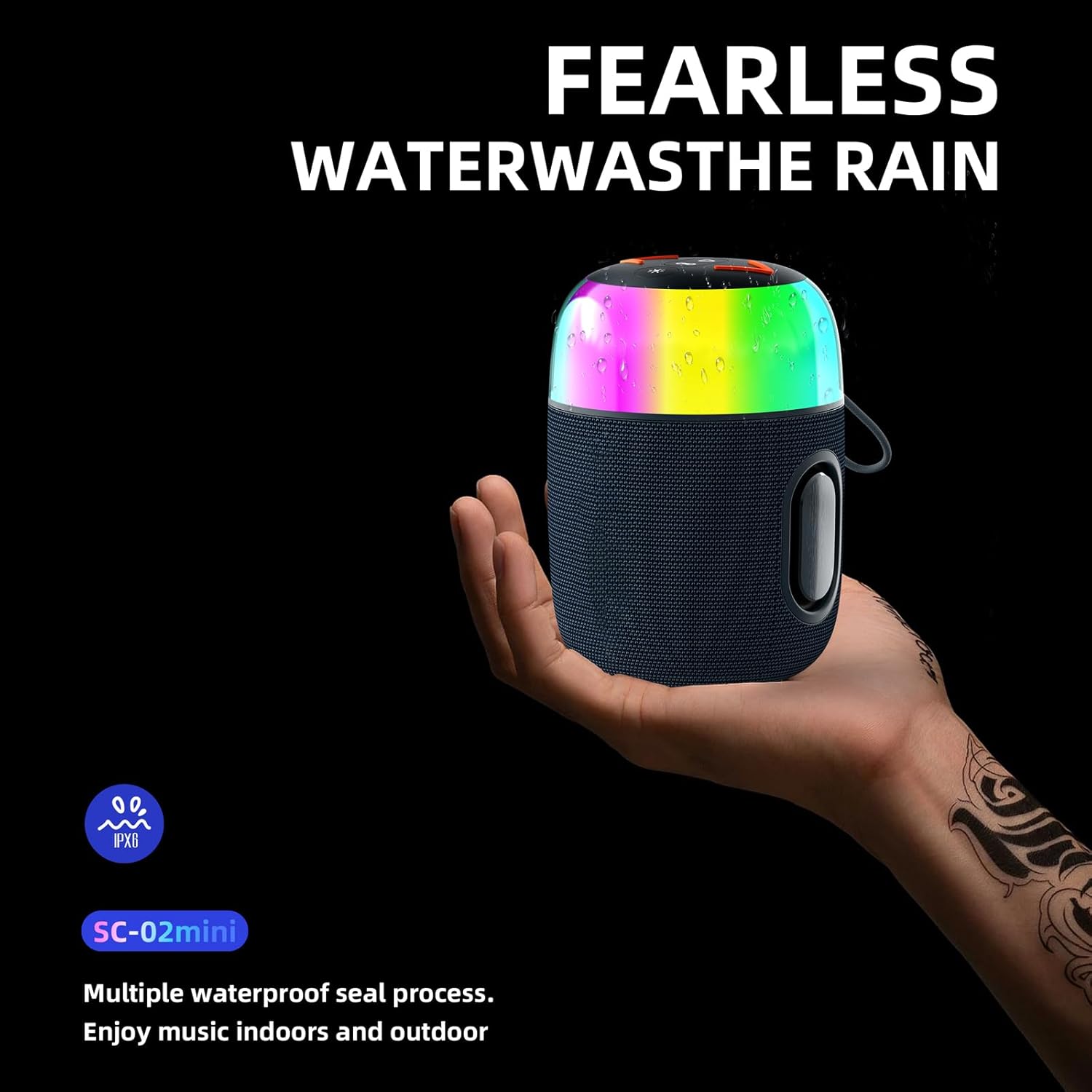
Image: The Hopestar SC02-mini speaker with an indication of its water-resistant design, suitable for outdoor environments.
Troubleshooting
| Problem | Possible Cause | Solution |
|---|---|---|
| Speaker does not turn on. | Low battery; Power button not pressed correctly. | Charge the speaker fully. Press and hold the Power button for 3 seconds. |
| Cannot pair via Bluetooth. | Speaker not in pairing mode; Device Bluetooth off; Speaker already connected to another device. | Ensure speaker is in pairing mode (blinking LED). Turn on Bluetooth on your device. Disconnect speaker from other devices. |
| No sound or low volume. | Volume too low on speaker or device; Speaker not connected; Audio source issue. | Increase volume on both speaker and device. Re-pair Bluetooth. Check audio source. |
| TWS pairing fails. | Speakers too far apart; One speaker already paired to a device. | Ensure speakers are close to each other. Disconnect both speakers from any other Bluetooth devices before initiating TWS pairing. |
Specifications
| Model Name | SC02-mini |
| Brand | Rolynn |
| Connectivity Technology | Bluetooth, USB |
| Wireless Communication Technology | Bluetooth |
| Bluetooth Version | V5.3 |
| Speaker Type | Outdoor |
| Special Feature | LED Light |
| Audio Output Mode | Surround |
| Surround Sound Channel Configuration | 2.0 |
| Control Method | Touch, Button |
| Power Source | Battery Powered (1 Lithium Ion battery included) |
| Product Dimensions (D x W x H) | 5.43"D x 3.86"W x 3.86"H |
| Item Weight | 1.3 pounds |
| Included Components | TYPE C data cable |

Image: Diagram showing the dimensions of the Hopestar SC02-mini speaker: 5.43 inches in height and 3.86 inches in both depth and width.
Warranty and Support
For warranty information and customer support, please refer to the manufacturer's official website or contact the seller directly. Keep your purchase receipt for warranty claims.
Manufacturer: Rolynn
ASIN: B0CTT1LD3H
Date First Available: February 2, 2024