Introduction
Thank you for choosing the Durxenmnt Wireless Double Din Car Stereo. This 7-inch HD touchscreen unit is designed to enhance your driving experience with seamless smartphone integration, advanced audio features, and essential navigation capabilities. This manual provides detailed instructions for installation, operation, maintenance, and troubleshooting to ensure optimal performance and longevity of your device.
Please read this manual thoroughly before using the product and keep it for future reference.

Figure 1: Durxenmnt Wireless Double Din Car Stereo and Included Accessories
What's in the Box
Upon opening the package, please verify that all the following components are included:
- 7" Car Stereo Unit
- Remote Control
- Backup Camera
- Steering Wheel Controller
- Wiring Harness
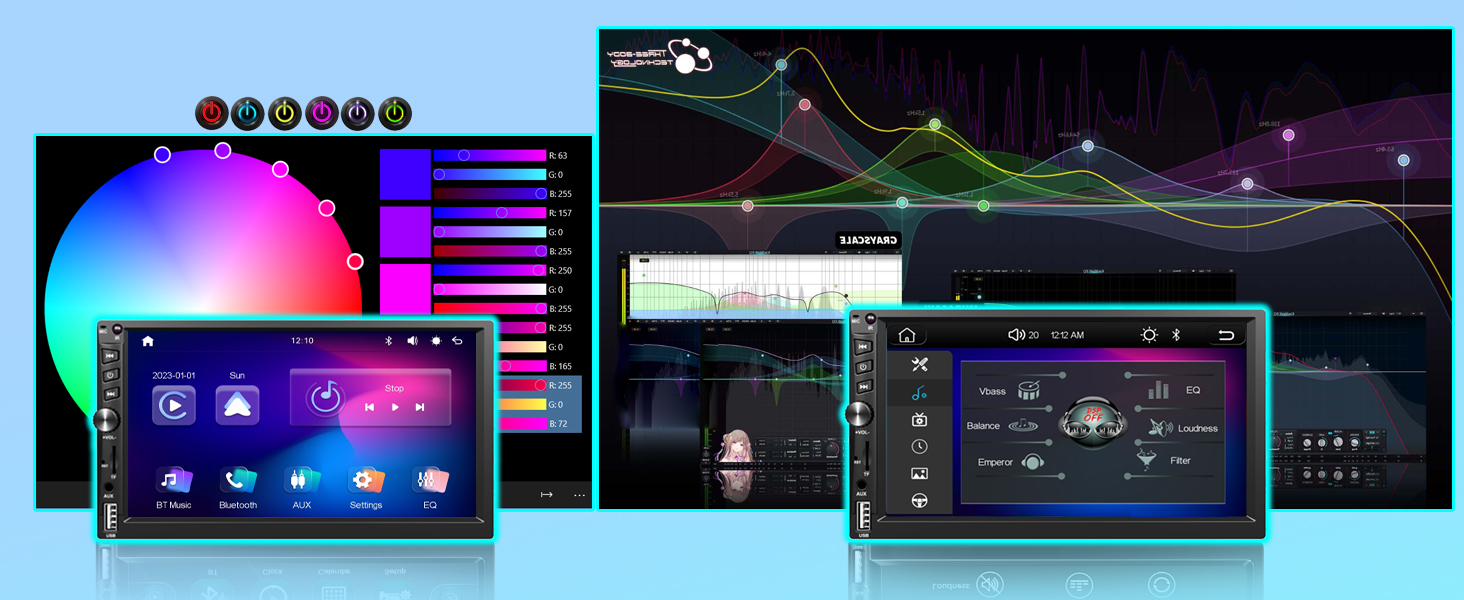
Figure 2: Package Contents and Dimensions Overview
Setup & Installation
Proper installation is crucial for the optimal performance of your car stereo. It is recommended to have the unit installed by a professional if you are unfamiliar with car audio wiring.
Dimensions and Fitment:
The unit features a standard 7-inch double din size with specific dimensions of 7 x 4.02 x 2.36 inches (178 x 102 x 60mm). Before installation, measure your vehicle's dashboard opening to ensure compatibility. You can also utilize the "Amazon Confirm Fit" tool on the product page for preliminary compatibility checks.
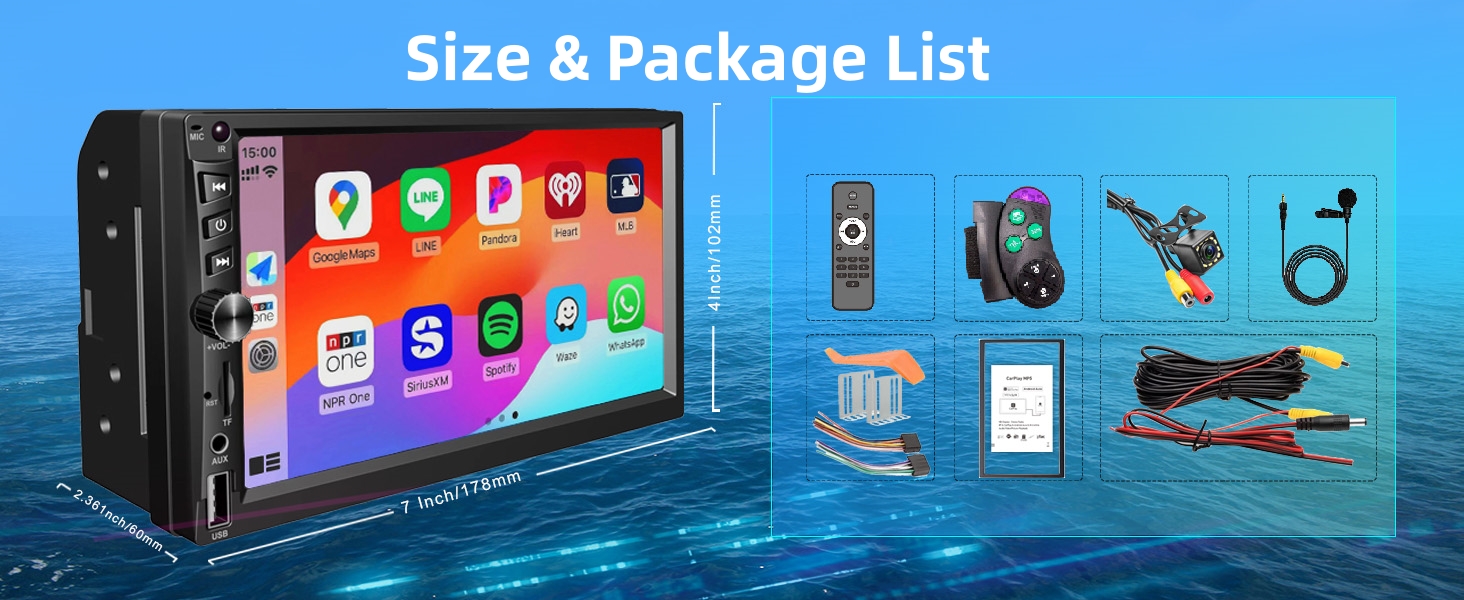
Figure 3: Fitment Guide
Wiring Diagram:
Refer to the following diagrams for correct wiring connections. Ensure all connections are secure to prevent malfunctions.
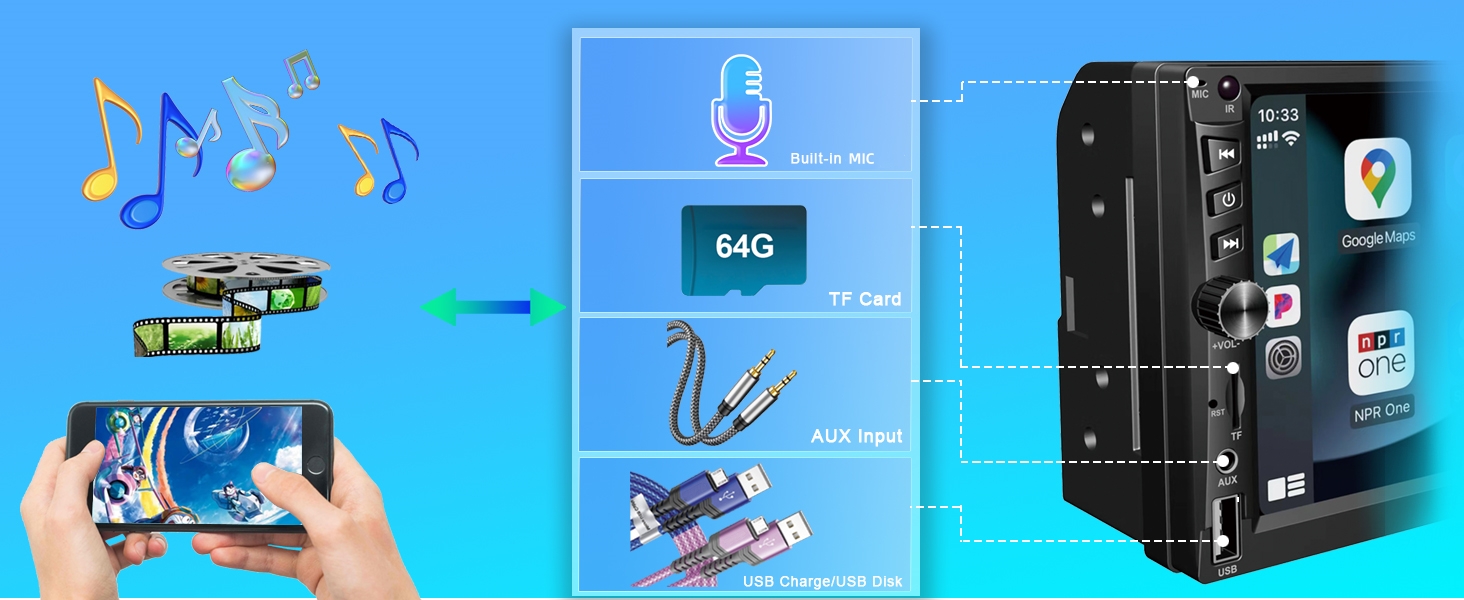
Figure 4: Main Wiring Diagram
Rearview Camera Connection:
Connect the included HD rearview camera as shown below. This feature provides a 170-degree wide-angle view with night vision capabilities for enhanced safety during reversing.
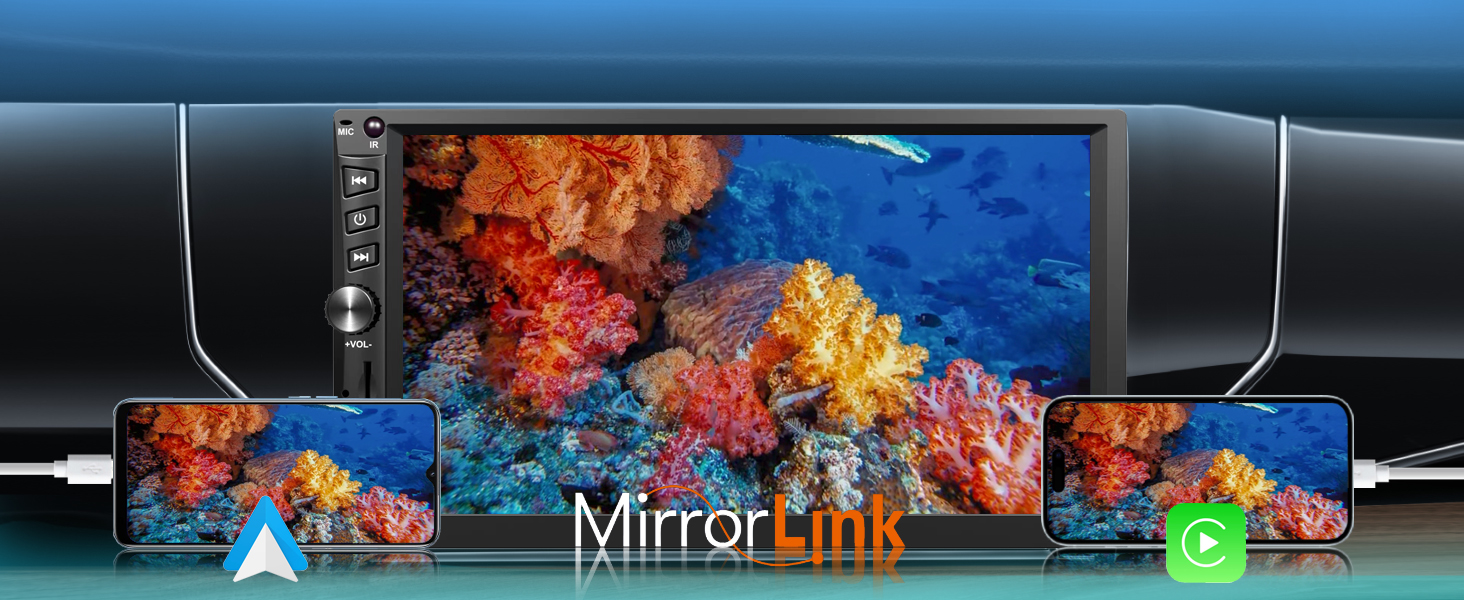
Figure 5: Rearview Camera Installation
Operating Instructions
1. Wireless CarPlay and Android Auto
Experience seamless phone integration without the need for a USB cable. This feature transforms your car's infotainment system into a user-friendly iOS/Android-like interface, allowing you to effortlessly make calls, navigate, play music, and more through an intelligent voice assistant. Drive smarter, drive safer, and drive with enhanced fun.

Figure 6: Wireless CarPlay and Android Auto Interfaces
2. GPS Navigation
Access maps directly from your phone via the car radio's CarPlay or Android Auto feature. Instantly connect your smartphone for real-time, intuitive GPS navigation with turn-by-turn directions. Elevate your driving experience with the precision and ease of this advanced feature.
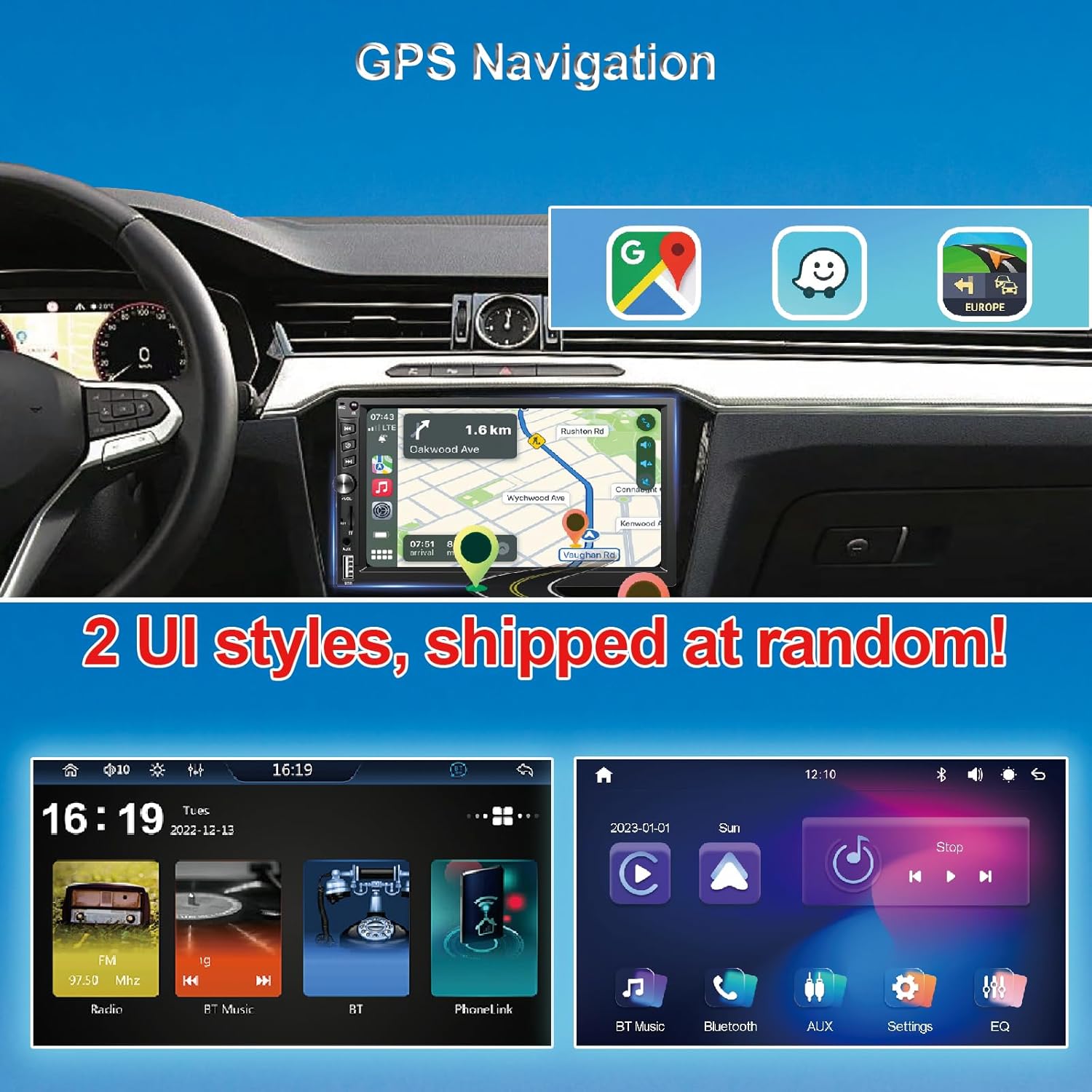
Figure 7: GPS Navigation Display
3. Bluetooth 5.1 Connectivity
Our car radio features advanced Bluetooth 5.1 technology, offering faster pairing, extended range, and improved audio quality. Seamlessly connect your mobile device to stream music, make hands-free calls, and more. This enhances your driving experience with the latest in Bluetooth innovation.

Figure 8: Bluetooth Call Interface
4. FM Radio
Immerse yourself in a world of radio entertainment with the car radio's FM functionality. Explore a wide range of stations, from news to music. Effortlessly tune in to your favorite frequencies for clear reception and stay connected to real-time updates on the road. Elevate your driving experience with the versatile FM capabilities.
Figure 9: FM Radio Interface
5. HD Car Rearview Camera Support
Upgrade your driving experience with the car radio's rear camera support. Boasting 12 LED lights, it ensures optimal clarity day or night. Waterproof and high-definition, the camera provides a 170-degree wide-angle view for enhanced safety. Elevate your awareness with this advanced feature, offering clear, night vision capabilities for a comprehensive view behind your vehicle.

Figure 10: Rearview Camera View
6. Steering Wheel Control (SWC)
The unit supports steering wheel controls, allowing you to manage audio and calls without taking your hands off the wheel. This enhances driving safety and convenience. The package includes a steering wheel controller for vehicles without built-in SWC functionality.

Figure 11: Steering Wheel Control Setup
7. Media Playback (USB/AUX/TF)
The car stereo supports various media inputs including USB, AUX, and TF card (up to 64GB). This allows for versatile audio and video playback options directly from your storage devices.

Figure 12: Input Ports Overview
8. Voice Control
Utilize the intelligent voice assistant feature through CarPlay or Android Auto to control various functions, such as making calls, navigating, and playing music, using simple voice commands.
9. Touchscreen Operation
The 7-inch high-definition touchscreen with a resolution of 1024*600 provides vibrant visuals and responsive touch controls, enhancing your in-car experience. Navigate menus and control features with ease.
Maintenance
To ensure the longevity and optimal performance of your Durxenmnt car stereo, follow these maintenance guidelines:
- Cleaning the Screen: Use a soft, lint-free cloth to gently wipe the touchscreen. For stubborn smudges, slightly dampen the cloth with water or a screen-safe cleaner. Avoid abrasive materials or harsh chemicals.
- General Cleaning: Keep the unit free from dust and debris. Use a soft brush or compressed air to clean around buttons and ports.
- Temperature Control: Avoid exposing the unit to extreme temperatures. While designed for automotive use, prolonged exposure to direct sunlight or extreme cold can affect performance.
- Software Updates: Check the manufacturer's website periodically for any available firmware updates. Keeping the software updated can improve performance and add new features.
Troubleshooting
If you encounter issues with your car stereo, please refer to the following common troubleshooting steps before contacting support:
- No Power:
- Check all power connections, including the fuse.
- Ensure the car's ignition is on.
- No Sound:
- Verify speaker connections are secure and correctly wired.
- Check volume levels and ensure the unit is not muted.
- Confirm the correct audio source is selected.
- Bluetooth Connection Issues:
- Ensure Bluetooth is enabled on both the stereo and your mobile device.
- Delete previous pairings and attempt to re-pair the devices.
- Move your device closer to the stereo.
- CarPlay/Android Auto Not Connecting:
- Ensure your phone's operating system is up to date.
- Verify that CarPlay/Android Auto is enabled in your phone's settings.
- For wired connections (if applicable), try a different USB cable.
- Rearview Camera Not Displaying:
- Check the camera's power and video signal connections.
- Ensure the reverse gear signal wire is correctly connected to the stereo.
- Unit Freezes or Becomes Unresponsive:
- Locate the "RST" (Reset) button (often a small pinhole) on the front panel and press it gently with a non-sharp object (like a paperclip). This will restart the unit without losing settings.
If the problem persists after attempting these steps, please contact customer support for further assistance.
Specifications
| Feature | Detail |
|---|---|
| Brand | Durxenmnt |
| Model Number | 6300 |
| Product Dimensions | 7 x 4.02 x 2.36 inches (178 x 102 x 60mm) |
| Item Weight | 15.4 ounces |
| Screen Size | 7 Inch |
| Screen Resolution | 1024 x 600 HD |
| Special Features | Wireless CarPlay, Android Auto, Built-In Bluetooth, FM Tuner, IPS Touchscreen |
| Bluetooth Version | 5.1 |
| Connectivity Technology | Bluetooth, Auxiliary, USB |
| Max Wattage Output | 240 watts |
| Supported Video Encoding | H263, H264, H265, AVI, FLV, MKV, RMVB, MPEG, WMV9, VC, ASF, TS, QT |
| Audio Output Mode | Stereo |
| Surround Sound Channel Configuration | 4 |
| Compatible Devices | Smartphone |
Warranty and Support
Durxenmnt is committed to providing excellent customer service. Your Wireless Double Din Car Stereo comes with a 1-year complimentary replacement service for any device malfunctions.
If you have any questions regarding installation, operation, or require technical assistance, please do not hesitate to contact our professional support team. We are dedicated to providing timely assistance and ensuring your satisfaction.
Optional Protection Plans:
For extended coverage, consider purchasing one of the following protection plans:
- 2-Year Protection Plan: Available for $6.99 (one-time payment).
- 3-Year Protection Plan: Available for $8.99 (one-time payment).
- Complete Protect: One plan covers all eligible past and future purchases for $16.99/month.
These plans offer additional peace of mind beyond the standard manufacturer's warranty.


