
Proscenic 850T Mini
Contents
Proscenic 850T Robot Vacuum and Mop User Manual
Model: 850T Mini | Brand: Proscenic
Your comprehensive guide to operating and maintaining your Proscenic 850T robot vacuum and mop.
1. Introduction and Overview
The Proscenic 850T is an advanced 3-in-1 robot vacuum and mop designed to simplify your home cleaning routine. It integrates sweeping, vacuuming, and mopping functionalities into a single device, offering hands-free convenience for various floor types, including hard floors and carpets.
Key features include powerful 3,000 Pa suction, intelligent Gyro Navigation for efficient cleaning paths, automatic carpet detection for boosted suction, and multiple control methods including app, voice, and remote control. Its slim design allows it to navigate tight spaces, and built-in sensors ensure obstacle avoidance and anti-fall protection.

Figure 1: Proscenic 850T Robot Vacuum and Mop with accessories and app interface.
2. Setup
2.1 Unboxing and Initial Inspection
Upon receiving your Proscenic 850T, carefully open the packaging and remove all components. Verify that all items listed in the "What's in the Box" section are present and undamaged. Retain the packaging for future storage or transport.

Figure 2: Contents of the Proscenic 850T package, including the robot, charging base, brushes, and manual.
2.2 Charging Base Placement and Initial Charge
Place the charging base against a wall in an open, uncluttered area. Ensure there are no obstacles within 1 meter (3 feet) to the sides and 2 meters (6 feet) in front of the charging base. Connect the power adapter to the charging base and plug it into a wall outlet. Place the robot vacuum onto the charging base, ensuring the charging contacts align. The robot will begin charging automatically. Allow for a full charge before first use, which typically takes about 4 hours.

Figure 3: The robot vacuum automatically returning to its charging base.
2.3 App and Remote Control Setup
Download the Proscenic App from your smartphone's app store. Follow the in-app instructions to connect your robot vacuum to your home Wi-Fi network. The app allows for scheduling, mode selection, and monitoring. Alternatively, use the included remote control for basic operations.

Figure 4: The Proscenic 850T supports app control, voice control via smart assistants, and remote control.
2.4 Setting Up No-Go Zones with Boundary Strips
Utilize the included boundary strips to create virtual walls or "No-Go Zones" for the robot. Place the strips on the floor in areas you wish the robot to avoid, such as pet feeding areas or delicate furniture. The robot's sensors will detect these strips and prevent it from entering the designated zones.

Figure 5: Magnetic boundary strips can be used to define areas the robot should avoid.
3. Operating Instructions
3.1 Cleaning Modes
The Proscenic 850T offers various cleaning modes to suit different needs:
- Zigzag Clean: For systematic and efficient cleaning of open areas.
- Auto Clean: General cleaning mode that adapts to the environment.
- Spot Clean: Concentrates cleaning on a specific dirty area.
- Edge Clean: Cleans along walls and furniture edges.
- Mop Mode: Engages the mopping function for hard floors.

Figure 6: The 850T combines sweeping, vacuuming, and mopping with adjustable suction and water flow levels.
3.2 Suction Power and Carpet Detection
The robot features 3,000 Pa suction power with three adjustable modes: Max, Standard, and Quiet. It also includes a "Smart Carpet Boost" feature that automatically increases suction when a carpet is detected, ensuring a deeper clean on rugs and carpets.
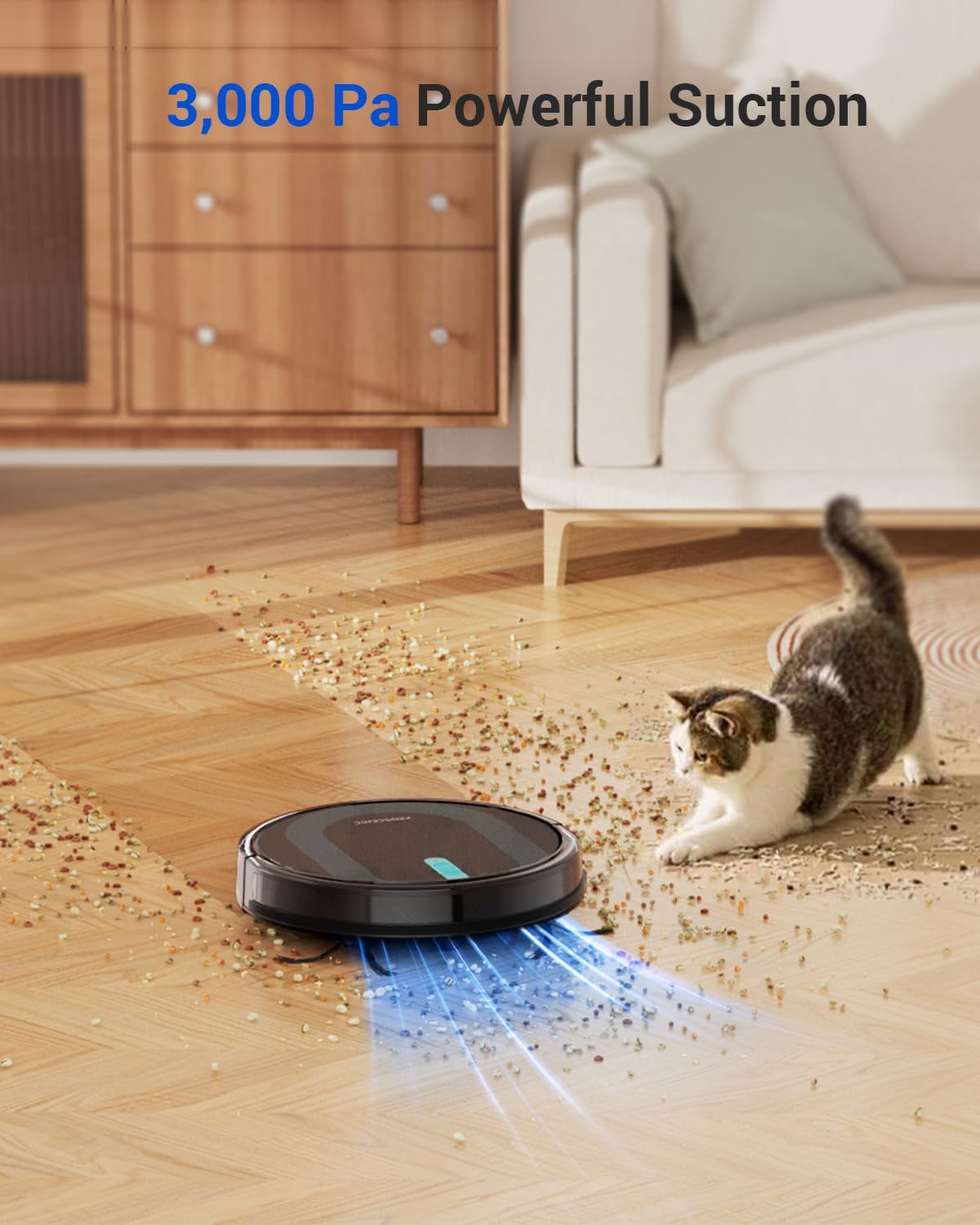
Figure 7: The robot vacuum demonstrating its powerful 3,000 Pa suction to pick up debris.

Figure 8: The Smart Carpet Boost feature automatically increases suction when transitioning from hard floor to carpet.
3.3 Mopping Function
For mopping, attach the mop pad to the water tank and fill the tank with water. The robot will then simultaneously vacuum and mop hard floors. You can adjust the water flow level via the app to suit different floor types and cleaning needs.
3.4 Intelligent Navigation
The 850T uses Gyro Navigation to map cleaning routes in real-time, ensuring thorough coverage and avoiding missed spots. Its slim 2.87-inch profile allows it to easily navigate under furniture and in tight corners. Sensitive sensors detect obstacles and prevent collisions, while anti-fall sensors prevent it from falling down stairs.

Figure 9: The robot vacuum follows an efficient zigzag cleaning route, demonstrating its intelligent navigation.

Figure 10: The robot is equipped with anti-fall sensors to prevent drops and anti-collision sensors to navigate around furniture.
3.5 Voice Control
The Proscenic 850T is compatible with popular voice assistants like Siri, Google Home, and Alexa. You can initiate cleaning, pause, or send the robot back to its charging base using simple voice commands.

Figure 11: The robot vacuum can be controlled using voice commands through smart assistants like Alexa.
4. Maintenance
Regular maintenance ensures optimal performance and extends the lifespan of your Proscenic 850T.
4.1 Emptying the Dustbin
The 850T features a dual 250ml dustbin. To empty, press the release button at the back of the robot and pull out the dustbin. Open the dustbin cover and discard collected debris. It is recommended to empty the dustbin after each cleaning cycle, especially if you have pets.

Figure 12: A user emptying the dustbin of the robot vacuum.
4.2 Cleaning the HEPA Filter
The 850T uses a 3-layer HEPA filter system. The HEPA filter is located inside the dustbin. Gently tap the filter to remove loose dirt. For a more thorough clean, the filter can be rinsed under running water. Ensure the filter is completely dry before reinserting it into the dustbin and robot.

Figure 13: The water tank being rinsed under a faucet for cleaning.
4.3 Cleaning Brushes and Mop Pad
Regularly inspect and clean the rotating bilateral brushes and the main roller brush. Use the included cleaning tool to remove tangled hair or debris. The mop pad should be removed and washed after each mopping session. Allow it to air dry completely before reattaching.
5. Troubleshooting
If you encounter issues with your Proscenic 850T, refer to the common problems and solutions below:
| Problem | Possible Cause | Solution |
|---|---|---|
| Robot does not turn on. | Low battery; power switch off. | Place robot on charging base; ensure power switch is ON. |
| Robot gets stuck frequently. | Obstacles; tangled brushes. | Clear obstacles; clean main and side brushes. |
| Poor cleaning performance. | Full dustbin; dirty filter; worn brushes. | Empty dustbin; clean/replace filter; clean/replace brushes. |
| Robot does not charge. | Charging contacts not aligned; power adapter issue. | Ensure robot is properly docked; check power connection. |
| App connection issues. | Incorrect Wi-Fi password; 5GHz network. | Verify Wi-Fi credentials; ensure 2.4GHz network is used. |
For more detailed troubleshooting, please refer to the full user manual or contact Proscenic customer support.
6. Specifications
- Brand: Proscenic
- Model Name: 850T Mini
- Suction Power: 3,000 Pa
- Dustbin Capacity: 250 ml
- Water Tank Capacity: 200 ml
- Battery Life: Up to 100 minutes (approx. 1290 sqft)
- Charging Time: Approx. 4 hours
- Navigation: Gyro Navigation
- Filter Type: HEPA
- Product Dimensions: 13"L x 13.01"W x 2.89"H
- Item Weight: 8.48 pounds
- Noise Level: Approx. 60dB
- Control Methods: App, Remote Control, Voice (Siri, Google Home, Alexa)
7. Warranty and Support
Proscenic offers a warranty for its products. Please refer to the warranty registration card included in your product packaging for details on how to register your product and activate your warranty. Registration may provide benefits such as extended warranty, speedy help, and special deals.
For customer support, technical assistance, or spare parts, please visit the official Proscenic website or contact their customer service team directly. Contact information can typically be found in the user manual or on the product's official website.

Figure 14: Proscenic is an innovative company dedicated to smart home devices, acknowledged by global media.
8. Official Product Videos
Watch these official videos from Proscenic for visual guides and demonstrations of your robot vacuum.
Proscenic Robot Vacuum and Mop 3000 PA with App Control
Video 1: This video provides an overview of the Proscenic 850T's features, including its 3-in-1 functionality, powerful suction, intelligent navigation, and various control methods.
Proscenic Robot Vacuum and Mop Combo 3000 PA 850T
Video 2: A detailed demonstration of the 850T's cleaning capabilities, showcasing its ability to handle different types of debris and navigate various floor surfaces.
Proscenic 850T Robot Vacuum and Mop Combo Unboxing
Video 3: This video guides you through the unboxing process of the Proscenic 850T, showing all included components and initial setup steps.
Documents and downloads
Ask a question about this manual
Ask about setup, troubleshooting, compatibility, parts, safety, or missing instructions. Manuals+ will review the question and use this page’s manual context to help answer it.