
1. Product Overview
This manual provides instructions for the iDOO Dual-Motor Electric Spin Mop and its compatible ID-EM002-WH-N1 battery replacement. Please read this manual thoroughly before operating the device to ensure proper use and maintenance.

Image 1.1: iDOO Dual-Motor Electric Spin Mop, including the main unit, water tank, cleaning pads, and battery.
2. Package Contents
Verify that all components are present in the package:
- iDOO Dual-Motor Electric Spin Mop Main Unit
- Detachable Water Tank
- Rechargeable Battery Pack (ID-EM002-WH-N1)
- Charging Adapter
- Washable Cleaning Pads (4 included)
- User Manual
3. Setup Instructions
3.1. Battery Charging and Installation
- Before first use, fully charge the battery pack. Connect the charging adapter to the battery pack and plug it into a power outlet. The battery pack can be charged separately.
- Charging typically takes approximately 2.5 hours. Do not charge for more than 6 hours.
- Charge the battery when only one red indicator light is illuminated.
- Once charged, insert the battery pack into the designated slot on the mop handle until it clicks into place.
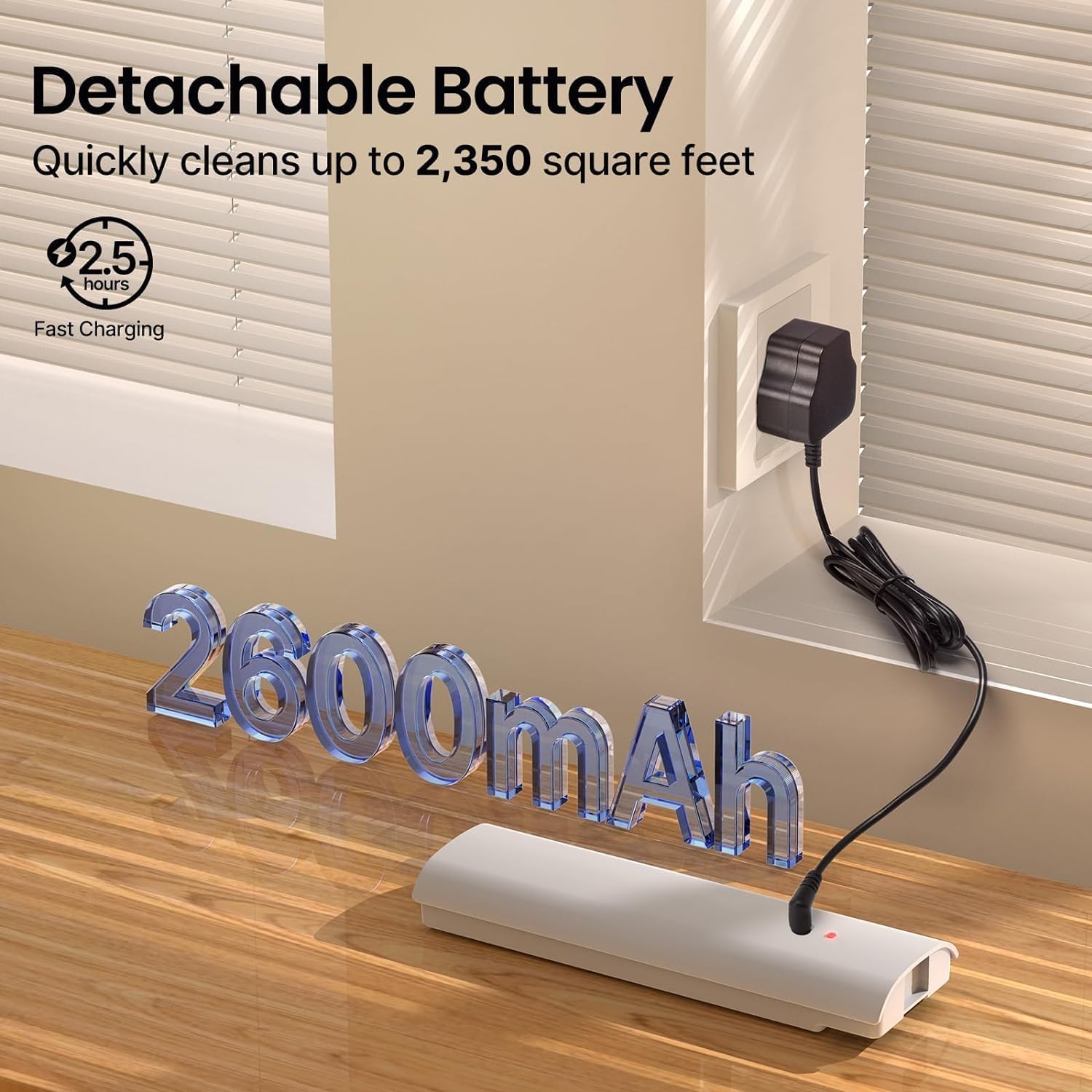
Image 3.1: The detachable battery pack connected to its charging adapter.
3.2. Attaching Cleaning Pads
Align the washable cleaning pads with the hook-and-loop fasteners on the bottom of the mop head. Press firmly to secure them.
3.3. Filling the Water Tank
- Remove the detachable water tank from the mop unit.
- Open the tank cap and fill with clean water. A small amount of floor cleaning solution can be added if desired. Do not overfill.
- Securely close the tank cap and reinsert the water tank into the mop unit until it is firmly seated.

Image 3.2: Inserting the filled water tank into the mop unit.
4. Operating Instructions
4.1. Powering On/Off
Press the power button located on the handle to turn the mop on. Press it again to turn the mop off. Do not turn on the electric mop when charging, as this may shorten battery life.
4.2. Using the Spray Function
Press the spray button on the handle to dispense water or cleaning solution onto the floor. Release the button to stop spraying.

Image 4.1: The mop in operation, demonstrating the spray function.
4.3. Mopping
The iDOO Electric Spin Mop features dual motors that spin the cleaning pads at up to 280 revolutions per minute, providing effective cleaning. The mop is self-propelled, assisting in forward movement. Gently twist the handle to guide the mop and change direction.

Image 4.2: A user operating the iDOO Electric Spin Mop on a wooden floor.
4.4. Suitable Surfaces
This electric mop is suitable for various hard floor surfaces, including:
- Hardwood
- Tile
- Laminate
- Marble
- Vinyl floors
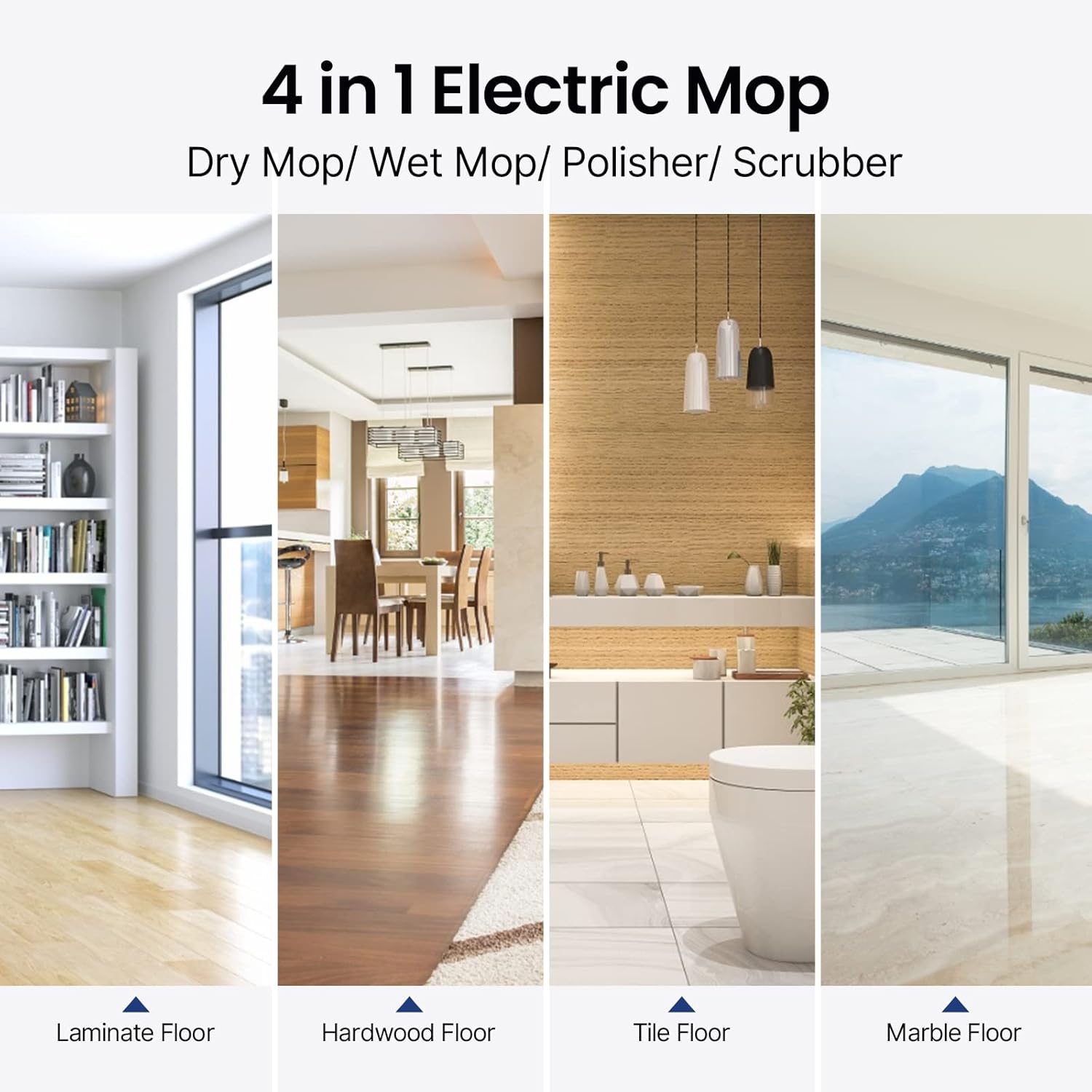
Image 4.3: Visual representation of the mop's versatility across different floor types.
5. Maintenance
5.1. Cleaning Pads
The cleaning pads are washable and reusable. After each use, remove the pads from the mop head and wash them with water and mild detergent. Allow them to air dry completely before reattaching or storing.
5.2. Water Tank
Empty any remaining water or cleaning solution from the tank after each use. Rinse the tank with clean water and allow it to air dry to prevent odor or residue buildup.
5.3. Mop Unit Cleaning
Wipe the exterior of the mop unit with a damp cloth. Do not submerge the main unit in water.
5.4. Battery Care and Storage
- Always charge the battery when only one red indicator is on.
- Do not charge the battery for more than 6 hours.
- Store the mop and battery in a cool, dry place away from direct sunlight and extreme temperatures.
- For long-term storage, ensure the battery is partially charged (around 50%) to maintain its health.
6. Troubleshooting
| Problem | Possible Cause | Solution |
|---|---|---|
| Mop does not turn on | Battery is not charged or not properly installed. | Ensure the battery is fully charged and correctly inserted into the mop unit. |
| Mop pads are not spinning | Obstruction or motor issue. | Check for any debris caught in the mop head. If the issue persists, contact customer support. |
| Spray function not working | Water tank is empty or clogged. | Refill the water tank. Check for any blockages in the spray nozzle. |
| Battery life is shorter than expected | Improper charging habits or aging battery. | Follow recommended charging procedures (charge when one red indicator is on, do not overcharge). Consider a replacement battery if the issue persists after extended use. |
7. Specifications
- Brand: iDOO
- Model Name: ID-EM002-WH-N1
- Special Features: Dual Motors, Self-Propelled, Cordless
- Surface Recommendation: Floor, Tile, Hardwood, Laminate, Marble, Vinyl
- Included Components: Cleaning Pads, Water Tank, Battery Pack
- Form Factor: Upright
- Power Source: Battery Powered
- Battery Type: 11.1V 2600mAh Lithium Battery
- Charging Time: Approximately 2.5 hours
- Coverage per Charge: Up to 2350 sq ft
- Motor Speed: Up to 280r/Min
- Noise Level: As low as 46dB
8. Warranty and Support
For warranty information or technical support, please refer to the warranty card included with your product or visit the official iDOO website. Keep your purchase receipt as proof of purchase for any warranty claims.