
Introduction
Thank you for choosing the OttLite Travel LED Task Lamp. This innovative lamp combines portability with OttLite's exclusive ClearSun LED technology, engineered to reduce eyestrain by up to 51%. Its compact, folding design makes it ideal for use in various settings, from home offices to travel environments. The integrated digital display provides convenient access to time, date, month, day of the week, and temperature, enhancing its utility.

Figure 1: The OttLite Travel LED Task Lamp in its fully extended position, highlighting the ClearSun LED light panel and the integrated digital display on the lamp's arm.
Product Features
- Proprietary ClearSun LED Technology: Reduces eyestrain by up to 51%, providing healthy, natural daylight illumination.
- Touch-Activated Controls: Easily adjust between 3 brightness settings.
- Compact and Portable Design: Folds down for convenient storage and transport in laptop bags or backpacks.
- Rechargeable Battery: Offers cordless operation, easily charged via the included USB cable.
- Backlit Digital Display: Shows time, date, month, day of the week, and temperature.
- Adjustable Height: Extends from 10.75 to 15 inches when open.
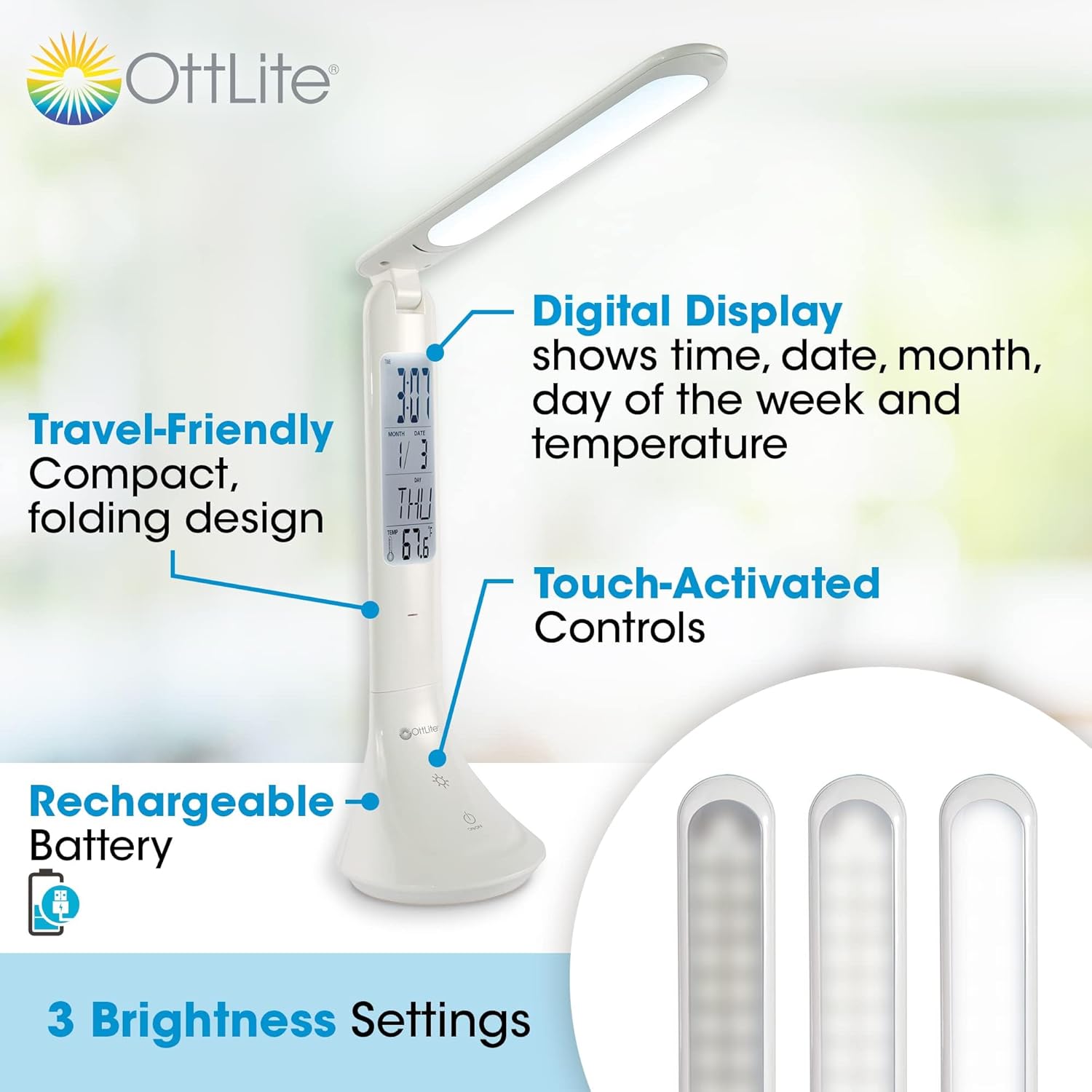
Figure 2: Overview of the lamp's key features, including its digital display, compact folding design, rechargeable battery, and touch-activated controls with multiple brightness settings.
Setup
1. Unpacking and Initial Inspection
- Carefully remove the lamp and all accessories from the packaging.
- Verify that all components are present: OttLite Travel LED Task Lamp, MicroUSB charging cable, instruction sheet.
- Inspect the lamp for any signs of damage. If damaged, do not use and contact customer support.
2. Initial Charging
Before first use, fully charge the lamp's internal rechargeable battery. This ensures optimal performance and battery longevity.
- Connect the MicroUSB end of the charging cable to the charging port on the back of the lamp's base.
- Connect the USB-A end of the charging cable to a standard USB power adapter (not included) or a computer's USB port.
- A red indicator light on the lamp's base will illuminate during charging. This light will turn off once the battery is fully charged.
- Charging time may vary, but typically takes several hours for a full charge.

Figure 3: The lamp connected to a laptop for charging, demonstrating its compatibility with standard USB power sources.
Operating Instructions
1. Adjusting the Lamp Position
- To open the lamp, gently unfold the arm from the base until it reaches your desired angle. The lamp can extend from 10.75 to 15 inches in height.
- Ensure the lamp is placed on a stable, flat surface.
- To fold for storage, gently collapse the arm back into the base until it is compact.
2. Light Control (Touch-Activated)
The lamp features touch-sensitive controls located on the base.
- Power On/Off: Lightly touch the Power icon (circle with vertical line) on the base to turn the light on or off.
- Brightness Settings: With the light on, repeatedly touch the Power icon to cycle through the three brightness levels (Low, Medium, High).
3. Digital Display Controls
The digital display shows time, date, month, day of the week, and temperature. Buttons for setting these functions are located on the back of the lamp's arm.
- Backlight On/Off: Touch the Sun icon (sun symbol) on the base to turn the digital display backlight on or off.
- Setting Time/Date/Alarm:
- Press the MODE button on the back of the lamp to cycle through display modes (Time, Alarm, Date, Timer, Birthday).
- When in the desired mode (e.g., Time), press the SET button to enter setting mode. The digit to be set will flash.
- Use the UP and DOWN buttons to adjust the value.
- Press SET again to confirm the value and move to the next setting.
- Continue until all settings for that mode are complete.
- Temperature Unit: In time display mode, press the SET button to toggle between Celsius (°C) and Fahrenheit (°F).
Note: Refer to the detailed instruction sheet included with your lamp for specific steps on setting the alarm, timer, and birthday reminder, as the button sequence can be intricate.
ClearSun LED Technology
The OttLite Travel LED Task Lamp incorporates OttLite's proprietary ClearSun LED technology, which is specifically engineered to mimic the spectral output of natural daylight. This advanced lighting solution provides smooth, uniform light with a high Color Rendering Index (CRI) of 95+, ensuring that colors are seen with unmatched accuracy and vibrancy.
The primary benefit of ClearSun LED technology is its ability to significantly reduce eyestrain and glare, making it ideal for extended periods of reading, crafting, or working. By providing light that is closer to natural sunlight, it helps to minimize eye fatigue and improve visual comfort.
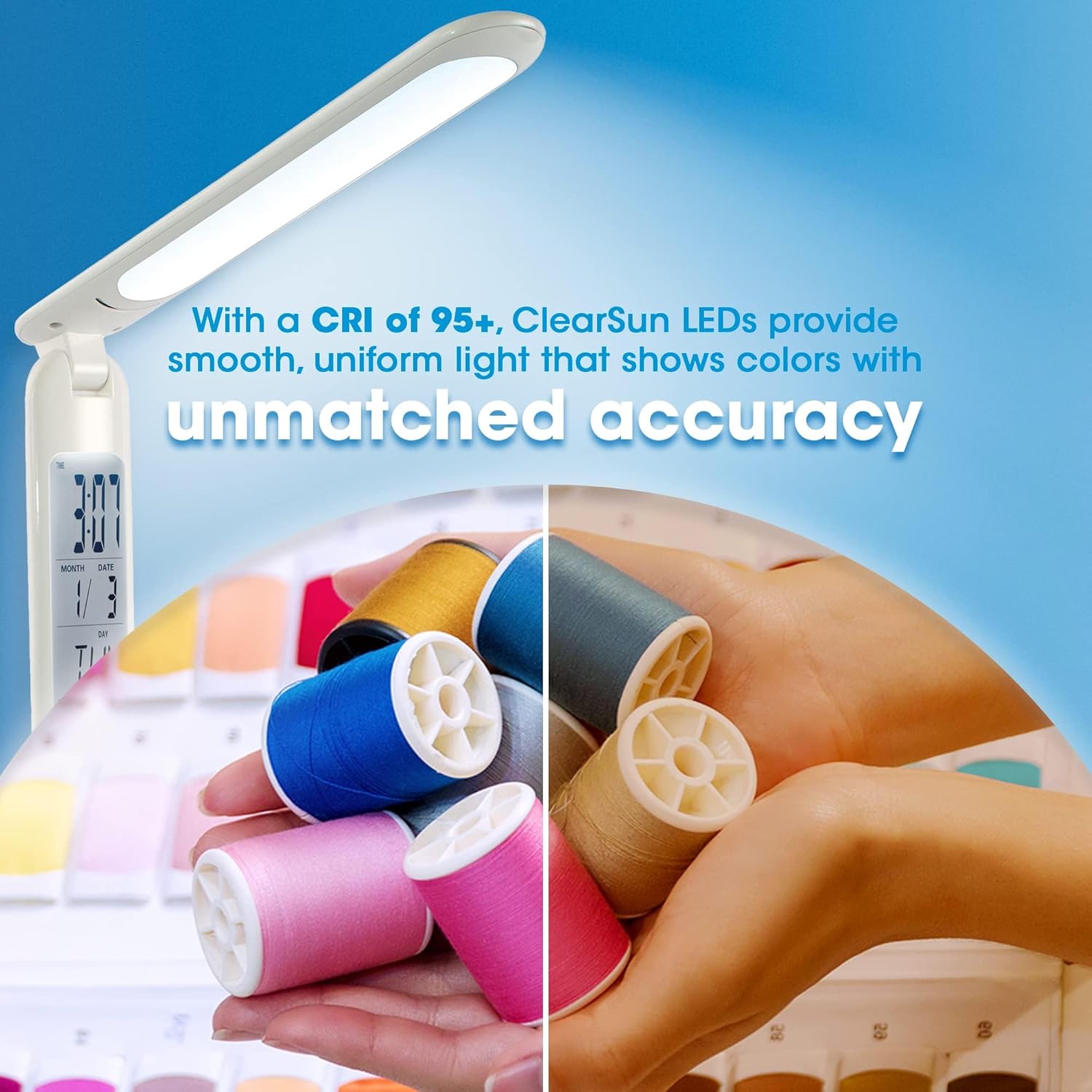
Figure 4: Visual demonstration of how ClearSun LED technology enhances color accuracy, making colors appear truer to life compared to standard lighting.
Portability and Versatility
Designed with the modern user in mind, the OttLite Travel LED Task Lamp is exceptionally portable. Its unique folding mechanism allows it to collapse into a compact form factor, easily fitting into laptop bags, backpacks, or even small drawers. This makes it an excellent companion for various activities and locations:
- Travel: Perfect for hotel rooms, airplanes, or RVs where lighting may be inadequate.
- Coffee Shops & Libraries: Provides personal, focused illumination without disturbing others.
- Home Use: Ideal for small desks, bedside tables, or any area requiring supplemental task lighting.
- Crafting & Hobbies: The ClearSun LED ensures accurate color rendition for detailed work.

Figure 5: The lamp in use on an airplane tray table, showcasing its compact footprint and utility in confined spaces.
Care and Maintenance
- Cleaning: To clean the lamp, ensure it is turned off and unplugged. Use a soft, dry cloth to wipe down the surfaces. Do not use abrasive cleaners, solvents, or harsh chemicals, as these may damage the finish or electronic components.
- Battery Care:
- For optimal battery life, avoid fully discharging the lamp frequently.
- Recharge the lamp regularly, even if not in constant use, to maintain battery health.
- Store the lamp in a cool, dry place when not in use for extended periods.
- LEDs: The LEDs in this lamp are designed for long-term use and are not user-replaceable.
- Digital Display Battery: The CR2032 battery for the calendar display is pre-installed. If the display loses power, this battery may need replacement. Refer to the original instruction sheet for replacement details.
Troubleshooting Common Issues
| Problem | Possible Cause | Solution |
|---|---|---|
| Lamp does not turn on. | Battery is depleted. | Connect the lamp to a USB power source and allow it to charge fully. |
| Digital display is blank or incorrect. | CR2032 battery for display is low or dead; settings need adjustment. | Replace the CR2032 battery. Re-set time, date, and other display settings using the MODE and SET buttons. |
| Light flickers or dims unexpectedly. | Low battery charge. | Recharge the lamp's main battery. |
| Lamp does not hold a charge. | Battery degradation over time; faulty charging cable/adapter. | Ensure charging cable and adapter are functional. If issues persist, the internal battery may need service (contact support). |
Technical Specifications
| Property | Value |
|---|---|
| Model Number | CSRD300W-CA |
| Brand | Ott-lite |
| Light Source Type | LED (ClearSun Technology) |
| Power Source | Rechargeable Lithium Ion Battery (1 included) |
| Product Dimensions (Folded) | 8.89 x 8.89 x 27.3 cm (3.5 x 3.5 x 10.75 inches) |
| Product Weight | 490 g (1.08 lbs) |
| Color | White |
| Shade Material | PVC, Plastic, Resin, or Faux Silk |
| Switch Type | Touch |
Warranty and Support
OttLite products are manufactured with high-quality materials and craftsmanship. This product is covered by a limited warranty against defects in materials and workmanship from the date of purchase. Please retain your proof of purchase for warranty claims.
For detailed warranty terms, technical assistance, or customer support, please visit the official OttLite website or contact their customer service department. Contact information is typically provided on the product packaging or the original instruction sheet.
OttLite Technologies Customer Service:
- Website: www.ottlite.com
- Email: Refer to website for contact form or email address.
- Phone: Refer to website for phone numbers.
When contacting support, please have your product model number (CSRD300W-CA) and purchase date available.