1. Introduction
This manual provides essential information for the safe and effective operation, maintenance, and troubleshooting of your Bosch GTC600C 12V Max Connected Thermal Camera. Please read this manual thoroughly before using the device to ensure proper functionality and to prevent damage or injury.
The Bosch GTC600C is designed for detecting temperatures with an intuitive interface, offering high-resolution thermal images and a broad measuring range. It features integrated connectivity for data transfer and voice note functionality for enhanced documentation.
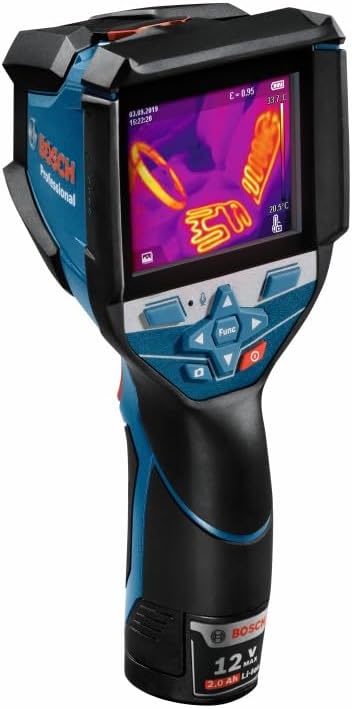
Figure 1.1: Bosch GTC600C 12V Max Connected Thermal Camera.
2. Safety Information
Always observe the following safety precautions when operating the Bosch GTC600C thermal camera:
- Read all instructions carefully before use.
- Do not point the camera directly at intense heat sources (e.g., the sun, lasers, welding arcs) as this may damage the sensor.
- Ensure the battery is correctly inserted and charged using the specified Bosch charger.
- Do not expose the device to extreme temperatures, humidity, or corrosive environments.
- The device has an IP54 rating for water and dust protection; however, this does not include the battery and battery compartment. Avoid exposing these areas to moisture.
- Do not attempt to disassemble or modify the camera. Repairs should only be performed by authorized service personnel.
- Keep the lens clean and free from obstructions for accurate measurements.
3. Product Components and Features
The Bosch GTC600C thermal camera is designed with several key features for efficient temperature detection and documentation.

Figure 3.1: Key features of the Bosch GTC600C Thermal Camera.
- High Resolution Display: Provides sharp, clear thermal images.
- Intuitive User Interface: Designed for ease of use with minimal clicks.
- Built-in Microphone/Speaker: Enables voice note functionality for recording and transferring up to 350 notes.
- Thermal Image Trigger: Easy-to-use trigger for detecting and documenting temperature measurements.
- Integrated Connectivity: Wi-Fi enabled for seamless storing, transferring, and analyzing images via the Bosch ThermalOn App or GTC Transfer.
- Broad Measuring Range: Capable of measuring temperatures from -4°F to 1112°F (-20°C to +600°C).
- Jobsite Tough Construction: Reinforced rubber housing offers impact resistance and an IP54 rating for protection against rain and dusty conditions (excluding battery compartment).
- Ergonomic Design: Promotes comfort and control during extended use.
- Bosch 12V Max Battery System: Utilizes exchangeable, long-lasting 12V Max batteries.
3.1 Physical Overview

Figure 3.2: Front view, showing display and control buttons.
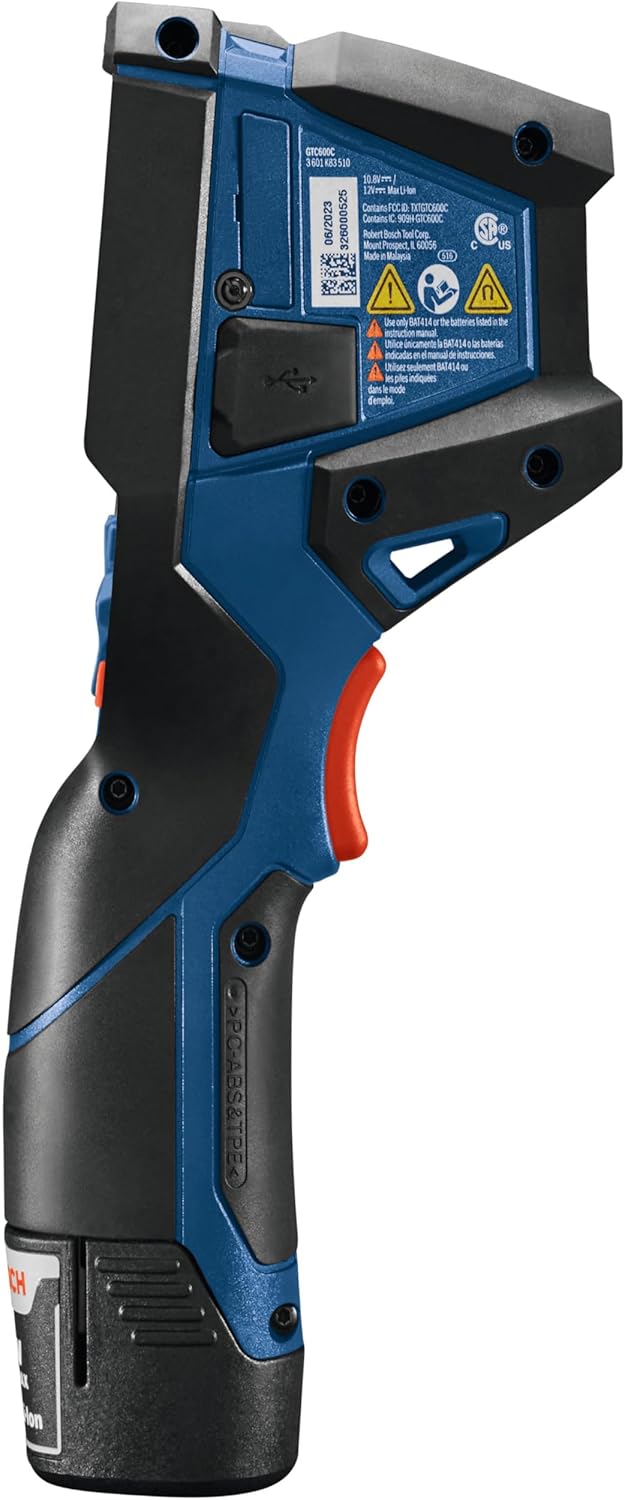
Figure 3.3: Side view, highlighting the trigger and USB port.
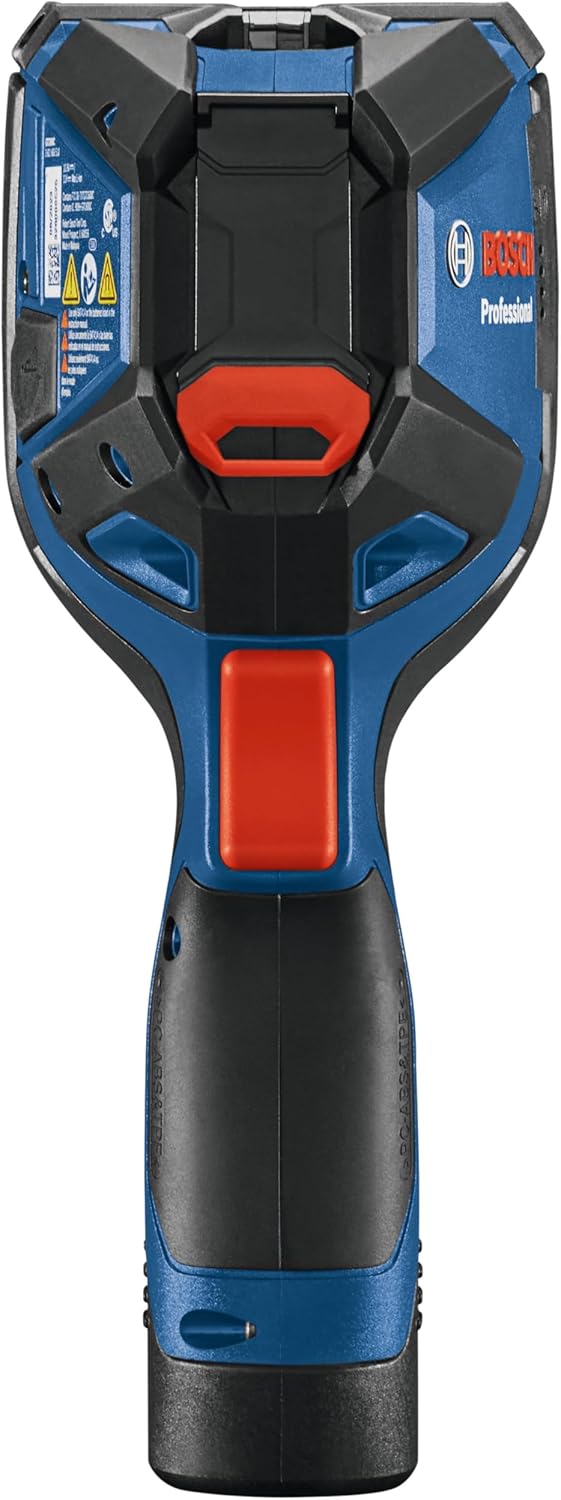
Figure 3.4: Top view, showing the sensor area.
4. Setup
4.1 Battery Installation and Charging
- Ensure the thermal camera is powered off.
- Locate the battery compartment at the base of the handle.
- Insert a charged Bosch 12V Max Lithium-Ion battery into the compartment until it clicks securely into place.
- To charge the battery, remove it from the camera and place it into a compatible Bosch 12V Max charger. Follow the charger's instructions for proper charging.
4.2 Initial Power On and Settings
- Press and hold the power button (usually red) to turn on the device.
- Upon first use, you may be prompted to set the language, date, and time. Use the navigation buttons to select and confirm settings.
- Familiarize yourself with the main menu and navigation controls. The "Func" button typically accesses various modes and settings.
5. Operating Instructions
5.1 Basic Thermal Imaging
- Point the camera at the object or area you wish to inspect.
- The display will show a thermal image, with different colors representing temperature variations.
- The camera automatically adjusts the temperature range for optimal visualization.
- Press the trigger to capture and freeze the current thermal image for detailed analysis.
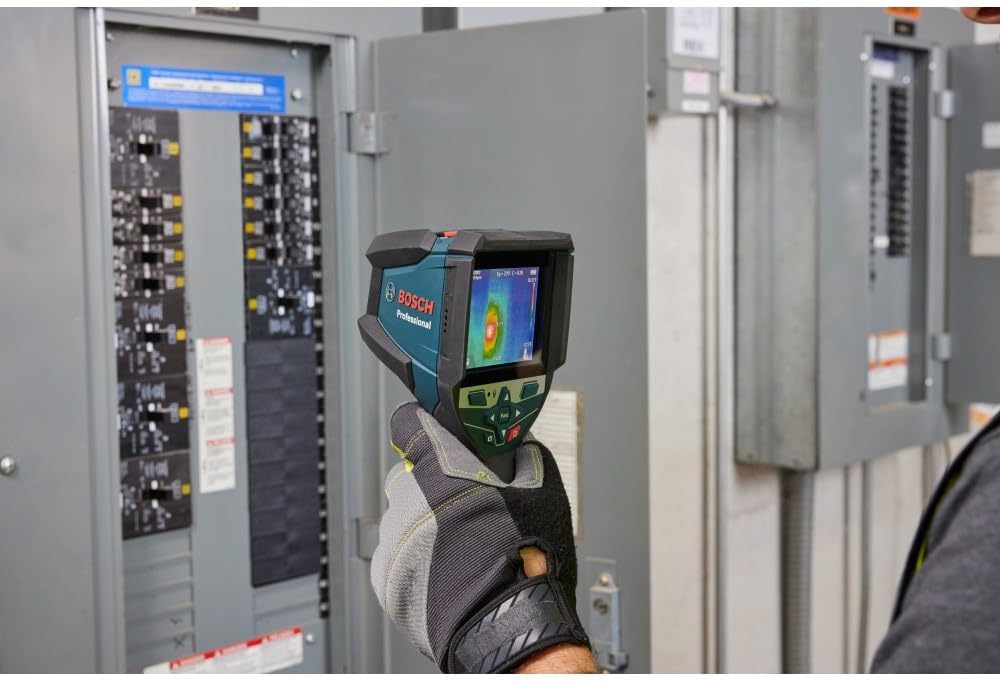
Figure 5.1: Using the thermal camera to inspect an electrical panel for hot spots.

Figure 5.2: Thermal inspection of ductwork to identify temperature anomalies.
5.2 Advanced Features
- Voice Notes: Press the microphone button to record voice notes associated with a captured image. This allows for detailed on-site documentation.
- Image Gallery: Access the gallery to review captured thermal and visual images. Toggle between infrared and visual views for comprehensive analysis.
- Emissivity Settings: Adjust emissivity values for different materials to ensure accurate temperature readings. The camera allows for categorizing and favoriting frequently used emissivity values.
- Connectivity (Wi-Fi): Connect the camera to a Wi-Fi network to transfer images and data to the Bosch ThermalOn App or GTC Transfer software for further analysis and report generation.

Figure 5.3: Connecting the thermal camera to a laptop for data transfer and analysis.
6. Maintenance
6.1 Cleaning
- Camera Body: Wipe the camera body with a soft, damp cloth. Do not use abrasive cleaners or solvents.
- Lens: Use a soft, lint-free cloth specifically designed for optical lenses to gently clean the thermal lens. Avoid touching the lens with your fingers.
- Display: Clean the display with a soft, dry cloth.
6.2 Storage
Store the thermal camera in its protective case in a dry, cool place, away from direct sunlight and extreme temperatures. Remove the battery if the device will not be used for an extended period.
7. Troubleshooting
| Problem | Possible Cause | Solution |
|---|---|---|
| Camera does not power on. | Battery is discharged or not properly inserted. | Ensure battery is fully charged and correctly installed. |
| Image is blurry or unclear. | Lens is dirty or damaged. | Clean the lens with a soft, lint-free cloth. If damage persists, contact service. |
| Inaccurate temperature readings. | Incorrect emissivity setting for the material being measured. | Adjust the emissivity setting in the camera's menu to match the material. |
| Cannot connect to Wi-Fi or transfer data. | Incorrect Wi-Fi settings, out of range, or software issue. | Verify Wi-Fi settings, ensure camera is within range, restart camera and connecting device. Check Bosch ThermalOn App or GTC Transfer for updates. |
| Voice notes not recording. | Microphone issue or storage full. | Check microphone settings. Ensure sufficient storage space. |
If the problem persists after attempting these solutions, please contact Bosch customer support.
8. Specifications
| Feature | Detail |
|---|---|
| Model Name | GTC600C |
| Brand | BOSCH |
| Measuring Range | -4°F to 1112°F (-20°C to +600°C) |
| Connectivity | Wi-Fi |
| Power Source | Battery Powered (Bosch 12V Max Lithium-Ion) |
| IP Rating | IP54 (excluding battery and battery compartment) |
| Outer Material | Rubber |
| Display Type | Digital |
| Response Time | 500 Milliseconds |
| Item Weight | 4.22 pounds |
| UPC | 000346812886 |
9. Warranty and Support
Bosch Measuring and Layout Tools: Covered by a one-year limited warranty. An additional year of coverage is available when you register your tool within eight weeks of purchase.
Bosch 12V Max Batteries and Chargers: Covered by a one-year limited warranty.
For full terms and conditions, please visit rb-pt.io/PowerToolWarranty or call 1-877-BOSCH99.

Figure 9.1: Bosch Limited Warranty details.