
1. Introduction
Thank you for choosing the Kärcher AF 50 Signature Line Air Purifier. This device is designed to significantly improve the air quality in your indoor spaces by filtering out particles, allergens, and odors. Please read this manual carefully before operating the device to ensure safe and efficient use. Keep this manual for future reference.
2. Safety Instructions
- Always disconnect the power supply before cleaning or performing maintenance.
- Do not operate the device with a damaged power cord or plug.
- Keep the air purifier away from water and moisture. Do not use it in bathrooms or other humid environments.
- Ensure proper ventilation around the unit; do not block air inlets or outlets.
- This appliance is not intended for use by persons (including children) with reduced physical, sensory or mental capabilities, or lack of experience and knowledge, unless they have been given supervision or instruction concerning use of the appliance by a person responsible for their safety.
- Only use original Kärcher replacement filters.
3. Package Contents
Verify that all items are present in the package:
- Kärcher AF 50 Signature Line Air Purifier
- Integrated HEPA and Activated Carbon Filters (2 sets)
- Power Cable
- User Manual
4. Product Overview
The Kärcher AF 50 Signature Line Air Purifier is designed for effective air purification in rooms up to 100 m². It features a dual filtration system with HEPA and activated carbon filters, an intuitive display, and various operating modes.
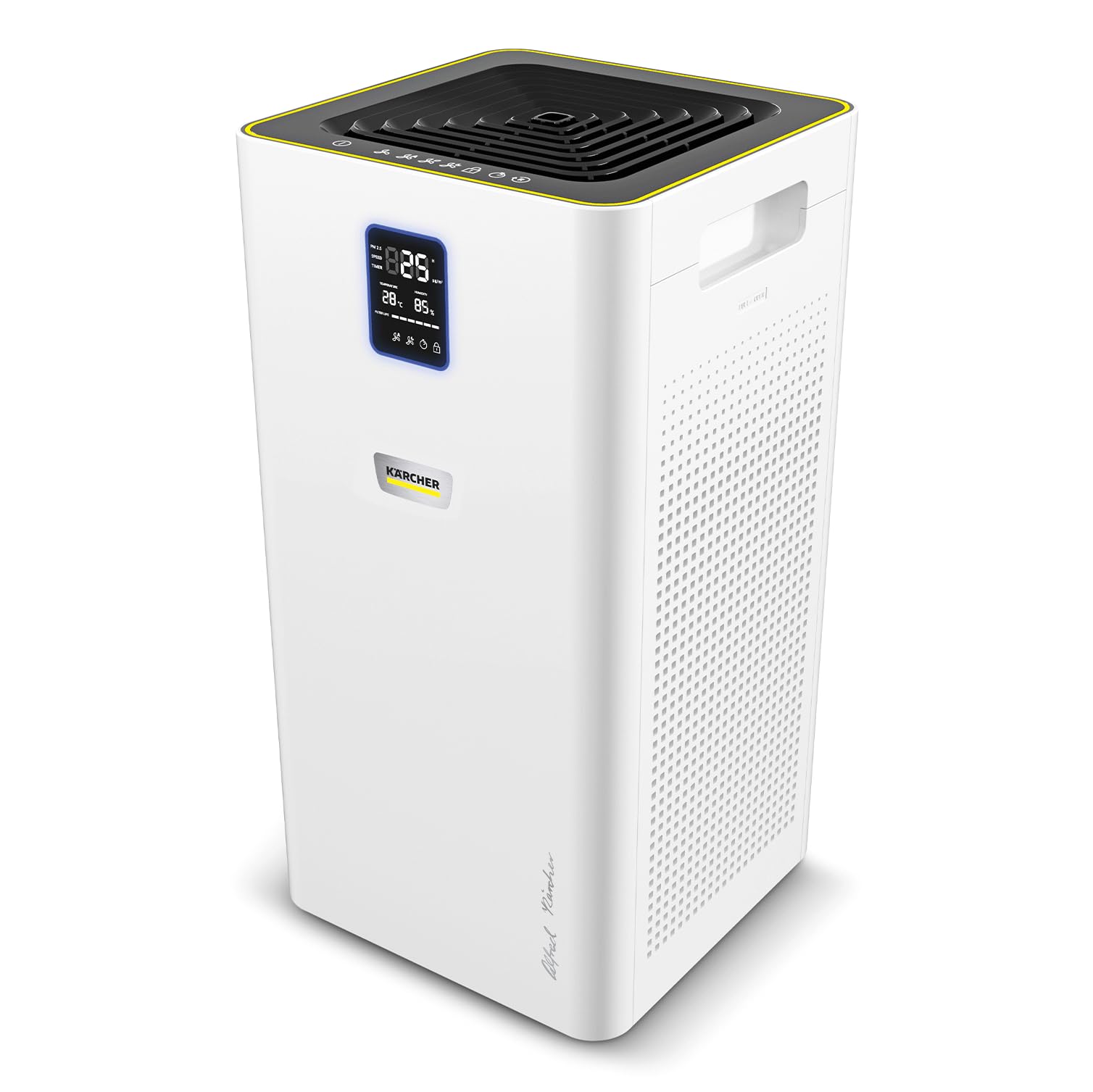
The Kärcher AF 50 Air Purifier in an office environment, demonstrating its compact design.

The AF 50 Signature Line air purifier effectively improves air quality in rooms up to 100 m².

The dual HEPA filters are designed to eliminate particles, allergens, pollen, and pathogenic agents from the air.

The integrated activated carbon layer within the filters effectively helps to reduce unpleasant odors.

The clear display provides real-time information on temperature, humidity, and current air quality levels.
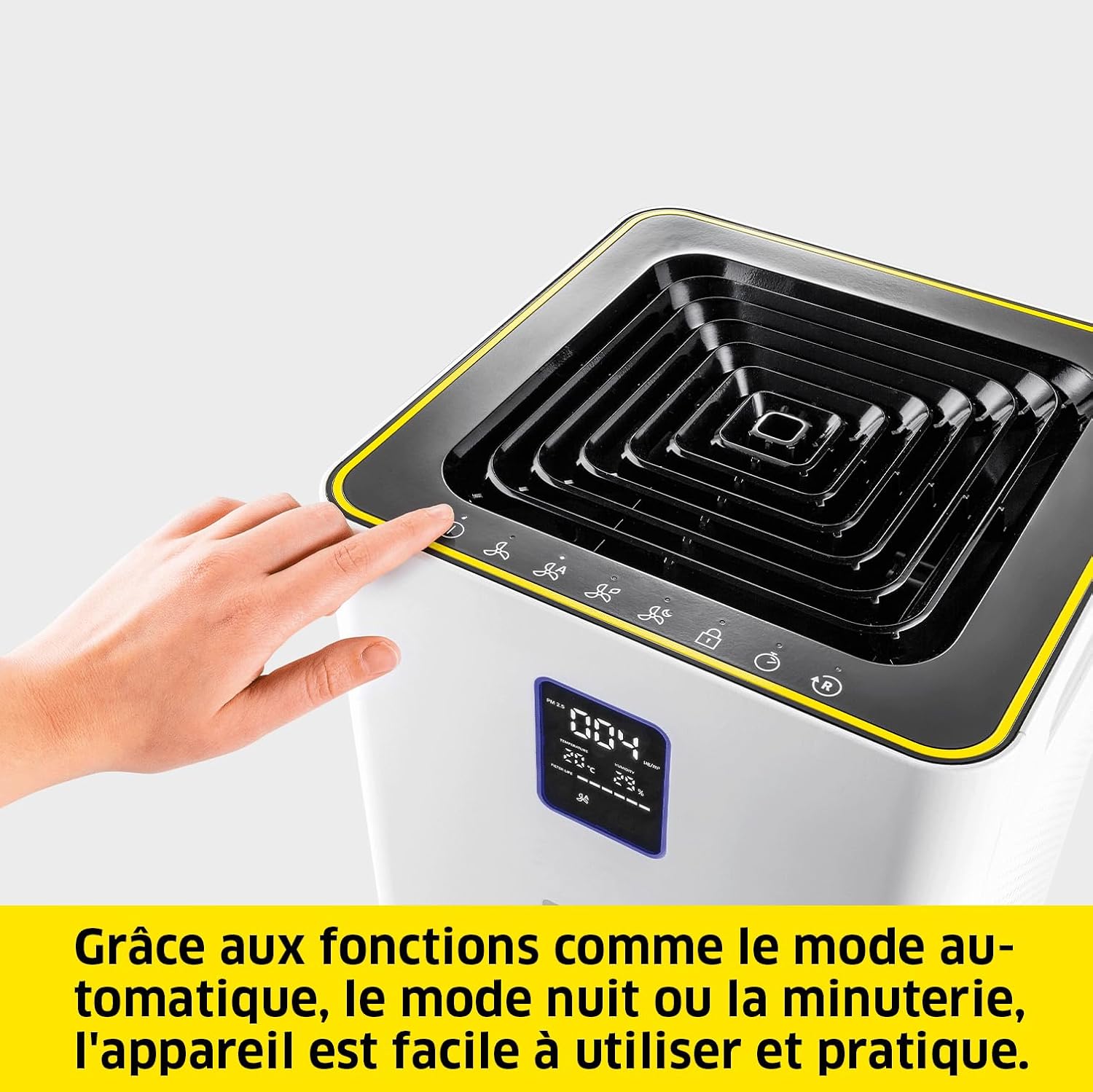
The device offers practical functions such as automatic mode, night mode, and a timer for convenient operation.
5. Setup
- Unpacking: Carefully remove the air purifier and all accessories from the packaging. Retain packaging for future transport or storage.
- Filter Installation: The filters are pre-installed. Ensure they are correctly seated and any protective packaging is removed before first use. Refer to Section 7 for detailed filter replacement instructions.
- Placement: Place the air purifier on a flat, stable surface. Ensure there is at least 20 cm (8 inches) of clear space around all sides for optimal airflow. Avoid placing it directly against walls or furniture.
- Power Connection: Plug the power cable into the power inlet on the back of the unit, then plug the other end into a suitable electrical outlet.
6. Operating Instructions
6.1 Control Panel and Display
The control panel is located on the top of the unit, and the display is on the front. The display shows real-time information such as temperature, humidity, and air quality. An LED ring around the display indicates air quality:
- Green: Excellent air quality
- Blue: Good air quality
- Yellow: Moderate air quality
- Red: Poor air quality
6.2 Power On/Off
Press the power button (O/I) on the control panel to turn the unit on or off.
6.3 Operating Modes
- Automatic Mode: Press the 'Auto' button. The integrated laser sensor continuously analyzes ambient air quality and adjusts the cleaning power accordingly.
- Manual Fan Speed: Press the 'Fan Speed' button to cycle through different fan speeds (e.g., Low, Medium, High).
- Night Mode: Press the 'Night' button. The unit operates at the lowest fan speed with reduced display brightness for quiet operation during sleep.
- Timer Function: Press the 'Timer' button to set the operating duration (e.g., 1h, 2h, 4h, 8h). The unit will automatically turn off after the set time.
6.4 Child Lock
To activate or deactivate the child lock, press and hold the 'Child Lock' button for a few seconds. This prevents accidental changes to settings.
7. Maintenance
7.1 Filter Replacement
The HEPA and activated carbon filters should be replaced approximately every 8 to 12 months, depending on usage and air quality. The display will indicate when filter replacement is due.
- Power Off: Turn off and unplug the air purifier from the power outlet.
- Open Filter Compartment: Locate the filter access panel, usually on the side or back of the unit. Open it according to the markings.
- Remove Old Filters: Carefully pull out the used filters. Dispose of them responsibly.
- Install New Filters: Insert the new Kärcher replacement filters, ensuring they are correctly oriented.
- Close Compartment: Securely close the filter access panel.
- Reset Filter Indicator: Plug in the unit and power it on. Press and hold the 'Filter Reset' button (if available, or refer to specific icon on control panel) for a few seconds until the filter indicator resets.

The filter can be replaced in a few simple steps, ensuring continuous optimal performance.
7.2 Cleaning the Unit
- Wipe the exterior of the air purifier with a soft, damp cloth. Do not use abrasive cleaners or solvents.
- Gently vacuum the air inlet and outlet grilles to remove dust accumulation.
8. Troubleshooting
| Problem | Possible Cause | Solution |
|---|---|---|
| Unit does not turn on | No power supply | Check if the power cable is securely plugged into the unit and the outlet. Test the outlet with another device. |
| Poor air purification performance | Clogged or old filters | Replace the filters as per Section 7.1. |
| Unusual noise during operation | Obstruction in fan or loose component | Turn off and unplug the unit. Check for any foreign objects in the air inlets/outlets. If the noise persists, contact customer support. |
| Air quality indicator always red/yellow | High pollution levels or sensor issue | Ensure the room is adequately ventilated. Clean the air quality sensor (refer to manufacturer's guidelines if specific cleaning is needed). If the issue persists, contact support. |
9. Specifications
| Feature | Specification |
|---|---|
| Brand | Karcher |
| Model Number | 1.024-826.0 |
| Color | White |
| Product Dimensions (L x W x H) | 29 x 29 x 58 cm |
| Item Weight | 10.27 Kilograms |
| Power Source | Corded Electric |
| Control Method | Touch, Digital Buttons |
| Filter Type | HEPA, Activated Carbon |
| Floor Area Coverage | Up to 100 m² |
| Air Delivery Rate (CADR) | 520 m³/h |
| Country of Origin | China |
10. Warranty and Support
Kärcher products are manufactured to high-quality standards and come with a manufacturer's warranty. For detailed warranty information, including terms and conditions, please refer to the warranty card included with your product or visit the official Kärcher website. For technical support, spare parts, or service inquiries, please contact Kärcher customer service through their official channels.
You can find more information and support on the official Kärcher website: www.kaercher.com

