
Introduction
This manual provides detailed instructions for the safe and effective use of your PNI PMR R45 PRO portable radio. Please read this manual thoroughly before operating the device to ensure proper functionality and to prevent damage.
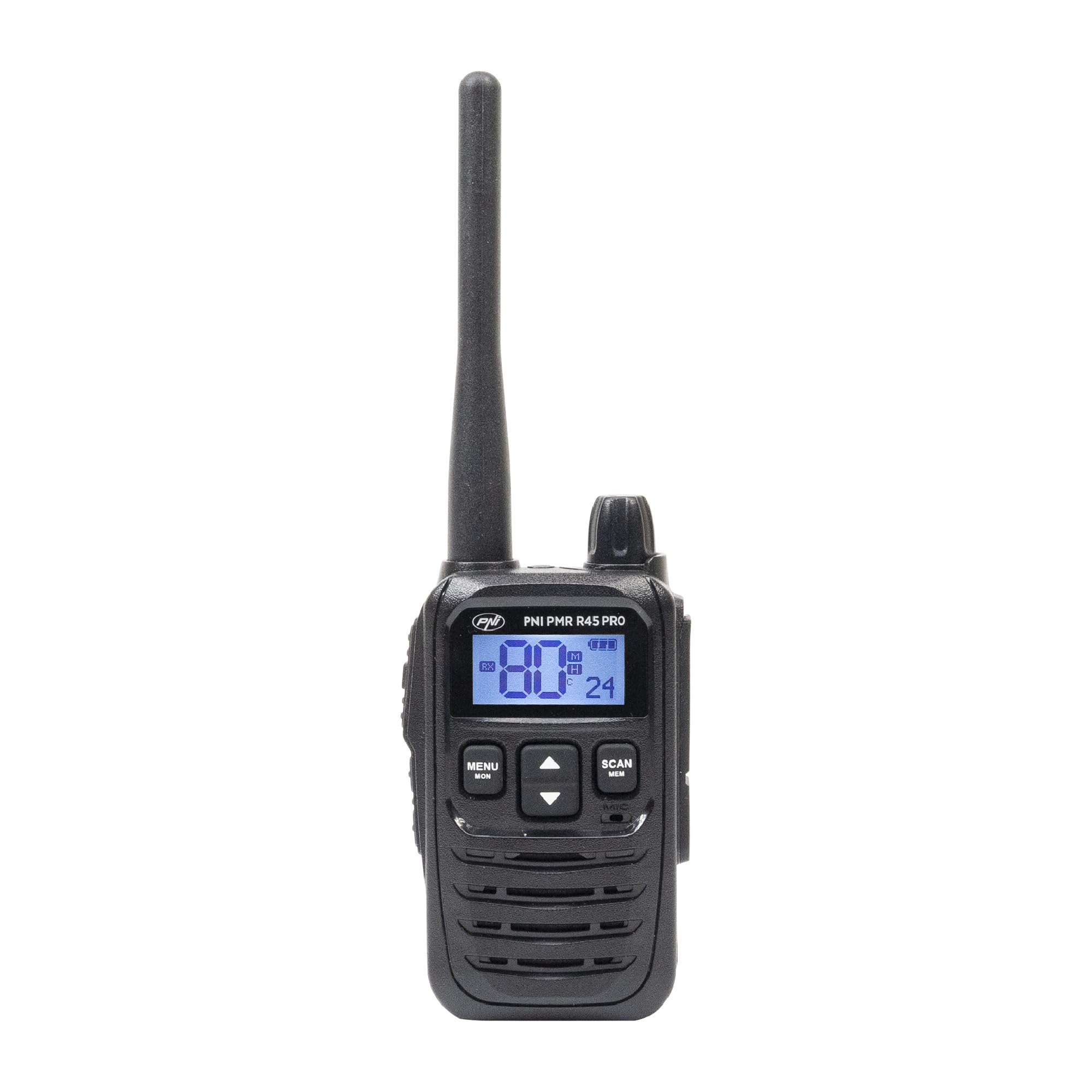
Image: PNI PMR R45 PRO Portable Radio, front view.
Package Contents
Verify that all items listed below are present in your package:
- 1 x PNI PMR R45 PRO Radio Station
- 1 x Li-Ion Battery (2000 mAh)
- 1 x Desktop Charger
- 1 x Wall Power Supply
- 1 x USB Type C Cable
- 1 x Antenna
- 1 x Belt Clip
- 1 x User Manual (this document)

Image: All components included in the PNI PMR R45 PRO package.
Setup
1. Battery Installation
- Ensure the radio is powered off.
- Locate the battery compartment cover on the back of the radio.
- Slide the cover downwards or unlatch it to open.
- Insert the Li-Ion battery into the compartment, ensuring the contacts align correctly.
- Replace the battery compartment cover and secure it.

Image: Open battery compartment of the PNI PMR R45 PRO radio, showing battery insertion.
2. Charging the Battery
- Connect the USB Type C cable to the desktop charger.
- Connect the wall power supply to the USB Type C cable and plug it into a power outlet.
- Place the radio into the desktop charger. Ensure the charging indicator light illuminates.
- Charge the battery fully before first use (approximately 3-4 hours).

Image: PNI PMR R45 PRO radio placed in its desktop charging cradle, connected to a wall adapter via USB-C cable.
3. Attaching the Belt Clip
- Align the belt clip with the designated slots on the back of the radio.
- Slide the belt clip upwards until it clicks securely into place.

Image: A hand demonstrating the attachment of the belt clip to the back of the PNI PMR R45 PRO radio.
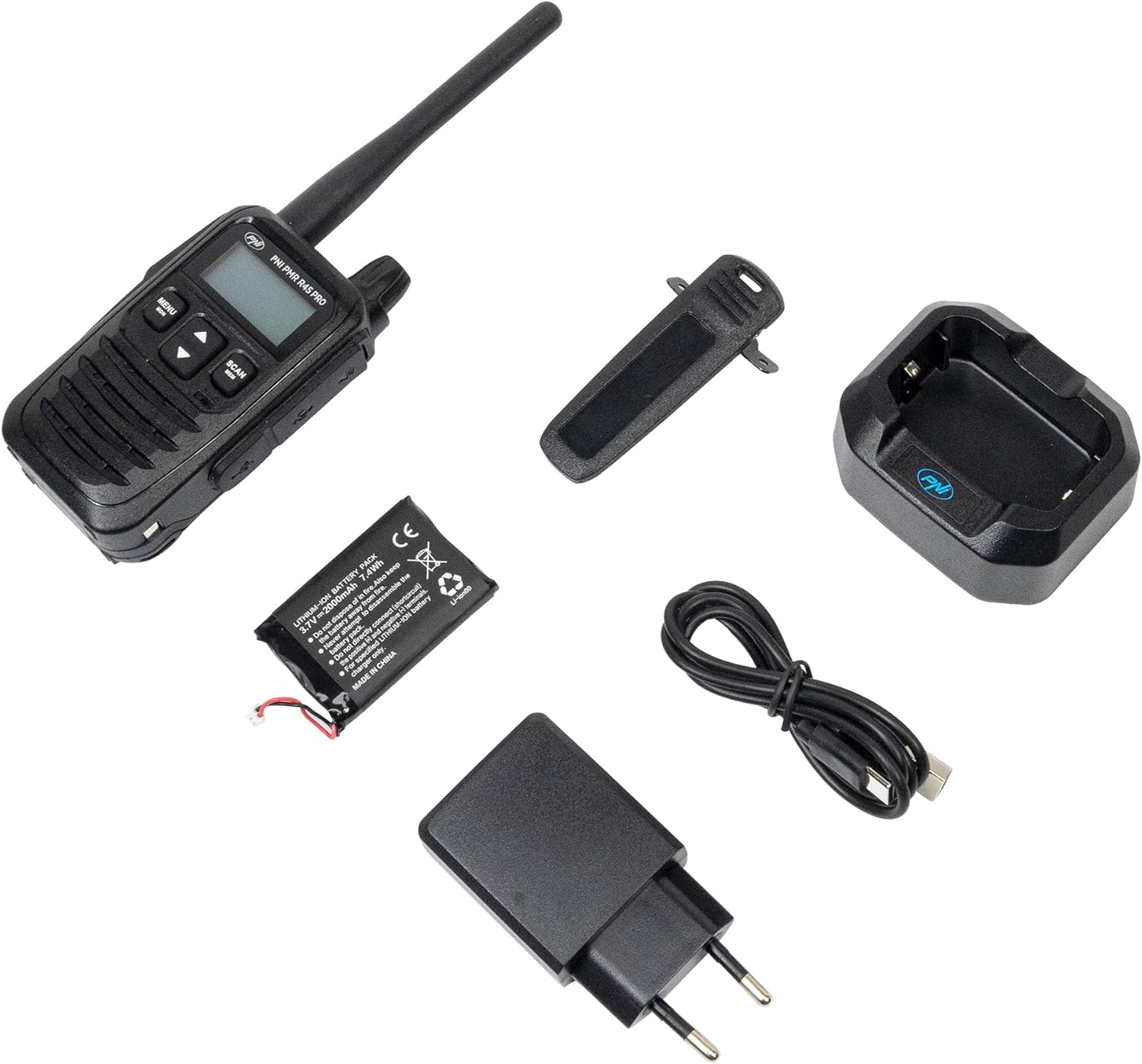
Image: PNI PMR R45 PRO radio with the belt clip securely attached.
Operating Instructions
Basic Operation
- Power On/Off: Press and hold the power button (usually combined with volume knob) until the LCD screen illuminates or turns off.
- Volume Adjustment: Rotate the volume knob clockwise to increase volume, counter-clockwise to decrease.
- Channel Selection: Use the Up/Down arrow buttons to select one of the 99 available channels.
- Push-to-Talk (PTT): Press and hold the PTT button on the side of the radio to transmit your voice. Release to listen.

Image: A hand holding the PNI PMR R45 PRO radio, with a finger positioned on the Push-to-Talk (PTT) button.

Image: Side view of the PNI PMR R45 PRO radio, highlighting the PTT button and other side controls.
Advanced Features
- CTCSS/DCS Codes: To ensure private conversations, set the same CTCSS (38 tones) or DCS (104 codes) sub-code on all radios in your group. Refer to the radio's menu for setting these codes.
- VOX Function (Voice Operated Exchange): Activates transmission automatically when you speak, without needing to press the PTT button. The PNI PMR R45 PRO offers 3 sensitivity levels for VOX. Activate and adjust in the menu.
- Squelch: Suppresses weak signals and background noise. The radio features 5 squelch levels. Higher levels require stronger signals to open the receiver. Adjust in the menu.
- Scan Function: Scans through active channels to find ongoing conversations. Activate by pressing the 'Scan' button or through the menu.
- Roger Beep: An audible tone transmitted when the PTT button is released, signaling the end of your transmission. Can be enabled/disabled in the menu.
- Keypad Lock: Prevents accidental changes to settings. Activate/deactivate via the menu or a dedicated button.
- Call Tones: Choose from 5 selectable call tones to alert other users.
- Time-Out Timer (TOT): Limits the duration of a single transmission to prevent accidental continuous transmission and conserve battery.
- Busy Channel Lockout (BCL): Prevents transmission on a channel that is already in use.
- Automatic Power Saver: Extends battery life by reducing power consumption during periods of inactivity.
- Low Battery Indicator: An icon or audible alert will notify you when the battery level is low.
Maintenance
- Cleaning: Use a soft, damp cloth to clean the radio's exterior. Do not use harsh chemicals or abrasive cleaners.
- Battery Care: For optimal battery life, avoid fully discharging the Li-Ion battery frequently. Charge the radio regularly. If storing for extended periods, charge the battery to about 50% and store in a cool, dry place.
- Storage: Store the radio in a dry environment, away from extreme temperatures and direct sunlight.
- Antenna: Do not bend or modify the antenna. A damaged antenna can affect performance.
Troubleshooting
| Problem | Possible Cause | Solution |
|---|---|---|
| Radio does not power on. | Battery is depleted or not installed correctly. | Charge the battery or re-install it correctly. |
| Cannot transmit or receive. | Incorrect channel/sub-code, out of range, or low battery. | Verify channel and CTCSS/DCS settings. Move closer to other radios. Charge battery. |
| Poor audio quality or static. | Weak signal, high squelch level, or interference. | Adjust squelch level. Move to an area with better signal. Check for sources of interference. |
| Battery life is shorter than expected. | Frequent transmissions, high volume, or aging battery. | Utilize power-saving features. Reduce transmission time. Consider replacing the battery if it's old. |
Specifications
| Product Code | PNI-R45-PRO |
| Type | PMR446 Portable Radio |
| Frequency (UHF) | 446.00625 ~ 446.19375 MHz |
| Channels | 99 (16 PMR + 38 CTCSS / 104 DCS) |
| Frequency Step | 12.5 kHz (PMR) |
| Security Codes | 38 CTCSS, 104 DCS |
| Transmission Power | 0.5W |
| Power Supply | Li-Ion Battery (2000 mAh) |
| Battery Life (5/5/90 cycle) | Up to 12 hours |
| Operating Temperature | -26°C ~ +80°C |
| Weight (with battery) | 145 g |
| Dimensions (L x H x D) | 55 x 185 x 30 mm (100 mm without antenna) |
| Antenna Length | 95 mm |
| Audio Accessory Pins | 2-pin PNI-K |
| Charging Port | USB Type C |
| Special Features | VOX (3 levels), Squelch (5 levels), Scan, Roger Beep, Keypad Lock, TOT, BCL, Low Battery Indicator, Automatic Power Saver, Dual Watch, Channel Monitor, Programmable. |
Warranty and Support
The PNI PMR R45 PRO portable radio comes with a 2-year manufacturer's warranty from the date of purchase. This warranty covers defects in materials and workmanship under normal use.
For technical support, warranty claims, or service inquiries, please contact the manufacturer:
- Manufacturer: ONLINESHOP SRL
- Email: comenzi@pni.ro
- Address: Olteniei 26A, Piatra Neamt, Neamt 610206, Romania

Image: Bottom label of the PNI DCR45 desktop charger, showing manufacturer information and contact details.


