
1. Introduction
The Intex 2100 Pro is a 2.1 channel home theater system designed to deliver an enhanced audio experience. This system includes a powerful subwoofer and two satellite speakers, offering versatile connectivity options such as Bluetooth, USB, FM radio, and AUX input. This manual provides essential information for the proper setup, operation, and maintenance of your Intex 2100 Pro Home Theater System.
2. Package Contents
Please verify that all items listed below are included in your package:
- 1N Woofer (Main Unit)
- 2N Satellite Speakers
- 1N Audio Cable
- 1N Remote Control
- 1N QR Code Manual Card (Quick Start Guide)

Image: All components of the Intex 2100 Pro Home Theater System, including the subwoofer, two satellite speakers, and remote control.
3. Setup Instructions
- Placement: Position the subwoofer on a stable surface, preferably on the floor for optimal bass response. The satellite speakers can be placed on a desk, shelf, or mounted on walls. Ensure adequate ventilation around all units.
- Connect Satellite Speakers: Connect the two satellite speakers to the corresponding output ports on the rear panel of the main woofer unit. Ensure a secure connection.
- Connect Audio Source (Optional): If using AUX input, connect one end of the provided audio cable to the AUX input port on the main unit and the other end to your audio source (e.g., TV, PC, smartphone).
- Power Connection: Plug the power cord of the main woofer unit into a standard AC 220V-265V/50Hz power outlet.
- Power On: Press the power button on the main unit or the remote control to turn on the system. The LED display will illuminate.

Image: Rear view of the subwoofer showing connection ports for satellite speakers and power input.
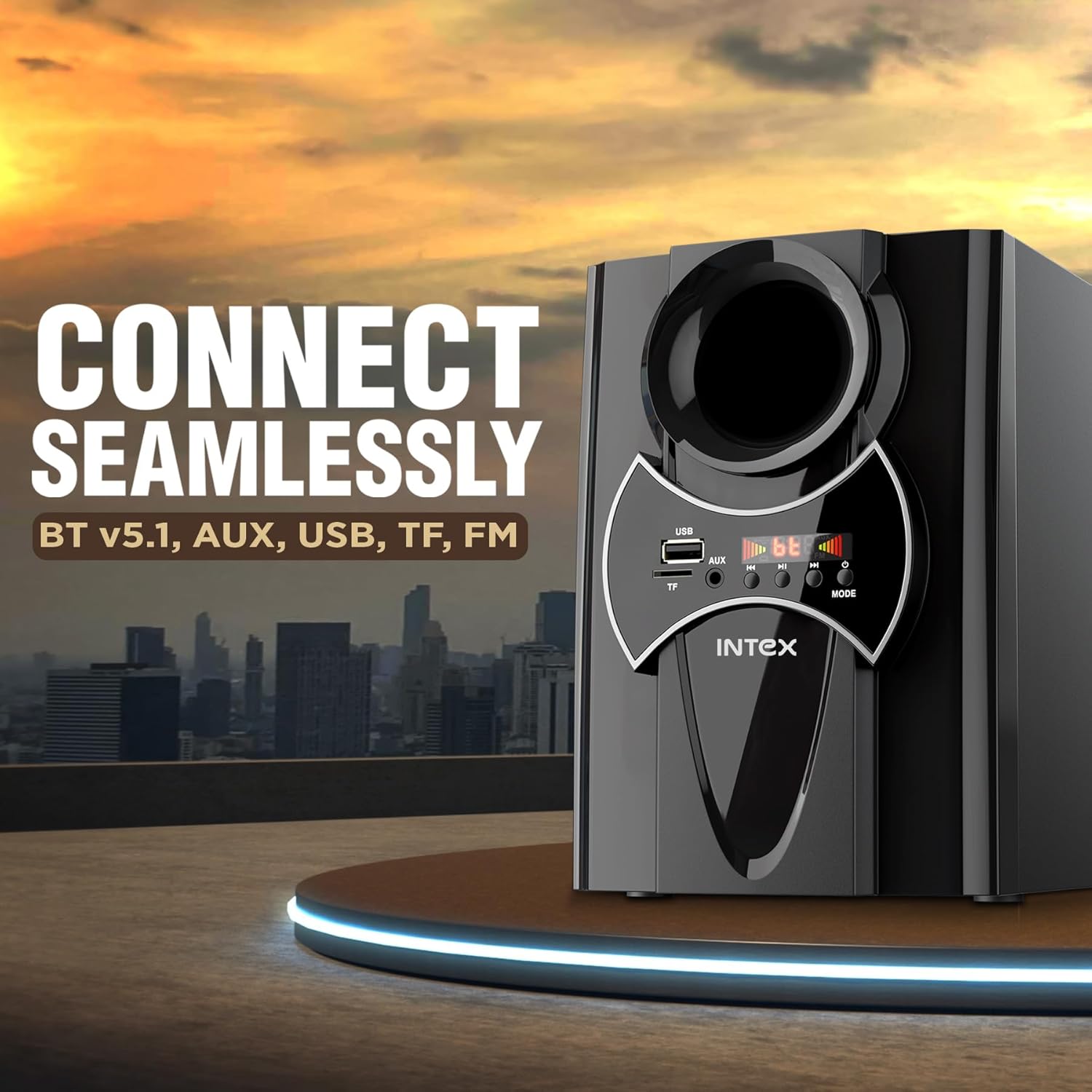
Image: Example placement of the Intex 2100 Pro system in a room, demonstrating typical setup.
4. Operating Instructions
The Intex 2100 Pro can be operated using the control panel on the main unit or the included remote control.
4.1 Control Panel Overview
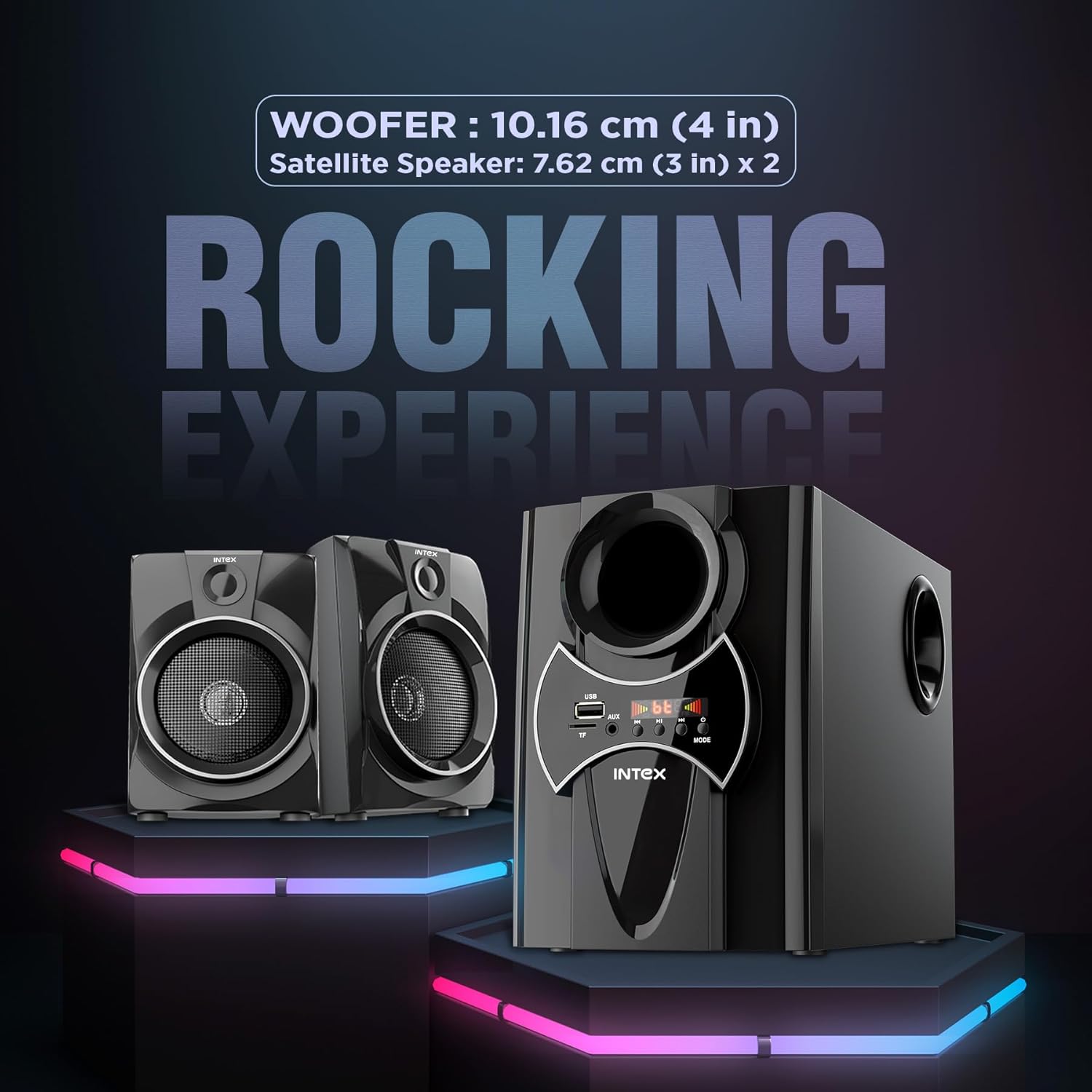
Image: Close-up of the main unit's control panel, showing buttons for mode selection, volume, and media playback.
4.2 Remote Control Functions
The remote control provides full functionality for convenient operation.

Image: The remote control for the Intex 2100 Pro system, displaying various function buttons.
4.3 Mode Selection
Press the 'MODE' button on the main unit or remote control to cycle through available input modes: Bluetooth (BT), USB, FM Radio, and AUX.
4.4 Bluetooth Pairing
- Switch the system to Bluetooth mode. The LED display will show 'BT' and flash, indicating it is ready for pairing.
- Enable Bluetooth on your device (smartphone, tablet, etc.) and search for available devices.
- Select 'Intex 2100 Pro' from the list. Once connected, the system will emit a confirmation sound, and 'BT' will stop flashing.
4.5 USB/TF Card Playback
Insert a USB drive or TF card into the respective slot on the main unit. The system will automatically switch to USB/TF mode and begin playing compatible audio files. Use the playback controls (Play/Pause, Next, Previous) on the unit or remote.
4.6 FM Radio
Switch to FM mode. The system will automatically scan and save available FM stations. Use the 'Next' and 'Previous' buttons to navigate between saved stations.
4.7 AUX Input
Connect your audio device to the AUX input port using the audio cable. Switch the system to AUX mode. Audio from your connected device will now play through the speakers.
5. Maintenance
To ensure the longevity and optimal performance of your Intex 2100 Pro Home Theater System, follow these maintenance guidelines:
- Cleaning: Use a soft, dry cloth to clean the surfaces of the main unit and satellite speakers. Do not use liquid cleaners, aerosols, or abrasive materials, as these can damage the finish or internal components.
- Ventilation: Ensure that the ventilation openings on the subwoofer are not blocked. Proper airflow prevents overheating.
- Storage: When not in use for extended periods, store the system in a cool, dry place away from direct sunlight and extreme temperatures.
- Power Off: Always turn off and unplug the system from the power outlet before cleaning or if it will not be used for a long time.
6. Troubleshooting
If you encounter issues with your Intex 2100 Pro system, refer to the following common problems and solutions:
| Problem | Possible Cause | Solution |
|---|---|---|
| No power | Power cord not connected; Power outlet faulty; System off | Check power cord connection; Try a different outlet; Press power button on unit/remote |
| No sound | Volume too low; Incorrect input mode; Audio cable loose/faulty; Device not playing | Increase volume; Select correct input mode; Reconnect audio cable; Ensure source device is playing |
| Bluetooth not connecting | System not in BT mode; Device Bluetooth off; Already connected to another device | Switch to BT mode; Enable Bluetooth on your device; Disconnect from other devices and retry pairing |
| Crackling/Distorted sound | Poor audio source quality; Loose connections; Interference; Volume too high | Try a different audio source; Check all cable connections; Move system away from other electronics; Reduce volume |
| Remote control not working | Batteries drained/incorrectly inserted; Obstruction between remote and unit | Replace batteries; Ensure correct polarity; Remove obstructions; Point remote directly at the unit |
7. Specifications
Detailed technical specifications for the Intex 2100 Pro Home Theater System:
- Brand: Intex
- Model Number: 2100 PRO FMUB
- Speaker Maximum Output Power: 55 Watts (Woofer: 25W, Satellite: 15W x 2)
- Number of Audio Channels: 2.1
- Frequency Response: 16 KHz
- Connectivity Technology: Bluetooth (BT), USB, FM, AUX, TF Card
- Bluetooth Range: 10 Metres
- Audio Output Mode: Surround
- Mounting Type: Wall Mount, TableTop
- Enclosure Material: Main unit-Wooden, Satellite-Plastic
- Subwoofer Speaker Diameter: 10.16 Centimetres (4 Inches)
- Satellite Speaker Diameter: 7.62 Centimetres (3 Inches)
- Colour: Black
- Control Method: Remote, Button
- Power Source: Corded Electric (AC 220 Volts)
- Item Dimensions (D x W x H): 32.5 x 17.8 x 28.5 Centimeters
- Item Weight: 2.7 Kilograms
- Compatible Devices: Smartphone, Tablet, Laptop, Television, Desktop, MP3 Player, Projector, Gaming Console

Image: Graphic detailing key technical specifications of the Intex 2100 Pro system.
8. Warranty and Support
Your Intex 2100 Pro Home Theater System comes with a 1 Year Warranty on manufacturing defects.
Intex offers an onsite warranty service for your convenience. To raise a service request or for any technical assistance, please contact Intex customer support:
- Toll-Free Number: 0120-489-5555
- Email: info@intex.in
Please retain your purchase receipt for warranty claims.


