
Introduction
The Titan S100 QLED 65" Covered Patio Smart Outdoor TV is engineered to provide a premium entertainment experience in outdoor environments. Designed for covered patios, shaded decks, and partial sunlit areas, this television features QLED technology for brilliant 4K visuals and robust IP65 weatherproofing to protect against dust, water, and extreme temperatures. This manual provides essential information for the setup, operation, and maintenance of your outdoor TV.

Image: The Titan S100 QLED 4K Smart TV installed on a covered patio, showcasing its intended outdoor use.
Important Safety Information
- Ensure the TV is installed in a covered outdoor area, protected from direct heavy rain and prolonged direct sunlight.
- Always use a certified wall mount or stand designed for the TV's weight and size.
- Do not expose the TV to temperatures outside its specified operating range (-20°F to 125°F).
- Keep all ventilation openings clear to prevent overheating.
- Disconnect the power cord during lightning storms or when unused for long periods.
- Do not attempt to service the TV yourself. Refer all servicing to qualified personnel.
What's in the Box
Verify that all the following components are included with your Titan S100 QLED 65" TV:
- Titan S100 QLED 65" Outdoor TV
- Remote Control
- TV Stand (if applicable)
- Power Cable
- Premium TV Cover
- 2 AAA Batteries (for remote control)
Setup Guide
Physical Installation
The Titan S100 QLED 65" TV is designed for installation in covered outdoor areas. Ensure the mounting location provides adequate protection from direct precipitation and allows for proper air circulation.

Image: Front view of the Titan 65-inch Outdoor TV with its dimensions (57.1" W x 32.7" H) and key features highlighted.
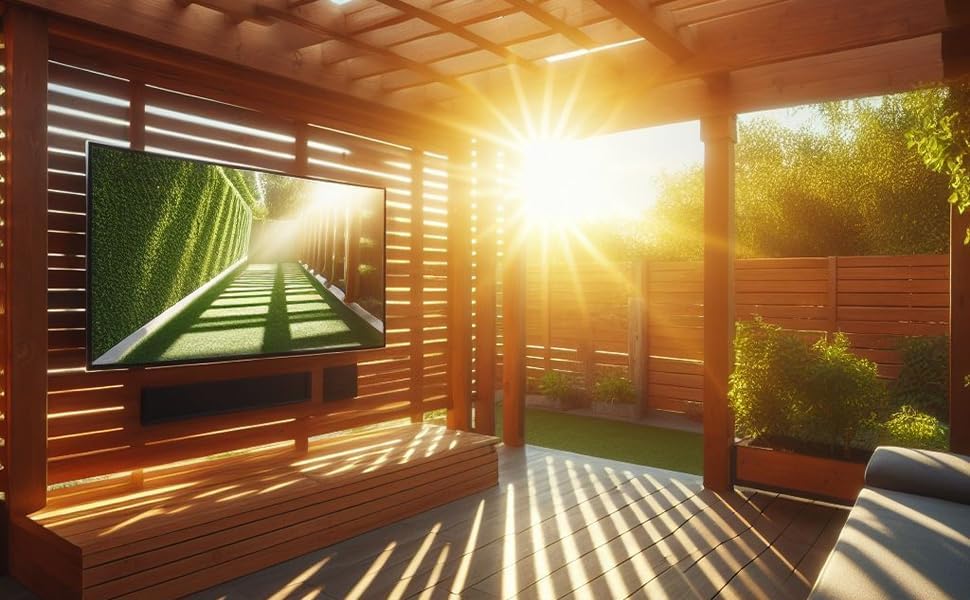
Image: The Titan Outdoor TV mounted under a wooden patio roof, demonstrating a suitable installation environment with partial sunlight.
Connecting Your TV
Connect your external devices to the TV using the appropriate ports located on the back panel. The IP65 rating ensures these ports are protected when properly sealed.

Image: A close-up of the back panel of the Titan Outdoor TV, displaying HDMI, USB, and antenna input ports.
- HDMI: Connect Blu-ray players, gaming consoles, and other HDMI-enabled devices.
- USB: For media playback from USB drives or connecting compatible accessories.
- Wi-Fi: Connect to your home network for smart features and streaming.
- Bluetooth: Pair with external audio devices like soundbars or headphones.
Initial Power On
After connecting all necessary cables, plug the power cord into a weatherproof outdoor outlet. Press the power button on the remote control or the TV to turn it on. Follow the on-screen instructions for initial setup, including network connection and channel scanning.
Operating Your TV
Tizen OS Navigation
Your Titan S100 TV runs on the Tizen OS, providing a user-friendly interface for accessing apps, streaming services, and TV settings.

Image: The Tizen OS smart hub interface on the Titan Outdoor TV, showing icons for various streaming applications and channels.

Image: A graphic highlighting the Tizen OS, emphasizing its role in providing access to apps and smart features through an easy-to-use interface.

Image: A collage of popular streaming service logos, indicating the wide range of content available through the TV's smart features.
Remote Control
The included remote control allows for full navigation and control of your TV. Insert the two AAA batteries as indicated in the battery compartment.

Image: The sleek black remote control for the Titan Outdoor TV, featuring standard navigation and smart function buttons.
Voice Control
Utilize voice commands for convenient control of your TV. The Titan S100 is compatible with Bixby, Amazon Alexa, and Google Assistant.

Image: A person using a remote control to interact with the Titan Outdoor TV via voice commands, with logos for Bixby and Amazon Alexa displayed.
Picture and Sound Settings
The TV features a 4K QLED display with HDR10+ and Dolby Vision-Atmos support for an immersive viewing experience. Adjust picture and sound settings via the Tizen OS menu.

Image: A visual representation of 4K QLED technology, showing vibrant colors and intricate details.

Image: A comparison graphic illustrating the superior brightness and clarity of an advanced LED chip with Edge Lit backlight compared to a conventional LED chip.

Image: A graphic featuring the HDR10+ logo, emphasizing bright and brilliant visuals with enhanced detail and color.

Image: A display of various scenes demonstrating AI optimizations for contrast, color, clarity, motion, and overall scene enhancement.

Image: A visual depicting surround sound with OTS Lite (Object Tracking Sound Lite) technology, enhancing the audio experience.
Maintenance and Care
Weatherproofing Features
The Titan S100 TV is built with MIL-I-460 tested nanocoatings that protect all internal components, achieving an IP65 rating for dust and water resistance. This technology ensures durability in various outdoor conditions.

Image: The Titan Outdoor TV in a simulated rainy environment, demonstrating its IP65 weatherproof capabilities.

Image: A side-by-side comparison showing a standard outdoor TV with degraded picture quality in rain versus a Titan Outdoor TV maintaining clear visuals.
Video: This video demonstrates the internal nanocoating process used to weatherproof Titan Outdoor TVs, showing how components are treated to repel water.
Video: A side-by-side comparison of a coated versus an uncoated TV board submerged in water, highlighting the water-repellent properties of the nanocoating.
Video: This video demonstrates the water resistance of the Titan Outdoor TV by showing water being poured directly onto the screen and internal components.
Cleaning Instructions
- Gently wipe the screen with a soft, lint-free cloth. For stubborn marks, use a screen-cleaning solution specifically designed for electronics.
- Clean the exterior casing with a soft, damp cloth. Avoid abrasive cleaners or solvents.
- Ensure all port covers are securely closed after making connections to maintain weatherproofing.
Temperature Range
The Titan S100 QLED TV is designed to operate reliably in a wide temperature range, from -20°F to 125°F, ensuring performance in various climates.
Using the TV Cover
For extended periods of non-use or during severe weather conditions, it is recommended to use the provided premium TV cover. This adds an extra layer of protection against dust, debris, and moisture.

Image: A visual of the heavy-duty, waterproof TV cover with a PVC-coated interior and weather-resistant zipper, alongside an optional outdoor speaker.
Troubleshooting
If you encounter issues with your Titan S100 QLED TV, refer to the following common problems and solutions:
| Problem | Possible Cause | Solution |
|---|---|---|
| No power | Power cable disconnected; outlet issue | Check power cable connection; test outlet with another device. |
| No picture, but sound is present | Incorrect input source; faulty HDMI cable | Verify input source; try a different HDMI cable. |
| No sound, but picture is present | Volume muted; external audio device issue | Unmute volume; check connections to external audio devices. |
| Remote control not working | Dead batteries; obstruction | Replace batteries; remove any obstructions between remote and TV. |
| Wi-Fi connection issues | Router too far; network interference | Move router closer; restart router; check network settings on TV. |
Technical Specifications
Below are the detailed specifications for the Titan S100 QLED 65" Outdoor TV:
| Feature | Specification |
|---|---|
| Model Number | S100-QLED-065 |
| Screen Size | 65 Inches |
| Display Technology | QLED |
| Resolution | 4K UHD |
| Refresh Rate | 60 Hz |
| Aspect Ratio | 16:9 |
| Operating System | Tizen OS |
| Weatherproofing | IP65 Rated, MIL-I-460 tested nanocoatings |
| Temperature Range | -20°F to 125°F |
| Audio | Built-In Speakers, Dolby Vision-Atmos, OTS Lite |
| Connectivity | Bluetooth, HDMI, USB, Wi-Fi |
| Voice Assistant Support | Bixby, Amazon Alexa, Google Assistant |
| Product Dimensions (D x W x H) | 2.4" x 57.2" x 32.8" |
| Item Weight | 47 pounds |
| Power Output | 20 Watts |
| Voltage | 110 Volts (AC) |

Image: A visual comparison of different Titan TV screen sizes, from 32 inches to 85 inches.

Image: A side view of the Titan Outdoor TV, highlighting its slim design.
Warranty and Support
The Titan S100 QLED 65" Covered Patio Smart Outdoor TV comes with a 2-year warranty, ensuring peace of mind for your outdoor entertainment investment. For technical assistance, troubleshooting, or warranty claims, please contact Titan Outdoor TV customer support. Refer to your purchase documentation for specific contact details or visit the official Titan website.