
1. Introduction
This manual provides detailed instructions for the safe and efficient operation of your Retevis A61 Ham Radio. Please read this manual thoroughly before using the device to ensure proper functionality and to prevent damage. The Retevis A61 is a versatile ham radio featuring GPS, IP67 waterproofing, multi-band capabilities, and a robust 2200mAh battery, designed for various communication needs.
2. Product Overview
2.1. Package Contents
Upon unpacking, please verify that all items listed below are included:
- Radio body x1
- 2200mAh battery x1
- Antenna x1
- Belt Clip x1
- Harness x1
- USB-C Charging Cable x1
- Table Charger x1
- User manual x1

Figure 1: Contents of the Retevis A61 package.
2.2. Radio Components and Controls
Familiarize yourself with the various parts and controls of your A61 radio:

Figure 2: Detailed view of the Retevis A61 radio showing antenna, power/volume knob, GPS antenna, PTT key, customized side keys, USB-C charging port, earpiece jack, LED indicator, Menu/Confirm key, and Band A/B key.
- Antenna: For transmitting and receiving signals.
- Power/Volume Knob: Turns the radio on/off and adjusts volume.
- GPS Antenna: For satellite positioning.
- PTT (Push-to-Talk) Key: Press and hold to transmit, release to receive.
- Customized Side Keys (SK1, SK2): Programmable for various functions.
- USB-C Charging Port: For direct charging.
- Earpiece Jack: For connecting external audio accessories.
- LED Indicator: Shows status (e.g., transmitting, receiving, charging).
- Menu/Confirm Key: Accesses and confirms menu selections.
- Band A/B Key: Switches between main and sub-bands.
- LCD Display: 1.33-inch display with 5-level brightness and adjustable light time for clear information viewing.

Figure 3: The 1.33-inch LCD display showing frequency information and brightness levels.
3. Setup
3.1. Battery Installation
To install the battery:
- Align the battery with the battery compartment on the back of the radio.
- Gently push the battery into place until it clicks securely.
3.2. Charging the Battery
The A61 radio can be charged using the included table charger or directly via the USB-C port.

Figure 4: The 2200mAh Li-ion battery provides extended operating and standby times.
Using the Table Charger:
- Connect the USB-C charging cable to the table charger and a power source.
- Place the radio into the charging slot of the table charger. Ensure the charging contacts align.
- The LED indicator on the charger will show the charging status (e.g., red for charging, green for fully charged).
Using the USB-C Port:
- Connect the USB-C charging cable directly to the USB-C port on the side of the radio.
- Connect the other end of the cable to a compatible USB power source (e.g., power bank, vehicle charger, wall adapter).
- The radio's LED indicator will show the charging status.
4. Operating Instructions
4.1. Basic Operation
- Power On/Off: Rotate the Power/Volume knob clockwise to turn on, counter-clockwise to turn off.
- Volume Adjustment: Rotate the Power/Volume knob to adjust the audio level.
- Frequency Selection: Use the keypad or the rotary encoder to input or select desired frequencies.
- Transmit/Receive: Press and hold the PTT key to transmit. Release to receive.
4.2. Key Features
The Retevis A61 offers several advanced features to enhance your communication experience:
4.2.1. IP67 Waterproof Rating
The A61 is rated IP67, meaning it is dust-tight and protected against immersion in water up to 1 meter for 30 minutes. This allows for reliable operation in harsh weather conditions.

Figure 5: The A61 radio demonstrating its IP67 waterproof capability.
4.2.2. GPS Function
Utilize the built-in GPS to obtain real-time location data and measure distances between users. This feature is valuable for navigation and emergency situations.
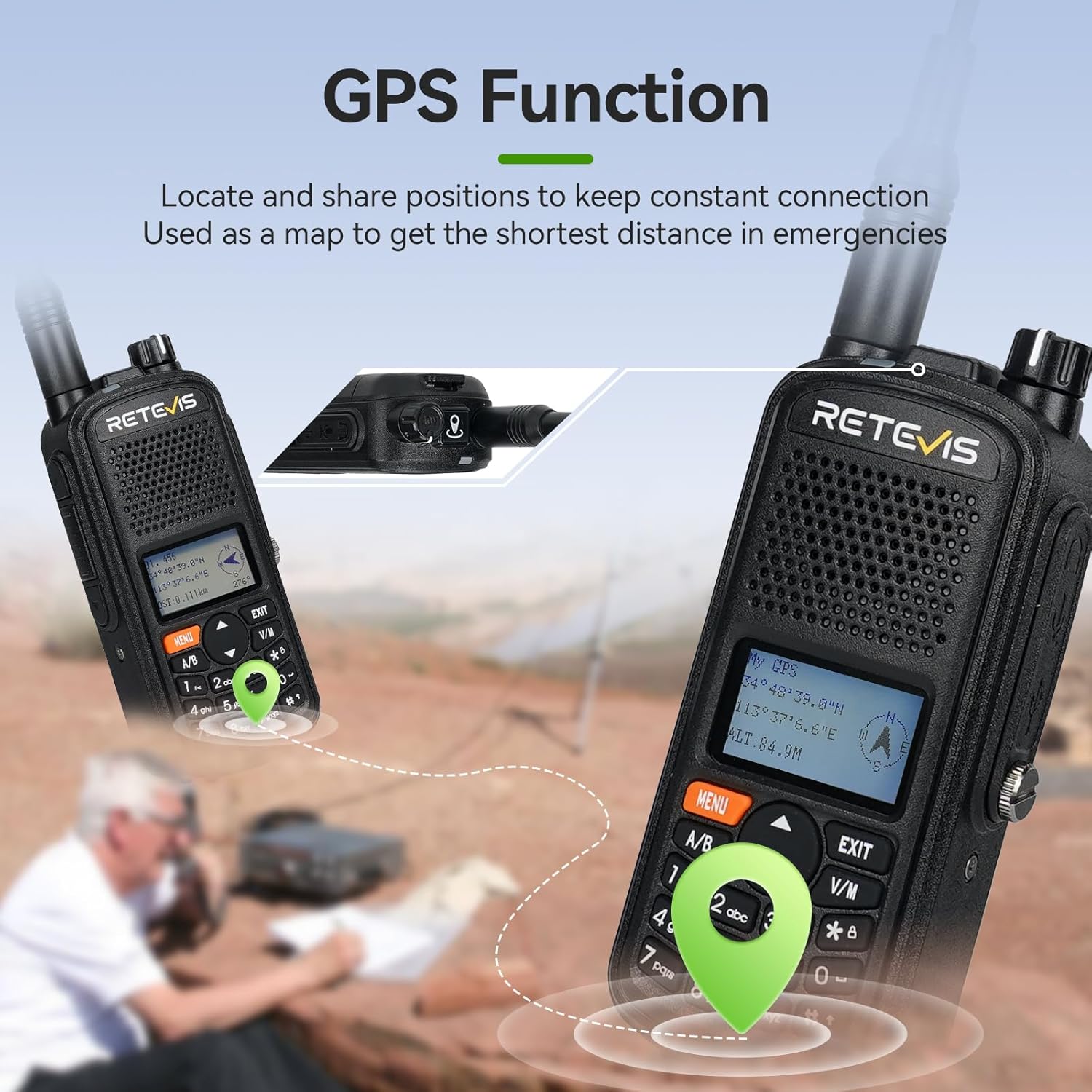
Figure 6: Illustration of the GPS function for locating and sharing positions.
4.2.3. Multi-band Operation
The A61 supports 2m/70cm frequency bands for transmitting and receiving, and can receive FM and aviation bands, providing diverse communication and listening options.
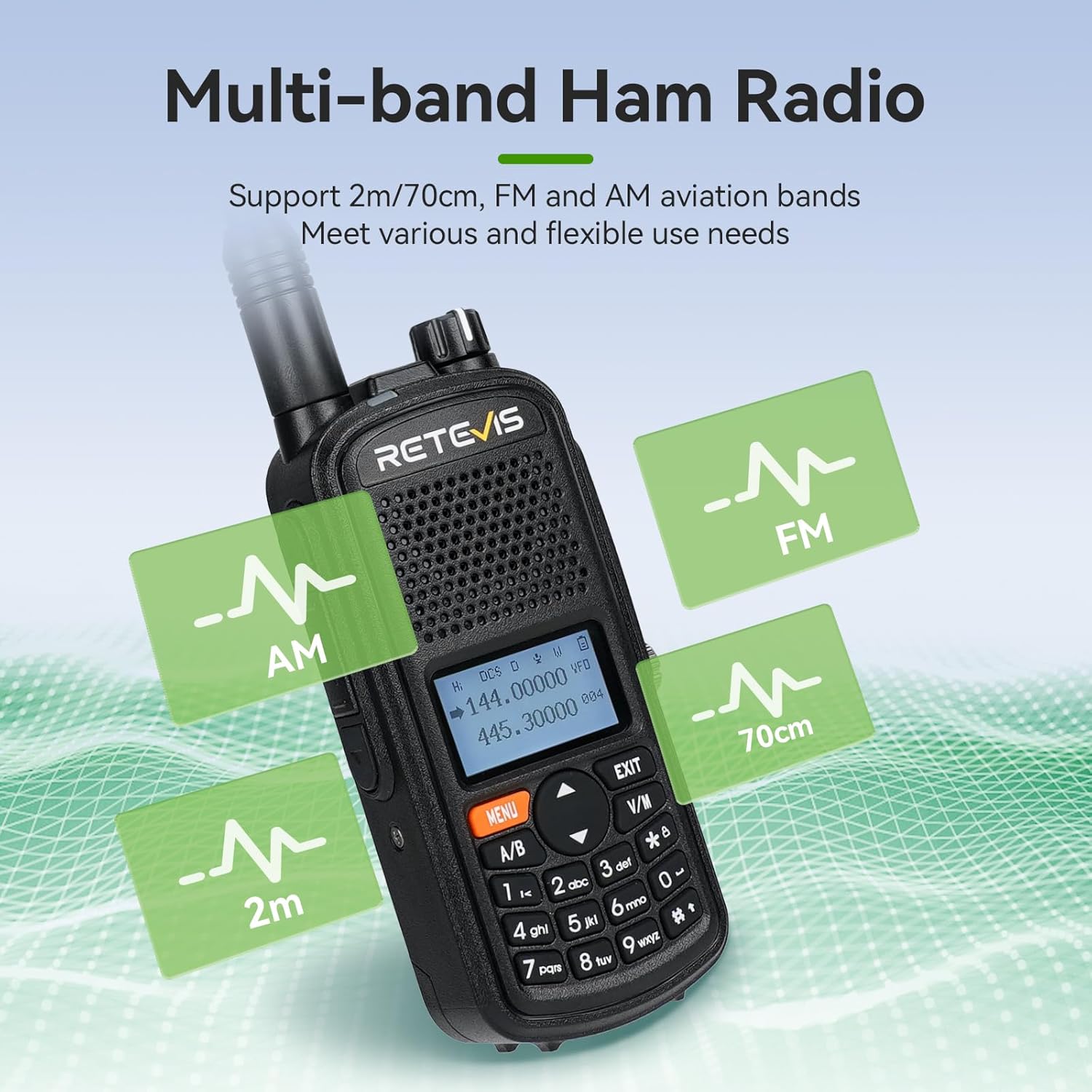
Figure 7: Visual representation of the A61's multi-band capabilities including AM, FM, 2m, and 70cm bands.
4.2.4. Radio Alias Function
The radio alias function allows you to identify callers by displaying a name or call ring, helping to manage communications effectively.

Figure 8: Steps to set up and use the radio alias function for caller identification.
4.2.5. Emergency Alarm Function
The A61 includes an emergency alarm feature for critical situations. This function can be activated via a programmable side key.
Video 1: Demonstration of the emergency alarm function. This video illustrates the general functionality of an emergency alarm on a Retevis radio.
4.2.6. General Radio Functionality
The following videos demonstrate common radio functions applicable to the Retevis A61:
Video 2: Demonstration of basic radio functions, including frequency setting and menu navigation.
Video 3: Further demonstration of radio functions, including squelch adjustment and other settings.
5. Maintenance
To ensure the longevity and optimal performance of your Retevis A61 Ham Radio, follow these maintenance guidelines:
- Cleaning: Use a soft, damp cloth to clean the radio's exterior. Avoid harsh chemicals or abrasive cleaners.
- Battery Care: Charge the battery fully before first use. Avoid overcharging or completely draining the battery to prolong its lifespan. Store the radio and battery in a cool, dry place when not in use for extended periods.
- Antenna: Ensure the antenna is securely attached. Do not bend or force the antenna, as this can affect performance.
- Water Exposure: While IP67 rated, always ensure all port covers are securely closed before exposing the radio to water. After exposure to water, wipe the radio dry with a clean cloth.
6. Troubleshooting
If you encounter issues with your Retevis A61, refer to the following common problems and solutions:
| Problem | Possible Cause | Solution |
|---|---|---|
| Radio does not power on | Low or dead battery; Incorrect battery installation | Charge the battery; Reinstall the battery correctly. |
| Cannot transmit or receive | Incorrect frequency/channel; Antenna not connected; Out of range | Verify frequency/channel settings; Ensure antenna is secure; Move closer to other radios or a repeater. |
| Poor audio quality | Low volume; Obstructions; Weak signal | Adjust volume; Move to an open area; Check antenna connection. |
| GPS not acquiring signal | Indoors or obstructed view of sky; GPS antenna issue | Move to an open outdoor area; Ensure GPS antenna is clear. |
7. Specifications
| Feature | Detail |
|---|---|
| Brand | Retevis |
| Model | A61 |
| Hardware Interface | USB Type C |
| Special Features | Emergency Alarm, Fast Pair Channel, Multiband Reception, Radio alias function |
| Battery | 2200mAh Lithium Ion (included) |
| Battery Life | Up to 15 hours working, 67 hours standby |
| Frequency Range | 144-148MHz (2m band), 420-450MHz (70cm band) |
| Max Talking Range | 5 Kilometer (actual range varies by terrain and conditions) |
| Water Resistance | IP67 Waterproof |
| Number of Channels | 999 |
| Dimensions (D x W x H) | 3.7 x 6.1 x 13.6 cm |
| Weight | 600 g |
7.1. Understanding Radio Range
The effective communication range of a two-way radio is influenced by various factors such as terrain, obstacles, power output, and atmospheric conditions. The following video provides a general overview of these factors:
Video 4: An informative video explaining the factors that affect walkie-talkie range.
8. Warranty and Support
For warranty information, technical support, or service inquiries, please refer to the official Retevis website or contact their customer service directly. Keep your purchase receipt as proof of purchase.


