
Introduction
The MAGEASY Universal Cell Phone Lanyard provides a secure and convenient way to carry your smartphone. Designed for hands-free use, it helps prevent drops and offers an anti-theft solution, making it ideal for travel, outdoor activities, or daily errands. The durable construction and thoughtful design ensure your phone remains accessible and protected.
What's Included
Your MAGEASY Universal Cell Phone Lanyard package includes the following components:
- 1 x Lanyard Strap (8.3mm thick nylon rope with metal hooks)
- 1 x Attachment Piece (thin card with loop for phone case)

Image: The lanyard strap and the attachment piece.
Setup Instructions
Follow these steps to properly install your MAGEASY Universal Cell Phone Lanyard:
- Prepare Your Phone Case: Ensure your phone case is a full-coverage type with a closed bottom. Cases with open bottoms are not compatible.
- Insert Attachment Piece: Thread the small loop of the attachment piece through the charging port opening at the bottom of your phone case. The flat part of the attachment piece should sit inside the case.
- Install Your Phone: Place your phone into the case, ensuring the attachment piece is securely positioned between the phone and the case, with the loop protruding through the charging port opening.
- Attach Lanyard: Hook the larger carabiner clip of the lanyard strap onto the loop of the attachment piece.
- Secure Lanyard: Connect the other carabiner clip to the ring on the first clip, forming a secure connection.

Image: Compatibility with full-coverage phone cases.

Image: Step-by-step installation guide.
The thin design of the attachment piece ensures it does not interfere with cable charging or wireless charging capabilities.

Image: Lanyard attachment allows for effortless charging.
Operating Instructions
Once installed, your MAGEASY lanyard is ready for use. It can be worn crossbody or around the neck for convenient, hands-free access to your phone.
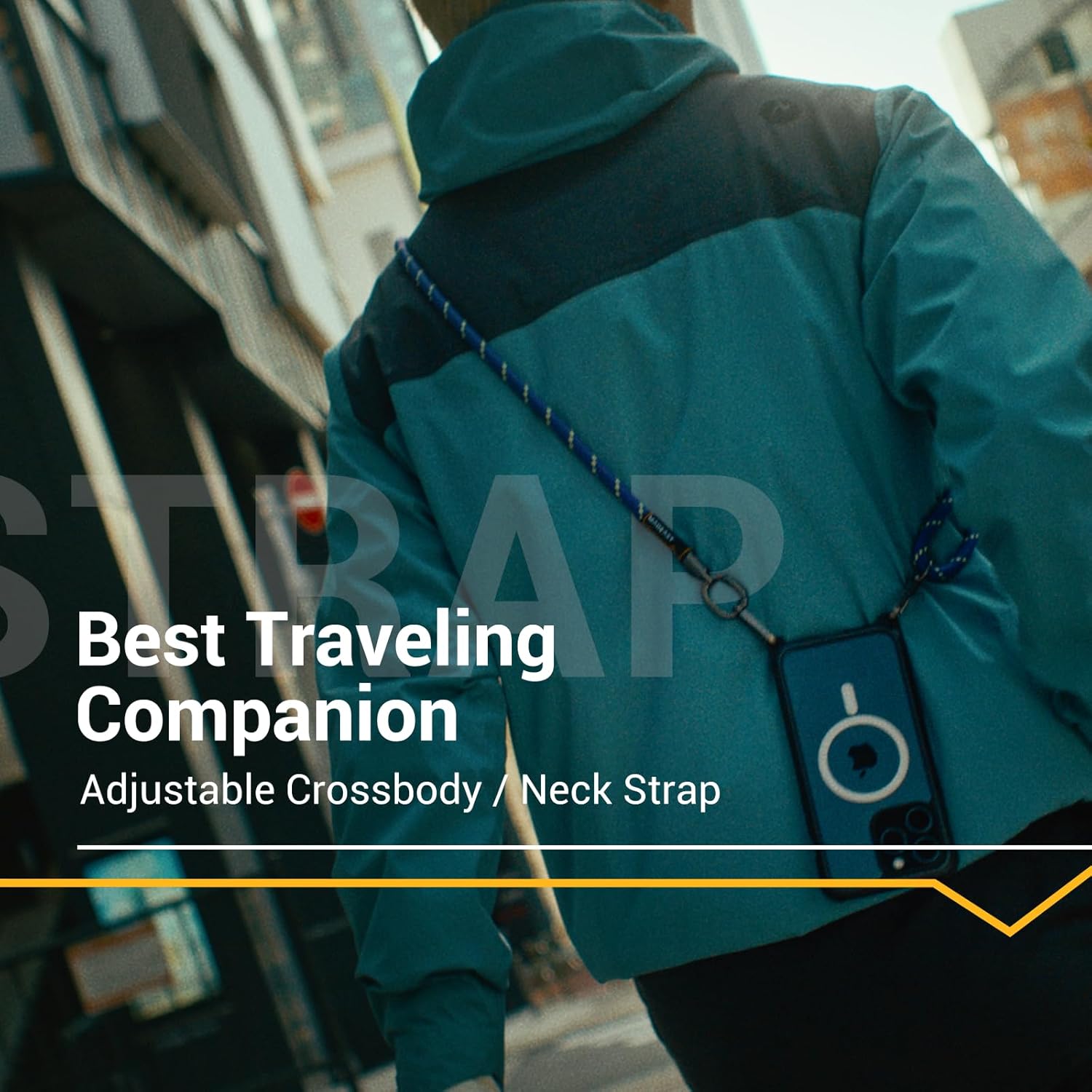
Image: Wear your phone hands-free.
Adjusting the Lanyard Length
The lanyard features an adjustable knot to customize its length for optimal comfort and accessibility. To adjust:
- To lengthen the strap, pull the knot in the opposite direction of the desired length.
- To shorten the strap, pull the knot in the direction of the desired length.
Video: Guide on how to adjust the length of the MAGEASY 8.3mm strap.

Image: Detailed view of the lanyard's adjustable knot and metal components.
Maintenance
To ensure the longevity and optimal performance of your MAGEASY Universal Cell Phone Lanyard, please follow these maintenance guidelines:
- Cleaning: Wipe the nylon strap with a damp cloth and mild soap if it becomes dirty. Avoid harsh chemicals or abrasive cleaners.
- Drying: Allow the strap to air dry completely before reattaching your phone.
- Inspection: Regularly inspect the strap, metal hooks, and attachment piece for any signs of wear, fraying, or damage. Discontinue use if any significant damage is observed.
- Storage: Store the lanyard in a cool, dry place when not in use.
Troubleshooting
If you encounter any issues with your MAGEASY Universal Cell Phone Lanyard, refer to the following common solutions:
- Lanyard feels too long/short: Adjust the length using the movable knot as described in the "Operating Instructions" section.
- Phone does not fit securely in the case with the attachment piece: Ensure your phone case is a full-coverage type. Half-covered cases are not compatible and may prevent a secure fit.
- Charging port is obstructed: The attachment piece is designed to be thin and allow charging. Ensure it is correctly aligned and not twisted. If using a non-standard charging cable, it might be thicker than anticipated.
- Lanyard feels loose or detached: Verify that both carabiner clips are securely fastened to the attachment piece loop and that the attachment piece is properly seated within the phone case.
Specifications
| Brand Name | MAGEASY |
| Model Number | MPHIPH188FB23 |
| Item Weight | 76.4 Grams |
| Material Type | Nylon |
| Fastener Type | Carabiner |
| Size (Adjustable Length) | 33" to 59" |
| Color | Reflective Black |
Warranty Information
Specific warranty details for the MAGEASY Universal Cell Phone Lanyard are typically provided with your purchase or can be found on the official MAGEASY website. Please retain your proof of purchase for any warranty claims.
Support
For further assistance, product inquiries, or technical support, please visit the official MAGEASY website or contact their customer service department. Contact information can usually be found on the product packaging or the brand's website.
You can also visit the MAGEASY Store on Amazon for more products and information.