
1. Introduction
This manual provides detailed instructions for the safe and effective use of your Retevis L61 4G Network Walkie Talkie. The L61 is a robust two-way radio designed for extended communication range, leveraging 2G and 4G networks. It features GPS functionality, SOS alarm, and flexible calling options, making it suitable for various applications including travel, self-driving, hospitality, and large-scale events.

Figure 1: Retevis L61 4G Network Walkie Talkie. This image shows the front of the L61 radio, displaying its screen with "4G LTE" and control buttons below.
2. Package Contents
Before proceeding with setup, please verify that all items are present in your package:
- 1 x Retevis L61 4G Network Radio
- 1 x Lithium-ion Battery
- 1 x Belt Clip
- 1 x USB Type-C Charging Cable
- 1 x User Manual (this document)

Figure 2: Included components. This image displays all items typically found in the Retevis L61 product package, including the radio, battery, belt clip, charging cable, and user manual.
3. Setup Guide
3.1. Battery Installation
- Ensure the radio is powered off.
- Locate the battery compartment cover on the back of the radio.
- Open the cover and insert the Lithium-ion battery, ensuring the contacts align correctly.
- Close the battery compartment cover securely.
3.2. SIM Card Installation (Optional)
The Retevis L61 supports dual SIM cards for flexible and reliable network connectivity. If you intend to use 2G/4G network features, install your SIM card(s) before powering on the device.
- With the battery removed, locate the SIM card slots.
- Carefully insert your SIM card(s) into the designated slots. Ensure correct orientation as indicated on the device.
- Reinstall the battery and battery cover.

Figure 3: Dual SIM card support. This image shows the back of the Retevis L61 with the battery removed, revealing two SIM card slots for network connectivity.
3.3. Initial Charging
For optimal performance, fully charge the battery before first use.
- Connect the USB Type-C charging cable to the radio's charging port.
- Connect the other end of the cable to a compatible USB power source (e.g., computer, power bank, vehicle charger).
- The charging indicator on the radio will show the charging status.

Figure 4: Battery and charging. This image highlights the 2500mAh battery capacity, 12 hours working time, 30 hours standby time, and the Type-C charging port of the Retevis L61.
3.4. Belt Clip Attachment
Attach the belt clip to the back of the radio for convenient carrying. Ensure the clip is securely fastened.
Note: Some users have reported difficulties with belt clip installation due to misaligned holes. If you encounter this, please contact customer support for assistance.
4. Operating Instructions
4.1. Power On/Off
- To power on: Press and hold the Power button until the screen illuminates.
- To power off: Press and hold the Power button until a power-off prompt appears, then confirm.
4.2. Network Connectivity
The L61 supports 2G and 4G networks, providing unlimited communication range wherever network coverage is available.
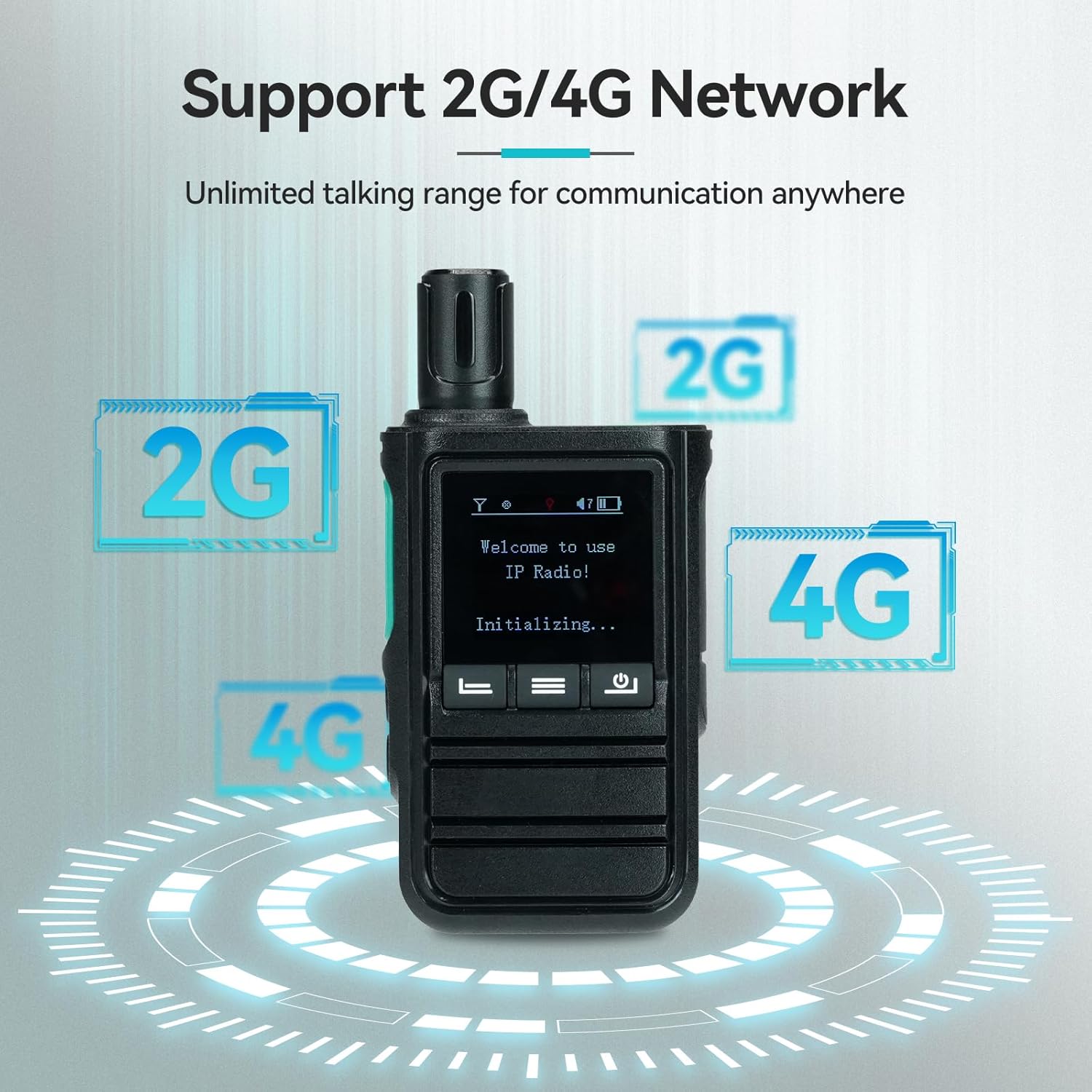
Figure 5: 2G/4G Network Support. This image illustrates the Retevis L61's compatibility with both 2G and 4G networks, enabling communication over unlimited distances.
4.3. Making Calls
The radio supports various call types to meet flexible communication needs:
- Single Call: Direct communication with one specific user.
- Group Call: Communicate with multiple users simultaneously within a predefined group.
- Friend Call: Initiate calls with contacts added to your friend list.
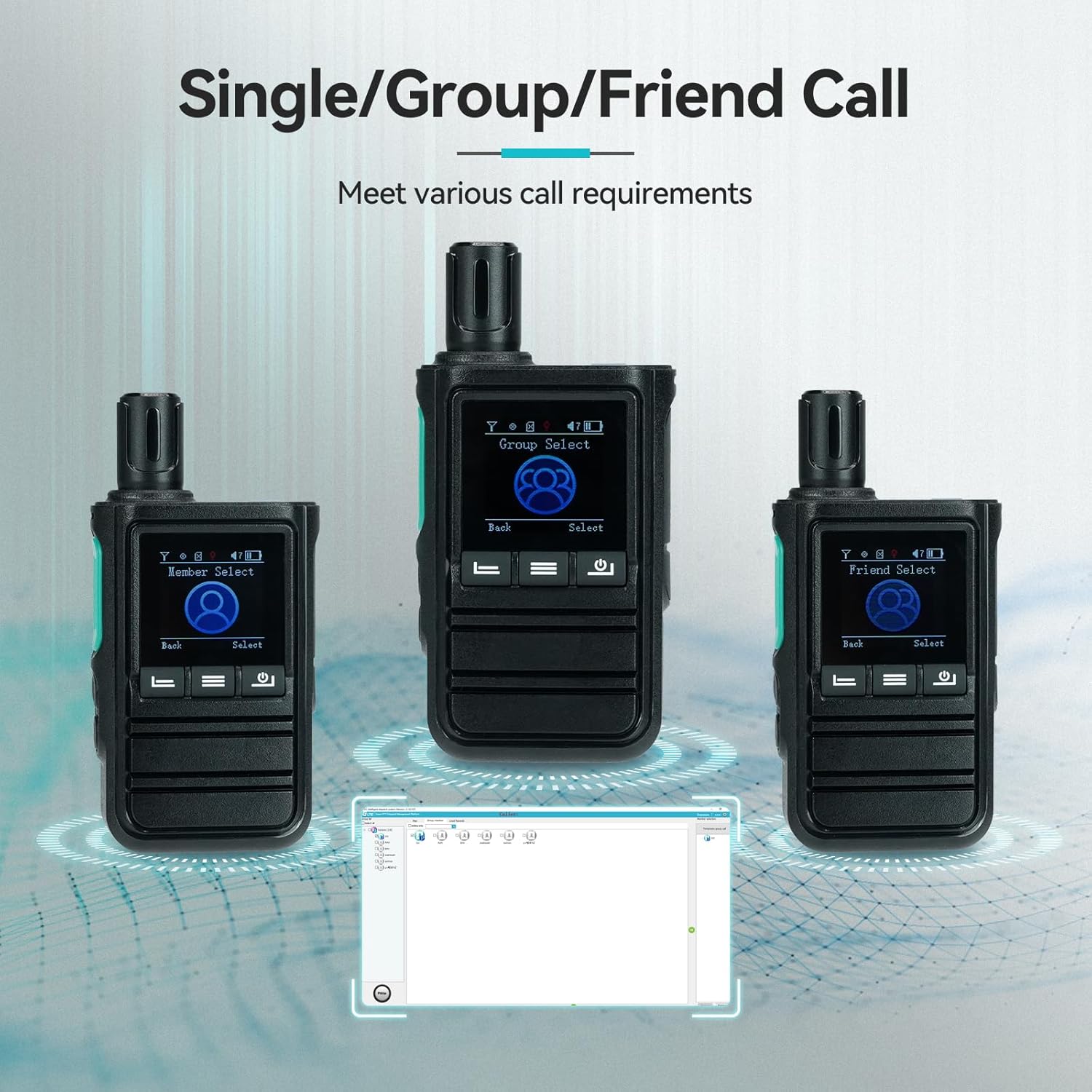
Figure 6: Call options. This image shows the Retevis L61 display with options for "Group Select", "Member Select", and "Friend Select", indicating its versatile calling capabilities.
4.4. GPS Functionality
The integrated GPS function provides location tracking and a GPS fencing alarm, enhancing safety and operational efficiency.
- Location Tracking: Obtain the latest location of team members.
- GPS Fencing Alarm: Receive alerts if a device moves outside a predefined geographical area, improving driving safety.

Figure 7: GPS function. This image shows the Retevis L61 displaying "Location Infor" on its screen, with map icons and location pins, illustrating its GPS capabilities.
4.5. SOS Alarm
In case of an emergency, activate the SOS alarm by long-pressing the designated side key (Side Key 2). This feature is designed to enhance user safety.

Figure 8: SOS alarm activation. This image highlights the side button on the Retevis L61, indicating it is used for activating the SOS alarm feature.
4.6. Over-the-Air (OTA) Programming
The L61 supports over-the-air programming, allowing you to edit and modify radio parameters directly from a computer without needing a physical cable connection.

Figure 9: Over-the-Air Edition. This image shows the Retevis L61 connected wirelessly to a laptop, demonstrating its capability for over-the-air programming and parameter editing.
5. Maintenance
5.1. Charging the Battery
The 2500mAh Lithium-ion battery provides approximately 12 hours of working time and 30 hours of standby time. Recharge the radio using the provided USB Type-C cable and a compatible USB power source.
- Avoid overcharging or completely draining the battery to prolong its lifespan.
- Use only approved charging accessories.
5.2. General Care
- Keep the radio clean by wiping it with a soft, dry cloth.
- Avoid exposing the radio to extreme temperatures, direct sunlight, or moisture, as it is not waterproof.
- Do not use harsh chemicals or abrasive cleaners.
6. Troubleshooting
| Problem | Possible Cause | Solution |
|---|---|---|
| Radio does not power on or initialize. | Low battery; SIM card issues; requires PC programming. | Charge the battery fully. Ensure SIM cards are correctly inserted and functional. The device may require initial setup or programming via PC. |
| Difficulty with programming/settings. | Complex settings; software language barrier; lack of clear guide. | Refer to the detailed programming guide (if available) or contact Retevis support for assistance with software and settings. Ensure you have the correct programming software for your region. |
| Belt clip cannot be installed. | Misalignment of holes on the clip and radio. | Verify the correct orientation. If the issue persists, contact Retevis customer support for a replacement clip or guidance. |
| No network connection. | No SIM card; SIM card not activated; out of network coverage. | Ensure a functional SIM card is installed and activated. Check network coverage in your area. |
7. Specifications
| Feature | Detail |
|---|---|
| Brand | Retevis |
| Model Number | L61 |
| Color | Black |
| Network Compatibility | 2G, 4G LTE |
| Frequency Range | 850-960MHz, 1800-1990MHz, 700MHz, 850MHz, 900MHz, 1800MHz, 1900MHz, 2100MHz, 2300MHz, 2600MHz |
| Special Features | Private/Group/Friend Call, GPS Function, Unlimited Range, Radio Programming (Over-the-Air) |
| Compatible Devices | Personal Computer, Smartphone |
| Battery Type | Lithium-ion (2500mAh) |
| Battery Life | Approx. 12 hours (working), 30 hours (standby) |
| Charging Interface | USB Type-C |
| Voltage | 3.7 Volts |
| Water Resistance Level | Not waterproof |
| Product Dimensions (L x W x H) | 3.5 x 5.5 x 11.6 cm (approximately 1.38 x 2.17 x 4.57 inches) |
8. Warranty and Support
8.1. Manufacturer Warranty
Retevis offers a 2-year warranty for the radio body and a 1-year warranty for accessories. Additionally, a 30-day return policy is provided for returns without specific reason.
Beyond the warranty period, maintenance services are still available, with buyers responsible for associated costs.
8.2. Customer Support
For any questions, technical assistance, or warranty claims, please contact Retevis customer support through Amazon. Responses are typically provided within 12 hours.
Seller: RetevisDirect


