
1. Introduction
Thank you for choosing the ESSLNB 20-60x80 Spotting Scope. This high-performance optical instrument is designed for a wide range of outdoor activities, including bird watching, wildlife observation, target shooting, hunting, and moon gazing. Featuring a powerful 20-60x zoom magnification, an 80mm objective lens, and BAK4 prisms, it delivers clear and bright images. This manual provides essential information for the proper setup, operation, and maintenance of your spotting scope to ensure optimal performance and longevity.
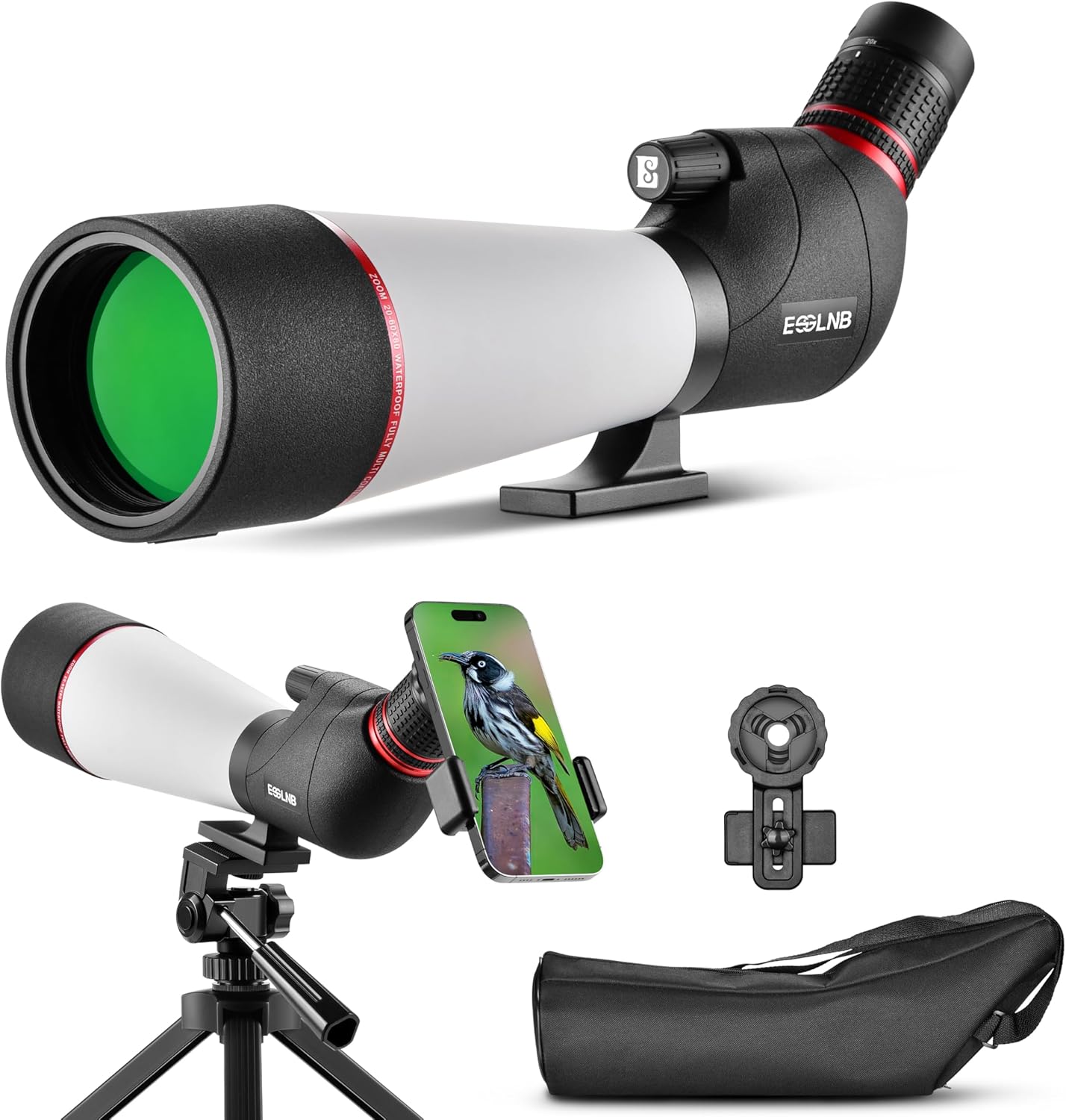
Image 1.1: ESSLNB 20-60x80 Spotting Scope with included accessories.
2. Package Contents
Please verify that all items listed below are included in your package:
- ESSLNB 20-60x80 Spotting Scope
- Adjustable Desktop Tripod
- Universal Phone Adapter
- Storage Bag
- Eyepiece Lens Cap
- Objective Lens Cap
- Cleaning Cloth
- Instruction Manual (this document)

Image 2.1: Overview of all items included in the product package.
3. Product Features
- Optimal Optical Performance: Fully multi-coated 80mm objective lens and high-density BAK4 prisms maximize light transmission for bright, crisp images with a broad field of view (158-57.7ft at 1000 yards).
- 20-60X Magnification: Adjustable zoom eyepiece allows for precise focus and enhanced detail capture from 20x to 60x magnification.
- Ergonomic Eyepiece: 45-degree angled eyepiece and 18mm large eyepiece design ensure comfortable and prolonged viewing experiences.
- Enhanced Durability: High-quality rubber armor provides a secure, non-slip grip and robust external protection. An extendable eyepiece shield offers additional protection.
- Waterproof & Fogproof: O-ring sealed and nitrogen-purged construction prevents moisture, dust, and debris from entering, ensuring reliable functionality in all weather conditions (IPX6 rated).
- Phone Adapter & Tripod: Includes a mobile phone adapter for capturing photos and videos, and a stable tripod for steady viewing.
- Portable Design: Weighing approximately 1230 grams, the scope is lightweight and comes with a storage bag for easy transport.
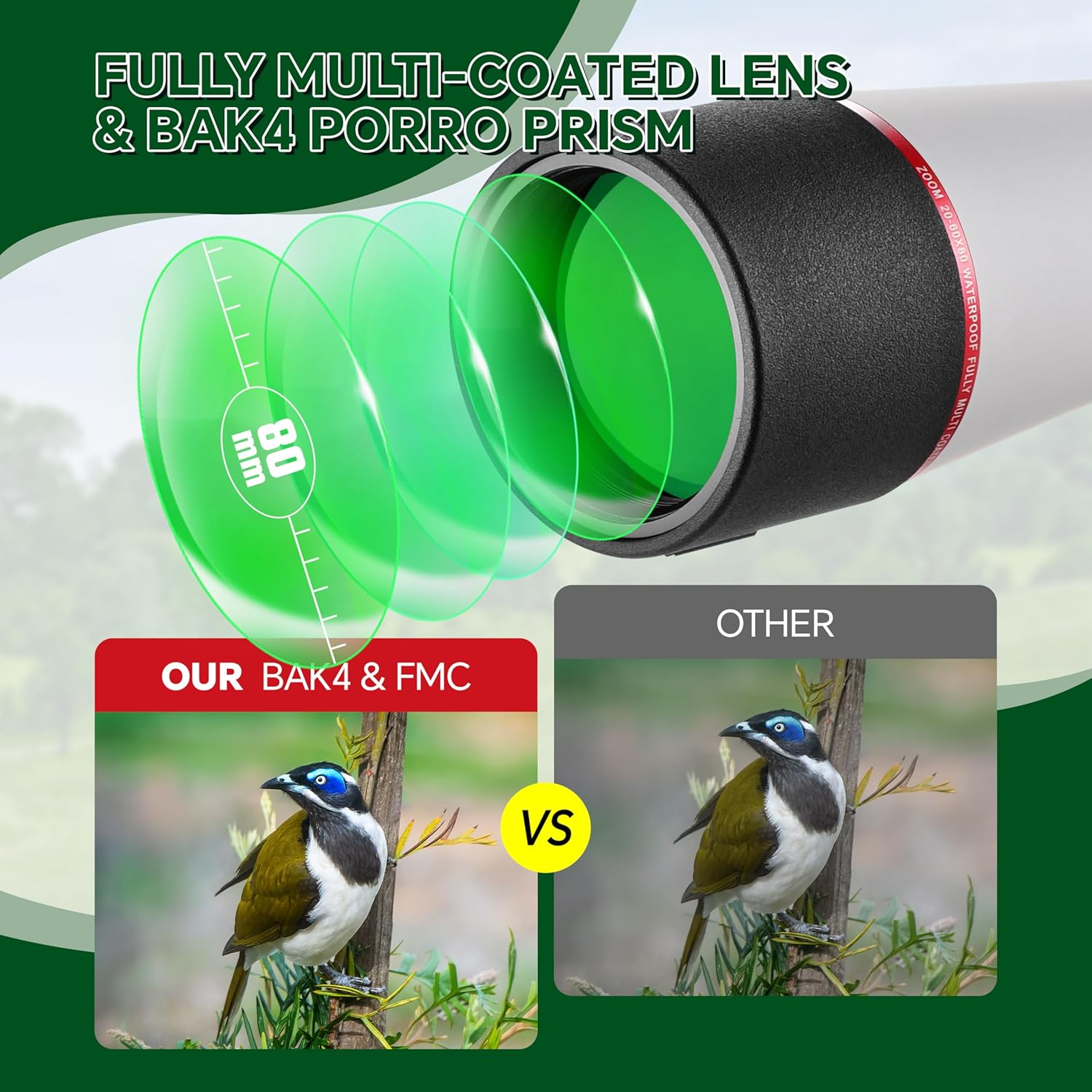
Image 3.1: Illustration of FMC lens and BAK4 prism technology.
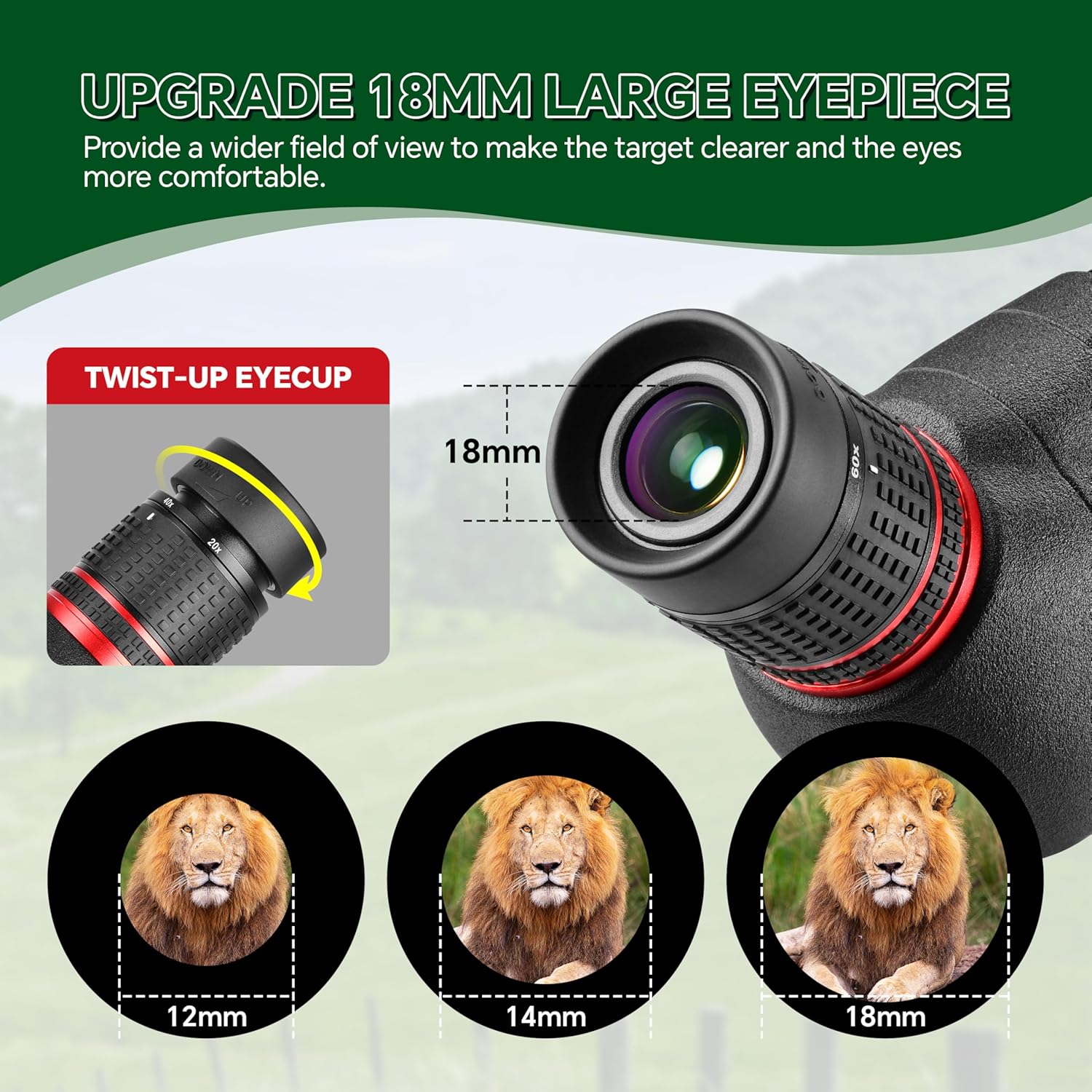
Image 3.2: Detail of the 18mm large eyepiece and twist-up eyecup.
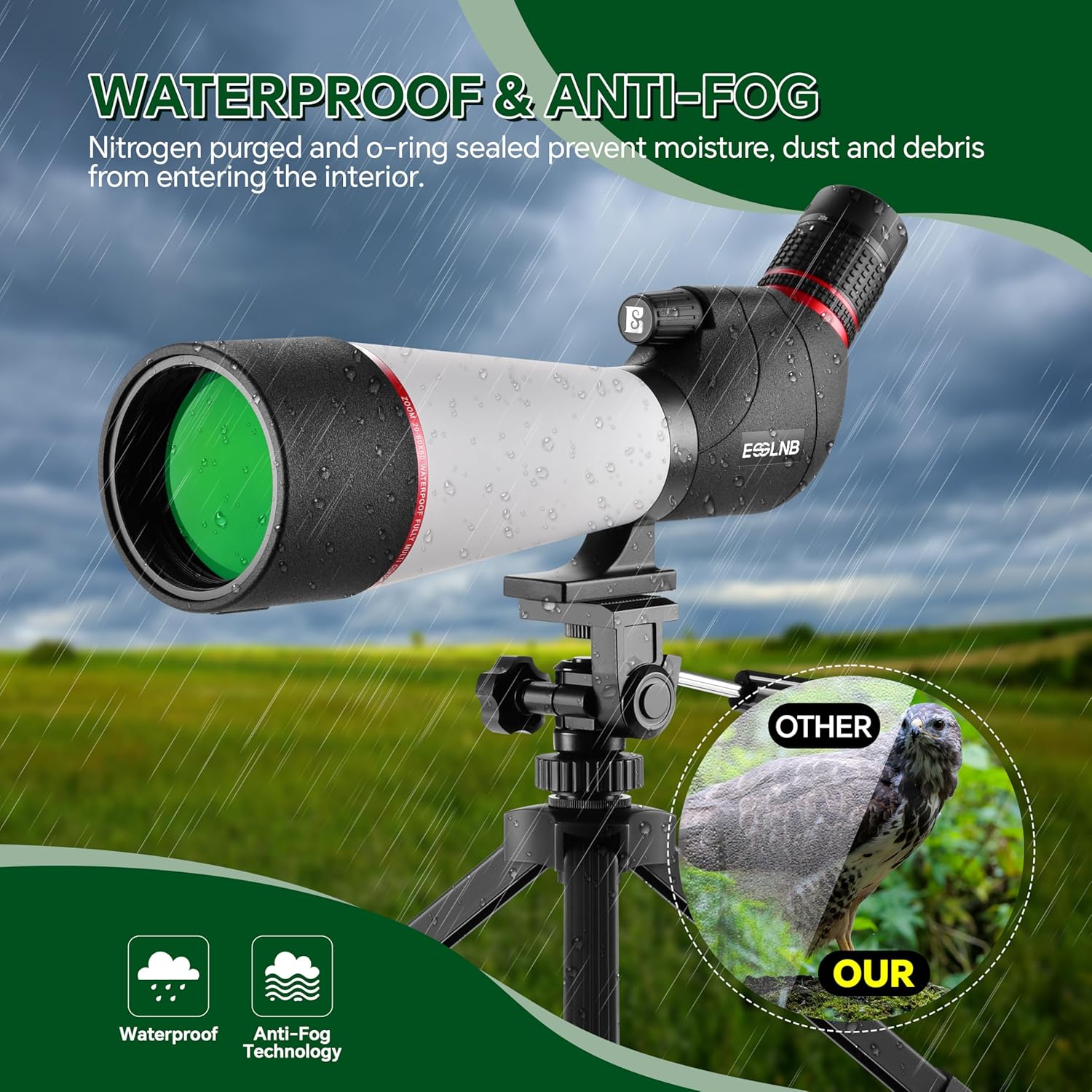
Image 3.3: Spotting scope demonstrating waterproof and anti-fog capabilities.

Image 3.4: Key components and features of the spotting scope.
4. Setup
- Attach the Tripod: Unfold the legs of the included desktop tripod. Locate the tripod mounting screw on the top of the tripod head. Align the screw with the threaded hole on the bottom of the spotting scope's mounting plate. Rotate the scope clockwise onto the tripod until it is securely fastened.
- Mount the Spotting Scope: Ensure the scope is balanced and stable on the tripod. Adjust the tripod legs for desired height and stability. The scope can be rotated 360 degrees on its mounting ring for various viewing angles. Loosen the locking knob on the mounting ring, adjust the angle, and then tighten to secure.
- Attach the Phone Adapter (Optional):
- Secure your smartphone into the phone adapter clamp.
- Carefully position the adapter's eyepiece clamp over the spotting scope's eyepiece. Ensure the phone camera lens is centered over the scope's eyepiece for a clear view.
- Tighten the adapter's clamp gently to secure it to the eyepiece. Avoid overtightening.

Image 4.1: Spotting scope setup on tripod, illustrating 360-degree rotation.
5. Operating Instructions
- Remove Lens Caps: Remove the objective lens cap and the eyepiece lens cap before use.
- Adjust Eyecup: Twist the eyecup up or down to achieve comfortable viewing, especially if you wear eyeglasses.
- Adjust Magnification (Zoom): Rotate the zoom ring on the eyepiece to adjust the magnification from 20x to 60x. Start with lower magnification (20x) to locate your target, then increase as needed for more detail.
- Focusing: Use the dual focus knob located on the side of the scope. Rotate the larger knob for coarse focus adjustments and the smaller knob for fine-tuning to achieve a sharp image.
- Extend Sunshade: Pull out the retractable sunshade located around the objective lens to reduce glare in bright conditions.
- Using with Phone Adapter: Once the phone adapter is attached and aligned, open your phone's camera app. Adjust the zoom on your phone if necessary to fill the screen with the scope's view. Use your phone's camera controls to take photos or record videos.

Image 5.1: Detail of the 20-60x zoom eyepiece.

Image 5.2: Spotting scope with phone adapter, illustrating use for photography and videography.
6. Maintenance and Care
- Cleaning Lenses: Use the provided cleaning cloth or a soft, lint-free cloth specifically designed for optics. Gently wipe the lens surfaces. For stubborn smudges, use a small amount of optical lens cleaning fluid on the cloth, not directly on the lens. Avoid touching lens surfaces with bare fingers.
- Cleaning Body: Wipe the rubber armor and body with a soft, damp cloth. Do not use abrasive cleaners or solvents.
- Storage: When not in use, always replace the objective and eyepiece lens caps. Store the spotting scope in its protective storage bag in a cool, dry place, away from direct sunlight and extreme temperatures.
- Waterproof/Fogproof: While the scope is waterproof and fogproof, avoid submerging it in water. If it gets wet, wipe it dry with a clean cloth.

Image 6.1: Spotting scope with its portable storage bag for protection and transport.
7. Troubleshooting
| Problem | Possible Cause | Solution |
|---|---|---|
| Image is blurry or unclear. | Incorrect focus adjustment. | Adjust the coarse and fine focus knobs until the image is sharp. |
| Dark edges or vignetting in the view. | Eyecup not properly adjusted or eyeglasses interfering. | Adjust the twist-up eyecup. If wearing glasses, try viewing with glasses on and eyecup down, or glasses off and eyecup up. |
| Image appears dim. | Low light conditions or dirty objective lens. | Ensure objective lens caps are removed. Clean the objective lens if dirty. Use in adequate lighting. |
| Difficulty attaching phone adapter. | Phone or adapter not aligned correctly. | Ensure phone is securely in clamp and camera lens is centered over the scope's eyepiece before tightening. |
| Scope is unstable on tripod. | Tripod legs not fully extended or mounting screw loose. | Extend tripod legs fully and ensure the scope is tightly secured to the tripod mounting screw. |
8. Specifications
| Feature | Specification |
|---|---|
| Magnification | 20-60X |
| Objective Lens Diameter | 80 mm |
| Eyepiece Diameter | 18 mm |
| Prism Type | BAK4 Porro Prism |
| Lens Coating | Fully Multi-Coated (FMC) |
| Field of View (at 1000 yards) | 158-57.7 ft |
| Angle of View | 3-1.1° |
| Waterproof Rating | IPX6 (Nitrogen Purged, O-ring Sealed) |
| Material | Rubber |
| Product Dimensions (LxWxH) | 17.52 x 6.81 x 4.72 inches |
| Weight | Approx. 1230 grams (2.8 Pounds) |
| Included Components | Spotting Scope, Tripod, Phone Adapter, Storage Bag |

Image 8.1: Detailed dimensions and key specifications of the spotting scope.
9. Warranty and Support
The ESSLNB 20-60x80 Spotting Scope comes with a 2-year warranty from the date of purchase, covering manufacturing defects. This warranty does not cover damage caused by misuse, accident, unauthorized modification, or normal wear and tear.
For warranty claims, technical support, or any questions regarding your product, please contact ESSLNB customer service through the retailer's platform or the official ESSLNB website. Please have your purchase receipt and product model number (ES4037) available when contacting support.