1. Introduction
The LIWAN 2K Wireless Outdoor Security Camera provides advanced surveillance for your home or property. Featuring 2K high-resolution video, color night vision, and a long-lasting rechargeable battery, this camera offers reliable and convenient monitoring. Its 100% wireless design and IP65 weatherproof rating allow for flexible outdoor placement, ensuring comprehensive security coverage.

Figure 1: LIWAN 2K Wireless Outdoor Security Camera. This image shows the compact, white camera unit with its mounting bracket, designed for outdoor use.
2. What's in the Box
- LIWAN 2K Wireless Outdoor Security Camera
- Mounting Bracket and Screws
- USB-C Charging Cable
- User Manual
3. Setup & Installation
3.1 Physical Installation
The LIWAN camera is designed for easy installation. Choose a suitable outdoor location that provides the desired viewing angle and is within range of your 2.4GHz Wi-Fi network. Use the provided mounting bracket and screws to securely attach the camera to a wall or other stable surface. The adjustable bracket allows for precise positioning.
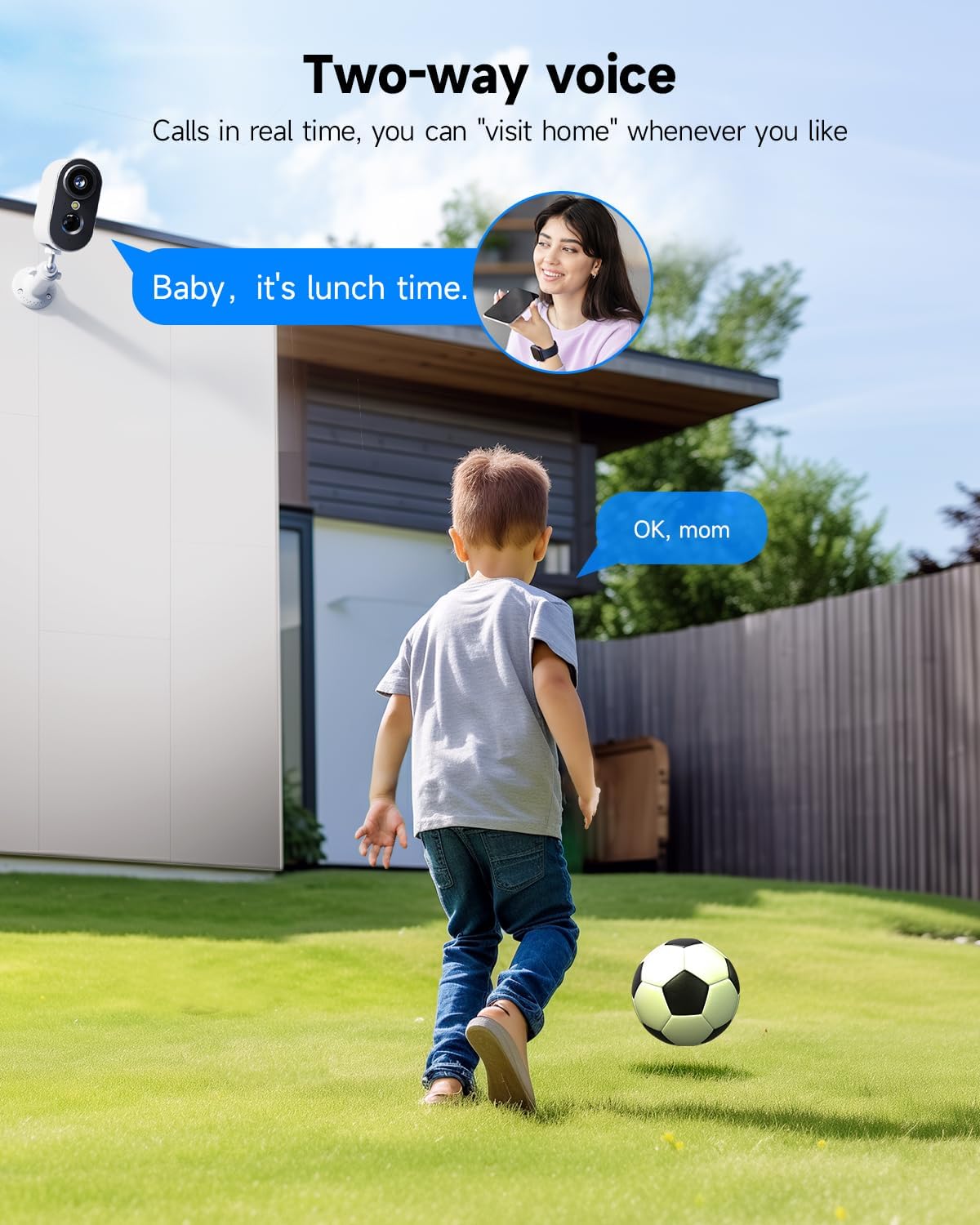
Figure 2: The camera is shown mounted on an exterior wall, demonstrating its outdoor placement capability.
Video 1: LIWAN Security Camera Installation Guide. This video provides a step-by-step visual guide on how to physically install the security camera, including mounting the bracket and attaching the camera unit.
3.2 App Setup & Connection
To connect your LIWAN camera to your smartphone, download the Ubox app from your device's app store. Follow the in-app instructions to create an account and add your new camera. The camera supports Bluetooth for initial pairing and operates on 2.4GHz Wi-Fi networks only. Ensure your phone's Bluetooth is enabled during the setup process.

Figure 3: A smartphone screen displaying the Ubox app interface, showing the live feed from the camera and various control options.
Video 2: LIWAN Bluetooth Distribution Network Operation. This video demonstrates the process of connecting the camera to the Ubox app using Bluetooth for network configuration.
4. Operating Instructions
4.1 2K High-Resolution & Color Night Vision
The camera captures clear and detailed footage in 2K resolution, offering 1.5 times more detail than traditional 1080p cameras. Its 130° wide-angle lens provides broad coverage. The advanced color night vision feature ensures that images remain sharp and in color even in low-light conditions, enhancing visibility and identification at night.

Figure 4: Comparison image showing the clarity of color night vision versus standard infrared night vision in low light.
4.2 Advanced Motion Detection and Real-Time Alerts
Equipped with a smart PIR sensor, the camera accurately detects human and other moving objects, minimizing false alarms. Upon detection, it triggers recording and sends instant notifications to your smartphone. An integrated alarm siren can be activated to deter intruders.

Figure 5: An illustration depicting the camera's motion detection capabilities, showing a person triggering an alert and the options for siren, spotlight, and message notifications.
4.3 Two Way Talk & Multiple Users
The built-in microphone and speaker enable two-way audio communication, allowing you to speak with visitors or deter unwanted guests directly through the app. The camera also supports multi-user sharing, enabling family members or trusted individuals to access the live feed and recordings by sharing a QR code.

Figure 6: An image illustrating the two-way talk feature, showing a person communicating with someone via the camera's audio system.
4.4 Two Way Storage
The camera offers flexible storage options. It supports local storage via an 8-128GB memory card (not included) and includes a complimentary 30-day trial for cloud storage. After the trial, users can opt for a paid cloud storage plan for continuous backup.
5. Maintenance
- Battery Charging: The camera features a 5200mAh rechargeable battery. When the battery level is low, connect the camera using the provided USB-C cable to a compatible power adapter (not included). A full charge can last 1 to 5 months depending on usage.
- Weather Resistance: With an IP65 rating, the camera is protected against dust and water jets, making it suitable for outdoor use in various weather conditions.
- Cleaning: Periodically wipe the camera lens and body with a soft, damp cloth to remove dust and debris. Avoid using harsh chemicals or abrasive materials.
6. Troubleshooting
- Camera Offline: Ensure the camera is within range of your 2.4GHz Wi-Fi network. Check your router for proper functioning. Try restarting the camera by pressing the power button.
- Failed Pairing: Confirm your smartphone's Bluetooth is enabled. Ensure you are connecting to a 2.4GHz Wi-Fi network, as the camera does not support 5GHz. Try resetting the camera by pressing the reset button (usually located near the charging port) and re-attempting the pairing process.
- Poor Video Quality: Check your Wi-Fi signal strength in the camera's location. Ensure the lens is clean and free from obstructions.
- Motion Detection Issues: Adjust the PIR sensitivity settings in the Ubox app. Ensure there are no objects constantly moving in the detection zone that could trigger false alarms.
- Battery Drains Quickly: Reduce the frequency of live view access, adjust motion detection sensitivity, and ensure the camera is placed in an area with optimal Wi-Fi signal to minimize power consumption.
7. Specifications
| Brand | LIWAN |
| Model Number | wifi camera |
| Connectivity Technology | Wireless (2.4GHz Wi-Fi, Bluetooth) |
| Power Source | Battery Powered (5200mAh Lithium Polymer) |
| Video Capture Resolution | 2K |
| Night Vision Range | 33 Feet |
| International Protection Rating | IP65 |
| Item Dimensions (L x W x H) | 5.04 x 4.37 x 3.27 inches |
| Item Weight | 10.9 ounces |
| Recommended Uses | Baby Monitoring, Pet Monitoring, Indoor Security, Outdoor Security |
8. Warranty & Support
LIWAN products are manufactured with high-quality standards. For warranty information, technical support, or any inquiries regarding your LIWAN Security Camera, please refer to the contact details provided in your product packaging or visit the official LIWAN website. Please retain your proof of purchase for warranty claims.


