
Introduction
The Signia Combi Charger is an advanced device designed to maintain your compatible Signia hearing aids in optimal condition. It provides charging, drying, and cleaning functionalities in a single unit, ensuring your hearing aids are ready for use and have an extended lifespan.
Product Features
- Multi-functional Design: Combines charging, drying, and UV-C cleaning in one compact unit.
- Automatic Cleaning Cycle: Initiates a 15-minute cleaning process automatically when hearing aids are placed inside.
- LED Indicators: Features three LED lights per hearing aid for charging status and an additional LED for cleaning status.
- Protective Lid: Includes a lid for optimal cleaning environment and secure storage of hearing aids.
- Compatibility: Designed for specific Signia hearing aid models.
Compatibility
The Signia Combi Charger is compatible with the following Signia hearing aid models:
- Pure Charge&Go IX / T IX
- Styletto IX
- Pure Charge&Go AX / T AX
- Motion Charge&Go P X / SP X
Ensure your hearing aid model is listed above for proper function and charging.
Setup
- Unpack the Charger: Carefully remove the Signia Combi Charger from its packaging.
- Choose a Location: Place the charger on a stable, flat surface near a power outlet, away from direct sunlight or excessive heat.
- Connect Power: Plug the provided power adapter into the charger and then into a wall outlet. The charger is designed for 240 Volts input.
- Initial Charge: Before first use, it is recommended to fully charge the Combi Charger if it has an internal battery, or ensure it is powered on and ready to receive hearing aids.
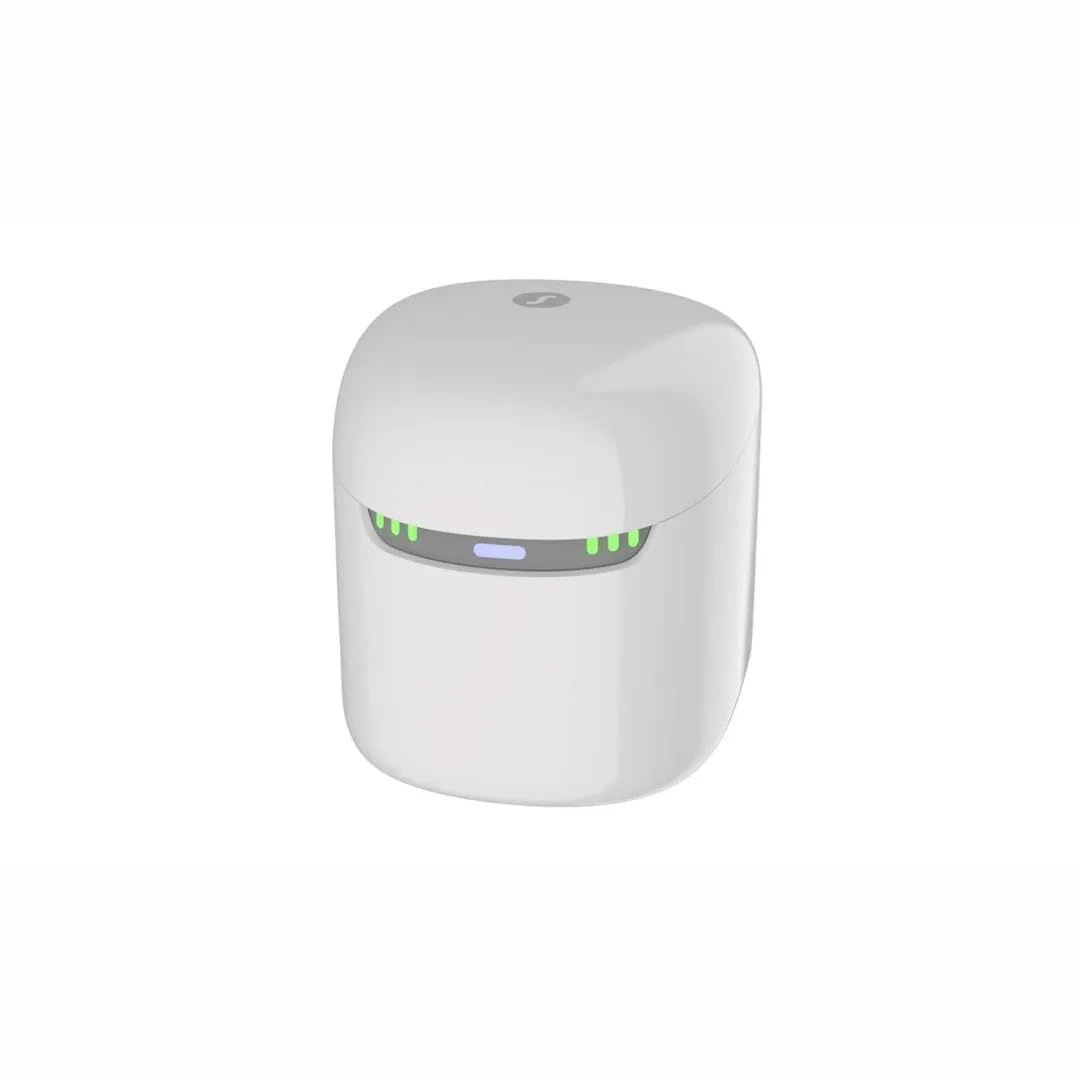
Image: The Signia Combi Charger with its lid open, revealing the two designated slots for hearing aids. Green and blue LED indicators are visible on the front panel, signaling charging and cleaning status.
Operating Instructions
- Place Hearing Aids: Gently place your compatible Signia hearing aids into their respective slots within the charger. Ensure they are seated properly for contact with the charging pins.
- Close the Lid: Close the lid of the Combi Charger. This action initiates the charging, drying, and cleaning processes. The lid ensures an optimal environment for these functions.
- Automatic Cleaning: The cleaning cycle will start automatically upon closing the lid and will complete in approximately 15 minutes.
- Monitor Status: Observe the LED indicators on the front of the charger to monitor the status of your hearing aids.
- Remove Hearing Aids: Once the charging and cleaning cycles are complete, indicated by the LED lights, open the lid and remove your hearing aids.
LED Indicators
The Signia Combi Charger features distinct LED indicators to provide status updates:
- Charging Status: Three LED lights are present for each hearing aid slot. These lights illuminate to indicate the charging progress of the individual hearing aids.
- Cleaning Status: An additional LED light indicates the status of the cleaning cycle. This light will typically illuminate when cleaning is active and turn off or change color upon completion.
Refer to the specific light patterns in the full user manual for detailed interpretations of each status.
Maintenance
- Cleaning the Charger: Use a soft, dry cloth to wipe the exterior of the charger. Do not use abrasive cleaners or immerse the unit in water.
- Optimal Storage: Always close the lid when hearing aids are inside the charger, even when not actively charging, to ensure optimal cleaning and protection from dust and debris.
- Power Disconnection: Disconnect the charger from the power outlet when not in use for extended periods.
Specifications
| Brand | Signia |
| Model | Combi Charger |
| Color | White |
| Input Voltage | 240 Volts |
| Output Voltage | 240 Volts |
| Manufacturer | WSAUD A/S |
| ASIN | B0CTJ51BRW |
| Date First Available | January 29, 2024 |
Warranty and Support
The Signia Combi Charger comes with a one-year warranty provided by the manufacturer. For warranty claims, technical support, or further assistance, please contact the manufacturer directly or refer to the official Signia website for contact information.