
Introduction
Welcome to the magical world of music with your new eKids Disney Princess Karaoke Microphone! This Bluetooth-enabled microphone is designed for young performers, allowing them to sing along to their favorite tunes with built-in music or by streaming audio wirelessly. Featuring vibrant Disney Princess graphics, exciting light shows, and fun echo effects, this microphone provides hours of entertainment. Please read this manual carefully to ensure proper setup and operation.

Figure 1: eKids Disney Princess Karaoke Microphone
Features
- Karaoke Microphone: Connect any compatible Bluetooth device (including smartphones, tablets, and laptops) and wirelessly stream your favorite music, then amplify your voice while you sing along!
- Disney Princess Design: Featuring cool and colorful graphics inspired by your favorite Disney Princess characters. Designed for kids aged 5 and up.
- Built-in Music: This toy microphone includes an extended clip of the song ‘Starting Now’. Press the Echo Button to add cool vocal effects, too!
- Light Show: Lights flash along with the music, so you can put on an amazing karaoke performance for friends and family.

Figure 2: Key Features Overview
Setup
1. Battery Installation
The microphone requires 3 AA batteries (included).
- Locate the battery compartment on the back of the microphone.
- Using a Phillips screwdriver, open the battery compartment cover.
- Insert 3 "AA" (LR6) batteries with the correct polarity (+ and -) as indicated inside the compartment.
- Replace the compartment door and tighten the screw with a Phillips screwdriver.
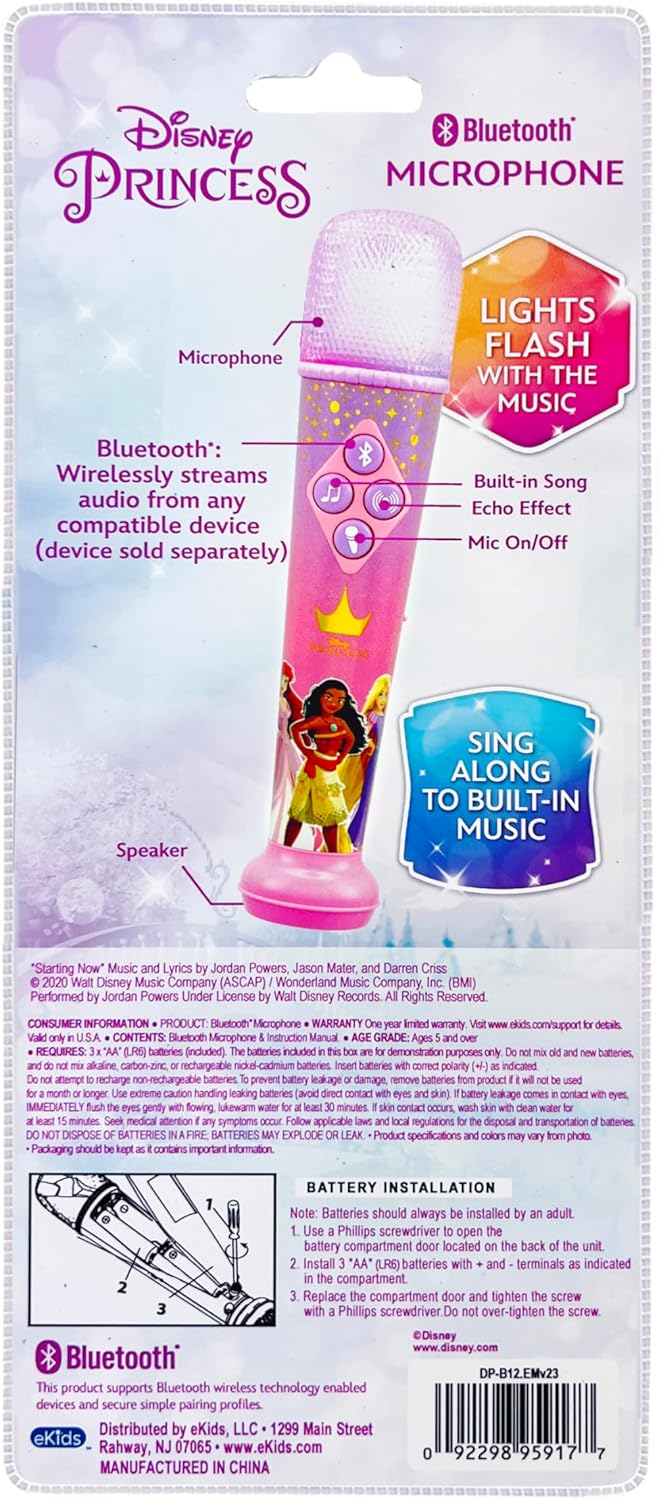
Figure 3: Battery Installation Diagram (from packaging)
2. Powering On/Off
Locate the ON/OFF switch on the side of the microphone. Slide the switch to the "ON" position to power on the device. Slide it to "OFF" to power it down.
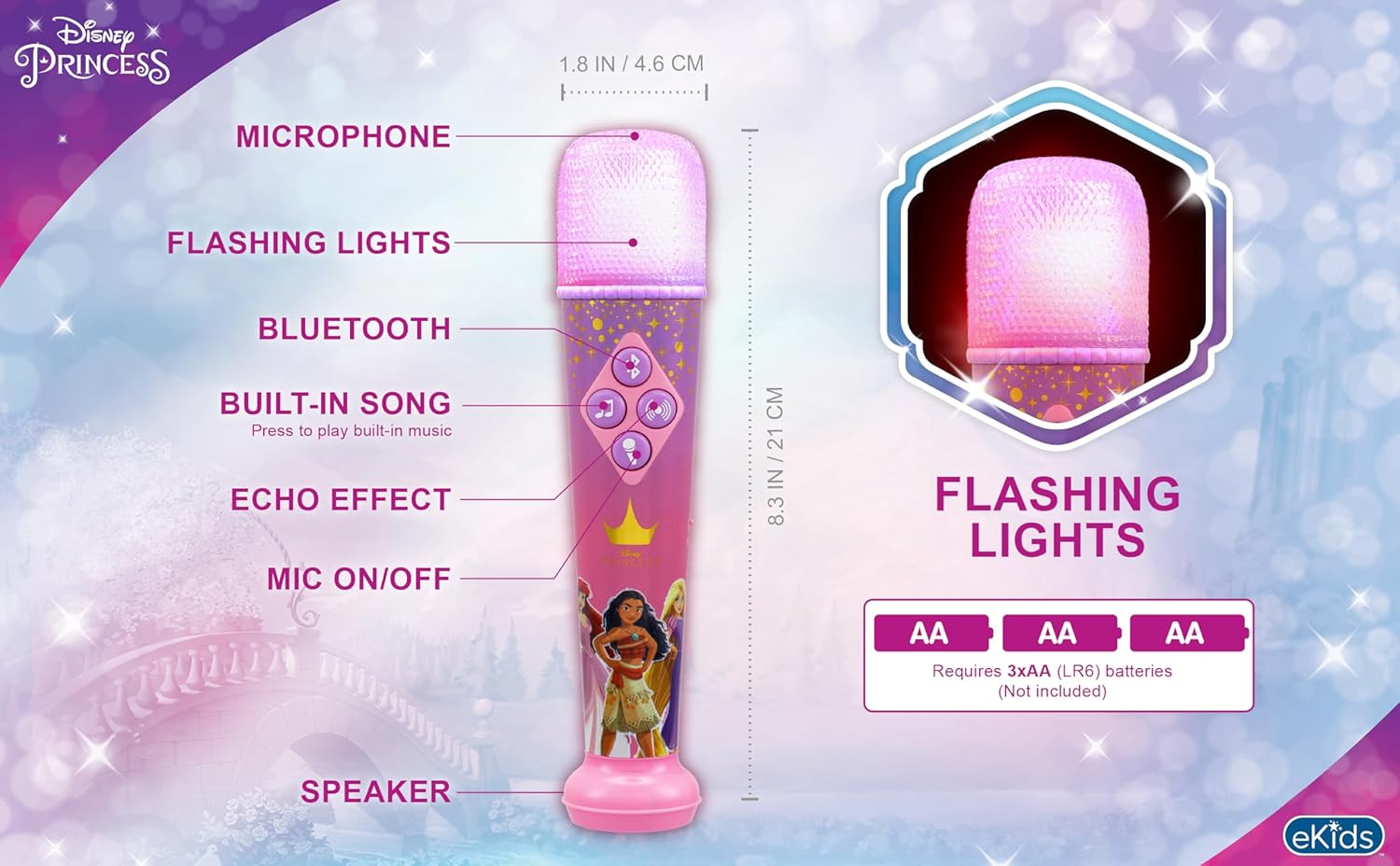
Figure 4: Microphone Controls and Features
Operating Instructions
1. Bluetooth Pairing
To stream audio wirelessly from your smartphone, tablet, or laptop:
- Ensure the microphone is powered on.
- Activate Bluetooth on your external device.
- Search for "eKids DP-B12" or a similar name in your device's Bluetooth settings.
- Select the microphone to pair. A confirmation sound will indicate successful pairing.
- Once paired, you can play music from your device, and it will stream through the microphone's speaker.
Video 1: Official eKids Disney Princess Bluetooth Karaoke Microphone overview, demonstrating Bluetooth streaming, built-in music, echo effects, and light show features.
2. Using Built-in Music
The microphone comes with a built-in song. To play it, press the music note button (♫) on the control panel.
3. Microphone Usage and Echo Effect
To amplify your voice, press and hold the microphone button (🎤) while speaking or singing. To add an echo effect to your vocals, press the echo button (concentric circles icon) on the control panel.

Figure 5: Child enjoying the microphone
4. Light Show
The microphone features a dynamic light show that flashes along with the music, enhancing your performance. The lights are integrated into the microphone head and activate automatically when music is playing.

Figure 6: Microphone light show in action
Maintenance
- Keep the microphone clean by wiping it with a soft, dry cloth.
- Do not use abrasive cleaners or solvents.
- Avoid exposing the microphone to extreme temperatures, direct sunlight, or moisture.
- Remove batteries if the device will not be used for an extended period to prevent leakage.
Troubleshooting
| Problem | Solution |
|---|---|
| No power / Device not turning on |
|
| Bluetooth not connecting |
|
| No sound from microphone (when speaking/singing) |
|
| Built-in music not playing |
|
Specifications
| Attribute | Detail |
|---|---|
| Model Number | DP-B12 |
| Brand | eKids |
| Item Weight | 8.5 ounces |
| Product Dimensions | 1.8 x 1.79 x 8.28 inches |
| Batteries | 3 AA batteries required (included) |
| Material Type | Plastic |
| Speaker Count | 1 |
| Power Source | Battery Powered |
| Voltage | 1.5 Volts (DC) |
| Special Feature | Volume Control |
| Included Components | Microphone |
| Recommended Uses | Singing, Karaoke |
Warranty and Support
For product support, warranty information, or to explore more eKids products, please visit the official eKids brand store or contact their customer service.
eKids Brand Store: https://www.amazon.com/stores/eKids/page/314B1B40-5DF3-4830-97AC-E7BF609BCCA1
Please retain your proof of purchase for any warranty claims.


