
Inateck BK2007-BLK
Inateck iPad Keyboard Case User Manual
Model: BK2007-BLK
Introduction
Thank you for choosing the Inateck iPad Keyboard Case. This manual provides essential information for setting up, operating, and maintaining your new keyboard case to ensure optimal performance and longevity.
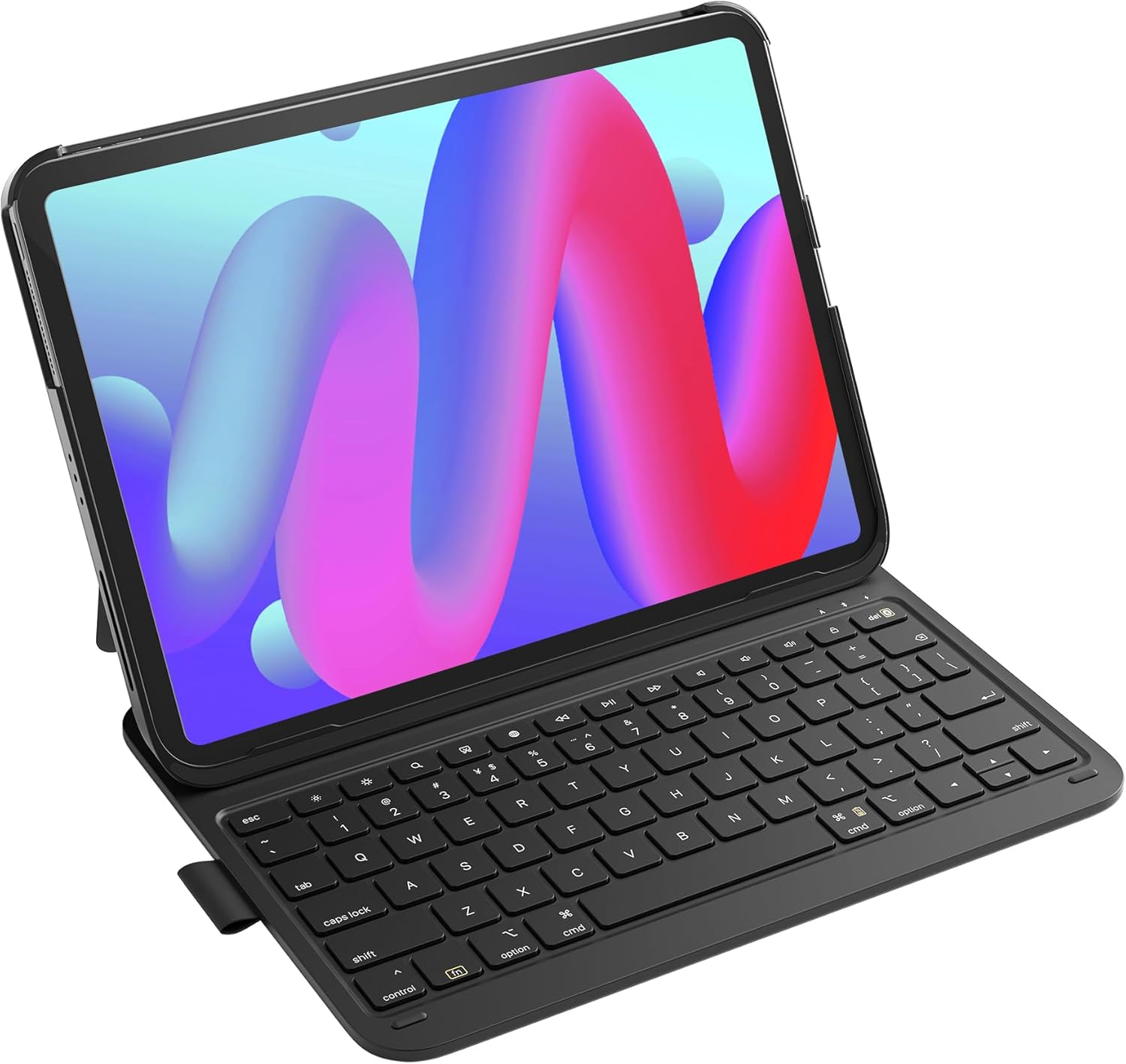
The Inateck iPad Keyboard Case, designed for enhanced productivity and protection.
Product Compatibility
The Inateck iPad Keyboard Case is designed for a wide range of iPad models. Please verify your iPad model against the list below for compatibility:
- iPad 11th Gen (2025 A16): A3354/A3355/A3356
- iPad 10th Gen (10.9", 2022): A2696/A2757/A2777/A3162
- iPad Air 11 inch (M3/M2, 2025)
- iPad Air 5th Gen (10.9", 2022): A2591/A2589/A2588
- iPad Air 4th Gen (10.9", 2020): A2325/A2324/A2316/A2072
- iPad Pro 11 inch 4th Gen (2022): A2435/A2759/A2761/A2762
- iPad Pro 11 inch 3rd Gen (2021): A2301/A2377/A2459/A2460
- iPad Pro 11 inch 2nd Gen (2020): A2228/A2068/A2230/A2231
- iPad Pro 11 inch 1st Gen (2018): A1980/A2013/A1934/A1979
Note: Not compatible with iPad Pro 11" M4 (2024).

Visual guide to compatible iPad models (10.9-11 inch).
What's in the Box
Upon opening your Inateck iPad Keyboard Case package, you should find the following items:
- 1 x Inateck Keyboard Case
- 1 x USB Cable (for charging)
- 1 x User Manual (this document)
Setup
Initial Connection and Power On
The Inateck iPad Keyboard Case features a magnetic connection and automatic power management for ease of use.
- Attach your iPad: Align your compatible iPad with the case. The magnetic design will securely attach the iPad to the keyboard case.
- Automatic Start-up: The keyboard automatically powers on and connects via Bluetooth to your iPad in less than 1 second once attached. No physical power switch is required.
- Automatic Sleep/Wake: The keyboard automatically turns off when detached from the iPad, conserving power. When the case is opened, the screen wakes up; when closed, the screen sleeps.
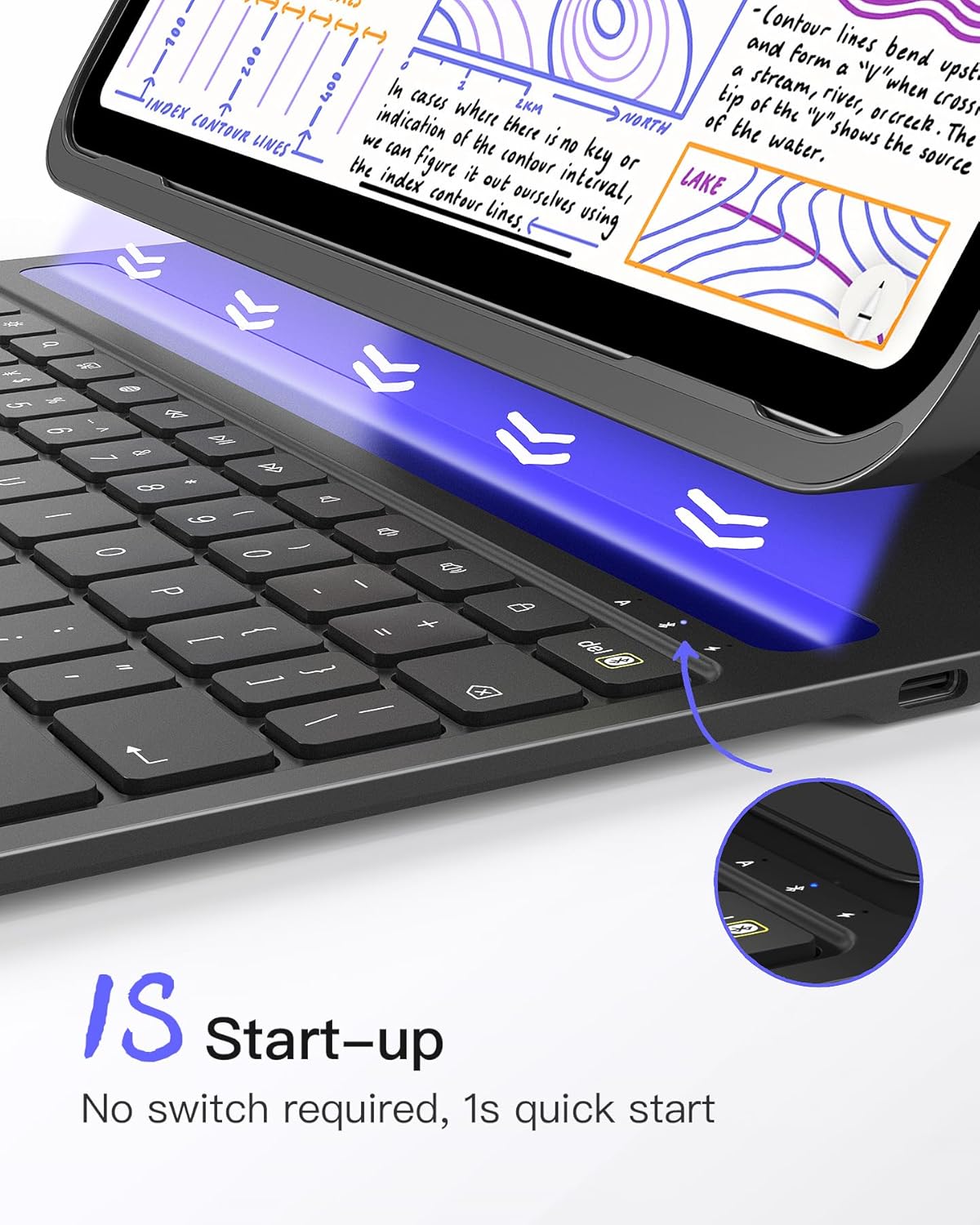
The keyboard automatically starts up in 1 second when connected to your iPad.

Smart screen on/off functionality for power saving.
Operating Instructions
Typing Experience
The keyboard is designed for an optimal typing experience, similar to a laptop, with 15mm x 15mm keys, 1mm stroke, and 0.2mm amplitude for skin-feel typing.

Keycap dimensions and stroke for a comfortable typing experience.
Convenient Shortcut Keys
The keyboard features an additional row of function keys for quick access to common iPad functions:
- Esc (Undo Key): Performs undo actions.
- Screen Brightness: Adjusts screen brightness up or down.
- Search: Brings up the iOS search field.
- Screenshot: Captures the current screen information.
- Language Switch: Switches the keyboard input language.
- Media Controls: Play/Pause, Next Track, Previous Track.
- Volume Controls: Mute, Volume Up, Volume Down.
- Screen Off: Locks the iPad screen.

Overview of dedicated iOS shortcut keys for quick access to functions.
Integrated Pen Holder
The keyboard case includes a built-in PU pen holder, providing a secure and convenient space for your Apple Pencil (2nd generation). The frameless design allows for magnetic charging of the Pencil while stored. (Note: Apple Pencil not included)

The pen holder allows for convenient storage and magnetic charging of your Apple Pencil.
Maintenance
Battery Life and Charging
The keyboard features a powerful battery designed for extended standby time. A full charge (2-3 hours) can provide up to 150 days of standby time, meaning you may only need to charge it a few times a year depending on usage.

The keyboard offers an impressive 150 days of standby time on a single charge.
To charge the keyboard, use the provided USB cable and connect it to a compatible power source.
Cleaning and Care
The case is designed with anti-fingerprint properties. To clean, gently wipe the surfaces with a soft, damp cloth. Avoid using harsh chemicals or abrasive materials that could damage the finish.

The case features an anti-fingerprint design for easy maintenance.
Specifications
| Feature | Detail |
|---|---|
| Brand | Inateck |
| Model Number | BK2007-BLK |
| Operating System | iOS |
| Item Weight | 15 ounces (approx. 427g) |
| Product Dimensions | 9.92 x 8.39 x 7.72 inches |
| Keyboard Thickness | 0.5 cm (0.3 inches) |
| Color | Black |
| Power Source | Battery Powered (1 Lithium Polymer battery included) |
| Connectivity Technology | Bluetooth |
| Number of Keys | 78 |
| Keyboard Backlighting | Single Color |
| Standby Time | Up to 150 days |

The keyboard case is designed to be ultra-thin and super-light for portability.
Troubleshooting
If you encounter any issues with your Inateck iPad Keyboard Case, please consider the following common solutions:
- Keyboard not connecting: Ensure your iPad's Bluetooth is enabled. Detach and re-attach the iPad to the case to trigger the automatic connection.
- Low battery: Charge the keyboard using the provided USB cable. A low battery can affect connectivity and performance.
- Keys not responding: Check for any debris under the keys. If the issue persists, try restarting your iPad and re-connecting the keyboard.
- Unexpected behavior: Ensure your iPad's iOS is up to date. Sometimes, software updates can resolve compatibility issues.
For further assistance, please refer to the Inateck support website or contact customer service.
Warranty and Support
Inateck products are backed by a manufacturer's warranty. Please refer to the warranty card included in your product packaging or visit the official Inateck website for detailed warranty information and support options.
Related documentsBK2007-BLK


Ask a question about this manual
Ask about setup, troubleshooting, compatibility, parts, safety, or missing instructions. Manuals+ will review the question and use this page’s manual context to help answer it.