
1. Product Overview
The Godox V1Pro-O is a high-performance round head Speedlite flash designed for Panasonic and Olympus cameras. It features HSS (High-Speed Sync), TTL (Through-The-Lens) automatic flash, 2.4G X wireless system, and a detachable SU-1 sub-flash for enhanced lighting control. The unit is powered by a USB-C rechargeable lithium-ion battery, offering extended usage and convenient charging options.

Figure 1.1: Godox V1Pro-O Speedlite Flash with key features highlighted.
2. Setup
2.1 Unboxing and Package Contents
Carefully unpack all items from the product box. Verify that all components are present according to the packing list.
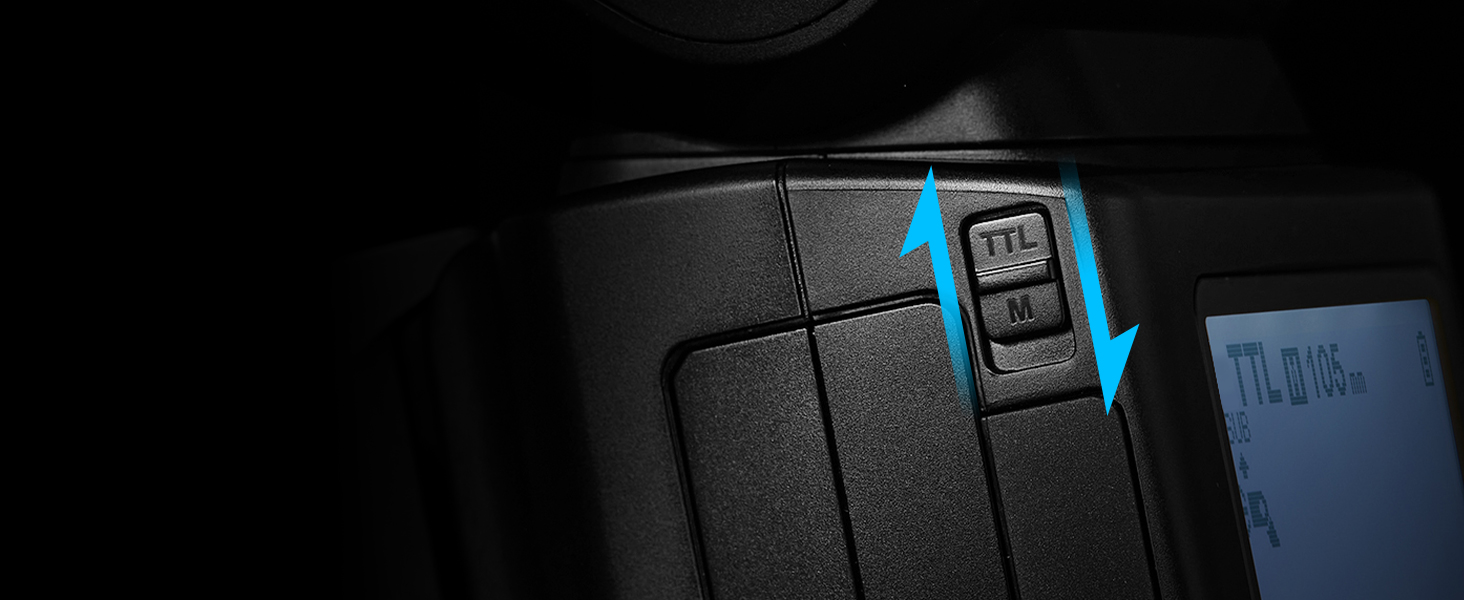
Figure 2.1: Package contents of the Godox V1Pro-O Speedlite.
2.2 Battery Installation and Charging
The V1Pro-O uses a VB30 lithium-ion battery. Ensure the battery is fully charged before first use.
- Direct USB-C Charging: Connect a USB-C cable directly to the flash unit for convenient charging.
- External Charger: Use the provided VC26 USB charger and Type-C cable to charge the battery independently.
- External Power Pack: The V1Pro-O is designed with an extra power port to seamlessly connect to Godox flash power packs like the PB960 (optional) for extended shooting sessions.

Figure 2.2: Multiple charging modes for the V1Pro-O.
2.3 Attaching to Camera
Slide the flash unit onto your camera's hot shoe mount until it clicks into place. Secure it by tightening the locking mechanism.
2.4 Attaching the SU-1 Sub-Flash
The SU-1 sub-flash is a detachable component that can be easily installed on the V1Pro-O to provide additional fill light. Align the SU-1 with the designated slot on the flash head and slide it into position until it is securely attached.

Figure 2.3: Installation of the detachable SU-1 sub-flash.
3. Operating Instructions
3.1 Power On/Off and Basic Settings
Press and hold the power button to turn the flash on or off. Use the control dial and buttons on the back panel to navigate menus and adjust settings.
3.2 TTL/Manual Mode Switching
The V1Pro-O allows for quick switching between TTL automatic flash mode and Manual flash mode with a dedicated one-click switch. This enables flexible adaptation to various shooting scenarios.
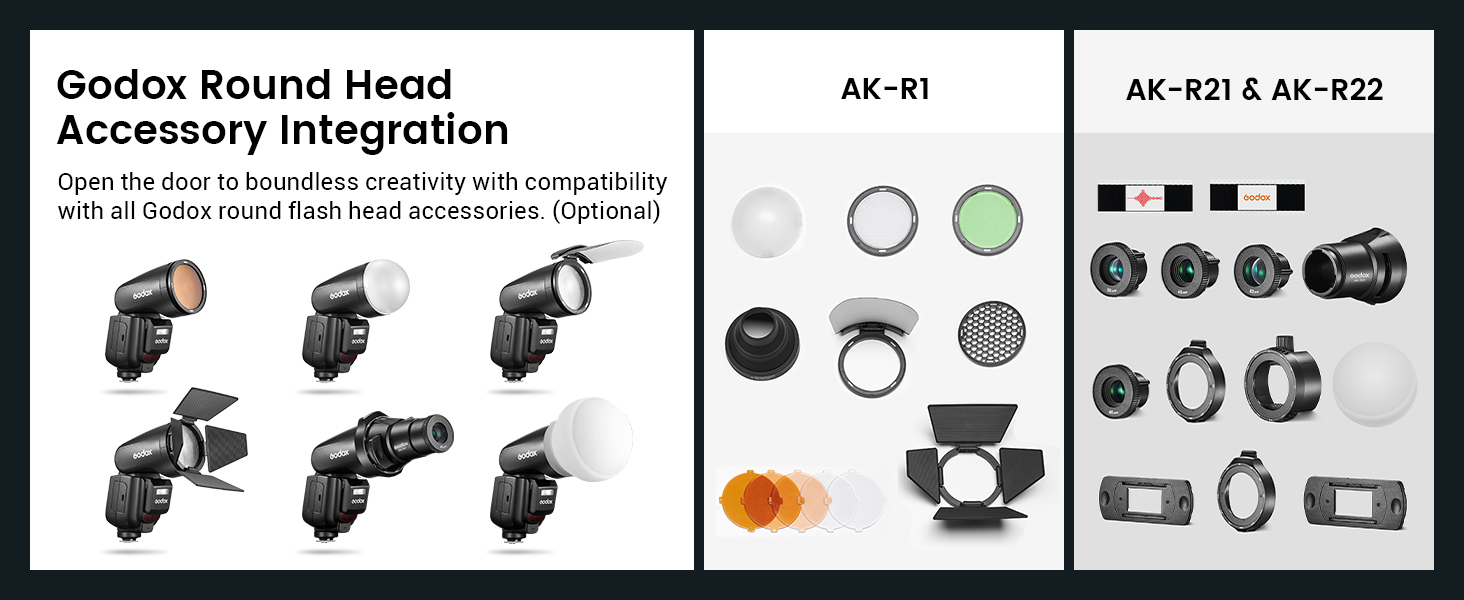
Figure 3.1: One-click TTL/M switch.
3.3 Flexible Shooting Angle
The flash head offers extensive rotation and tilt capabilities for bounce flash and creative lighting. It can rotate horizontally from 0° to 330° and tilt vertically from -7° to 120°.

Figure 3.2: Flexible shooting angle of the flash head.
3.4 Wireless Transmission and Reception
The V1Pro-O supports 2.4G wireless transmission and reception, allowing seamless integration with other Godox flashes. It can function as both a master unit to control other flashes or a slave unit to be controlled by another master.

Figure 3.3: Wireless transmission and reception setup.
3.5 Advanced Flash Modes and Exposure Control
The V1Pro-O supports various advanced flash modes for creative photography:
- High-Speed Sync (HSS): Allows flash synchronization at shutter speeds up to 1/8000s.
- Multi Flash: Fires a series of rapid flashes during a single exposure to capture multiple movements of a subject.
- Front/Rear Curtain Sync: Synchronizes the flash with either the opening or closing of the shutter curtain.
- Flash Exposure Compensation (FEC): Adjusts the flash output to fine-tune exposure.

Figure 3.4: Advanced flash modes and exposure control examples.
3.6 Built-in LED Modeling Light
The V1Pro-O features a built-in 2W LED modeling light. Its brightness can be adjusted from 1 to 10 with one-key stepless dimming, aiding in previewing lighting effects.

Figure 3.5: Built-in LED modeling light in use.
4. Maintenance
To ensure the longevity and optimal performance of your Godox V1Pro-O Speedlite, follow these maintenance guidelines:
- Cleaning: Use a soft, dry cloth to clean the flash body and screen. For stubborn dirt, a slightly damp cloth can be used, followed by immediate drying. Avoid harsh chemicals or abrasive materials.
- Storage: Store the flash in a cool, dry place away from direct sunlight, extreme temperatures, and high humidity. Use the provided storage bag for protection.
- Battery Care: For optimal battery life, avoid fully discharging the battery frequently. If storing for extended periods, charge the battery to approximately 50% and recharge every few months.
- Hot Shoe Protection: Always use the hot shoe cap when the flash is not mounted on a camera to protect the contacts from dust and damage.
5. Troubleshooting
If you encounter issues with your Godox V1Pro-O Speedlite, refer to the following common troubleshooting steps:
- Flash Not Firing:
- Check if the flash is securely mounted on the camera's hot shoe.
- Ensure the battery is charged and correctly inserted.
- Verify that the flash is powered on.
- Check camera and flash settings for compatibility (e.g., flash mode, sync speed).
- Inconsistent Exposure:
- Confirm TTL mode is selected for automatic exposure, or adjust manual power settings.
- Check for Flash Exposure Compensation (FEC) settings on both the camera and flash.
- Ensure the flash head is positioned correctly for bounce or direct flash.
- Wireless Communication Issues:
- Ensure both master and slave units are set to the same channel and group.
- Check for obstructions between the units.
- Verify that the wireless function is enabled on both devices.
- Overheating Warning:
- The V1Pro-O is designed for up to 100 continuous full-power flashes. If an overheating warning appears, allow the unit to cool down before further use.
If problems persist, consult the official Godox support resources or contact customer service.
6. Specifications
| Feature | Detail |
|---|---|
| Brand | GODOX |
| Model Number | V1Pro-O |
| Compatible Mounts | ISO (for Panasonic and Olympus cameras) |
| Flash Type | External Camera Flash |
| Power Source | 1 Lithium Ion battery (included) |
| Charging | USB-C, VC26 charger, optional external power pack |
| Continuous Flashes (Full Power) | Up to 100 times |
| Dimensions | 23 x 21 x 10 cm |
| Weight | 580 grams |
| Included Components | USB-C charging battery, detachable SU-1 sub-flash |