
1. Introduction
Thank you for choosing the UBPet C20 Self-Cleaning Cat Litter Box. This innovative product is designed to provide a clean and odor-free environment for your cat, while simplifying litter box maintenance for you. Please read this manual thoroughly before setup and operation to ensure safe and optimal performance.

Image: The UBPet C20 Self-Cleaning Cat Litter Box, showcasing its sleek design, large opening, and smart app connectivity.
2. Safety Information
Your cat's safety is our top priority. The UBPet C20 is equipped with multiple safety features to prevent accidents.
- Patented Integrated Structure: The litter box and waste bin are designed as a single unit, eliminating pinch points and reducing the risk of your cat getting trapped to 0%.
- Gravity Sensors: The unit features gravity sensors that detect your cat's presence. If a cat enters during a cleaning cycle, the operation will immediately stop to ensure safety.
- Low Entry Design: With a low entry height of 17.4 cm, the litter box is easily accessible for kittens, older cats, and cats with mobility issues.
- Chew-Resistant Cable: The power cable is designed to be chew-resistant, protecting both your pet and the device.

Image: Illustration of the patented anti-pinch structure and gravity sensors, highlighting the safety features of the UBPet C20.
3. Package Contents
Please check the package to ensure all components are present:
- UBPet C20 Self-Cleaning Cat Litter Box Main Unit
- Power Adapter
- Deodorizer (3 pieces, one for immediate use)
- User Manual (this document)
4. Product Overview
The UBPet C20 features a spacious design and advanced technology for optimal cat comfort and hygiene.
- Large Open Entrance: Measuring 34.8 cm x 32 cm, the wide opening allows cats weighing 1.5 kg to 8 kg to enter and exit comfortably and turn around freely.
- 2X Odor Control: After self-cleaning, waste is transported to a sealed compartment. The included deodorizer actively breaks down ammonia, effectively eliminating odors with a 92.7% decomposition rate.
- Quiet Operation: The unit operates at less than 38dB, ensuring minimal disturbance, even during nighttime use.
- Double-Layer Anti-Scratch Mat: The interior features a silicone and durable fabric mat, providing comfort for your cat and resistance against scratches.
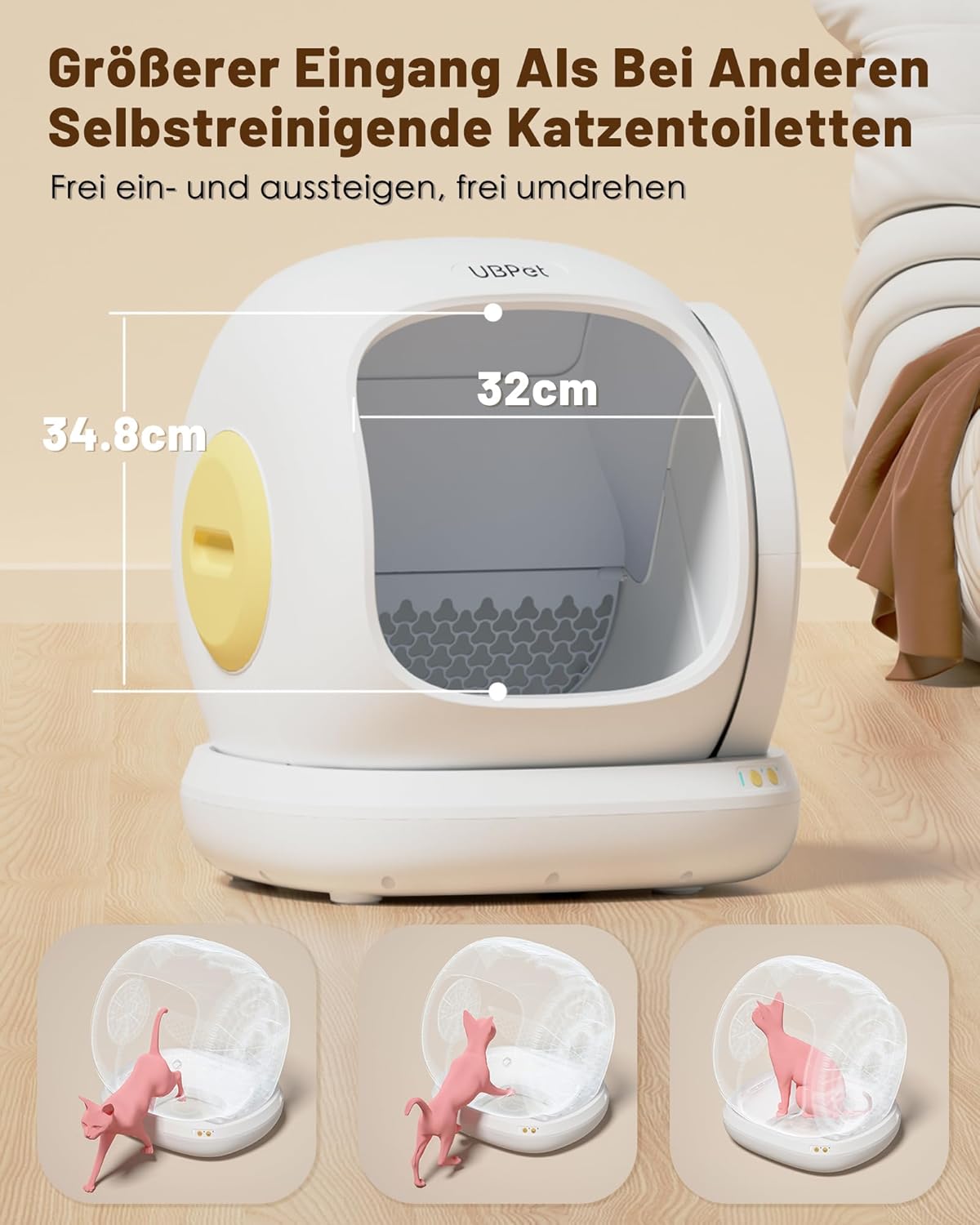
Image: The spacious 34.8cm x 32cm opening, designed for cat comfort.

Image: Explanation of the dual odor control mechanism: odor isolation and chemical decomposition.

Image: Detail of the anti-scratch double-layer mat (silicone and durable fabric) and the chew-resistant power cable.
5. Setup Guide
Follow these steps to set up your UBPet C20 Self-Cleaning Cat Litter Box:
- Unpack and Inspect: Carefully remove all components from the packaging. Check for any damage.
- Remove Cleaning Board: Locate and remove the cleaning board from inside the drum. It is typically secured with blue tape.
- Unlock Drum: On the side of the unit, unlock the drum by rotating the yellow lever upwards.
- Remove Drum: Gently lift and remove the drum from the base.
- Remove Separation Cushion: Take out the separation cushion from the base.
- Reinstall Drum: Place the drum back onto the base, ensuring the rotating shaft of the drum aligns with the slot in the base support. Make sure the drum does not turn significantly after placement.
- Lock Drum: Rotate the yellow lever downwards to lock the drum securely in place.
- Install Side Cover: Place the side cover onto the unit, inserting its pegs into the corresponding holes in the base.
- Connect Power: Plug the power adapter into the litter box and then into a wall outlet. The unit will perform an initial rotation to calibrate.
- Add Litter: Once the unit stops with the opening facing forward, add suitable cat litter. We recommend clumping litter with particle lengths less than 1 cm. Do not overfill the litter past the silicone mat's edge.
Video: Step-by-step guide on preparing the UBPet C20 for first use, including removing protective elements and assembling the drum.
6. Operating Instructions
The UBPet C20 offers convenient and smart operation modes:
- Automatic Cleaning: The litter box will automatically clean itself after your cat exits, based on your chosen delay setting (e.g., 10 minutes after use).
- APP Control & Real-time Data: Download the dedicated UBPet app to control the litter box remotely. You can choose from various cleaning modes (automatic, scheduled, do not disturb). The app also provides real-time data on your cat's weight and litter box status, supporting up to 6 cats.
- Scheduled Cleaning: Set specific times for cleaning cycles via the app.
- Do Not Disturb Mode: Configure periods when the litter box should not operate, ensuring quiet nights.
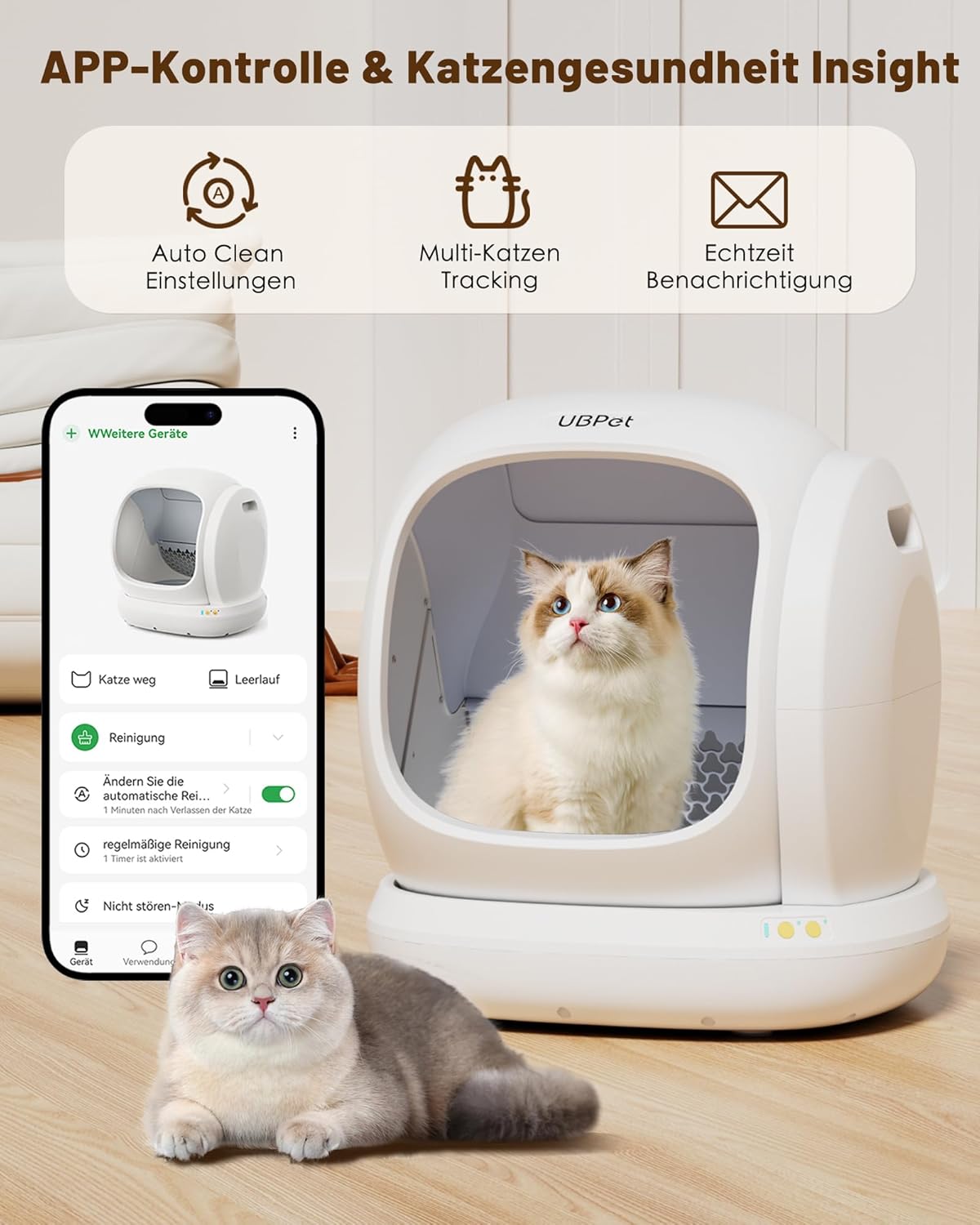
Image: The UBPet app interface, demonstrating auto-clean settings, multi-cat tracking, and real-time notifications.

Image: Detailed view of the cat data tracking in the app, showing frequency, weight, and duration of use for up to 6 cats.
7. Maintenance and Cleaning
Regular cleaning ensures the longevity and hygiene of your UBPet C20.
- Waste Disposal: The integrated waste compartment can hold waste for several days (up to 4 days for two cats). Use standard small household garbage bags for easy disposal.
- Deodorizer Replacement: Each deodorizer piece lasts approximately 30 days. Replace as needed to maintain optimal odor control.
- Deep Cleaning: For thorough cleaning, disassemble the unit by following the reverse steps of the setup process (removing side cover, unlocking drum, removing drum). The drum and internal components can be washed with water. Do not wash the base unit as it contains electronic components.

Image: Visual instructions for disassembling the UBPet C20 for cleaning, showing removal of the side cover, unlocking the drum, and removing the drum.
8. Troubleshooting
If you encounter any issues with your UBPet C20, please refer to the following common solutions:
- Unit Not Responding: Ensure the power adapter is securely connected to both the unit and a working power outlet. Check if the drum is properly locked in place.
- Cleaning Cycle Not Starting: Verify that the litter level is appropriate and not overfilled. Check the app settings for automatic cleaning schedules or 'do not disturb' modes. Ensure no cat is currently inside the litter box.
- Odor Persists: Replace the deodorizer cube. Ensure the waste compartment is properly sealed and emptied regularly.
- App Connectivity Issues: Ensure your smartphone's Bluetooth and Wi-Fi are enabled. Restart the app and the litter box. Check for app updates.
- Litter Spillage: Ensure you are using recommended litter types (particle length less than 1 cm) and not overfilling the litter past the silicone mat's edge.
For persistent issues or further assistance, please contact UBPet customer support.
9. Specifications
| Feature | Detail |
|---|---|
| Product Dimensions (L x W x H) | 49 x 49 x 49 cm |
| Product Weight | 7.5 Kilograms |
| Model Number | C20 |
| Color | White |
| Material | Polypropylene (PP) |
| Recommended Cat Weight | 1.5 kg to 8 kg |
| Entry Height | 17.4 cm |
| Noise Level | < 38dB |
| Power Source | Electric (No batteries required for main operation) |

Image: Detailed dimensions of the UBPet C20 and a guide for suitable cat weights (1.5kg to 8kg).
10. Warranty and Support
UBPet products are manufactured to high-quality standards. For warranty information, technical support, or any inquiries not covered in this manual, please refer to the product packaging or visit the official UBPet website for contact details.


