1. Introduction
Thank you for choosing the VEVOR Commercial Burger Patty Maker. This manual provides essential information for the safe and efficient operation, maintenance, and troubleshooting of your new burger press. Please read this manual thoroughly before use and retain it for future reference.
The VEVOR Commercial Burger Patty Maker is designed to streamline the process of forming uniform meat patties, enhancing kitchen efficiency. Constructed from durable, food-grade materials, it is suitable for various commercial and home kitchen environments.
2. Safety Instructions
- Read All Instructions: Before operating the appliance, read all instructions carefully to ensure safe usage.
- Keep Away from Children: This appliance is not intended for use by children. Keep it out of their reach.
- Stable Surface: Always operate the patty maker on a stable, flat, and dry surface to prevent tipping or accidental movement.
- Proper Handling: Use caution when handling meat and operating the lever. Keep fingers clear of moving parts.
- Cleaning: Disassemble the unit for thorough cleaning after each use. Refer to the "Maintenance and Cleaning" section for detailed instructions.
- Food Safety: Always use fresh, properly handled meat. Wash hands thoroughly before and after handling raw meat.
- Intended Use: Use the appliance only for its intended purpose of forming meat patties. Do not use it for other materials or applications.
3. Product Overview
The VEVOR Commercial Burger Patty Maker is constructed with a cast aluminum anodized body and SUS304 stainless steel food trays, ensuring durability and hygiene. It features a lever-based design for efficient patty formation.
Key Components:
- Main Body: Robust cast aluminum construction.
- Food Tray: SUS304 stainless steel, 5-inch (130mm) diameter.
- Press Plate: Forms the patty.
- Operating Lever: For manual pressing action.
- Paper Holder: Convenient storage for burger papers.
- Side Button: Lowers the press plate for easy operation.
- Non-slip Feet: Ensures stability during use.

Figure 3.1: VEVOR Commercial Burger Patty Maker in use, showing a formed patty and raw meat.

Figure 3.2: Detailed view of the VEVOR Burger Patty Maker with dimensions and key features labeled.
4. Setup
The VEVOR Commercial Burger Patty Maker requires minimal assembly. Follow these steps for initial setup:
- Unpack: Carefully remove all components from the packaging. Verify that all parts listed in the package content are present.
- Clean Before First Use: Before initial operation, thoroughly clean all parts that will come into contact with food using warm, soapy water. Rinse and dry completely.
- Positioning: Place the patty maker on a clean, stable, and level countertop. Ensure the non-slip feet are firmly gripping the surface.
- Assemble Components: If any parts are detached for packaging, reassemble them according to the product diagram. Ensure the food tray and press plate are securely in place.
- Prepare Burger Papers: Place the provided burger papers in the designated paper holder for easy access during operation.
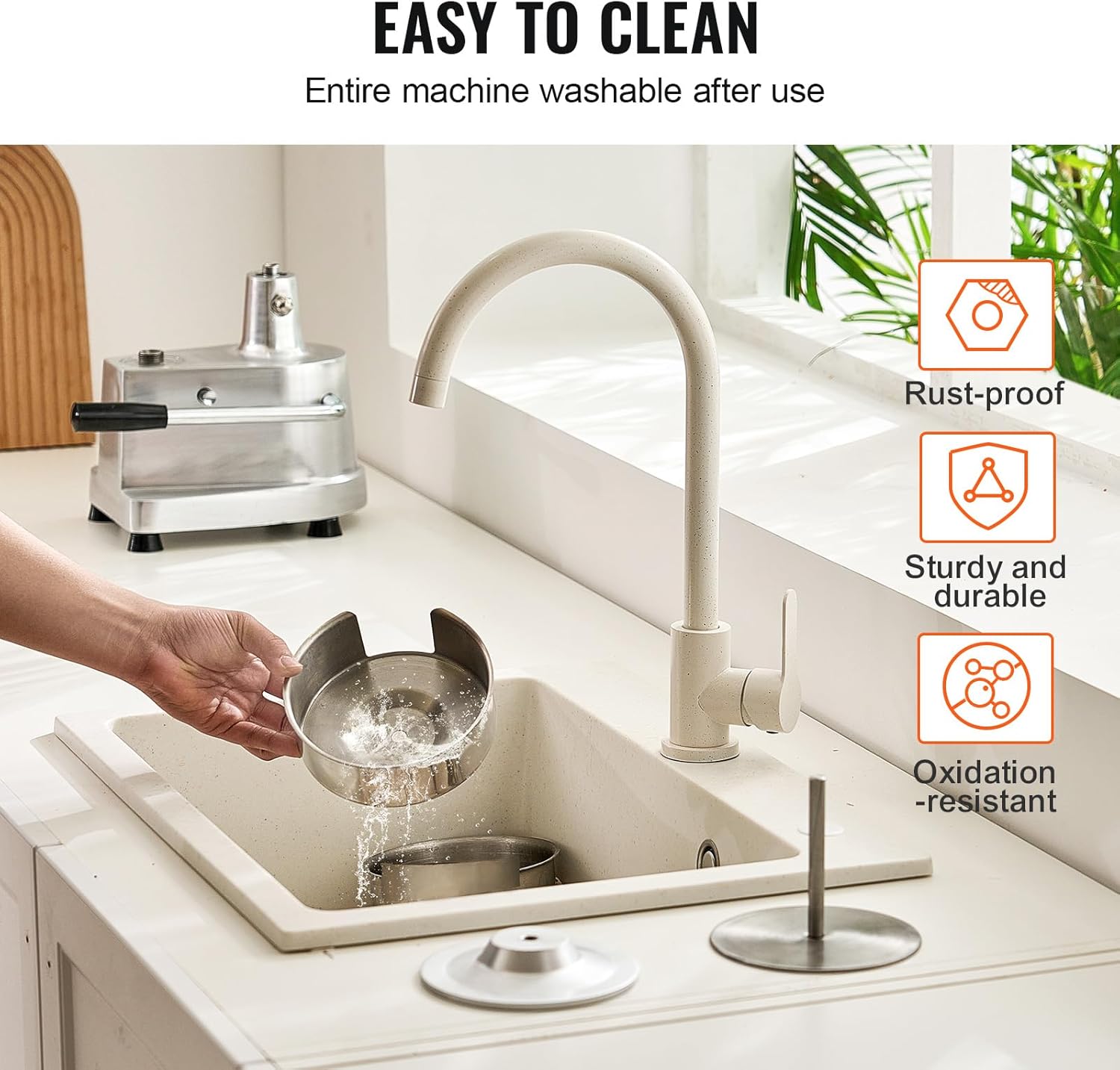
Figure 4.1: Burger papers and gloves included with the patty maker for convenient use.
5. Operating Instructions
Follow these steps to efficiently create uniform burger patties:
- Prepare Meat: Season your ground meat as desired. For best results, ensure the meat is well-chilled.
- Place Paper: Place one burger paper on the bottom food tray.
- Add Meat: Take a portion of ground meat and place it onto the burger paper on the food tray. The patty size is 5 inches (130mm) in diameter, and thickness is adjustable based on the amount of meat used (food tray thickness is 1.4 inches / 35mm).
- Cover with Paper: Place another burger paper on top of the meat.
- Lower Press Plate: Press the side button on the main body to easily lower the press plate to the bottom.
- Press Patty: Pull the operating lever down firmly to press the meat into a uniform patty. Release the lever.
- Remove Patty: Lift the press plate. The formed patty, sandwiched between two papers, can now be easily removed.
- Repeat: Continue the process for additional patties.
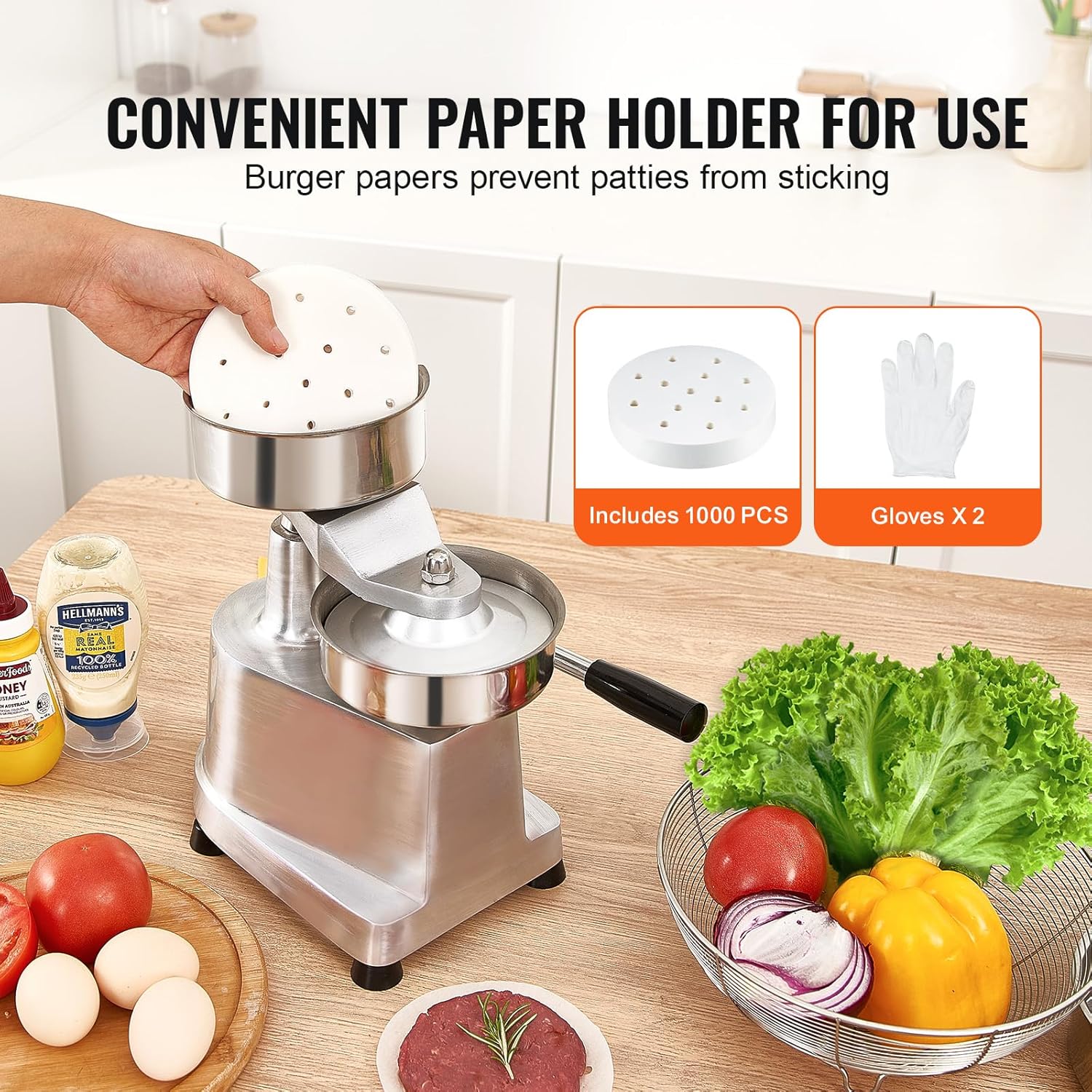
Figure 5.1: Demonstrating the manual pressing action of the burger patty maker.

Figure 5.2: The side button simplifies lowering the press plate for efficient patty formation.
Official Product Video:
Video 5.1: This video demonstrates the operation of a commercial hamburger patty maker, showing how to place meat, press it, and retrieve the formed patty. It highlights the efficiency and ease of use for creating uniform burgers.
6. Maintenance and Cleaning
Regular cleaning and maintenance will ensure the longevity and hygienic operation of your VEVOR Commercial Burger Patty Maker.
- Immediate Cleaning: Clean the patty maker immediately after each use to prevent meat residue from drying and sticking.
- Disassembly: The unit is designed for easy disassembly. Separate the food tray, press plate, and any other removable parts from the main body.
- Washing: Wash all parts that come into contact with food using warm water and a mild dish soap. A soft brush or sponge can be used to remove any stubborn residue. The SUS304 stainless steel food tray is rust-proof and easy to clean.
- Rinsing: Rinse all components thoroughly with clean water to remove all soap residue.
- Drying: Dry all parts completely with a clean cloth before reassembly or storage to prevent water spots and maintain hygiene.
- Storage: Store the clean and dry patty maker in a cool, dry place.
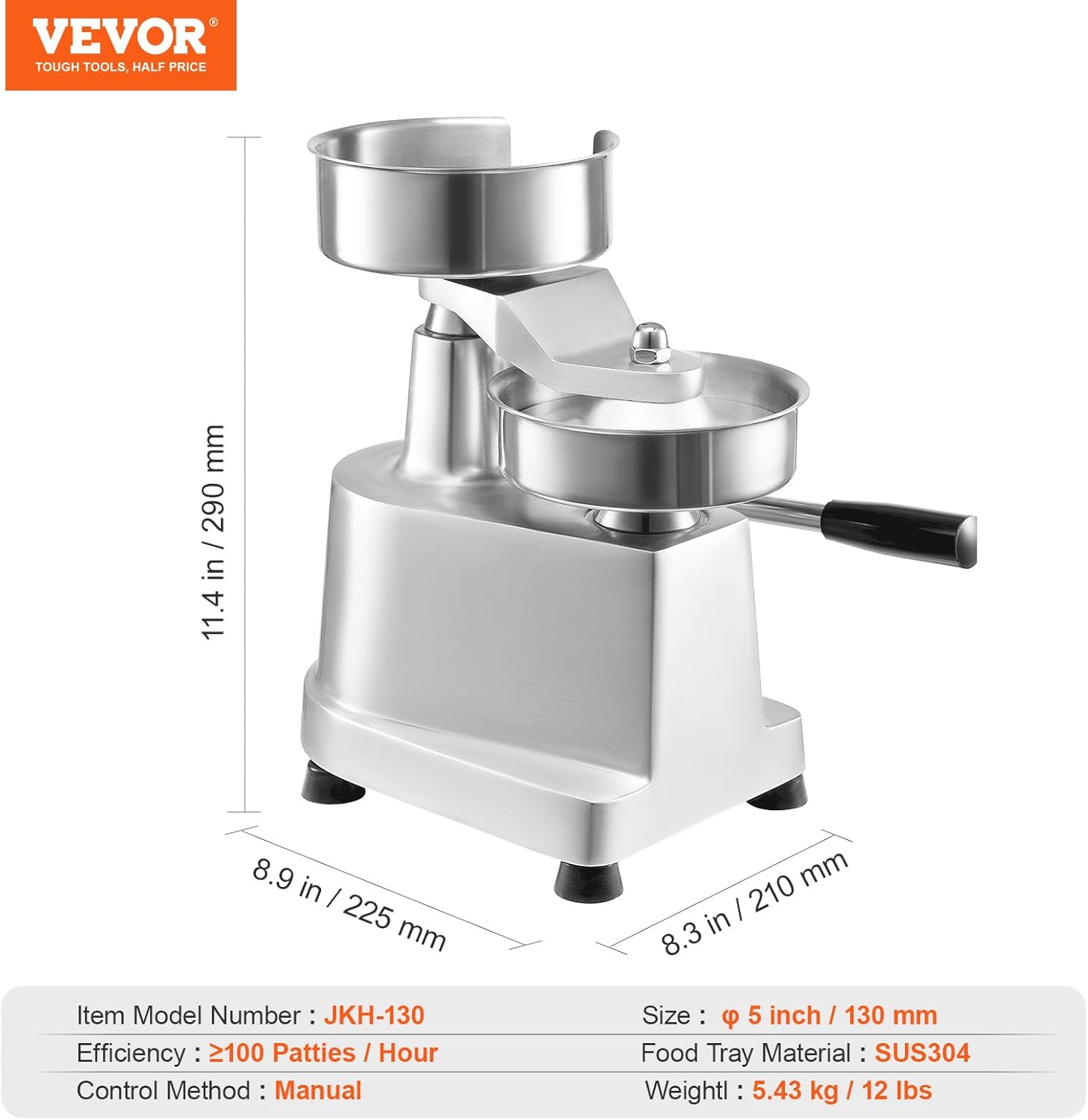
Figure 6.1: The stainless steel components are easily removable for thorough washing.
7. Troubleshooting
If you encounter any issues with your VEVOR Commercial Burger Patty Maker, refer to the following common problems and solutions:
| Problem | Possible Cause | Solution |
|---|---|---|
| Patties sticking to the press plate. | Insufficient use of burger papers or meat is too warm/sticky. | Ensure burger papers are used on both sides of the meat. Chill meat thoroughly before pressing. Lightly oil the press plate if necessary (though papers are usually sufficient). |
| Patties are not uniform in thickness. | Inconsistent amount of meat per patty or uneven pressure. | Use a consistent amount of meat for each patty. Apply even and firm pressure on the lever. The patty thickness is adjustable based on the amount of meat used. |
| Lever is difficult to operate. | Mechanism might be dirty or dry. | Clean the moving parts thoroughly. Apply a small amount of food-grade lubricant to the pivot points if resistance persists. |
| Unit is unstable during use. | Not placed on a flat surface or non-slip feet are dirty. | Ensure the patty maker is on a completely flat and stable surface. Clean the non-slip feet to ensure maximum grip. |
8. Specifications
| Feature | Detail |
|---|---|
| Item Model Number | JKH-130 |
| Patty Size | 5 inch / 130mm |
| Efficiency | ≥100 Patties/Hour |
| Main Material | SUS304 Stainless Steel (Food Tray), Cast Aluminum (Body) |
| Control Method | Manual |
| Item Weight | 5.43kg / 12 lbs |
| Item Size (L x W x H) | 290 x 210 x 290 mm / 11.4 x 8.3 x 11.4 inches |
| Food Tray Thickness | 1.4 inches / 35mm |
9. Warranty and Support
For warranty information or technical support, please refer to the documentation included with your purchase or visit the official VEVOR website. Keep your purchase receipt as proof of purchase.
VEVOR Store: Visit the VEVOR Store on Amazon


