1. Introduction
Thank you for choosing the Arrow Dancer AD CY T2 TWS Crystal Transparent Wireless Earbuds. These earbuds combine advanced Bluetooth 5.3 technology with a unique transparent design, offering an immersive audio experience with heavy bass, clear calls, and smart touch controls. Designed for comfort and durability, they are ideal for music, calls, and sports activities. This manual provides detailed instructions to help you get the most out of your new earbuds.

Image: The Arrow Dancer CY-T2 Crystal Transparent Wireless Earbuds in their charging case, showcasing their unique transparent design and lime green color.
2. Package Contents
Please check the box for the following items:
- Arrow Dancer CY-T2 TWS Earbuds (Left and Right)
- Transparent Charging Case
- USB Type-C Charging Cable
- Ear Cushions (various sizes)
- User Manual (this document)

Image: The retail packaging for the Arrow Dancer CY-T2 TWS Earbuds, indicating the contents within.
3. Product Features
- Crystal Clear Sound: 10mm composite film horn technology for precise audio delivery.
- LED Power Digital Display: Accurate display of charging case and individual earbud battery levels.
- Long Battery Life: Up to 5 hours of playback on a single charge, with an additional 20 hours from the charging case.
- Bluetooth 5.3 Technology: Ensures faster, more stable connections with improved anti-interference.
- Comfortable Fit: Ergonomic design with silicone earcaps for secure, all-day wear.
- Smart Touch Controls: Intuitive controls for managing calls, music, and voice assistants.
- Waterproof Design: IPX4 water resistance (sweatproof and resistant to light rain/splashes), suitable for sports and outdoor activities.
- Quick Charging: Approximately 45 minutes for a full charge of the earbuds.
- Built-in Microphone: For clear hands-free calling.
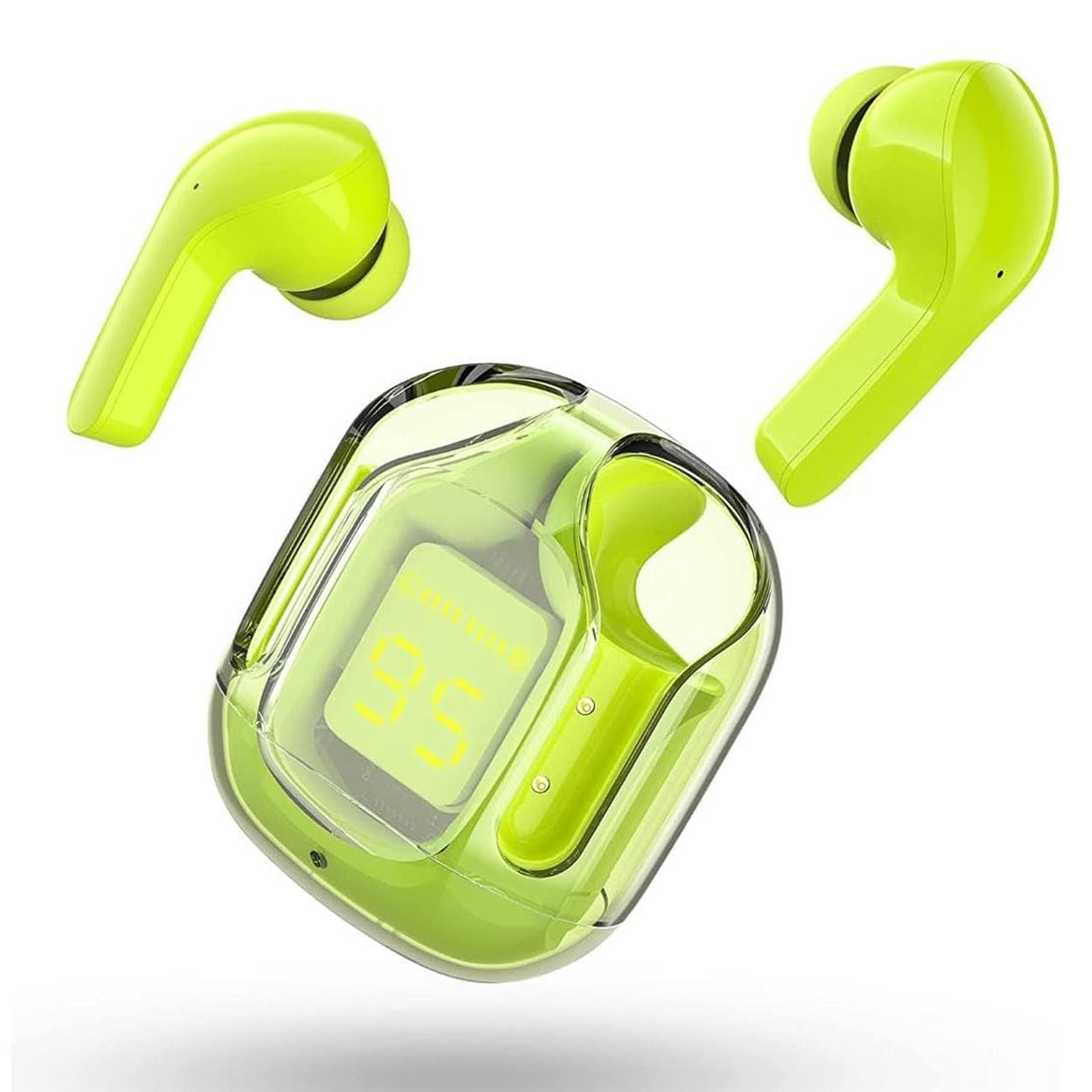
Image: The Arrow Dancer CY-T2 Earbuds removed from their transparent charging case, showing their sleek design.

Image: A display of Arrow Dancer CY-T2 Earbuds in various transparent case colors, highlighting the design versatility.
4. Setup
4.1 Charging the Earbuds and Case
Before first use, fully charge the earbuds and the charging case. Connect the provided USB Type-C cable to the charging port on the case and a power source (e.g., USB wall adapter, computer USB port). The LED digital display on the case will show the charging status and battery percentage. The earbuds will charge automatically when placed inside the case.

Image: The Arrow Dancer CY-T2 Earbuds inside their charging case, with the LED display showing a battery percentage of 90.

Image: A detailed view of the LED Digital Display on the charging case, indicating the battery level of the case and individual earbuds.
4.2 Pairing with Your Device
- Ensure the charging case is charged and the earbuds are inside.
- Open the charging case. The earbuds will automatically power on and enter pairing mode (indicated by a flashing LED light on the earbuds).
- On your device (smartphone, tablet, laptop), go to Bluetooth settings and turn on Bluetooth.
- Search for available devices. You should see "AD CY T2 TWS" or "Air31" in the list.
- Select the earbud name to connect. Once connected, a voice prompt will confirm the successful pairing, and the earbud LED lights will turn off or flash slowly.
- For subsequent uses, the earbuds will automatically connect to the last paired device when removed from the case.
5. Operating Instructions
5.1 Power On/Off
- Power On: Open the charging case, and the earbuds will automatically power on. Alternatively, long-press the touch area on both earbuds for 3-5 seconds.
- Power Off: Place the earbuds back into the charging case and close the lid. They will automatically power off and begin charging. Alternatively, long-press the touch area on both earbuds for 5-7 seconds until you hear a power-off prompt.
5.2 Touch Controls
The earbuds feature intuitive touch controls. Specific gestures may vary slightly, but common functions include:
- Play/Pause: Single tap on either earbud.
- Next Track: Double tap on the right earbud.
- Previous Track: Double tap on the left earbud.
- Answer/End Call: Single tap on either earbud during an incoming call.
- Reject Call: Long press on either earbud during an incoming call.
- Activate Voice Assistant: Triple tap on either earbud.
- Volume Up: Long press on the right earbud.
- Volume Down: Long press on the left earbud.
5.3 Calling
The built-in microphone ensures clear voice transmission during calls. Use the touch controls to manage incoming and ongoing calls.
5.4 Music Playback
Enjoy high-quality stereo sound with deep bass. Use the touch controls to manage your music playback.
6. Maintenance
6.1 Cleaning
Regularly clean your earbuds and charging case with a soft, dry, lint-free cloth. Do not use abrasive cleaners, alcohol, or chemical solvents. Gently remove any earwax or debris from the earbud tips and speaker mesh using a small, soft brush or cotton swab.
6.2 Storage
When not in use, store the earbuds in their charging case to protect them from dust and damage. Store the case in a cool, dry place, away from direct sunlight and extreme temperatures.
6.3 Water Resistance
The earbuds are rated IPX4 water resistant, meaning they are protected against splashing water from any direction. This makes them suitable for workouts and light rain. However, they are not designed for swimming, showering, or submersion in water. Do not expose them to saltwater or other liquids. Ensure the earbuds are dry before placing them back in the charging case to prevent damage.
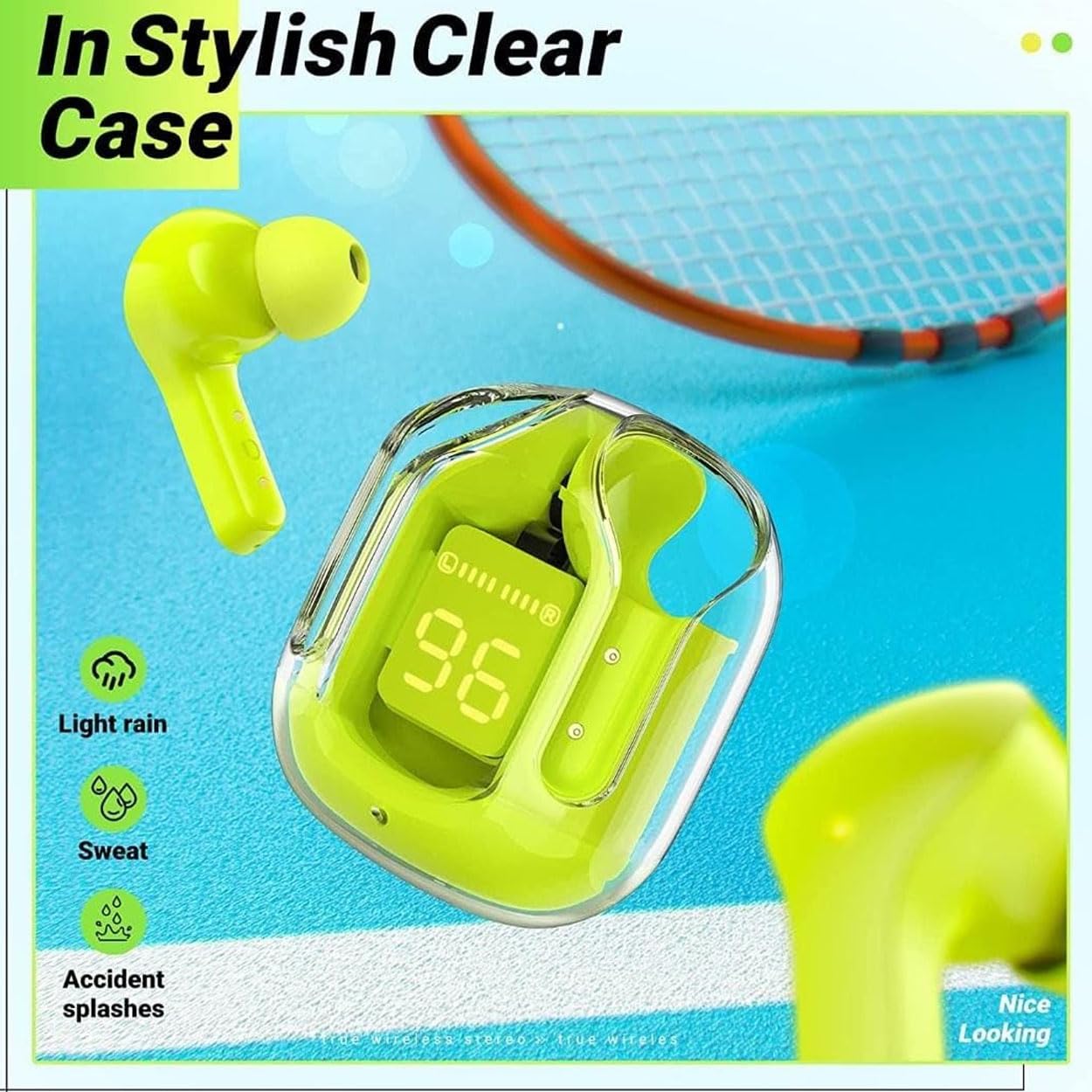
Image: The Arrow Dancer CY-T2 Earbuds in their clear case, with icons indicating resistance to light rain, sweat, and accidental splashes.
7. Troubleshooting
- Earbuds not pairing: Ensure earbuds are charged, Bluetooth is enabled on your device, and the earbuds are in pairing mode. Try resetting the earbuds by placing them back in the case, closing the lid, and then reopening it.
- No sound from one earbud: Check if both earbuds are charged. Try re-pairing them with your device. Sometimes, placing both earbuds back in the case and taking them out again can re-sync them.
- Low volume: Adjust the volume on both your device and the earbuds. Ensure the earbud tips are properly sealed in your ear canal.
- Charging issues: Ensure the charging cable is securely connected and the power source is working. Clean the charging contacts on both the earbuds and the case.
- Intermittent connection: Ensure you are within the 10-meter Bluetooth range. Avoid obstacles between the earbuds and your device. Reduce interference from other wireless devices.
8. Specifications
| Feature | Specification |
|---|---|
| Model Name | AD CY T2 TWS (AD Air 31 TWS) |
| Connectivity Technology | Wireless (Bluetooth 5.3) |
| Wireless Communication Technology | Bluetooth |
| Ear Placement | In Ear |
| Control Type | Media Control (Touch) |
| Microphone Format | Built-In |
| Water Resistance Level | Water Resistant (IPX4) |
| Battery Life (Earbuds) | Up to 5 hours |
| Battery Life (with Case) | Up to 25 hours total |
| Charging Time | Approx. 45-60 minutes (earbuds) |
| Maximum Operating Distance | 10 Metres |
| Material | Plastic Rubber |
| Item Weight | 99.8 g |
| Product Dimensions | 7.62 x 7.62 x 5.08 cm |
9. Safety Information
- Do not disassemble or modify the earbuds or charging case. This can cause malfunction, fire, or electric shock.
- Keep out of reach of children and pets. Small parts may pose a choking hazard.
- Avoid exposing the device to extreme temperatures (hot or cold), direct sunlight, or high humidity.
- Use only the provided charging cable or a certified equivalent.
- Do not use the earbuds at excessively high volumes for prolonged periods, as this can cause hearing damage.
- Be aware of your surroundings when using earbuds, especially in traffic or other potentially dangerous situations.
10. Warranty and Support
Specific warranty details for the Arrow Dancer AD CY T2 TWS Earbuds are not provided within this manual. Please refer to the product packaging, the retailer's website, or the official Arrow Dancer website for information regarding warranty coverage, terms, and conditions. For technical support or customer service inquiries, please contact the vendor or manufacturer directly using the contact information provided with your purchase.


