
Singer 2282
Singer 2282 Sewing Machine Instruction Manual
Your comprehensive guide to operating and maintaining your Singer 2282 sewing machine.
Manual Cover

Image: Front cover of the Singer 2282 Sewing Machine Instruction Manual.
Important Safety Instructions
When using an electric appliance, basic safety precautions should always be followed, including the following:
DANGER - To reduce the risk of electric shock:
- Always unplug the machine immediately after using and before cleaning.
- Always unplug before replacing a light bulb. Replace bulb with same type rated 10 watts (110-120V area) or 15 watts (220-240V area).
WARNING - To reduce the risk of burns, fire, electric shock, or injury to persons:
- Do not allow to be used as a toy. Close attention is necessary when this appliance is used by or near children.
- Use this appliance only for its intended use as described in this manual. Use only attachments recommended by the manufacturer as contained in this manual.
- Never operate this appliance if it has a damaged cord or plug, if it is not working properly, if it has been dropped or damaged, or dropped into water. Return the appliance to the nearest authorized dealer or service center for examination, repair, electrical or mechanical adjustment.
- Never operate the appliance with any air openings blocked. Keep ventilation openings of the sewing machine and foot controller free from the accumulation of lint, dust, and loose cloth.
- Keep fingers away from all moving parts. Special care is required around the sewing machine needle.
- Always use the proper needle plate. The wrong plate can cause the needle to break.
- Do not pull or push fabric while stitching. It may deflect the needle causing it to break.
- Always unplug the sewing machine from the electrical outlet when removing covers, lubricating, or when making any other servicing adjustments mentioned in the instruction manual.
- Never drop or insert any object into any opening.
- Do not use outdoors.
- Do not operate where aerosol (spray) products are being used or where oxygen is being administered.
- To disconnect, turn all controls to the off ("O") position, then remove plug from outlet.
- Do not unplug by pulling on cord. To unplug, grasp the plug, not the cord.
- The sound pressure level under normal operating conditions is 75dB(A).
- Never turn off the machine or unplug when the machine is not running properly.
- Never place anything on the foot controller.
- If the supply cord that is fixed with foot controller is damaged, it must be replaced by the manufacturer or its service agent or a similarly qualified person in order to avoid a hazard.
- This appliance is not intended for use by persons (including children) with reduced physical, sensory or mental capabilities, or lack of experience and knowledge, unless they have been given supervision or instruction concerning use of the appliance by a person responsible for their safety.
- Children should be supervised to ensure that they do not play with the appliance.
SAVE THESE INSTRUCTIONS
This sewing machine is intended for household use only.
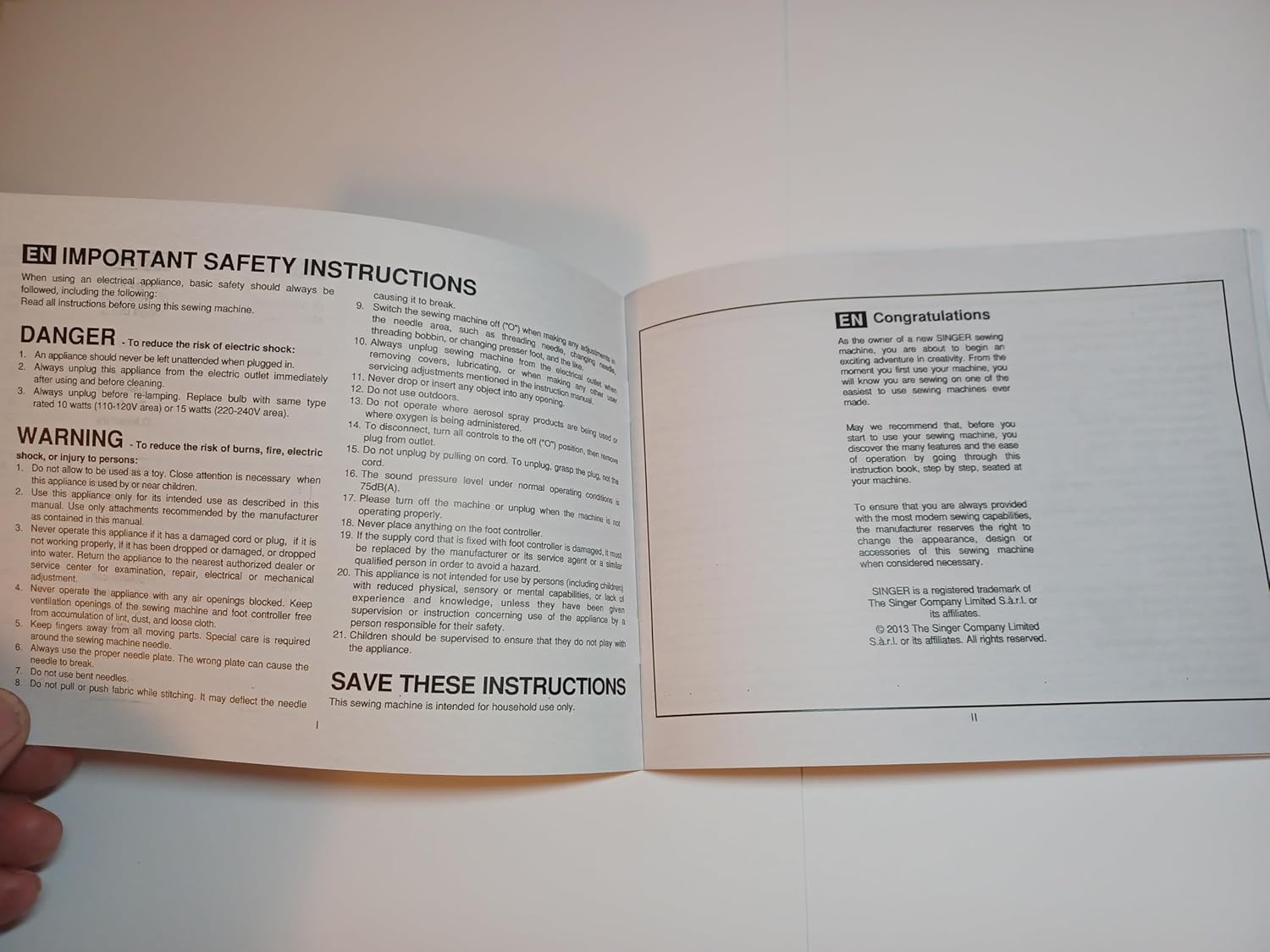
Image: Important Safety Instructions and Congratulations page from the manual.
Getting Started
Congratulations!
As the owner of a new SINGER sewing machine, you are about to begin an exciting adventure in creative sewing. The first step to learn your machine, you will know you are sewing by doing. So, prepare to sew! Sewing machines are made for sewing.
May we recommend that, before you use your new sewing machine, you discover the many features and the ease of operation by reading through this instruction book, step by step, seated at your machine.
To ensure that you are always provided with the finest sewing capabilities, the manufacturer reserves the right to change the appearance, design, or accessories of this sewing machine when considered necessary.
SINGER is a registered trademark of The Singer Company Limited S.à.r.l. or its affiliates. © 2013 The Singer Company Limited S.à.r.l. or its affiliates. All rights reserved.
Setup
Before beginning any sewing project, ensure your Singer 2282 machine is properly set up. This involves connecting the power, installing the needle, and preparing the bobbin.
Power Connection
- Ensure the machine is turned off.
- Insert the power cord into the machine's power input.
- Plug the other end of the power cord into a suitable electrical outlet.
- Connect the foot controller to its designated port on the machine.
Needle Installation
- Raise the needle to its highest position using the handwheel.
- Loosen the needle clamp screw.
- Insert the new needle with the flat side facing the back of the machine.
- Push the needle up as far as it will go, then tighten the needle clamp screw securely.
Bobbin Winding
- Place a spool of thread on the spool pin.
- Guide the thread through the upper thread guide and around the bobbin winding tension disc.
- Place an empty bobbin onto the bobbin winder spindle.
- Wind the thread a few times manually around the bobbin.
- Push the bobbin winder spindle to the right.
- Press the foot controller to start winding. Stop when the bobbin is full.
- Cut the thread and push the bobbin winder spindle to the left.
Operating Your Sewing Machine
Threading the Machine
Proper threading is crucial for correct stitch formation. Follow these steps carefully for both upper and lower threading.
Threading the Upper Thread
- Start by raising the needle to its highest point (1), and continue turning the handwheel counter-clockwise until the needle just begins to descend. Raise the presser foot to release the tension discs.
- Note: For safety, it is strongly suggested you turn off the power before threading.
- Place the spool of thread on the spool pin.
- Draw thread from the spool through the upper thread guide (3) and proceed through pre-tension spring as illustrated (4).
- Thread tension module by leading thread down right channel and up left channel (5). During this process it is helpful to hold the thread between the spool and thread guide.
- At the top of this movement pass thread from right to left, through the slotted eye of the take-up lever and then downwards again.
- Now pass thread behind the thin wire needle clamp guide (7) and then down to the needle which should be threaded from the front to back.
- Pull about 6-8 inches of thread to the rear beyond the needle eye. Trim thread to length with built-in thread cutter (8).
Thread Tension Adjustment
Correct thread tension is essential for balanced stitches. Adjust the tension dial as needed.
- Upper Thread Tension: To reduce the tension, turn the dial to the next number up. To increase the tension, turn the dial to the next number down. Try to achieve balanced tension for straight stitch sewing. Turn dial to "4".
- Lower Thread Tension: To test the bobbin thread tension, remove the bobbin case and bobbin. Hold the thread coming from the bobbin. If the tension is correct, the thread will unwind slowly. If it unwinds too fast, it will drop too much. If it unwinds too slowly, it will not drop.
Please note:
- Proper setting of tension is important for good sewing.
- The correct tension for example, top, bottom, and all stitch functions, thread or fabric.
- The tension is correct when both upper and bottom is usually only desirable for straight stitch construction.
- 90% of all sewing will be between "3" and "5".
- For zig zag and decorative sewing stitch functions, thread tension will be less than for straight stitch sewing.
- For decorative sewing you will always obtain a nice stitch and foot fabric puckering when the upper thread appears on the bottom side of your fabric.

Image: Instructions for Thread Tension and Threading the Upper Thread.
Stitch Selection and Adjustment
The Singer 2282 offers various stitch patterns and adjustments for different sewing needs.
How to Choose Your Pattern
To select a stitch pattern, simply turn the Pattern Selector Dial. The Pattern Selector Dial may be turned in either direction.
- For straight stitch: select pattern "1" with the pattern selector dial. Adjust the stitch length with the stitch length dial.
- For zigzag stitch: select pattern "2" with the pattern selector dial. Adjust the stitch length and stitch width according to the fabric being used.
- To obtain the other patterns: turn the stitch length dial to "0" or "Sz", select the pattern desired with pattern selector dial, and adjust the stitch width with the stitch width dial.
Stitch Width & Stitch Length Dial
- Function of stitch width dial: The maximum zigzag stitch width for zigzag stitching is 5mm. However, the width can be reduced by turning the dial. The width increases as the dial is turned from "0" - "5" (1). The Stitch Width Dial is also the control for the straight stitch while needle position. "0" position is for left, "5" for full right and between "2" and "3" is for center needle position.
- Function of stitch length dial while zig-zag stitching (2/A): Set the Pattern Selector Dial to zig-zag. The density of zig-zag stitches increase as the setting of stitch length dial approaches "0". Next zig-zag stitches are usually achieved at "2.5" or below. Dense zig-zag stitches are called satin stitches.
- Function of stitch length dial for when straight stitching (2/B): For straight stitch sewing, turn the Pattern Selector Dial to the straight stitch setting. Turn the Stitch Length Dial, and the length of the individual stitches will decrease as the dial is approached "0". The length of the individual stitches will increase as the dial approaches "4". Generally speaking, use a longer stitch when sewing heavy-weight fabrics or when using a thicker needle or thread. Use a shorter stitch length when sewing lighter weight fabrics or when using a finer needle or thread.

Image: Instructions for Pattern Selection and Stitch Width/Length Dial.
Special Operations
Making a Buttonhole (1-Step Buttonhole)
The 1-step buttonhole feature provides reliable and consistent buttonholes. It is strongly suggested to practice on a scrap piece of fabric before sewing buttonholes on your garment.
- Mark the position of the buttonhole on the fabric.
- Attach the buttonhole foot and set the Pattern Selector Dial to the buttonhole symbol.
- Set stitch length dial to "0" and the stitch width at "7". The stitch length may need to be adjusted according to the fabric being used.
- Lower the presser foot aligning the marks on foot with the marks on the fabric.
- Align the mark on the fabric (A) with the mark on the foot (B).
- Lower the buttonhole lever (C) completely.
- Lower the buttonhole lever and gently push it back (C).
- Start sewing. The machine will automatically sew the buttonhole.
- Buttonhole stitching is done in the order (D). The machine will stop automatically when the buttonhole has completed.
Making Buttonholes on Stretch Fabric:
When sewing buttonholes on stretch fabric, hook heavy thread or cord onto the buttonhole foot. This will prevent the buttonhole edges and overcoat the cord.
- Place the heavy thread or cord on the fabric with the tailor's chalk, adjust the buttonhole foot, and set the pattern selector dial to the buttonhole symbol.
- Hook the heavy thread onto the back end of the buttonhole foot.
- Pull the heavy thread to the front of the buttonhole foot, insert them into the grooves and temporarily tie them down.
- Lower the presser foot and start sewing.
- When the buttonhole is completed, cut the heavy thread.
- When sewing is completed, gently pull the heavy thread to the front and back, then trim off the excess.
Sewing on Buttons
To sew a two-securing stitches, set the machine for straight stitch, with a stitch width set "0".
- Mark the needle out of the fabric. Set the machine for zig zag stitch, then set the stitch number "3" - "5". Turn the handwheel so that the needle goes cleanly into the left and right holes of the button. Adjust the stitch width for needed, and the proper distance between the holes of the button. Slowly sew on the button with about 10 stitches.
- Raise the needle out of the fabric. Set the machine for straight stitch again with the width set "0". Sew a few securing stitches to finish.
- If a shank is required, place a darning needle on top of the fabric and sew. For buttons with 4 holes, sew through the front two holes first, push the work forward and then sew through the back two holes.

Image: Instructions for 1-Step Buttonhole and Sewing on Buttons.
Maintenance
Regular maintenance ensures the longevity and optimal performance of your Singer 2282 sewing machine.
Cleaning Your Machine
- Always unplug the machine before cleaning.
- Remove the needle plate and bobbin case.
- Use a small brush to remove lint and dust from the feed dogs and bobbin area.
- Wipe the exterior of the machine with a soft, dry cloth. Do not use harsh chemicals.
Lubrication
Your Singer 2282 sewing machine is designed to require minimal lubrication. Refer to the original manual for specific oiling points if necessary. Over-oiling can attract lint and cause issues.
Needle Replacement
Replace your needle regularly, especially after 8-10 hours of sewing or if it becomes bent or dull. A dull needle can cause skipped stitches and fabric damage.
Troubleshooting
This section provides solutions to common issues you might encounter with your Singer 2282 sewing machine.
| Problem | Possible Cause | Solution |
|---|---|---|
| Skipped Stitches | Incorrect needle installation, dull/bent needle, improper threading, wrong needle size for fabric. | Re-install needle correctly, replace needle, re-thread machine, use appropriate needle for fabric. |
| Thread Breaking | Improper threading, incorrect tension, poor quality thread, bent needle, burr on needle plate. | Re-thread machine, adjust tension, use good quality thread, replace needle, check for burrs. |
| Fabric Puckering | Incorrect tension, wrong stitch length, dull needle, fabric not properly supported. | Adjust tension, select appropriate stitch length, replace needle, use a stabilizer if needed. |
| Machine Not Feeding Fabric | Feed dogs lowered, lint accumulation, presser foot not lowered. | Raise feed dogs, clean lint from feed dog area, lower presser foot. |
Specifications
The Singer 2282 sewing machine is designed for household use, offering a range of features for various sewing projects.
- Model: Singer 2282
- Type: Household Sewing Machine
- Stitch Patterns: Multiple built-in stitch patterns (e.g., straight, zigzag, buttonhole)
- Buttonhole: 1-Step Buttonhole
- Power: Standard household electrical supply (refer to machine label for specific voltage/wattage)
- Accessories: Standard presser feet, bobbins, needles, etc. (specific accessories may vary)
Warranty and Support
For warranty information and customer support regarding your Singer 2282 sewing machine, please refer to the official Singer website or the warranty card included with your purchase.
- Warranty Coverage: Details regarding the length and scope of the warranty are typically provided with the original product packaging.
- Technical Support: For technical assistance, troubleshooting beyond this manual, or service inquiries, contact Singer customer service.
- Parts and Accessories: Genuine Singer parts and accessories can be purchased through authorized dealers or the official Singer online store.
Always ensure you have your machine's model number (2282) and serial number ready when contacting support.
Related documents2282


Ask a question about this manual
Ask about setup, troubleshooting, compatibility, parts, safety, or missing instructions. Manuals+ will review the question and use this page’s manual context to help answer it.