
Introduction
This manual provides comprehensive instructions for the installation, operation, and maintenance of your XTRONS TIE124 Car Radio GPS Tablet. The TIE124 is a 2-DIN car multimedia player featuring a 10.1-inch HD touchscreen, Android 12 operating system, octa-core processor, 2GB RAM, and 32GB ROM. It supports a wide range of functions including GPS navigation, multimedia playback, Wi-Fi, 4G connectivity, Apple CarPlay, Android Auto, DSP audio processing, and more. Please read this manual thoroughly before using the device to ensure proper operation and to maximize its features.

Image: The XTRONS TIE124 unit displaying its main features including a 10.1-inch screen, Android OS, Octa-core processor, DSP, IPS display technology, 4G connectivity, and Dual Band WiFi.
Setup
Package Contents
Before installation, please verify that all components are present in the package:
- XTRONS TIE124 Head Unit
- Power Harness
- GPS Antenna
- USB Cables
- RCA Cables
- External Microphone (optional)
- Mounting Brackets and Screws
- User Manual (this document)
- SIM Card Reader (for 4G connectivity)

Image: A visual representation of all items included in the XTRONS TIE124 product package, such as the main unit, wiring harnesses, antennas, and installation accessories.
Installation Guidelines
Installation of the XTRONS TIE124 should ideally be performed by a qualified professional. Ensure the vehicle's battery is disconnected before beginning any wiring. Refer to your vehicle's specific wiring diagram for proper connections. The unit is designed for a 2-DIN slot. Pay close attention to power, ground, speaker, and accessory connections.

Image: Technical drawing showing the precise dimensions of the XTRONS TIE124 head unit in millimeters, crucial for proper vehicle fitment.
Important Safety Note: Incorrect wiring can cause damage to the unit or your vehicle's electrical system. Always double-check connections before restoring power.
Initial Power-On
After successful installation, reconnect the vehicle's battery. The unit should power on automatically with the vehicle's ignition. Follow the on-screen prompts for initial setup, which may include language selection, time zone, and network configuration.
Operating Instructions
User Interface Overview
The XTRONS TIE124 runs on Android 12, providing a familiar and intuitive interface. Navigate through applications using the touchscreen. The home screen provides quick access to frequently used functions and apps.

Image: The main Android interface of the TIE124, displaying a grid of application icons for easy access to various functions.
Navigation System
The unit comes with a built-in GPS module. You can use pre-installed navigation apps or download others from the Google Play Store. Ensure the GPS antenna is properly installed for optimal signal reception.
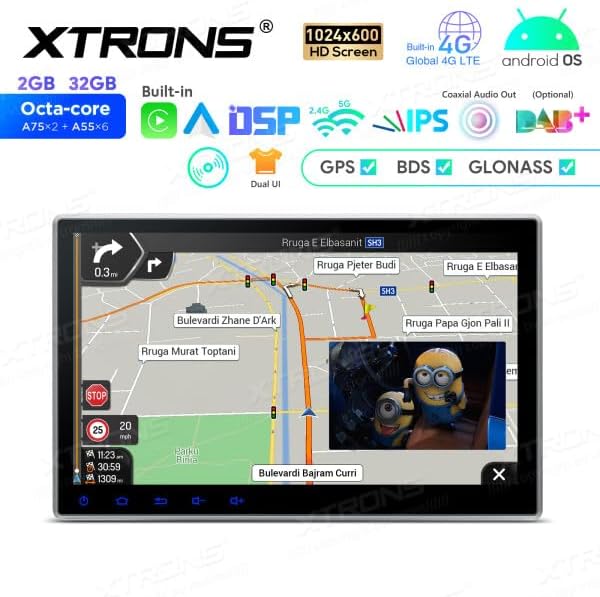
Image: The GPS navigation screen on the TIE124, displaying a detailed map and route guidance.
Multimedia Playback
The TIE124 supports various multimedia sources:
- CD/DVD Player: Insert discs into the designated slot.
- USB: Connect USB drives (up to 128GB) to the USB ports for audio and video playback.
- SD Card: Insert SD cards (up to 64GB) into the SD card slot.
- Bluetooth Audio (AD2P): Stream audio wirelessly from your smartphone.
Connectivity (Wi-Fi, 4G, Bluetooth)
- Wi-Fi: Connect to available Wi-Fi networks for internet access, app downloads, and online streaming. Go to Settings > Network & Internet > Wi-Fi.
- 4G: Insert a compatible SIM card into the provided SIM card reader for mobile data connectivity. This enables internet access without Wi-Fi.
- Bluetooth: Pair your smartphone for hands-free calling (with AD2P support for audio streaming) and contact synchronization. Go to Settings > Connected devices > Pair new device.
Apple CarPlay & Android Auto
The TIE124 supports both Apple CarPlay and Android Auto, allowing seamless integration of your smartphone's features onto the head unit's display. Both wireless and wired connections are supported.
- Wireless Connection: Connect via Bluetooth for wireless CarPlay or Android Auto.
- Wired Connection: Connect via USB for a stable wired connection.

Image: The TIE124 displaying the user interfaces for Apple CarPlay and Android Auto, highlighting their respective functionalities and connectivity options.
DSP Audio System
The built-in Digital Signal Processor (DSP) allows for advanced audio customization. Access the DSP settings through the audio menu to adjust equalizer settings, sound stage, and other audio parameters for an optimized listening experience.
Screen Mirroring
Mirror your smartphone's screen directly onto the TIE124 display. This feature allows you to view content from your phone, such as videos or photos, on the larger screen.
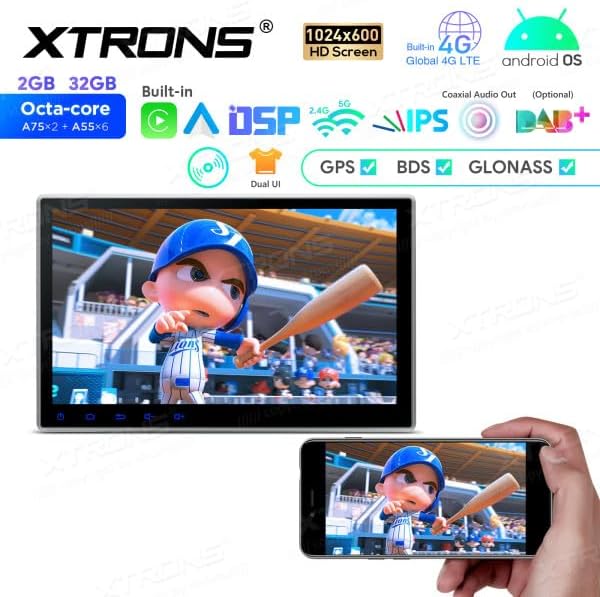
Image: The screen mirroring function in action on the TIE124, demonstrating how content from a mobile phone can be displayed on the larger car unit screen.
OBD2 Diagnostics (Optional)
The unit supports OBD2 diagnostics with an optional OBD2 dongle. This allows you to monitor vehicle performance data and read diagnostic trouble codes directly from the head unit.
Steering Wheel Controls
The TIE124 is compatible with most vehicle steering wheel controls. Follow the on-screen instructions in the settings menu to configure and map your vehicle's steering wheel buttons to the unit's functions.
Maintenance
Cleaning
To clean the touchscreen and unit, use a soft, lint-free cloth. For stubborn marks, slightly dampen the cloth with water or a screen-safe cleaner. Avoid abrasive materials or harsh chemicals.
Software Updates
Periodically check for software updates to ensure optimal performance and access to new features. Updates can typically be downloaded via Wi-Fi or transferred via USB. Refer to the XTRONS official website for the latest firmware and update instructions.
Troubleshooting
If you encounter issues with your XTRONS TIE124, refer to the following common problems and solutions:
- No Power:
- Check all power connections, including the fuse.
- Ensure the vehicle's ignition is on if wired to accessory power.
- No Sound:
- Verify speaker connections.
- Check volume levels and mute settings.
- Ensure the correct audio source is selected.
- GPS Signal Lost/Weak:
- Ensure the GPS antenna is securely connected and placed in an unobstructed location (e.g., dashboard).
- Check for environmental interference.
- Bluetooth Connection Issues:
- Ensure Bluetooth is enabled on both the unit and your smartphone.
- Delete previous pairings and try re-pairing.
- Move closer to the unit if range is an issue.
- Touchscreen Unresponsive:
- Restart the unit.
- Ensure the screen is clean and free of debris.
For persistent issues, contact XTRONS customer support or consult a professional installer.
Specifications
| Feature | Specification |
|---|---|
| Model | TIE124 |
| Operating System | Android 12 |
| Processor | Octa-core |
| RAM | 2GB |
| ROM | 32GB (expandable) |
| Screen Size | 10.1 inches |
| Display Type | HD, IPS |
| Connectivity | Bluetooth, USB, Wi-Fi, 4G |
| Special Features | Android Auto, Apple CarPlay, DSP Audio, Screen Mirroring, OBD2 Support (optional) |
| Compatible Devices | Smartphone |
| Human Interface Input | Touchscreen |
| UPC | 5055869158947 |
Warranty and Support
XTRONS products are designed for reliability and performance. For information regarding warranty coverage, please refer to the warranty card included with your product or visit the official XTRONS website. For technical support, troubleshooting assistance beyond this manual, or spare parts inquiries, please contact XTRONS customer service directly.
Manufacturer: XTRONS
ASIN: B0CTD479L8

Image: The product packaging for the XTRONS TIE124, displaying manufacturing information, serial number, and the Universal Product Code (UPC).


