
Introduction
Thank you for choosing the DYNASONIC D93 Portable Bluetooth Speaker. This manual provides essential information for the safe and efficient use of your new speaker. The D93 is designed to deliver powerful stereo sound with deep bass, featuring IPX7 waterproofing, synchronized LED lights, and versatile connectivity options including Bluetooth, USB, Micro SD, and AUX. It also supports True Wireless Stereo (TWS) pairing and includes wireless microphones for karaoke.
Safety Information
- Do not expose the speaker to extreme temperatures or direct sunlight for extended periods.
- While the speaker is IPX7 waterproof, avoid submerging it for prolonged durations or exposing it to saltwater. Ensure all port covers are securely closed before exposure to water.
- Use only the provided charging cable and a compatible power adapter (not included) to charge the device.
- Keep the speaker away from children and pets.
- Do not attempt to disassemble, repair, or modify the speaker. This will void the warranty.
- Clean the speaker with a soft, dry cloth. Do not use abrasive cleaners or solvents.
Package Contents
Please check the box for the following items:
- 1x DYNASONIC D93 Portable Bluetooth Speaker
- 2x Wireless Microphones
- 1x User Manual
- 1x AUX Cable
- 1x Remote Control
- 1x USB Charging Cable

Figure 1: Contents of the DYNASONIC D93 Speaker Box
Product Overview
Familiarize yourself with the buttons and ports on your DYNASONIC D93 speaker:

Figure 2: Control Panel and Ports
Buttons and Functions:
- Volume - / Previous Track: Short press to decrease volume, long press to go to the previous track.
- LED Lights: Press to cycle through LED lighting modes.
- Mode / TWS: Short press to switch between input modes (Bluetooth, USB, Micro SD, AUX). Long press to activate TWS pairing.
- Bass Boost: Press to enhance bass output.
- Play / Pause: Press to play or pause audio playback.
- Power On / Off: Long press to power the speaker on or off.
- Volume + / Next Track: Short press to increase volume, long press to go to the next track.
Ports:
- USB Port: For USB drive playback.
- TF / Micro SD Card Slot: For Micro SD card playback.
- USB-C Charging Port: For charging the speaker.
- AUX 3.5mm Input: For connecting external audio devices via AUX cable.
Setup
1. Charging the Speaker
Before first use, fully charge the speaker. Connect the provided USB charging cable to the USB-C port on the speaker and the other end to a compatible USB power adapter (5V/2A recommended, not included). The LED indicator will show charging status and turn off when fully charged.
2. Powering On/Off
Long press the Power On/Off button to turn the speaker on or off. A sound prompt will indicate the power status.
Operating Instructions
1. Bluetooth Connection
- Power on the speaker. It will automatically enter Bluetooth pairing mode, indicated by a flashing LED.
- Enable Bluetooth on your smartphone, tablet, or other device.
- Search for "DYNASONIC D93" in the list of available Bluetooth devices and select it to pair.
- Once connected, the speaker will emit a confirmation tone, and the LED will stop flashing.

Figure 3: Bluetooth 5.3 Connectivity
2. True Wireless Stereo (TWS) Pairing
To achieve a more immersive stereo sound experience, you can pair two DYNASONIC D93 speakers together:
- Ensure both D93 speakers are powered on and not connected to any Bluetooth device.
- On one speaker (this will be the primary speaker), long press the Mode / TWS button. You will hear a prompt indicating TWS pairing mode.
- The primary speaker will automatically search for and connect to the secondary speaker.
- Once successfully paired, both speakers will emit a confirmation tone.
- Now, connect your device to the primary speaker via Bluetooth as described in section 2.1. Audio will play through both speakers in stereo.
3. USB / Micro SD Playback
Insert a USB drive or a Micro SD card (with music files in MP3 format) into the respective port. The speaker will automatically switch to USB or Micro SD mode and begin playback. Use the Play/Pause, Volume - / Previous Track, and Volume + / Next Track buttons to control playback.
4. AUX Input
Connect an external audio device (e.g., MP3 player, computer) to the speaker's 3.5mm AUX input using the provided AUX cable. The speaker will automatically switch to AUX mode. Control playback from your connected device.
5. Karaoke Function & Microphones
The DYNASONIC D93 comes with two wireless microphones for karaoke. Simply power on the microphones, and they will automatically connect to the speaker. The speaker features an ECO system to enhance voice resonance. Adjust microphone volume and effects using the remote control or speaker controls if available.
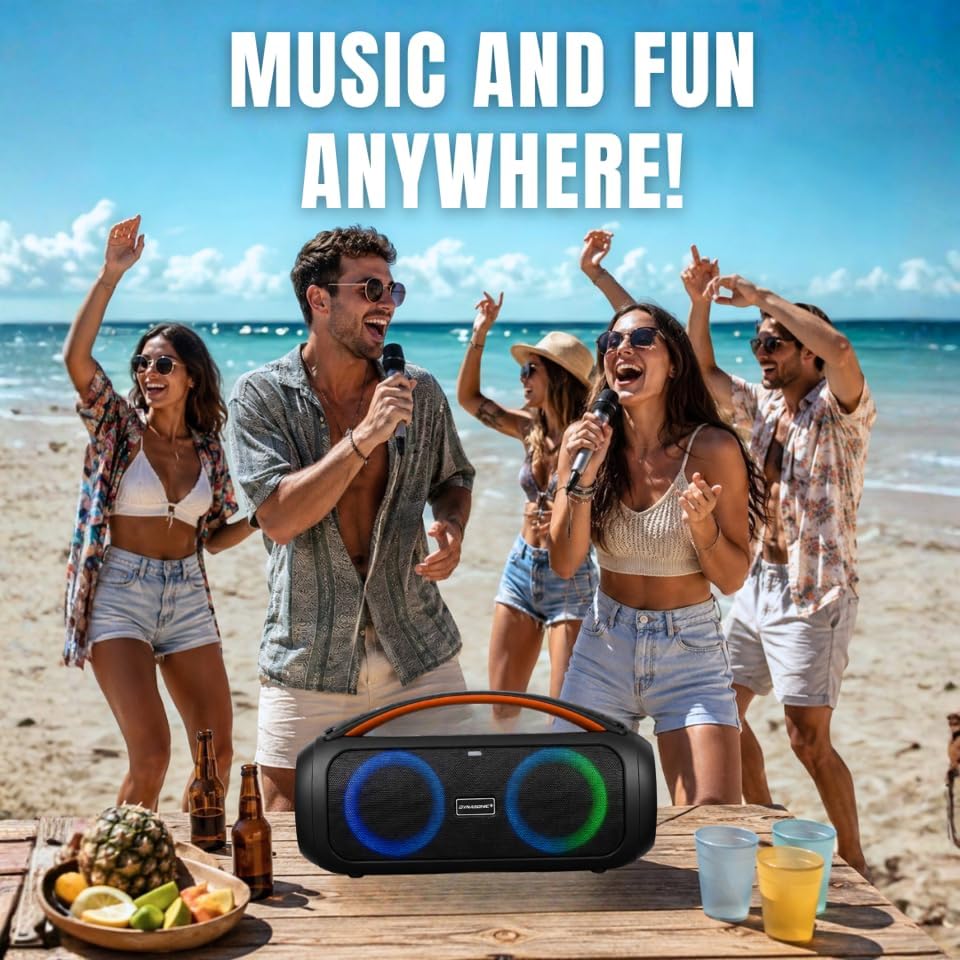
Figure 4: Karaoke Fun with Wireless Microphones
6. LED Lights
Press the LED Lights button to cycle through various multi-color LED lighting modes. The lights can synchronize with the music rhythm, creating an engaging visual experience.

Figure 5: Dynamic LED Atmosphere Lights
7. Bass Boost
Press the Bass Boost button to activate or deactivate the bass enhancement feature, providing deeper and richer low frequencies.
Maintenance
Cleaning
Wipe the speaker with a soft, slightly damp cloth. Do not use harsh chemicals, cleaning solvents, or strong detergents. Ensure the speaker is powered off and all port covers are sealed before cleaning.
Battery Care
To prolong battery life, avoid fully discharging the speaker frequently. Charge the speaker regularly, even if not in use for extended periods. Store the speaker in a cool, dry place.
Water Resistance (IPX7)
The D93 speaker is IPX7 waterproof, meaning it can withstand immersion in water up to 1 meter for 30 minutes. However, always ensure the charging port and AUX port covers are securely closed before exposing the speaker to water. After exposure to water, wipe the speaker dry before charging.

Figure 6: IPX7 Waterproof Design
Troubleshooting
| Problem | Possible Cause | Solution |
|---|---|---|
| Speaker does not power on. | Low battery. | Charge the speaker fully. |
| No sound. | Volume too low; incorrect input mode; device not connected. | Increase volume on speaker and connected device. Check input mode. Reconnect Bluetooth device. |
| Bluetooth connection fails. | Speaker not in pairing mode; device too far; interference. | Ensure speaker is in pairing mode. Move device closer. Turn off other Bluetooth devices. |
| TWS pairing fails. | Speakers already connected to other devices; too far apart. | Disconnect both speakers from any Bluetooth devices. Ensure they are close to each other. Repeat TWS pairing steps. |
| Microphone not working. | Microphone off; low battery in microphone. | Ensure microphone is powered on. Check microphone battery. |
Specifications
| Feature | Specification |
|---|---|
| Model Name | D93 |
| Max Speaker Output Power | 60 Watts |
| Frequency Response | 16 KHz |
| Connectivity Technology | Bluetooth |
| Bluetooth Version | 5.3 (from image) |
| Audio Output Mode | Stereo (2.0 Channels) |
| Input Voltage | 12 Volts |
| Material | Polyvinyl Chloride (PVC) |
| Speaker Type | Outdoor |
| Water Resistance Level | IPX7 |
| Color | Black |
| Control Method | Remote Control |
| Number of Microphones | 2 |
| Power Source | Battery Powered (1 Lithium-ion battery included) |
| Dimensions (L x W x H) | 36.8 x 13.9 x 18.2 cm (14.5 x 5.5 x 7.2 inches) |
| Item Weight | 2.96 Kilograms (6.5 lbs) |

Figure 7: Product Dimensions
Warranty and Support
The DYNASONIC D93 Portable Bluetooth Speaker comes with an official DYNASONIC warranty, subject to Amazon's conditions. For detailed warranty information, please refer to your purchase documentation or Amazon's warranty policies.
For technical support, troubleshooting assistance, or any questions regarding your product, please contact DYNASONIC customer service through the retailer's platform or the official DYNASONIC website. Please have your product model and purchase details ready when contacting support.