1. Introduction
This manual provides instructions for the Krispol Starcus 3-channel remote control, designed for Starcus door drive systems. Operating at 433.92 MHz, this remote offers a convenient and secure solution for controlling your door drive.
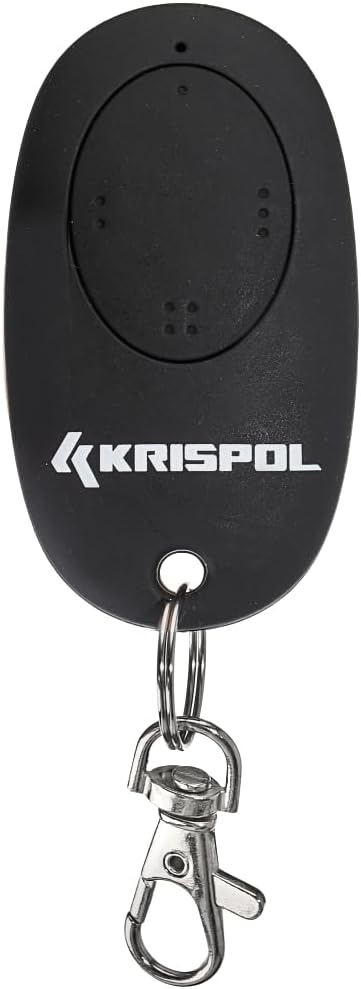
Figure 1: Krispol Starcus 3-channel remote control. This image shows the black, oval-shaped remote control with the Krispol logo and three distinct button areas. A silver keyring and carabiner clip are attached to the bottom.
2. Setup
The Krispol Starcus remote control is pre-programmed for immediate use with compatible Starcus door drive systems. No initial assembly or complex programming is typically required for basic operation.
2.1 Battery Installation (if applicable)
The remote control comes with batteries included. If replacement is ever needed, refer to the battery compartment on the back of the device. Ensure correct polarity when inserting new batteries.
3. Operating Instructions
The remote control features three channels, allowing control of up to three different functions or door drives, depending on your Starcus system configuration.
3.1 Basic Operation
- Button 1 (Top): Typically controls the primary door drive function (e.g., open/close).
- Button 2 (Middle): Can be assigned to a secondary function or another door drive.
- Button 3 (Bottom): Can be assigned to a third function or door drive.
To operate, point the remote control towards the receiver of your Starcus door drive and press the desired button firmly. The door drive should respond accordingly.
3.2 Range
The effective operating range may vary depending on environmental factors, such as obstacles, interference, and the specific receiver unit. Ensure a clear line of sight for optimal performance.
4. Maintenance
The Krispol Starcus remote control requires minimal maintenance.
- Cleaning: Wipe the remote with a soft, dry cloth. Avoid using abrasive cleaners or solvents.
- Storage: Store the remote in a dry place, away from extreme temperatures and direct sunlight.
- Battery Replacement: If the remote's range decreases or it becomes unresponsive, the batteries may need replacement.
5. Troubleshooting
| Problem | Possible Cause | Solution |
|---|---|---|
| Remote not responding | Low or dead batteries. Out of range. Obstruction between remote and receiver. | Replace batteries. Move closer to the receiver. Remove any obstructions. |
| Intermittent operation | Weak batteries. Radio interference. | Replace batteries. Check for other devices operating on similar frequencies. |
| Door drive not responding to specific button | Button not correctly programmed or assigned to the desired function on the door drive system. | Refer to your Starcus door drive system's manual for programming instructions. |
6. Specifications
| Feature | Detail |
|---|---|
| Brand | Krispol |
| Model Name | Starcus |
| Compatible Devices | Starcus Door Drive |
| Connectivity Technology | Radio Frequency (RF) |
| Frequency | 433.92 MHz |
| Number of Buttons | 3 |
| Color | Black |
| Special Feature | Pre-programmed |
| Product Dimensions | 67 x 35 x 12 mm |
| Battery Description | Batteries included (type and size not specified) |
7. Warranty and Support
For information regarding warranty coverage and technical support, please refer to the documentation provided with your Krispol Starcus door drive system or contact Krispol customer service directly. The remote control is designed to work seamlessly with Krispol Starcus products.
ASIN: B0CTCL6421


