
1. Important Safety Information
Please read this manual thoroughly before operating the ABBREE AR-M7 CB Radio. Retain this manual for future reference.
- Power Supply: Use only the specified 13.8V DC power supply. Incorrect voltage can damage the unit and void the warranty.
- Antenna: Ensure the antenna is properly connected before transmitting to prevent damage to the radio's final amplifier.
- Installation: Install the radio in a secure location, away from direct sunlight, excessive heat, dust, and moisture.
- Operation: Do not operate the radio while driving if it distracts you from safe vehicle operation.
- Maintenance: Do not attempt to open or repair the unit yourself. Refer all servicing to qualified technicians.
2. Package Contents
Verify that all items are present in your package:
- ABBREE AR-M7 CB Radio Unit
- Hand Microphone
- DC Power Cable
- Mounting Bracket
- Screw and Accessory Kit
- User Manual (this document)

Figure 2.1: Included Package Contents
If any items are missing or damaged, please contact your retailer or ABBREE customer support.
3. Product Overview
The ABBREE AR-M7 is a compact, dual-mode AM/FM CB radio designed for reliable communication. It features a full-color LCD display and essential functions for various mobile applications.
3.1 Front Panel Controls and Connectors

Figure 3.1: Front Panel Layout and Functions
- Microphone Interface: Connects the hand microphone.
- POWER Button: Press to turn the radio on or off.
- MT/LOCK Button: Mute function / Keypad lock.
- LCD Display: Shows channel, frequency, mode, and other status indicators.
- SQ/M1 Button: Squelch function / Store memory channel function button.
- VOX/M2 Button: Voice Operated Exchange function / Store memory channel function button.
- ASQ/M3 Button: Automatic Squelch Control / Store memory channel function button.
- Channel Knob: Rotate to select channels.
- CH/M3 Button: Channel switch / Store memory channel function button.
- A/F Button: Modulation switch (AM/FM).
- TSQ/M4 Button: CTCSS/DCS function / Store memory channel function button.
- SCAN Button: Scan channel function button.
- EMG Button: Emergency channel button (CH9/19).
3.2 Rear Panel Connectors
- Antenna Interface: Connects to the external CB antenna.
- Power Cable Port: Connects the DC power cable.
- External Speaker Jack: For connecting an optional external speaker.
4. Setup and Installation
4.1 Mounting the Radio
Use the provided mounting bracket and screws to secure the radio in a suitable location within your vehicle. Ensure the location allows for proper ventilation and easy access to controls.
4.2 Power Connection
Connect the supplied DC power cable to the radio's power port and to your vehicle's 13.8V DC power source. Ensure correct polarity (red to positive, black to negative) to prevent damage.
4.3 Antenna Connection
Connect your CB antenna to the antenna interface on the rear of the radio. Ensure the connection is secure. Never transmit without a properly connected antenna.
4.4 Microphone Connection
Plug the hand microphone into the microphone interface on the front panel. Ensure it clicks into place securely.

Figure 4.1: Connecting the Hand Microphone
5. Basic Operation
5.1 Power On/Off
Press and hold the POWER button to turn the radio on or off. The LCD display will illuminate upon power-on.
5.2 Volume Control
Rotate the Channel Knob (when not in channel selection mode) or use the UP/DOWN buttons on the microphone to adjust the audio volume.
5.3 Channel Selection
Rotate the Channel Knob to select your desired operating channel (1-40). Alternatively, use the UP/DOWN buttons on the microphone.

Figure 5.1: 40 Channel Capacity
5.4 Squelch Control (SQ/ASQ)
Squelch eliminates background noise when no signal is present.
- Manual Squelch (SQ): Press the SQ/M1 button. Rotate the Channel Knob to adjust the squelch level. A higher number means stronger squelch.
- Automatic Squelch (ASQ): Press the ASQ/M3 button to activate or deactivate automatic squelch. This feature automatically adjusts the squelch level for optimal reception.
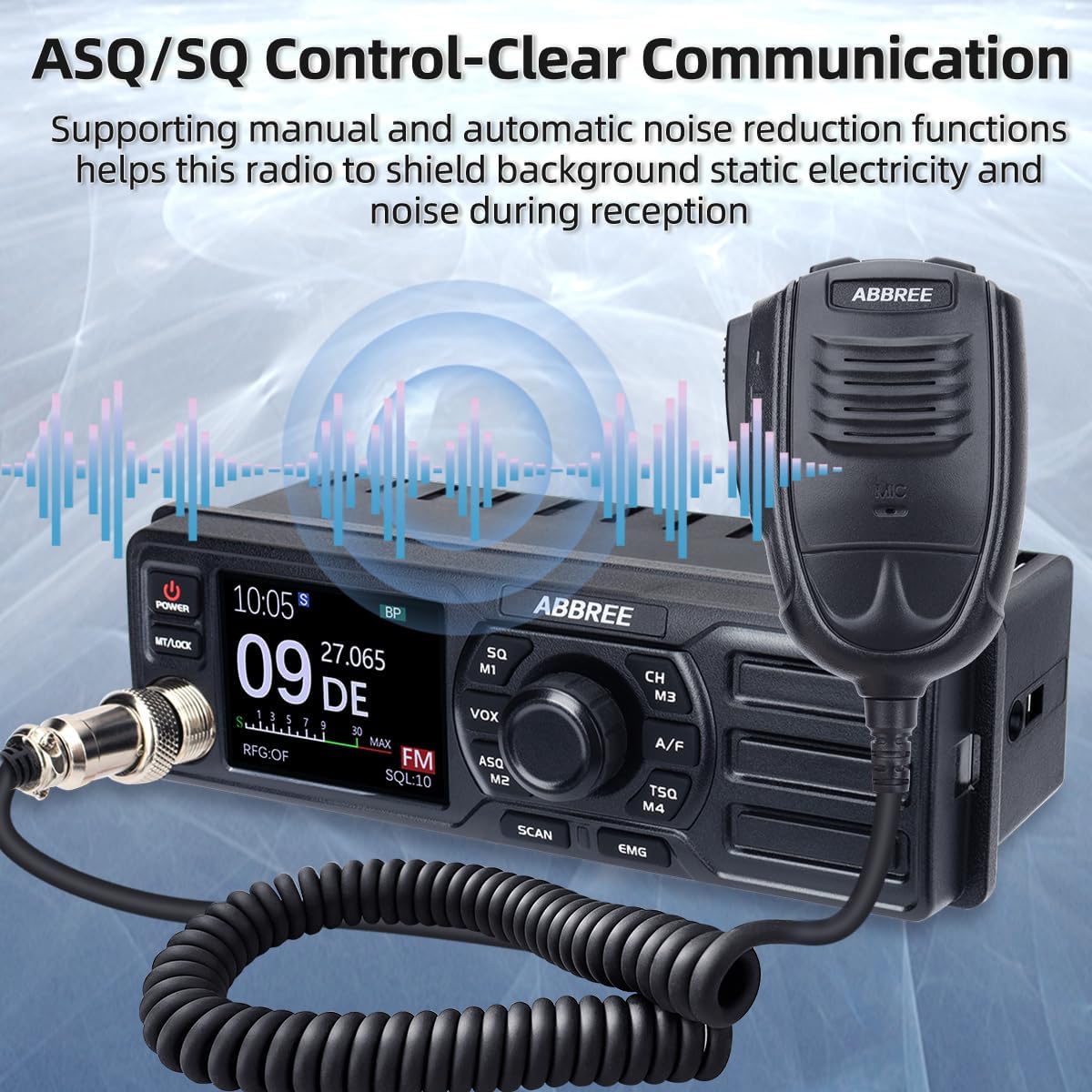
Figure 5.2: ASQ/SQ Control for Clear Communication
6. Advanced Features
6.1 AM/FM Mode Selection
Press the A/F button to switch between AM (Amplitude Modulation) and FM (Frequency Modulation) modes. The selected mode will be displayed on the LCD.
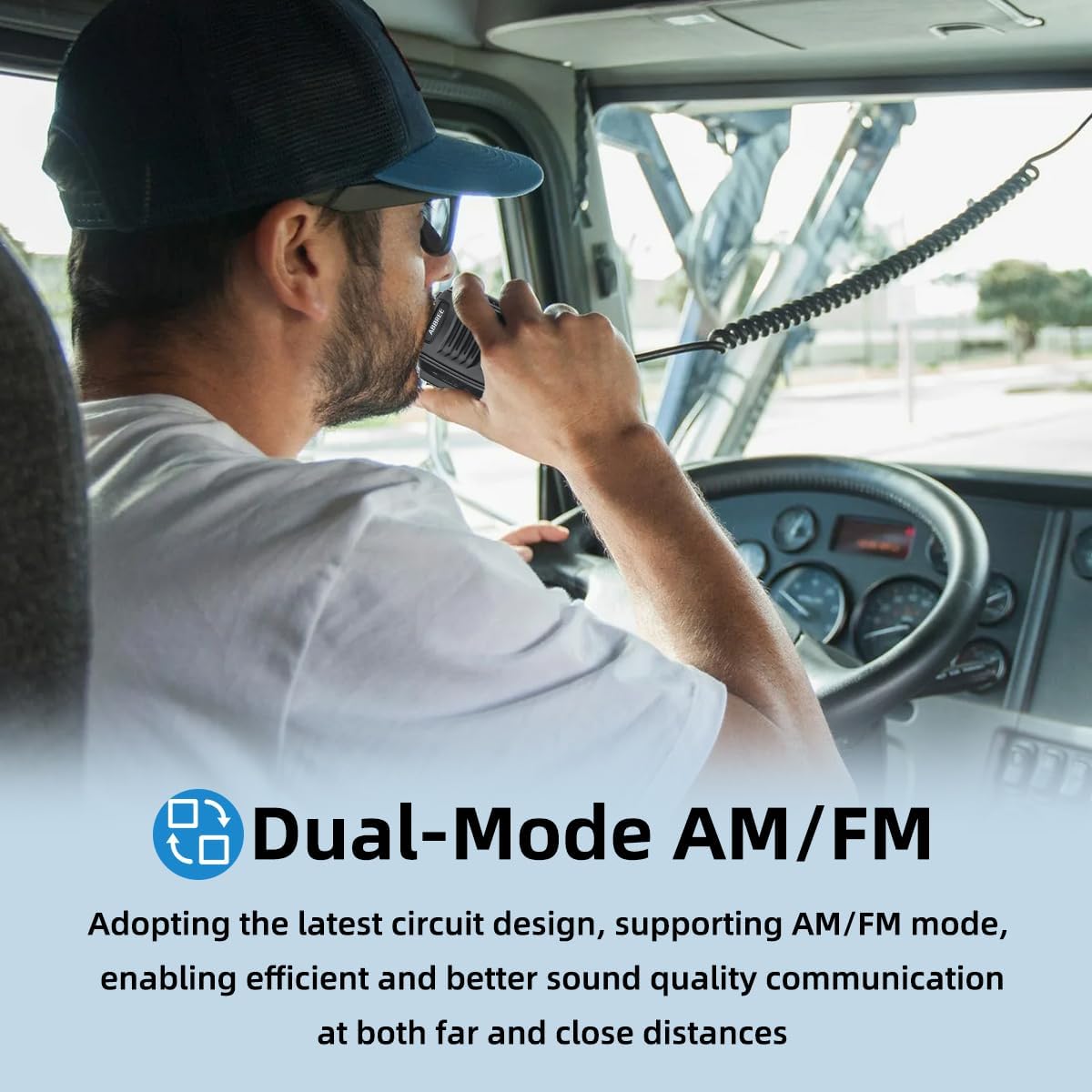
Figure 6.1: Dual-Mode AM/FM Operation
6.2 Emergency Channels (CH9/19)
Press the EMG button for instant access to emergency channels. Channel 9 is typically used for emergency communications, and Channel 19 for truck drivers. Press again to return to the previous channel.

Figure 6.2: Instant Access to Emergency Channels
6.3 VOX Function (Voice Operated Exchange)
The VOX function allows hands-free transmission. When activated, the radio will transmit automatically when it detects your voice.
- Press the VOX/M2 button to activate or deactivate VOX.
- Adjust VOX sensitivity through the menu settings (refer to the full manual for detailed menu navigation).

Figure 6.3: Hands-Free Communication with VOX
6.4 Scan Function
Press the SCAN button to initiate channel scanning. The radio will scan through active channels and stop when a signal is detected. It will resume scanning after a short delay or when the signal disappears.
6.5 CTCSS/DCS (Tone Squelch)
CTCSS (Continuous Tone-Coded Squelch System) and DCS (Digital Coded Squelch) are used to filter out unwanted conversations.
- Press the TSQ/M4 button to access CTCSS/DCS settings.
- Select the desired tone or code from the available options.
6.6 TOT (Time-Out Timer)
The Time-Out Timer limits the duration of a single transmission to prevent accidental long transmissions and channel hogging. If the transmission exceeds the set time, the radio will stop transmitting automatically.
6.7 RFG (RF Gain)
RF Gain adjusts the sensitivity of the receiver. Lowering the RF Gain can help reduce background noise from weak signals or distant stations, improving clarity for stronger, closer signals.
7. Maintenance
Proper maintenance ensures the longevity and optimal performance of your AR-M7 CB Radio.
- Cleaning: Use a soft, dry cloth to clean the radio's exterior. Do not use abrasive cleaners or solvents.
- Environment: Keep the radio away from extreme temperatures, direct sunlight, and excessive moisture.
- Connections: Periodically check all cable connections (power, antenna, microphone) for security and signs of wear.
8. Troubleshooting
If you experience issues with your AR-M7 CB Radio, refer to the following common problems and solutions:
| Problem | Possible Cause | Solution |
|---|---|---|
| Radio does not power on. | No power connection; incorrect voltage; blown fuse. | Check power cable connection; ensure 13.8V DC supply; check vehicle's fuse box. |
| No reception or poor reception. | Antenna not connected; squelch too high; incorrect channel/mode. | Ensure antenna is connected; adjust squelch level (SQ/ASQ); verify channel and AM/FM mode. |
| Cannot transmit. | Microphone not connected; antenna issue; TOT activated. | Check microphone connection; ensure antenna is properly connected; wait for TOT to reset or reduce transmission time. |
| Excessive background noise. | Squelch too low; RF Gain too high; electrical interference. | Increase squelch level; adjust RF Gain; check for nearby electrical interference sources. |
If the problem persists after attempting these solutions, please contact ABBREE customer support for assistance.
9. Specifications
| Feature | Specification |
|---|---|
| Model | AR-M7 |
| Frequency Range | 26.965-27.405MHz |
| Channels | 40 CB Channels |
| Modulation Mode | AM/FM |
| Output Power | 4 Watts |
| Input Voltage | 13.8V DC |
| Dimensions (W x H x D) | 7.3 x 3 x 2.2 inches (approx. 185 x 76 x 56 mm) |
| Weight | Approx. 2.92 pounds (1.32 kg) |
| International Protection Rating | IP65 |

Figure 9.1: Compact Dimensions of the AR-M7
10. Warranty and Support
ABBREE products are designed for reliability and performance. For warranty information, technical support, or service inquiries, please contact your authorized ABBREE dealer or visit the official ABBREE website.
Please have your model number (AR-M7) and purchase information ready when contacting support.


