1. Introduction
This manual provides instructions for the safe and efficient operation of your LOYALHEARTDY 350W Follow Stage Spot Light. This high-intensity stage spotlight features both DMX and manual control options, an adjustable tripod, and a multi-color beam for various performance lighting needs. Please read this manual thoroughly before use and retain it for future reference.
2. Package Contents
Verify that all items listed below are included in your package:
- 1 x 350W Stage Spotlight Unit
- 1 x Tripod Bracket
- 1 x Signal Cable
- 1 x Power Cable
- 1 x English Instruction Manual (this document)
3. Safety Information
Important Safety Instructions:
- Always connect the unit to a grounded power outlet.
- Ensure the voltage matches the product's requirements (110-240V 50/60Hz).
- Do not operate the unit if the power cord is damaged.
- Avoid direct eye exposure to the light beam.
- Ensure adequate ventilation around the unit to prevent overheating.
- Keep the unit away from moisture and extreme temperatures.
- Only qualified personnel should perform repairs.
4. Setup
Follow these steps to set up your stage spot light:
- Assemble the Tripod: Unfold the tripod legs and secure them firmly. Adjust the height using the adjusting knob to your desired level (47.24-59.84 inches).
- Mount the Spotlight: Carefully place the spotlight unit onto the tripod's mounting pin. Secure it by tightening the knob on the tripod bracket. Ensure the unit is stable before proceeding.
- Connect Power: Insert the power cable into the power input port on the spotlight unit and then into a suitable power outlet.
- Connect DMX (Optional): If using DMX control, connect a DMX cable from your DMX controller to the DMX IN port on the spotlight. If linking multiple units, connect from DMX OUT of the first unit to DMX IN of the next.
Video: Assembly and Basic Operation of the 350W Follow Stage Spot Light. This video demonstrates how to assemble the tripod, mount the spotlight, and perform basic manual color and strobe adjustments.

Image: The adjustable tripod stand, showing the mechanism for setting the height of the spotlight unit.
5. Operating Instructions
The LOYALHEARTDY 350W Follow Stage Spot Light offers both manual and DMX control options.
5.1 Manual Control
The control panel on the unit allows for direct manual adjustments:
- Power On/Off: Use the red switch labeled 'ON/OFF' to power the unit.
- Color Selection: Press the dedicated buttons for White, Yellow, Orange, Green, Blue, or Red to select the desired light color.
- Strobe: Use the 'STROBE' slider to adjust the strobe speed (1-7 times/second).
- Brightness/Dimming: Use the 'DIMMING' slider to adjust the light intensity.
- Aperture Adjustment: Use the 'APERTURE' slider to control the size of the light beam, allowing for focused spot lighting.
- Color Temperature Correction: Adjust the color temperature between 5600K (Normal), 6000K (High), and 3200K (Low) as needed.
- Angle Adjustment: Loosen the knobs on the side of the spotlight unit to tilt and pan the light, then tighten to secure the position.

Image: The control panel, illustrating the buttons for color selection, and sliders for strobe, dimming, and aperture adjustments.
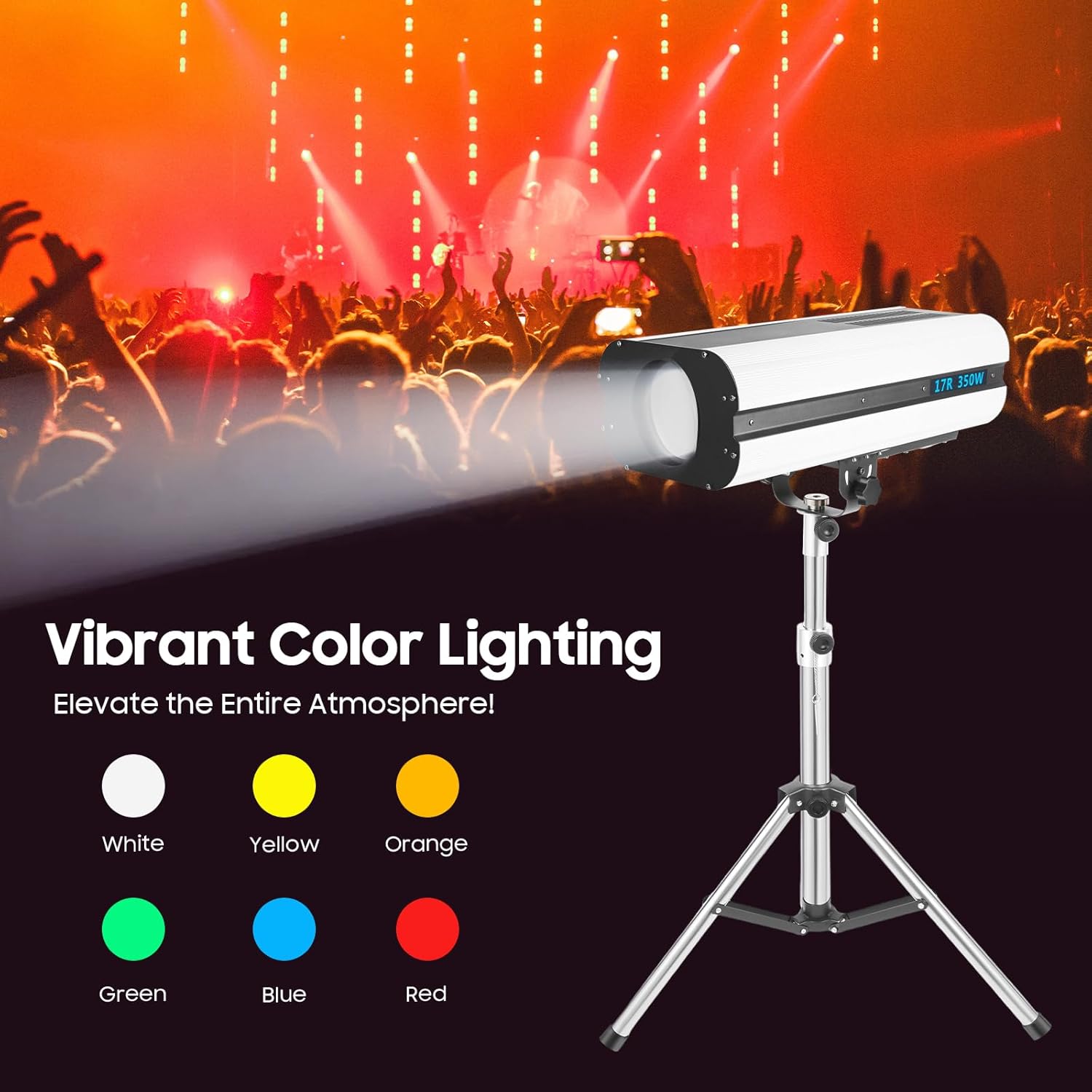
Image: Demonstration of the vibrant color lighting capabilities, showing the available color options.
5.2 DMX Control
For advanced control, connect the unit to a DMX controller. Refer to your DMX controller's manual for specific programming instructions. The spotlight supports standard DMX protocols for remote control of color, strobe, dimming, and aperture functions.
6. Maintenance
Regular maintenance ensures optimal performance and longevity of your spotlight:
- Cleaning: Use a soft, dry cloth to clean the exterior of the unit. For the lens, use a specialized lens cleaning solution and cloth to avoid scratches.
- Ventilation: Ensure the cooling vents are free from dust and obstructions. The unit features a high-intensity air cooling system.
- Storage: When not in use, store the spotlight in a cool, dry place, protected from dust and physical damage.
- Lamp Replacement: The unit uses an OS-RAM SI-RIUS HRI 350W lamp. Lamp replacement should only be performed by qualified technicians.
7. Troubleshooting
If you encounter issues, refer to the following common problems and solutions:
- No Power: Check the power cable connection, ensure the power switch is ON, and verify the power outlet is functional.
- No Light Output: Confirm the unit is powered on. Check if the lamp is functioning (if applicable, consult a technician). Ensure dimming is not set to minimum.
- Incorrect Color/Function: For manual control, verify button selections and slider positions. For DMX control, check DMX cable connections and controller settings.
- Overheating: Ensure ventilation fans are clear and operating. Do not block air vents. Allow the unit to cool down if it becomes excessively hot.
If problems persist, contact customer support for assistance.
8. Specifications
| Feature | Detail |
|---|---|
| Brand | LOYALHEARTDY |
| Model Number | YQX-58hj-856hdT8SH8-DING |
| Power Consumption | 450W |
| Light Source Power | 350W |
| Voltage | 110-240V 50/60Hz |
| Light Source Type | OS-RAM SI-RIUS HRI 350W |
| Light Colors | White, Yellow, Orange, Green, Blue, Red |
| Control Mode | DMX & Manual Control |
| Strobe Rate | 1-7 times/second |
| Beam Angle | 23 Degrees |
| Optimum Irradiation Distance | 50-100m / 164.04-328.08ft |
| Color Temperature Correction | 5600K (Normal), 6000K (High), 3200K (Low) |
| Protection Grade | IP20 |
| Material | Stainless Steel, Quartz, Aluminum |
| Product Dimensions (L x W x H) | 68 x 29 x 20 cm / 26.77 x 11.42 x 7.87 inches |
| Tripod Height (Adjustable) | 120-152 cm / 47.24-59.84 inches |
| Gross Weight (Spotlight) | 14 kg / 30.86 lbs |
| Gross Weight (Tripod) | 3.2 kg / 7.05 lbs |

Image: Detailed product dimensions of the spotlight unit and the adjustable tripod.
9. Warranty and Support
For warranty information, please refer to the terms and conditions provided at the time of purchase or contact the seller directly. For technical support or service inquiries, please reach out to LOYALHEARTDY customer service through the platform where the product was purchased.


