
1. Introduction
This manual provides essential information for the safe and efficient installation, operation, and maintenance of your Maclean MCE33 Outdoor Wall Light with integrated PIR motion detector and twilight sensor. Please read these instructions carefully before installation and retain them for future reference.
The Maclean MCE33 is designed to provide illumination for outdoor areas such as gardens, patios, courtyards, and garages, activating automatically based on detected motion and ambient light conditions.
2. Safety Instructions
- Electrical Safety: Installation must be performed by a qualified electrician in accordance with all local and national electrical codes. Ensure the power supply is disconnected before installation, maintenance, or bulb replacement.
- Outdoor Use: This product is rated IP44, providing protection against splashing water. It is suitable for outdoor use but should not be submerged in water.
- Bulb Type: Use only E27 base bulbs with a maximum rated load of 60W. The included LED bulb is 11W.
- Mounting: Mount the fixture securely to a stable surface at the recommended installation height.
- Temperature: Do not operate outside the specified operating temperature range of -20°C to +40°C.
3. Package Contents
Verify that all components are present before beginning installation:
- Maclean MCE33 Outdoor Wall Light fixture
- 11W E27 LED Bulb (Warm White 3000K)
- Mounting hardware (screws, wall plugs)
- Instruction Manual
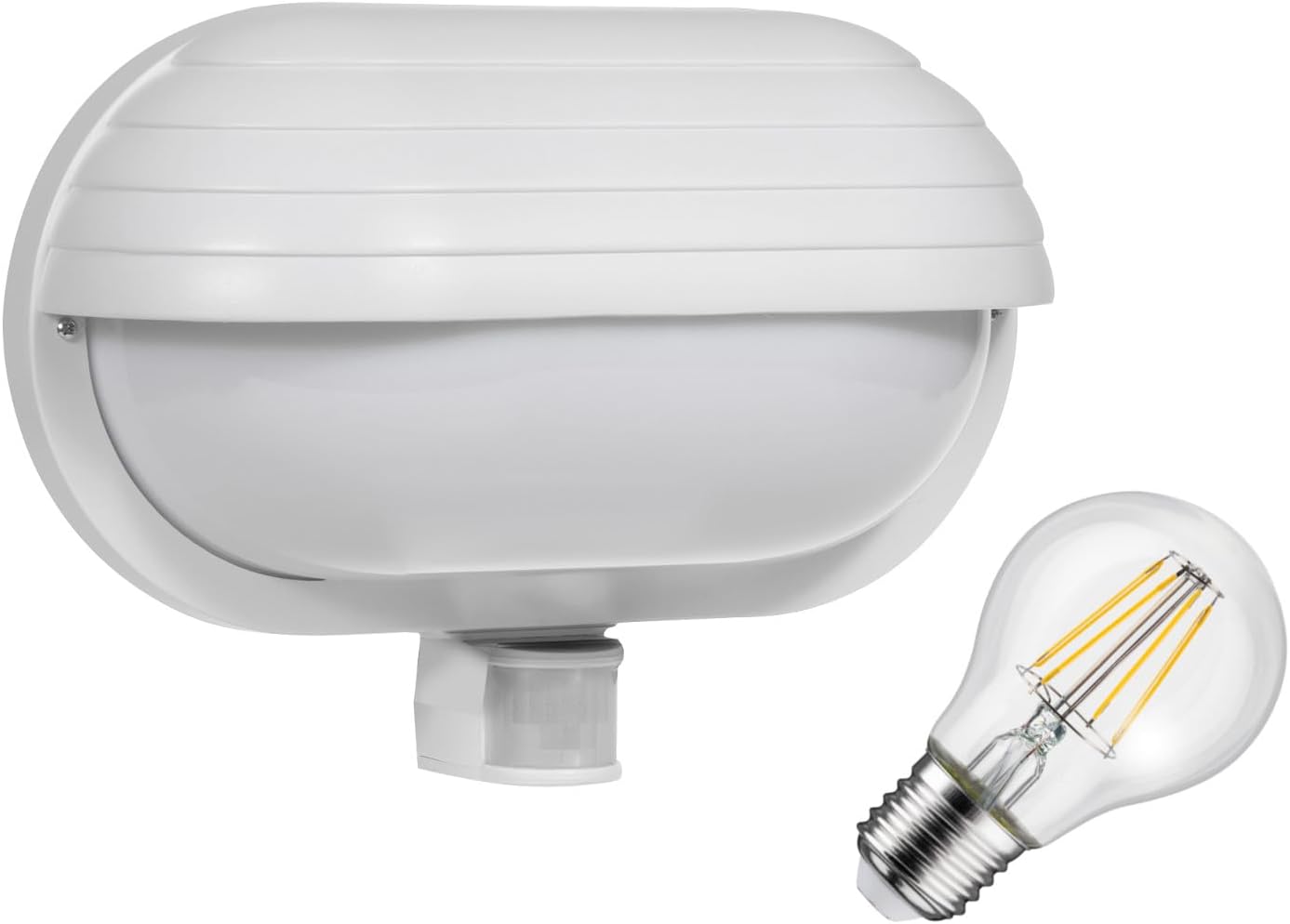
Image 3.1: Maclean MCE33 Outdoor Wall Light with included 11W LED bulb.
4. Product Features
- Integrated PIR (Passive Infrared) motion detector with 180° detection angle.
- Detection range up to 9 meters.
- Adjustable twilight sensor (LUX) for controlling activation based on ambient light.
- Adjustable time delay (TIME) for how long the light remains on after motion detection (10 seconds to 5 minutes).
- Durable plastic construction with IP44 rating for outdoor weather resistance.
- Standard E27 lamp holder, compatible with various E27 bulbs up to 60W.
- Includes an energy-efficient 11W LED bulb (3000K warm white, 1500 lm).

Image 4.1: Front view of the Maclean MCE33 wall light, showing the sensor at the bottom.

Image 4.2: Side view of the Maclean MCE33 wall light.
5. Specifications
| Parameter | Value |
|---|---|
| Model | MCE33 |
| Power Supply | 110-240 V/AC |
| Power Frequency | 50/60 Hz |
| Detection Range | 180° |
| Maximum Detection Distance | 9 meters (<24 °C) |
| Light Intensity (LUX) | <3 - 2000 lux (adjustable) |
| Time Delay (TIME) | Min. 10 sec / Max. 5 minutes (adjustable) |
| Operating Temperature | -20°C to +40°C |
| Operating Humidity | <93% RH |
| Installation Height | 1.8 to 2 meters |
| Rated Load (E27) | Max. 60 W |
| Motion Detection Speed | 0.6-1.5 m/s |
| Protection Rating | IP44 |
| Product Dimensions (L x W x H) | 26.5 x 10 x 18.5 cm |
| Material | Plastic |
| Included LED Bulb Wattage | 11 W |
| Included LED Bulb Color Temperature | 3000K Warm White |
| Included LED Bulb Luminous Flux | 1500 lm |

Image 5.1: Rear view of the Maclean MCE33 wall light, showing the product label with specifications.

Image 5.2: Dimensional diagram of the Maclean MCE33 wall light.
6. Setup and Installation
Important: Ensure the main power supply is switched off at the circuit breaker before commencing any electrical work.
- Choose Location: Select a suitable outdoor location for mounting. The recommended installation height is between 1.8 and 2 meters for optimal motion detection. Avoid mounting near heat sources, air conditioning units, or areas with frequent wind movement (e.g., swaying trees) to prevent false triggers.
- Prepare Wiring: Carefully open the fixture. Identify the live (L), neutral (N), and earth (⚡) terminals.
- Mounting: Mark the drilling points on the wall using the fixture's base as a template. Drill holes, insert wall plugs, and secure the fixture base to the wall using the provided screws.
- Wiring Connection: Connect the household electrical wires to the corresponding terminals inside the fixture. Ensure all connections are secure and properly insulated.
- Install Bulb: Screw the E27 LED bulb into the lamp holder.
- Close Fixture: Carefully close the fixture, ensuring all seals are correctly seated to maintain the IP44 rating.
- Restore Power: Once installation is complete and verified, restore power at the circuit breaker.

Image 6.1: Interior view of the Maclean MCE33, showing the E27 lamp holder and wiring connections.

Image 6.2: Diagram illustrating the wiring connections for the wall light.

Image 6.3: Recommended installation height for optimal sensor performance.
7. Operating Instructions and Adjustments
The Maclean MCE33 features two adjustable knobs located on the motion sensor for customizing its operation:
- LUX (Light Sensitivity): This knob controls the ambient light level at which the sensor becomes active.
- Turn towards '☼' (sun icon) for the sensor to activate in brighter ambient light (daytime operation).
- Turn towards '☽' (moon icon) for the sensor to activate only in low light conditions (nighttime operation).
- TIME (Time Delay): This knob sets how long the light remains on after motion is detected and no further motion is sensed.
- Adjust from a minimum of 10 seconds to a maximum of 5 minutes.

Image 7.1: Close-up view of the LUX and TIME adjustment knobs on the motion sensor.

Image 7.2: Diagram illustrating the function of LUX and TIME adjustment knobs.

Image 7.3: Illustration of the 180-degree detection area and 9-meter range of the motion sensor.
8. Maintenance
- Cleaning: Periodically clean the fixture with a soft, damp cloth. Do not use abrasive cleaners or solvents. Ensure the sensor lens is clean for optimal performance.
- Bulb Replacement: Before replacing the bulb, ensure the power supply is disconnected. Allow the bulb to cool if it has been recently in use. Unscrew the old E27 bulb and replace it with a new E27 bulb (max 60W).
- Inspection: Regularly inspect the fixture for any signs of damage, loose connections, or wear. If any issues are found, disconnect power and consult a qualified electrician.
9. Troubleshooting
| Problem | Possible Cause | Solution |
|---|---|---|
| Light does not turn on. | No power supply. LUX setting too low. Faulty bulb. Sensor obstructed or faulty. | Check circuit breaker. Adjust LUX knob towards '☼'. Replace bulb. Clear obstructions, check sensor for damage. |
| Light stays on continuously. | Constant motion in detection area. LUX setting too high (daylight mode). Wiring error. Sensor faulty. | Reduce detection range or reposition fixture. Adjust LUX knob towards '☽'. Verify wiring connections. Contact support. |
| Light turns on for no apparent reason (false triggers). | Sensor detecting heat sources (e.g., exhaust vents, direct sunlight). Sensor detecting small animals or swaying objects (trees, bushes). Sensor sensitivity too high. | Reposition fixture away from heat sources. Adjust sensor angle or detection range. Trim foliage. Ensure proper installation height (1.8-2m). |
| Light turns off too quickly or too slowly. | TIME setting incorrect. | Adjust TIME knob to desired duration. |
10. Warranty and Support
For warranty information, please refer to the terms and conditions provided by your retailer at the time of purchase. Keep your proof of purchase for any warranty claims.
If you encounter any issues that cannot be resolved using the troubleshooting guide, please contact your retailer or the manufacturer's customer support for assistance.