
Karinear KNI-603S1-KNI-UK-TB
Karinear Induction Hob 4 Plates 60 cm User Manual
Model: KNI-603S1-KNI-UK-TB
Introduction
This manual provides comprehensive instructions for the safe and efficient operation, installation, and maintenance of your Karinear 4-plate 60 cm Induction Hob. Please read this manual thoroughly before using the appliance and keep it for future reference.

Figure 1: Karinear 4-plate 60 cm Induction Hob, top view showing four cooking zones and touch controls.
Important Safety Information
Always follow basic safety precautions when using electrical appliances to reduce the risk of fire, electric shock, burns, or injury. This appliance is designed for domestic use only.
- Electrical Connection: Ensure the hob is correctly installed by a qualified electrician according to local wiring regulations. The appliance requires a 220V power supply. Refer to the wiring diagram in the 'Setup' section.
- Child Safety Lock: Utilize the child safety lock feature to prevent accidental operation, especially by children.
- Overheating Protection: The hob is equipped with an automatic shutdown feature and overheating protection. If the hob detects excessive temperature, it will automatically switch off.
- Residual Heat Indicator: Be aware of the residual heat indicator (H) which signals that a cooking zone is still hot after use. Avoid touching hot surfaces.
- Proper Cookware: Only use induction-compatible cookware. Incompatible materials like aluminum, copper, glass, or ceramic will not heat up.
- Cleaning: Disconnect the power supply before cleaning. Allow the hob to cool down completely.

Figure 2: Overview of key features including Flexible Area, Touch-to-Slide control, Boost Function, 9 Power Levels, Child Safe Lock, Auto-off Safety, 99-minute Timer, and Residual Heat Indicator.
Setup and Installation
Proper installation is crucial for the safe and optimal performance of your induction hob. It is recommended that installation be performed by a qualified professional.
Dimensions and Cut-out
The product dimensions are approximately 52 cm (depth) x 59 cm (width) x 5.6 cm (height). Ensure your countertop cut-out meets the required specifications for proper fitting and ventilation.
Electrical Connection
The hob operates on 220V and has a total power output of 7200W. The wiring must strictly adhere to the provided diagram and local electrical codes. Incorrect wiring can lead to damage or safety hazards.

Figure 3: Detailed product dimensions and essential wiring diagrams for 220-240V and 400V connections. Always follow the correct wiring for your electrical system.
Note: The wiring diagram must be followed precisely when connecting the wires. Consult a qualified electrician if you are unsure about the electrical installation.
Operating Instructions
Your Karinear Induction Hob offers advanced features for efficient and flexible cooking.
Power On/Off and Zone Selection
- To turn on the hob, touch the power symbol.
- Select the desired cooking zone by touching its corresponding control.
Power Levels and Slide Control
The hob features 9 adjustable power levels to suit various cooking needs. Use the intuitive slide control to easily adjust the heat setting for each zone.
- Slide your finger along the control bar to increase or decrease the power level.
- A higher number indicates a higher power level.
Boost Function
The Boost function provides maximum power to a selected cooking zone for a short period, ideal for rapidly boiling water or searing food.
- Activate the Boost function by touching the 'B' symbol after selecting a zone.
- The Boost function will automatically revert to a lower power setting after a few minutes to prevent overheating.
Flexible Zones
The flexible zone combines two cooking zones into one large area, accommodating larger or longer cookware such as griddle pans or roasting dishes.

Figure 4: The flexible zone activated to create a single large cooking area, suitable for oversized cookware like a griddle pan.
- To activate the flexible zone, touch the designated control for combining the zones.
- Place your large cookware over the combined area.
Timer Function
The intelligent timer allows you to set a cooking duration for individual zones, up to 99 minutes. This prevents overcooking and provides convenience.
- Select the cooking zone you wish to time.
- Touch the timer control and adjust the time using the +/- buttons or slide control.
- The hob will automatically switch off the zone when the set time expires.
Compatible Cookware
Induction hobs require cookware with a magnetic base. Use pots and pans made of iron, stainless steel, or alloy pots (excluding aluminum alloy).
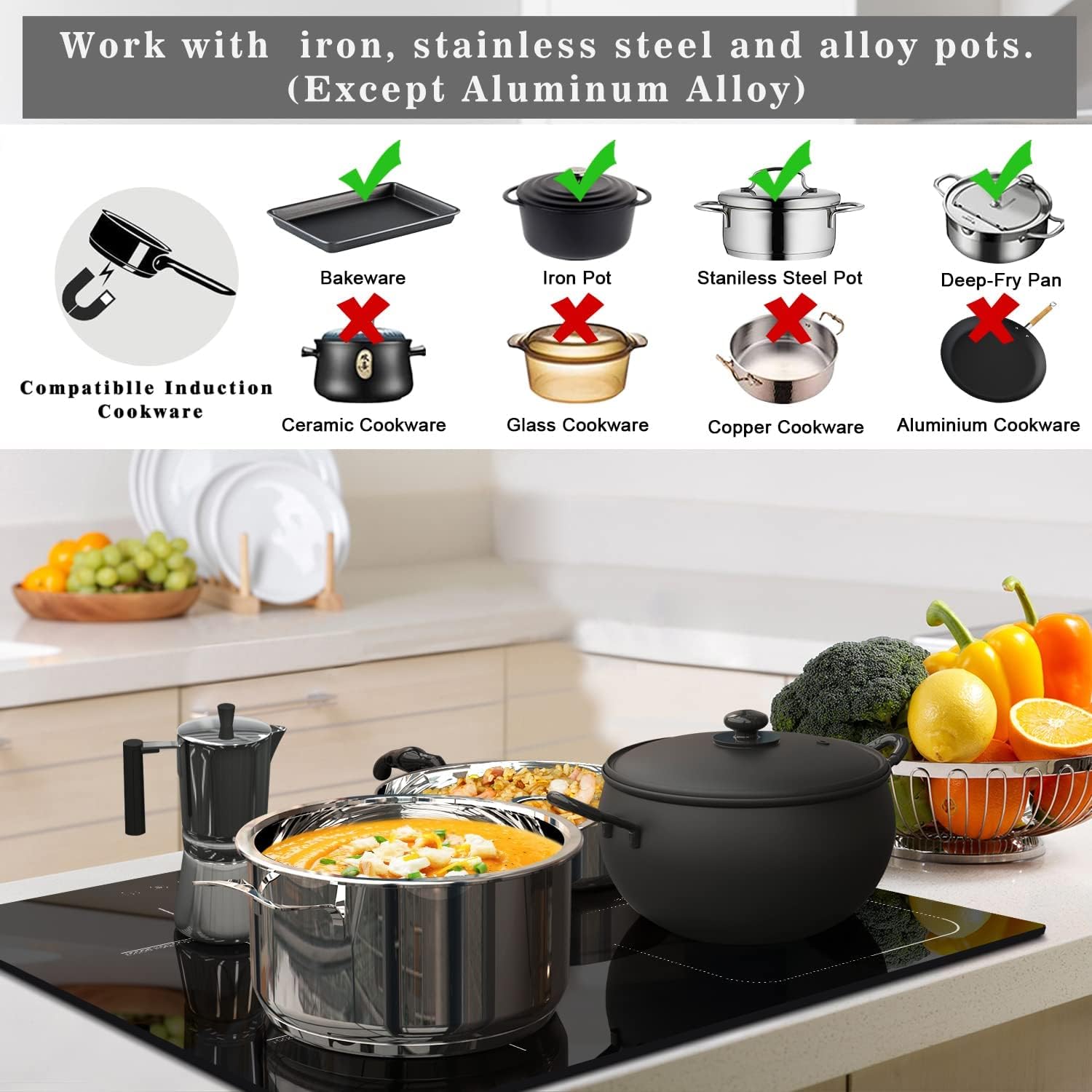
Figure 5: Visual guide to compatible cookware (cast iron, stainless steel, alloy pots) and incompatible cookware (ceramic, glass, copper, aluminum).
- To test if your cookware is compatible, hold a magnet to the bottom. If it sticks, the cookware is suitable for induction.
Maintenance and Cleaning
Regular cleaning and proper maintenance will ensure the longevity and optimal performance of your Karinear Induction Hob.
- Daily Cleaning: For light spills and daily cleaning, wipe the ceramic glass surface with a soft cloth and mild detergent after the hob has cooled down.
- Stubborn Stains: For more stubborn stains, use a specialized ceramic hob cleaner and a scraper designed for glass surfaces. Follow the product instructions carefully.
- Avoid Abrasives: Do not use abrasive sponges, scouring pads, or harsh chemical cleaners, as these can scratch or damage the hob surface.
- Power Disconnection: Always ensure the hob is switched off and disconnected from the power supply before undertaking any cleaning or maintenance.
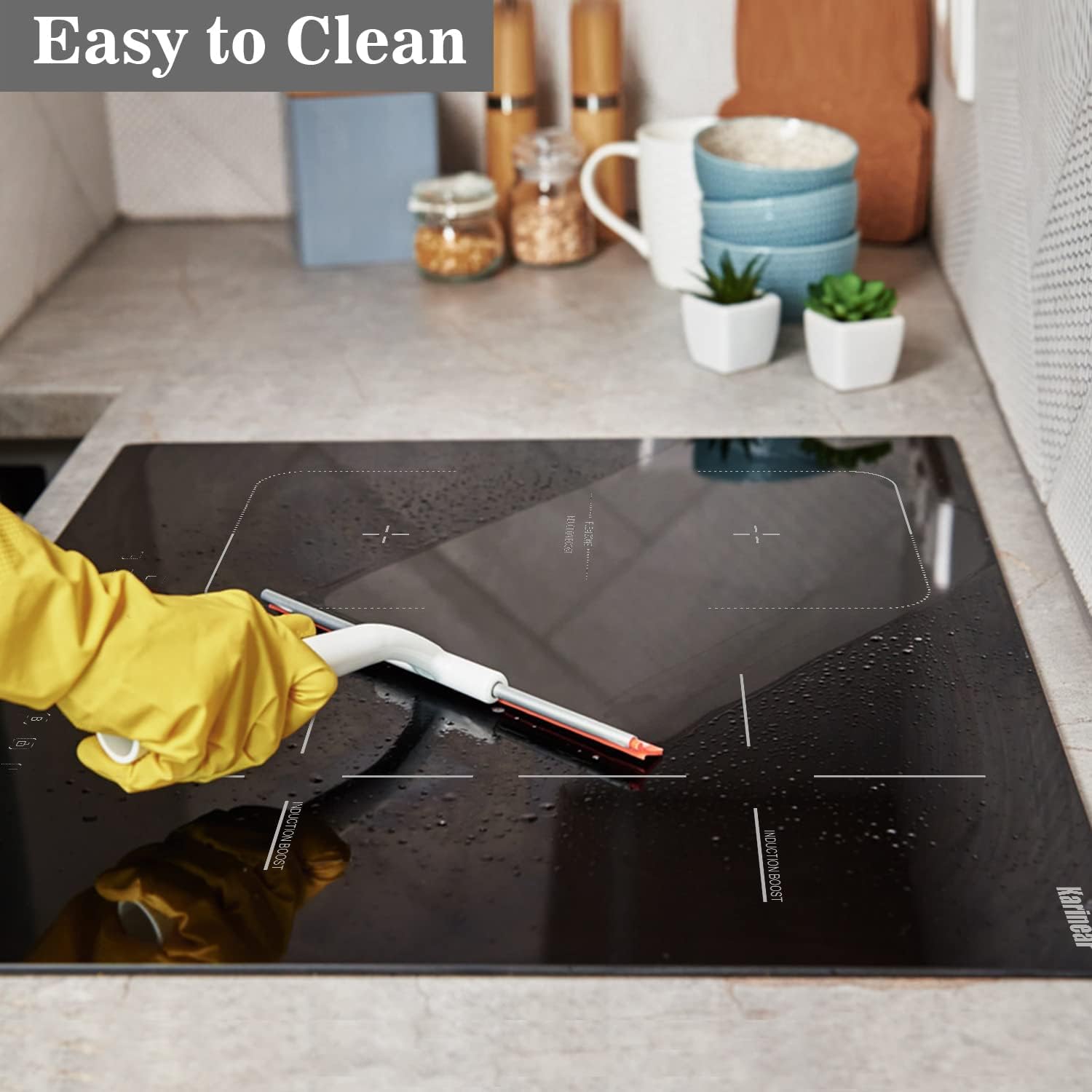
Figure 6: The ceramic glass surface is easy to clean with appropriate tools and cleaning agents.
Troubleshooting
If you encounter issues with your induction hob, refer to the following common problems and solutions. If the problem persists, contact customer support.
| Problem | Possible Cause | Solution |
|---|---|---|
| Hob does not turn on or respond to touch. | No power supply, child lock activated, temporary electronic glitch. | Check power connection. Deactivate child lock. If unresponsive, try resetting the main power supply to the hob (e.g., at the fuse box) for a few minutes, then restore power. |
| Cooking zone not heating. | Incompatible cookware, cookware not centered, small pot size. | Ensure cookware is induction-compatible and has a flat, magnetic base. Center the pot on the cooking zone. Use cookware that covers at least 70% of the zone. |
| Hob makes a humming or buzzing noise. | Normal operation of induction technology, fan noise. | This is normal. The noise may vary depending on the cookware material and power level. The cooling fan operates to dissipate heat. |
| Error code displayed. | Specific internal fault or condition. | Refer to the full user manual (if available) for specific error code meanings. Often, turning off the hob and restarting after a few minutes can resolve temporary errors. If persistent, contact support. |
| Automatic shutdown during use. | Overheating protection activated, timer expired, or pan removed. | Allow the hob to cool down. Check if the timer has expired. Ensure cookware is properly placed. |
Specifications
| Feature | Detail |
|---|---|
| Brand | Karinear |
| Model Number | KNI-603S1-KNI-UK-TB |
| Product Dimensions (D x W x H) | 52 x 59 x 5.6 cm |
| Weight | 9 kg |
| Total Power Output | 7200W |
| Voltage | 220 Volt |
| Number of Heating Elements | 4 |
| Control Type | Slide Control |
| Power Levels | 9 |
| Special Features | Timer, Boost Function, Flexible Zones, Child Safety Lock, Overheating Protection, Residual Heat Indicator |
| Surface Material | Glass Ceramic |
| Energy Source | Electric (Wired) |
Warranty and Support
For warranty information, technical support, or service inquiries, please contact Karinear customer service or the retailer from whom you purchased the product. Keep your proof of purchase for warranty claims.
For further assistance, please visit the official Karinear website or refer to the contact details provided with your purchase documentation.
Related documentsKNI-603S1-KNI-UK-TB


Ask a question about this manual
Ask about setup, troubleshooting, compatibility, parts, safety, or missing instructions. Manuals+ will review the question and use this page’s manual context to help answer it.