
Product Overview
The Lubluelu L20 Robot Vacuum and Mop is a versatile 3-in-1 cleaning device designed for efficient home maintenance. It features advanced LiDAR navigation for precise mapping, powerful 5500Pa suction for thorough cleaning, and integrated sweeping, vacuuming, and mopping functions. The device supports smart app and voice control, offers customizable cleaning zones, and includes self-charging capabilities for continuous operation.
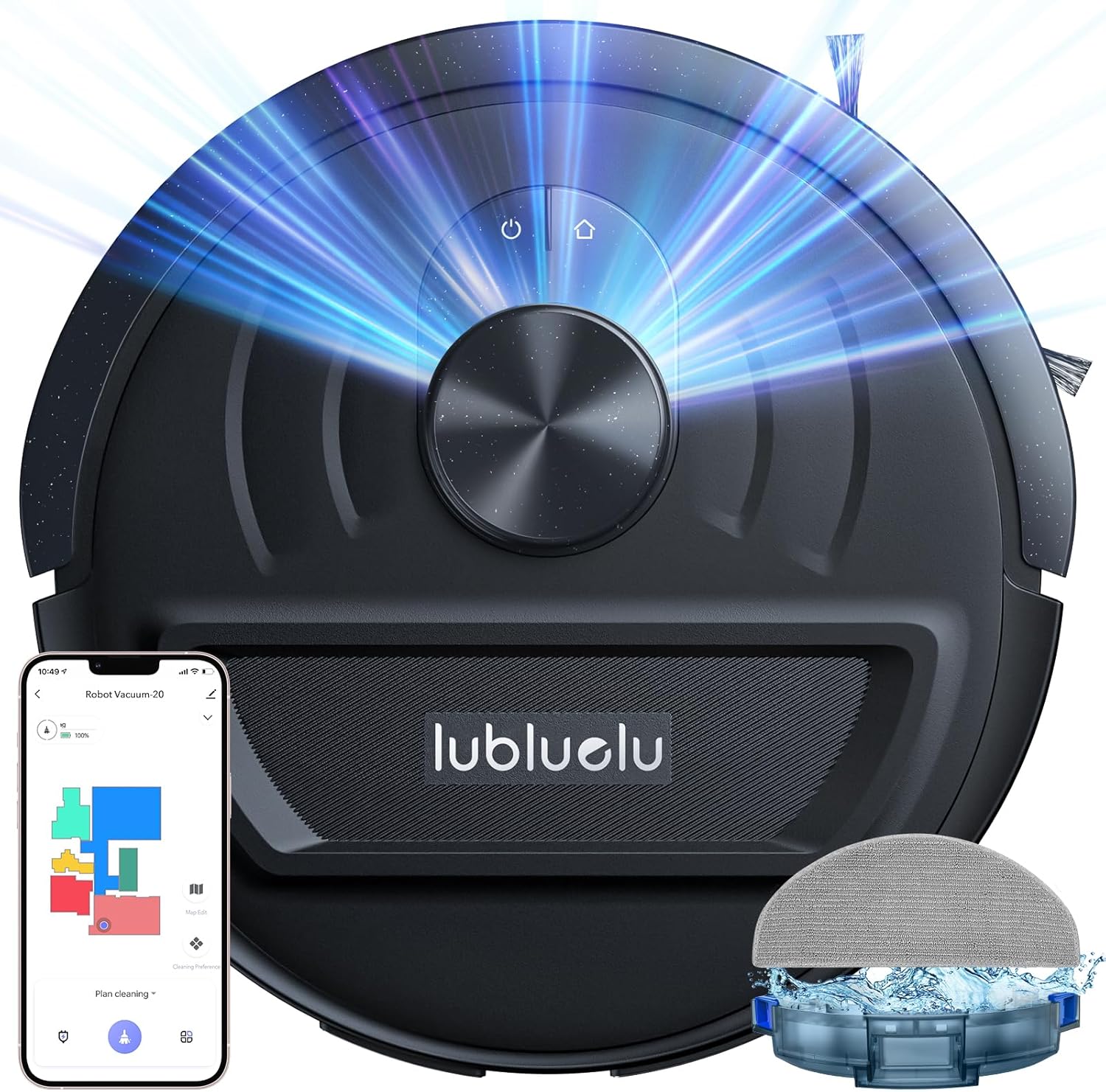
Figure 1: Lubluelu L20 Robot Vacuum and Mop, showcasing its sleek design and integrated features.
Setup Guide
Before first use, ensure all packaging materials and protective films are removed from the robot and its accessories. Place the charging station in an open area with good Wi-Fi signal, away from direct sunlight. Connect the power adapter to the charging station and plug it into a wall outlet. Ensure the power cable is neatly arranged to prevent entanglement.
Included Components:
- L20 Robot Vacuum (1)
- Charging Station (1)
- Power Adapter (1)
- Side Brush (1)
- Water Tank (1)
- Mop Pad (2)
- Filter (1)
- Cleaning Tool (1)
Figure 2: The robot vacuum, charging station, and various accessories included in the package.
For initial charging, place the robot onto the charging station. The robot will indicate successful charging with a voice prompt. While charging, download the "Smart Life" app from your phone's app store. Follow the in-app instructions to connect the robot to your 2.4GHz Wi-Fi network. This enables smart mapping and remote control features.
Operating Instructions
LiDAR Navigation and Smart Mapping:
The L20 utilizes 360° LDS LiDAR navigation and SLAM algorithm to create high-precision maps of your home. It can store up to 5 editable maps, allowing for multi-floor cleaning or different layouts. The robot intelligently detects its environment and avoids collisions.

Figure 3: Visual representation of the robot's precise LiDAR navigation and mapping capabilities.
Suction Power and Cleaning Modes:
Equipped with a 5500Pa suction power, the L20 effectively picks up dust, pet hair, and debris. Suction power can be adjusted across 4 levels via the app to suit different cleaning needs. The robot automatically increases suction on carpets for a deeper clean. It supports sweeping, vacuuming, and mopping simultaneously, or individually.
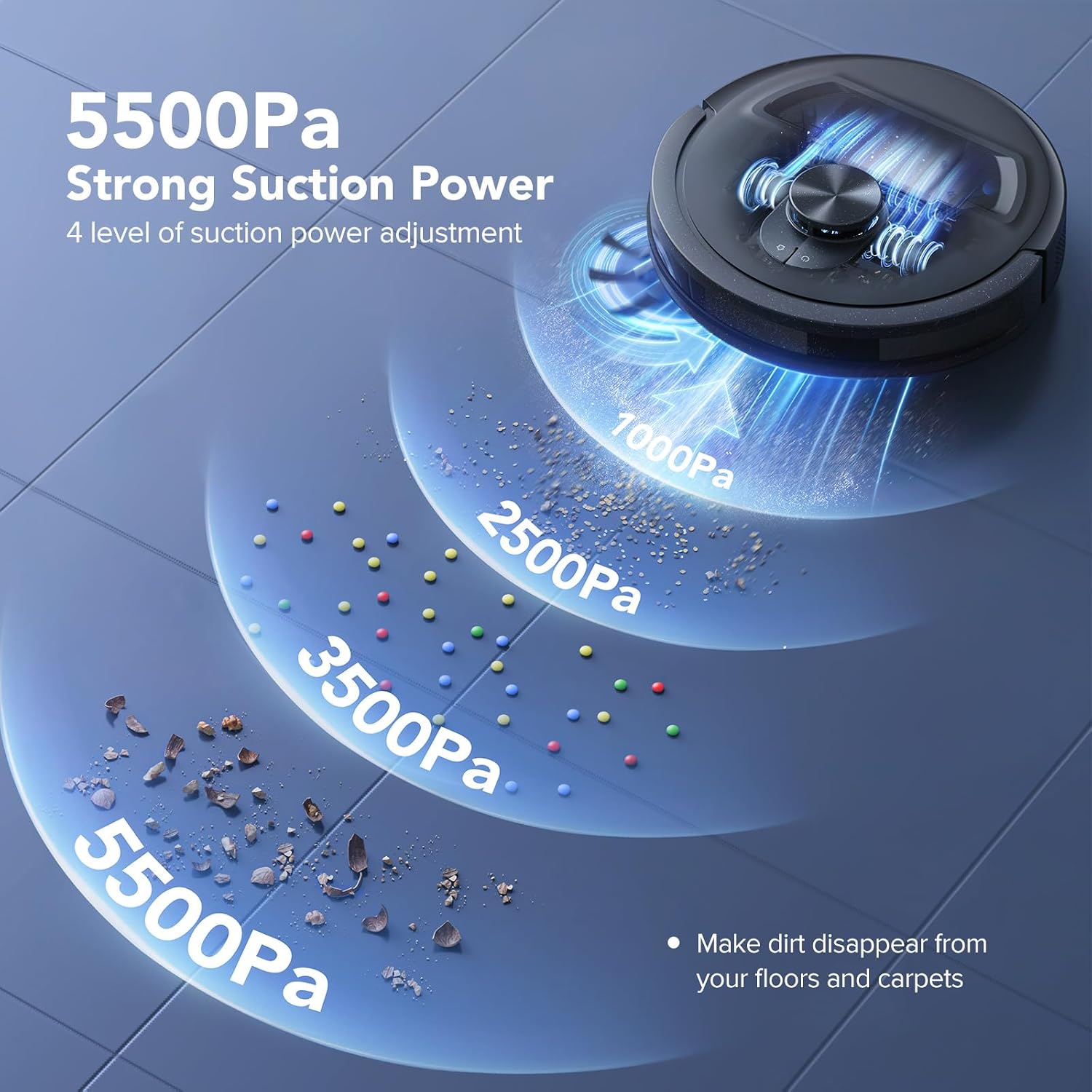
Figure 4: Illustration of the L20's powerful 5500Pa suction and adjustable power levels.

Figure 5: The robot's versatile 3-in-1 cleaning modes: sweeping, vacuuming, and mopping.
Smart App and Voice Control:
The smart app allows for scheduled cleaning, setting up to 20 forbidden areas and 10 virtual walls. You can also adjust suction and water volume for specific rooms. The L20 is compatible with Amazon Alexa and Google Assistant for voice commands (e.g., start or stop cleaning).

Figure 6: App interface showing customized cleaning options and mapping features.
Self-Charging and Obstacle Clearance:
The robot automatically returns to its charging station when the battery is low. For large areas, it will resume cleaning from where it left off after recharging. It can clear obstacles up to 20mm and climb 10° slopes, allowing seamless transitions between different floor types.
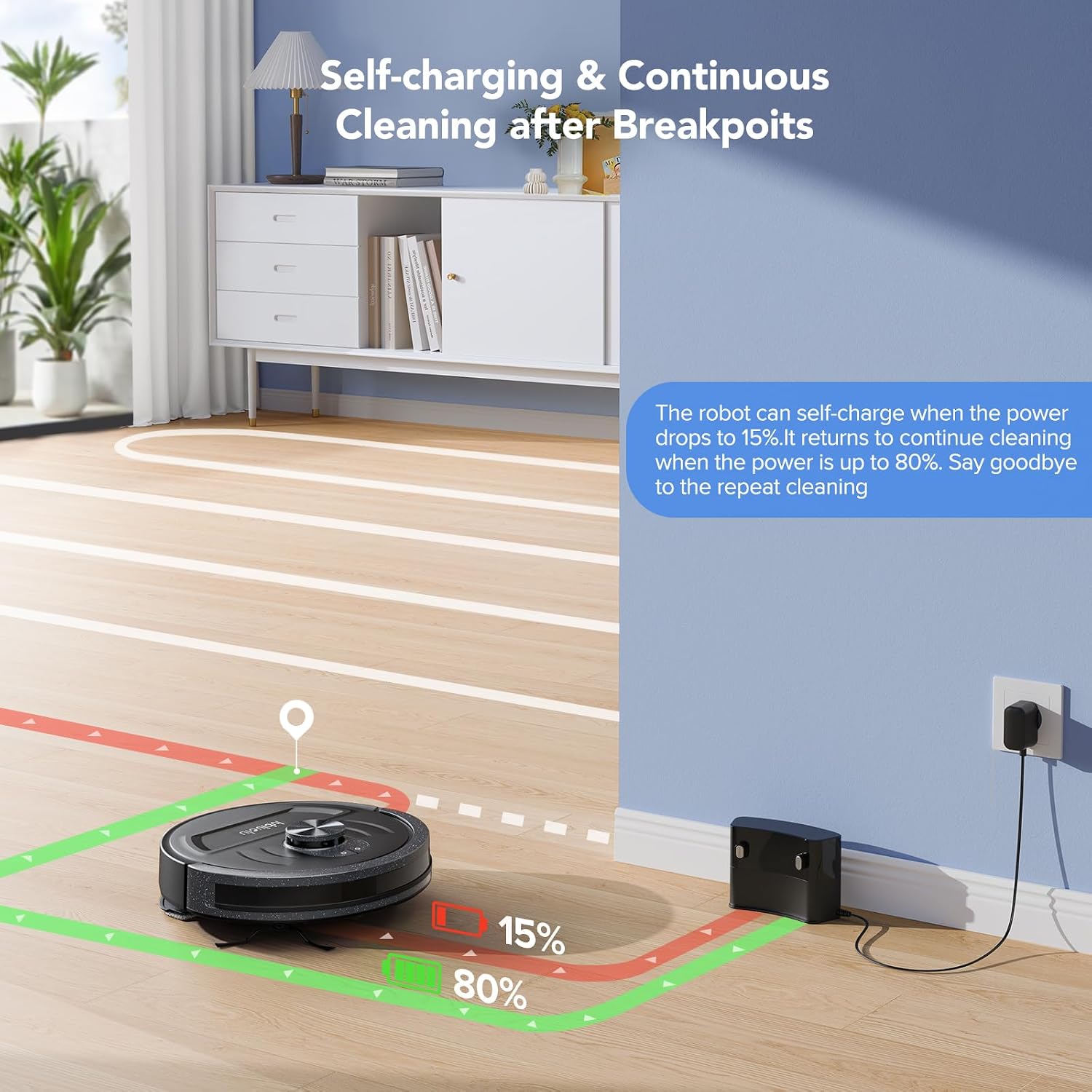
Figure 7: The robot returning to its charging station for automatic recharging.
Maintenance
Regular maintenance ensures optimal performance and longevity of your Lubluelu L20 robot vacuum. Follow these guidelines:
Dustbin and Filter:
- Empty the 290ml dustbin regularly, especially after each cleaning cycle, to prevent reduced suction power.
- Clean the Haipa filter frequently. A cleaning brush is provided for this purpose. Replace the filter as needed (an extra filter is included).
Water Tank and Mop Pad:
- Empty and clean the 250ml electronically controlled water tank after each mopping session to prevent water leakage or mildew.
- Wash the reusable mop pad after each use. Ensure it is completely dry before reattaching.
Brushes and Wheels:
- Periodically check and clean the main brush and side brushes for tangled hair or debris. A cleaning tool with a cutter is provided to remove tangled hair.
- Inspect the wheels for any obstructions or debris that might hinder movement.
Troubleshooting
If you encounter issues with your Lubluelu L20, consider the following common problems and solutions:
- Reduced Suction/Poor Cleaning: Check and empty the dustbin. Clean or replace the filter. Ensure main and side brushes are free of tangles.
- Mopping Function Not Working: Verify the water tank is filled correctly and securely installed. Check for any clogs in the water dispensing nozzles.
- Robot Not Charging/Returning to Dock: Ensure the charging station is properly plugged in and placed in an open area. Clean the charging contacts on both the robot and the station.
- Robot Getting Stuck/Navigation Issues: Clear any obstacles or loose cables from the cleaning path. Ensure the LiDAR sensor is clean and unobstructed. If mapping is incorrect, try re-mapping the area.
- Battery Life Issues: If the battery life significantly decreases, it might indicate battery degradation. Refer to the warranty section for support.
For persistent issues, refer to the detailed operation manual or contact Lubluelu customer support.
Specifications
| Feature | Detail |
|---|---|
| Brand | Lubluelu |
| Model Name | L20 |
| Special Feature | Smart Mapping, Anti-Collision, LiDAR Navigation Laser, 5500Pa Strong Suction, 3 in 1 vacuum, mopping and sweeping, Anti-Fall |
| Color | Black |
| Product Dimensions | 12.8"L x 12.8"W x 3.82"H |
| Included Components | Water Tank, Battery, Charging Adapter, L20 robot vacuum, Side Brush |
| Filter Type | Sponge |
| Battery Life | 120 minutes |
| Capacity | 250 Milliliters (Water Tank) |
| Power Source | Battery Powered |
| Control Method | App, Voice |
| Compatible Devices | Smartphones, Google Assistant, Amazon Alexa |
| Item Weight | 10.38 pounds |
| UPC | 774882413264 |
| Date First Available | January 25, 2024 |
Warranty and Support
The Lubluelu L20 Robot Vacuum Cleaner comes with a 24-month Limited Warranty. Lubluelu is committed to customer satisfaction and provides professional FAE technical support.
For any technical assistance, warranty claims, or personalized support, please contact the Lubluelu FAE technical support team. Contact information can typically be found in the full operation manual or on the official Lubluelu website.


