Introduction
The Garmin Descent Mk3i is an advanced watch-style dive computer designed for both recreational and technical diving, as well as everyday smartwatch use. It features a vibrant AMOLED display, robust titanium construction, and a suite of innovative diving and health monitoring tools. This manual provides essential information for setting up, operating, maintaining, and troubleshooting your Descent Mk3i device.
Safety Information
Always prioritize safety when diving. Ensure you are properly trained and certified for all diving activities. This device is a dive computer and should be used as a tool to assist in diving, not as a substitute for proper dive planning, training, or judgment. Always follow established dive safety procedures and consult with a dive professional if you have any questions or concerns. Regularly check your equipment for proper function before each dive. Failure to do so could result in serious injury or death.
What's in the Box
- 1x Garmin Descent Mk3i 51 mm Carbon Gray DLC Titanium with DLC Titanium Band
- 1x Black Silicone Band
- 1x Black Extra Long Adjustment Strap
- 1x USB-C to Clip Charging/Data Cable
- 1x Wearable4U Power Bank
- 1x USB C-type Adapter
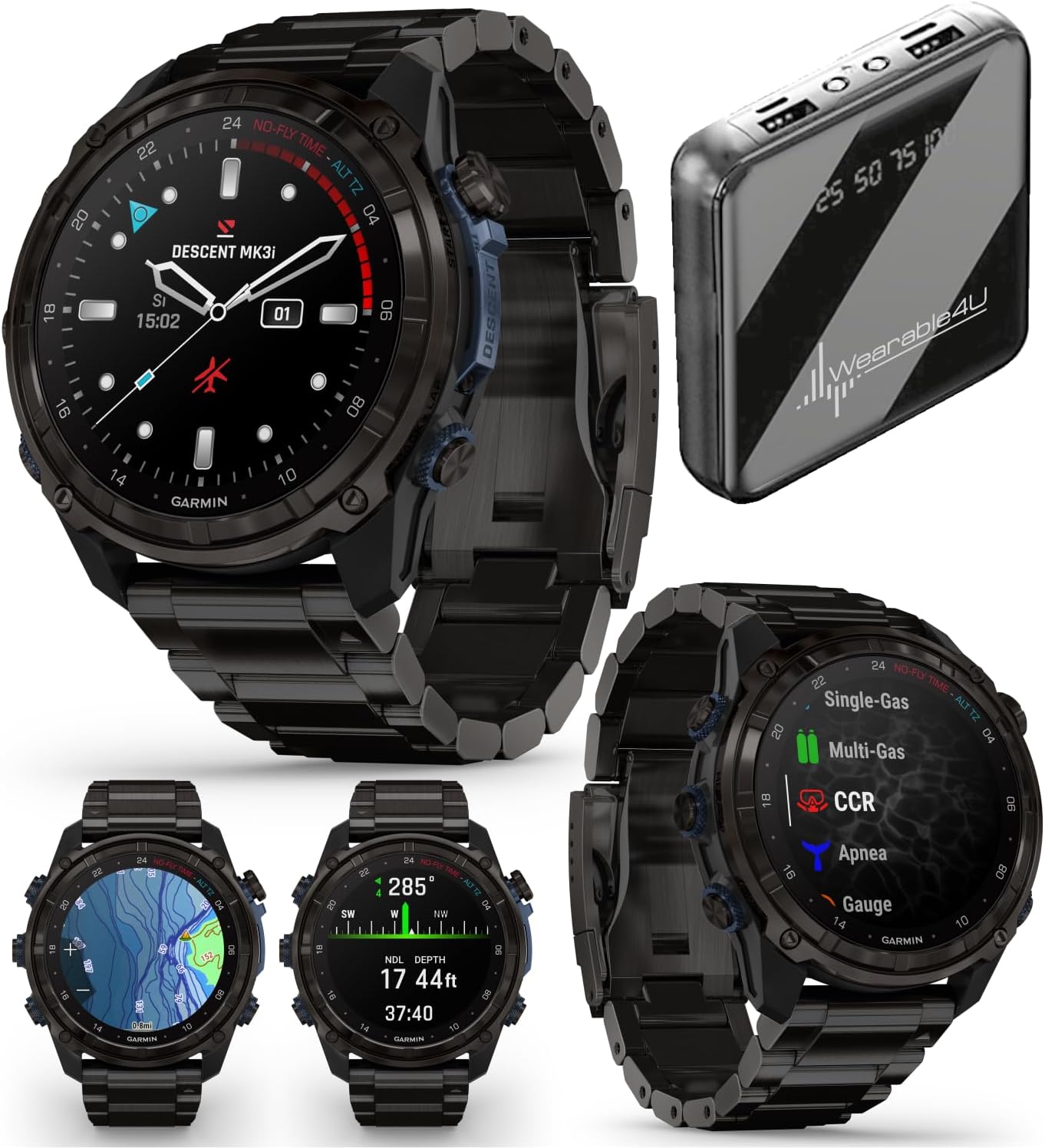
Image: Garmin Descent Mk3i 51mm Titanium Dive Computer with Titanium Band.
Setup
1. Charging the Device
Before initial use, fully charge your Descent Mk3i. Connect the USB-C to clip charging/data cable to the device and a power source (e.g., computer USB port, wall adapter, or the included Wearable4U Power Bank). The device display will indicate charging status. A full charge can provide up to 25 days of battery life in smartwatch mode.
2. Attaching Bands
Your Descent Mk3i comes with a pre-installed titanium band and includes a black silicone band and an extra-long adjustment strap. To change bands, use the quick-release pins. Insert one end of the pin into the watch lug, slide the lever, and align the other end of the pin with the opposite lug. Release the lever to secure the band.
3. Initial Power-On and Basic Settings
Press and hold the LIGHT button to power on the device. Follow the on-screen prompts to select your language, units of measure, and other initial settings. Refer to the on-device tutorial for a guided setup experience.
4. Smartphone Pairing
To unlock full smartwatch features and synchronize dive data, pair your Descent Mk3i with a compatible smartphone using the Garmin Dive app. Download the Garmin Dive app from your smartphone's app store, create an account, and follow the in-app instructions to pair your device via Bluetooth. This enables smart notifications, music storage, and Garmin Pay.
Operating the Device
1. Basic Navigation
The Descent Mk3i features a responsive AMOLED touchscreen and five physical buttons for navigation. Swipe the touchscreen to scroll through widgets and data screens. Use the buttons for specific functions: LIGHT (power/backlight), UP/MENU, DOWN, START/STOP (activity selection/confirmation), and BACK/LAP.
2. Dive Modes
The device supports multiple dive modes, including single-gas, multi-gas, CCR (Closed-Circuit Rebreather), Apnea, Apnea Hunt, and Gauge mode. Select the appropriate mode for your dive activity from the main menu. Each mode provides specific data fields and calculations relevant to that type of diving.
3. SubWave Sonar Technology
The Descent Mk3i incorporates SubWave sonar technology for enhanced underwater communication and monitoring. When paired with a Descent T2 transceiver (sold separately), you can exchange preset diver-to-diver messages up to 30 meters and monitor tank pressures and depth for up to eight networked divers within a 10-meter range. This feature requires software v.15.70 or later.

Image: Garmin Descent Mk3i display showing a 'Diver-to-Diver Messaging' interface with a preset message 'Are you okay?' and current dive data.
4. Built-in LED Flashlight
For improved visibility in low-light conditions, both above and below water, the Descent Mk3i features a built-in LED flashlight. It offers variable intensities and strobe modes, providing a bright, steady beam in either red or white light. Access this feature through the controls menu.

Image: Side view of the Garmin Descent Mk3i, showcasing its robust design and leakproof inductive buttons, with the flashlight visible.
5. DiveView Maps
Utilize the preloaded DiveView maps to explore bathymetric depth contours and locate over 4,000 dive sites. These maps assist in planning your dives and maintaining orientation underwater. GPS tracking provides superior positional accuracy on the surface, while an underwater compass aids navigation during your dive.

Image: The Garmin Descent Mk3i display showing a detailed DiveView map with bathymetric contours and dive site information.
6. Dive Readiness Tool
The dive readiness tool, developed by Garmin, helps assess your body's preparedness for diving. It analyzes lifestyle factors such as sleep, exercise, stress, and jet lag to provide a readiness score. This information is intended to offer guidance for making informed dive plan decisions.
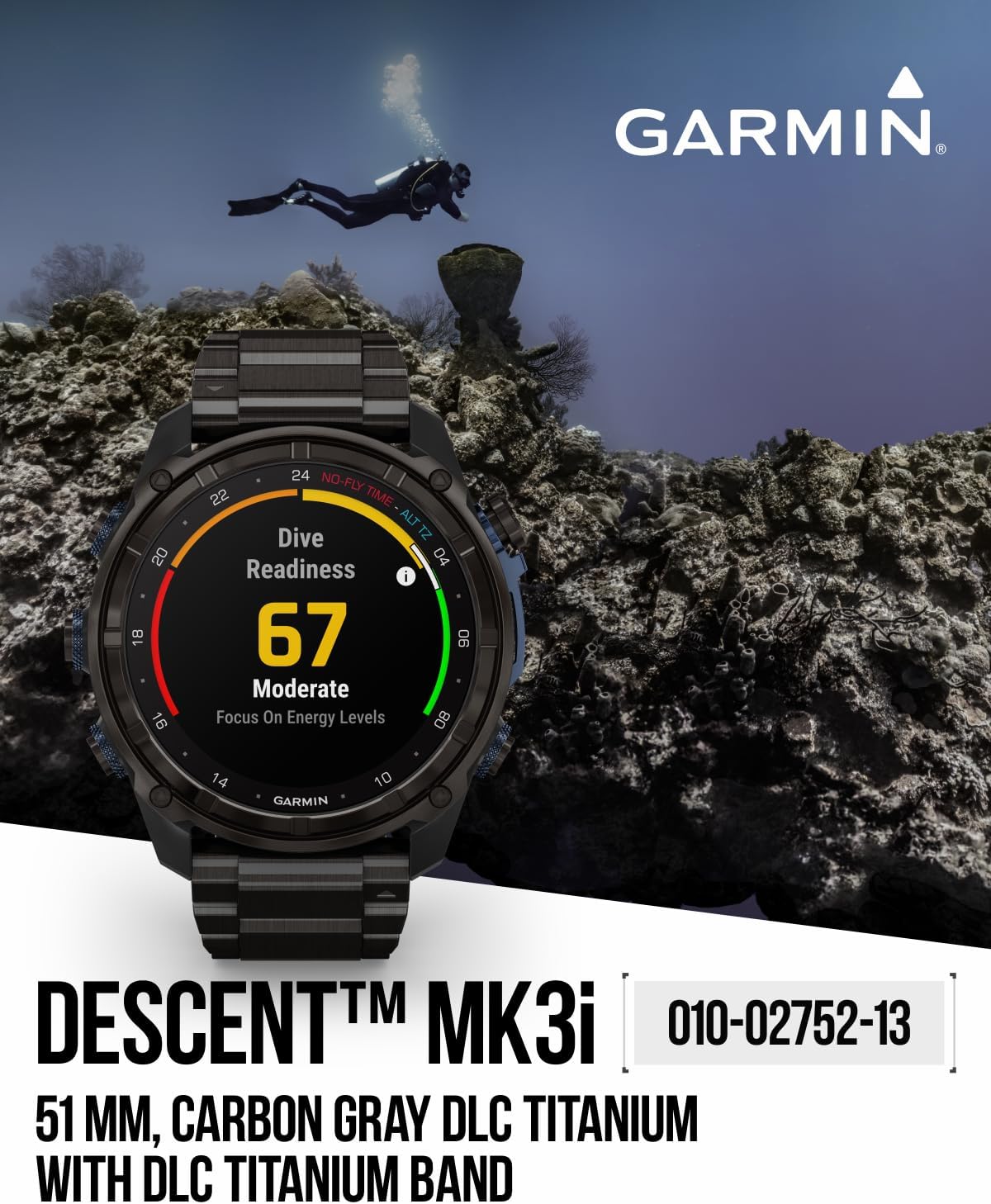
Image: The Garmin Descent Mk3i display showing a 'Dive Readiness' score of 67, indicating moderate readiness based on lifestyle factors.
7. GPS and ABC Sensors
The device features multi-band GPS technology for accurate positioning on the surface. Built-in ABC (altimeter, barometer, compass) sensors, including an underwater compass, assist in navigation throughout your dive. Note that GPS tracking does not function underwater.

Image: Front view of the Garmin Descent Mk3i displaying a navigational map, useful for surface and underwater orientation.
8. Dive Log
The Descent Mk3i automatically logs your dives, allowing you to store and review data from up to 200 dives directly on your wrist. You can also synchronize and review your dive logs in detail using the Garmin Dive app on your compatible smartphone.
9. Smartwatch Features
Beyond diving, the Descent Mk3i offers comprehensive smartwatch functionalities. These include built-in sports apps for fitness tracking, Garmin Pay for contactless payments, music storage, and smart notifications for calls, texts, and alerts from your paired smartphone.
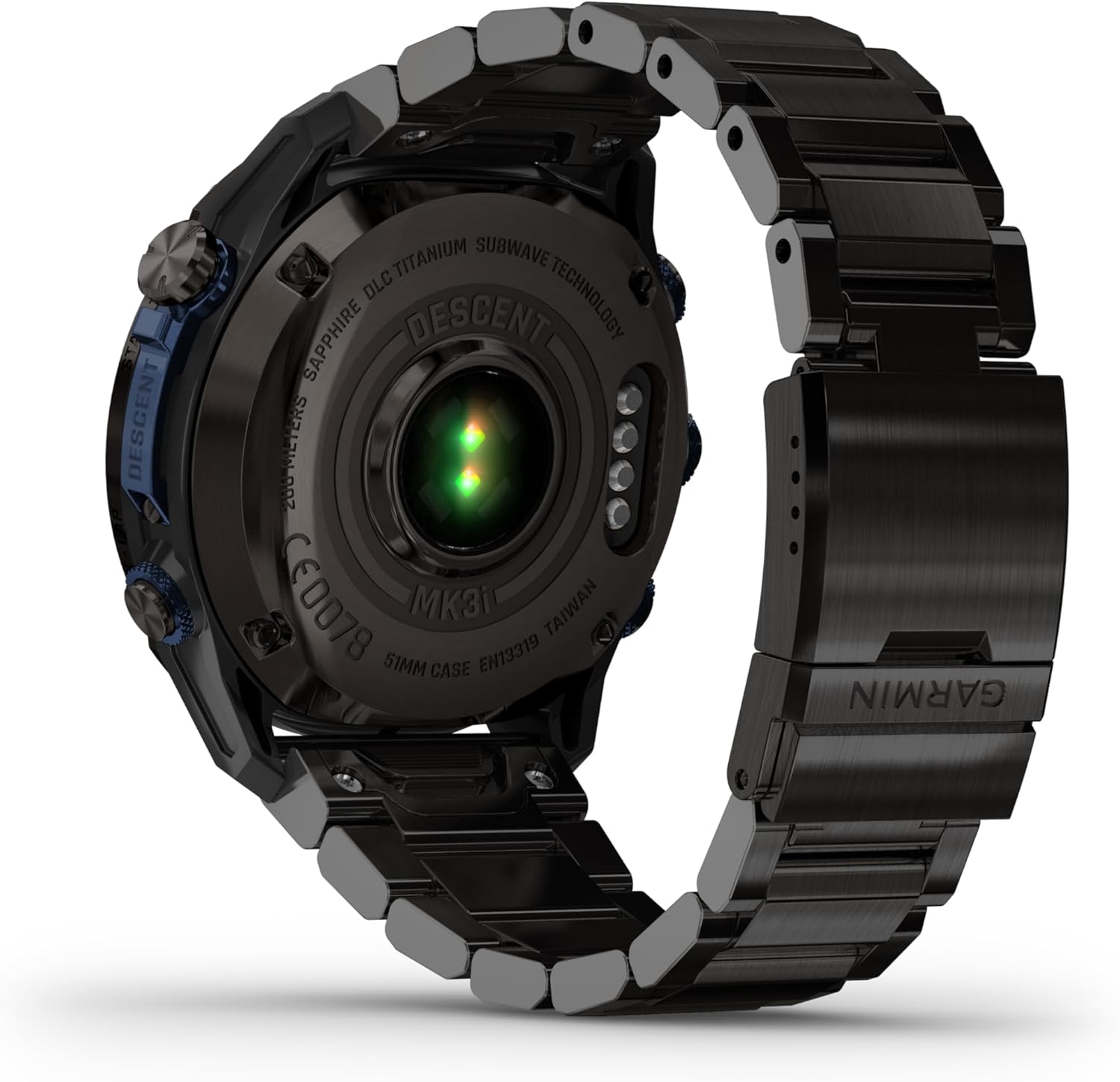
Image: Rear view of the Garmin Descent Mk3i, highlighting the optical heart rate and other biometric sensors.
10. Official Product Video
Video: Garmin Descent Mk3 Series Dive Computer and Smartwatch. This video provides an overview of the key features and capabilities of the Descent Mk3 series dive computers, including dive modes, communication features, and smartwatch functionalities.
Maintenance
1. Cleaning the Device
After each dive, rinse the device thoroughly with fresh water to remove salt, chlorine, and other contaminants. Allow it to air dry completely. Avoid using harsh chemicals or abrasive materials that could damage the display or casing. Regularly clean the sensor area on the back of the watch to ensure accurate readings.
2. Battery Care
To maximize battery life, avoid exposing the device to extreme temperatures. Charge the device regularly, even if not in frequent use, to maintain battery health. If storing the device for an extended period, charge it to approximately 50% before storage.
3. Software Updates
Garmin periodically releases software updates to improve performance, add features, and fix bugs. Connect your device to the Garmin Dive app or Garmin Express on your computer to check for and install available updates. Keeping your software up-to-date ensures optimal functionality and access to the latest features.
Troubleshooting
If you encounter issues with your Descent Mk3i, try the following basic troubleshooting steps:
- Device not powering on: Ensure the device is fully charged. Connect it to the charging cable and a power source.
- Display issues: Restart the device by holding the LIGHT button until it powers off, then power it back on.
- Connectivity problems (Bluetooth/GPS): Ensure Bluetooth is enabled on your smartphone and the device. For GPS, ensure you are in an open area with a clear view of the sky.
- Inaccurate sensor readings: Clean the sensor area on the back of the watch. Ensure the watch is worn snugly on your wrist.
- Dive computer malfunctions: If the device freezes or provides incorrect dive data, immediately abort the dive and follow standard safety protocols. Do not rely solely on the device for critical dive information if it is malfunctioning.
For more detailed troubleshooting or persistent issues, refer to the official Garmin support resources or contact Garmin customer service.
Specifications
| Item Weight | 1 pounds |
| Package Dimensions | 8 x 6 x 4 inches |
| Item Model Number | Descent Mk3i |
| Batteries | 1 Lithium Ion batteries required (included) |
| Display Size | 1.4 Inches |
| Display Resolution | 454 x 454 |
| Supports Bluetooth | Bluetooth |
| Battery Life | Up to 25 days (Smartwatch mode) |
| Memory Storage Capacity | 32 GB |
| Operating System | GarminOS |
| Special Features | Air Integration, Dive Modes, Dive compass, Dive log, Touchscreen |
| Water Resistance | 200-meter dive-rated case (20 ATM) |
| GPS | GPS Enabled |
Warranty and Support
For detailed warranty information, please visit the official Garmin website:
Garmin Consumer Limited Warranty
For product support, technical assistance, or service inquiries, please contact Garmin customer support through their official website or consult the comprehensive online support resources available.


