1. Product Description
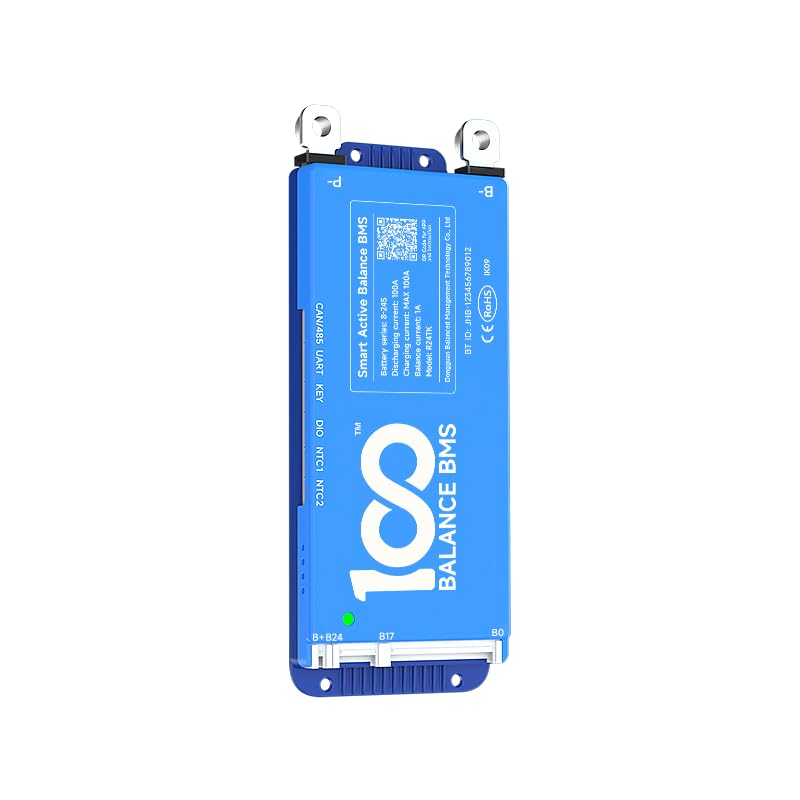
The 100 BALANCE DALY BMS 40A 4S-8S is an intelligent Battery Management System designed for 4S to 8S LiFePO4, Li-ion, and LTO battery packs. It features built-in Bluetooth connectivity, a 1A active cell balancer, and supports RS485 and CAN communication protocols. This BMS provides comprehensive protection for your battery pack, ensuring safety and longevity in various applications such as RVs, portable power stations, and trolling motors.
Key Features:
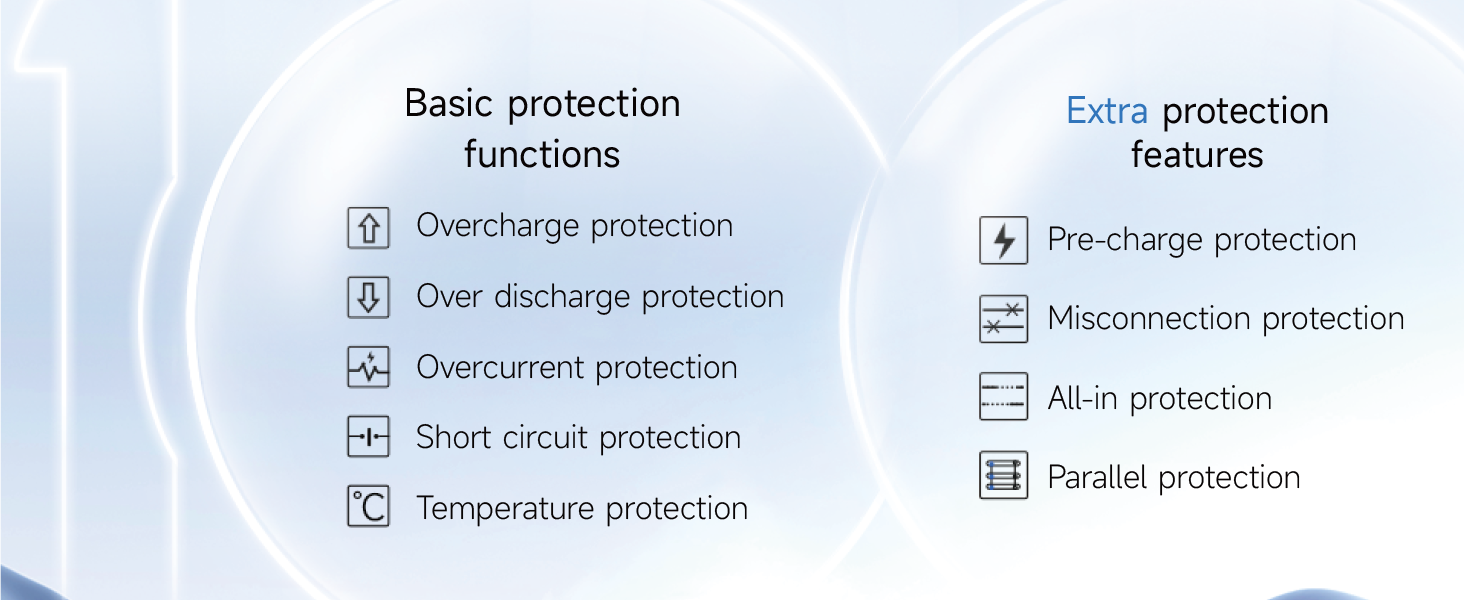
- Enhanced Battery Safety: Offers protection against overcharging, over-discharging, overcurrent, short circuits, and extreme temperatures.
- Active Cell Balancing: Features a continuous 1A active balancing current to maintain cell voltage consistency.
- Smart Management: Manage your battery easily with Android or iOS mobile apps via Bluetooth, allowing monitoring and settings adjustments.
- Voltage Compatibility: Compatible with 4S, 6S, and 8S battery packs (12V, 24V).
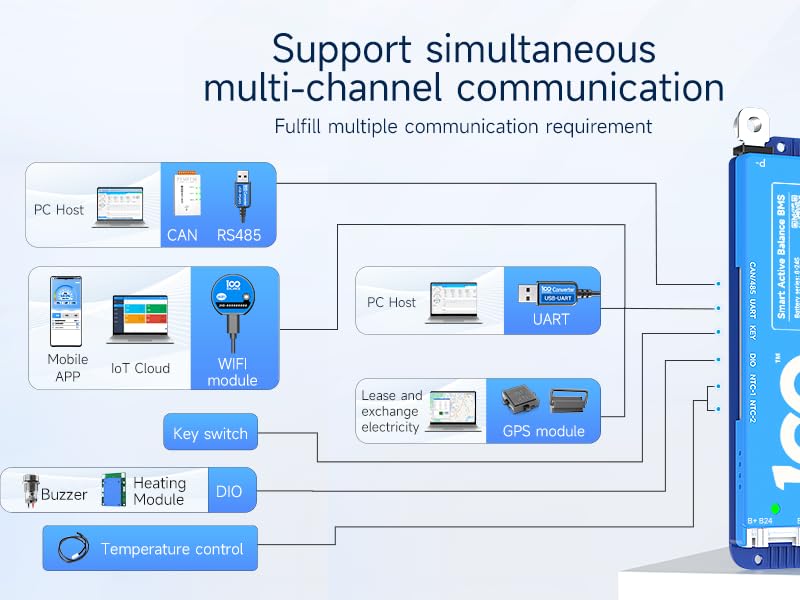
- Multiple Communication Interfaces: Supports UART, RS485, and CAN for versatile integration.
- Extra Protection Features: Includes pre-charge protection, wrong connection/missing connection detection, parallel connection current limiting, and cell balancing.
2. Setup and Wiring Installation
Proper wiring is crucial for the safe and effective operation of your DALY BMS. Follow these instructions carefully.
2.1. Battery Pack Preparation
- Ensure your battery pack is assembled correctly with the total positive and total negative terminals identified.
- For an 8-string battery pack, ensure all cells are properly connected in series.
2.2. Sampling Cable Connection
- Connect the black wire of the sampling cable to the total negative terminal (B-) of the battery pack.
- Connect the red wires sequentially to the positive terminals of each cell, starting from the first string (B1, B2, B3, etc.) up to the last string (B8 for an 8S pack).
- If using fewer series than the BMS supports (e.g., an 8S pack with an 8-17S BMS), securely tape up any unused sampling wires with insulation tape. Do not short-circuit them.
- Verify the wiring sequence using a multimeter. Measure the voltage between adjacent wires. The voltage difference should be consistent and within the nominal range for a single cell.
2.3. NTC Sensor and BMS Connection
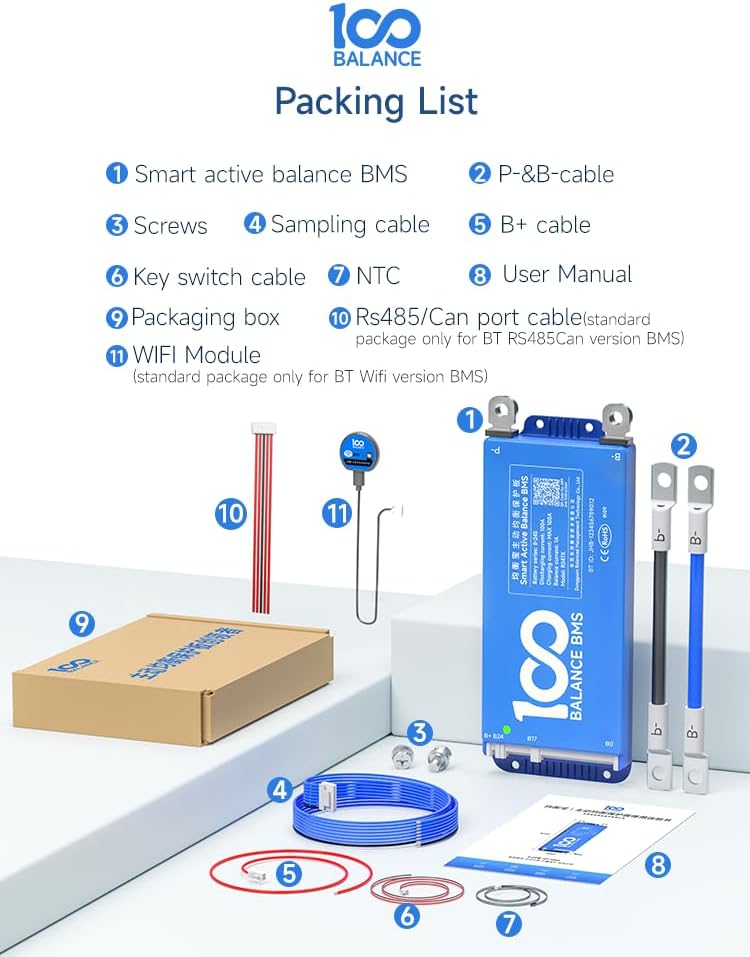
- Plug the NTC (temperature sensor) cable into the NTC-A port on the BMS.
- Connect the main B- wire from the battery pack's total negative terminal to the B- terminal on the BMS.
- Insert the sampling cable connector into the designated port on the BMS.
- Connect the main P- wire from the BMS to the load/charger negative terminal.
- Connect the main B+ wire from the battery pack's total positive terminal to the load/charger positive terminal.
2.4. Video Tutorial: BMS Wiring
3. Operating the BMS
The DALY BMS offers multiple ways to monitor and manage your battery pack.
3.1. Mobile App (Bluetooth)
- Download the 100BALANCE mobile app from your Android or iOS app store.
- Connect to the BMS via Bluetooth to monitor real-time battery status, including voltage, current, temperature, and State of Charge (SOC).
- Adjust various settings and parameters directly from your mobile device.

3.2. PC Host Software (UART/RS485/CAN)
- Connect the BMS to a PC using a UART, RS485, or CAN communication cable.
- Install the appropriate drivers and the 100BALANCE PC Host software.
- The PC software provides a comprehensive interface for monitoring detailed battery data, configuring parameters, and performing firmware upgrades.
3.3. Video Tutorial: PC Host Connection
4. Maintenance
Regular maintenance ensures optimal performance and longevity of your battery system.
- Periodically check all wiring connections for tightness and corrosion.
- Monitor battery parameters (cell voltages, temperatures, current) regularly using the mobile app or PC software to identify any anomalies.
- Ensure the active balancing feature is enabled to maintain cell voltage consistency.
- Keep the BMS unit clean and free from dust and moisture.
5. Troubleshooting
If you encounter issues with your DALY BMS, refer to the following general troubleshooting steps:
- No Power/No Indication: Check all main power connections (B- and P-) and ensure the sampling cable is correctly plugged in. Verify battery voltage.
- Balancing Issues: Ensure the balancing function is enabled in the app/PC software. Check individual cell voltages for significant discrepancies.
- Over-voltage/Under-voltage Alarms: Check individual cell voltages. Ensure charger settings are correct and within the BMS's configured limits.
- Overcurrent/Short Circuit Protection: Disconnect the load and check for any short circuits in the system. Ensure the load current does not exceed the BMS's continuous discharge current rating.
- Communication Problems: Verify Bluetooth is enabled and paired correctly for mobile app. For PC software, ensure correct drivers are installed and the communication cable is securely connected.
- Parallel Connection Issues: When connecting battery packs in parallel, ensure all packs have similar voltages (voltage difference less than 1V) before connecting to prevent high current surges. Manually disconnect the discharging MOSFET in the app/PC software before paralleling to prevent firing.

6. Specifications
| Feature | Detail |
|---|---|
| Model Number | 100BALANCE 40A 4-8S |
| Battery Series | 4S - 8S |
| Continuous Discharge Current | 40A |
| Max Discharge Current | 60A |
| Continuous Charge Current | 40A |
| Active Balancing Current | 1A |
| Communication Interfaces | Bluetooth, RS485, CAN, UART |
| Dimensions | 8.27 x 5.91 x 1.57 inches (210 x 150 x 40 mm) |
| Item Weight | 15.9 ounces (450g) |
| Manufacturer | Dongguan Balanced Management Technology Co., Ltd |

7. Warranty
The DALY BMS comes with a 1-year warranty. Some product listings may indicate a 3-year warranty. Please refer to your purchase documentation for specific warranty terms and conditions.
8. Support
For further assistance, technical support, or warranty claims, please contact the manufacturer or visit their official store:
- Manufacturer: Dongguan Balanced Management Technology Co., Ltd
- 100 BALANCE Store: Visit the 100 BALANCE Store