1. Introduction
Thank you for purchasing the Shot Navi Voice Laser Red Leo Golf Laser Rangefinder, MASTER BUNNY EDITION. This device is designed to provide accurate distance measurements on the golf course, featuring a highly visible red OLED display and innovative voice operation. This product was recognized with the Good Design Award 2021 for its user-friendly design and functionality.

Image 1.1: The Shot Navi Voice Laser Red Leo Golf Laser Rangefinder.

Image 1.2: Recognition with the Good Design Award 2021.
2. Safety Information
This device is a laser product. Please read the following safety information carefully before use.
- Laser Classification: This product is classified as IEC60825-1 Class 1M Laser Product / Class 1 Laser (invisible).
- Eye Safety: Do not stare directly into the laser beam or view it with optical instruments. Direct exposure to the laser beam may cause eye damage.
- Children: Keep the device out of reach of children.
- Disassembly: Do not attempt to disassemble or modify the device. This can expose you to laser radiation and will void the warranty.
3. Product Overview
The Shot Navi Voice Laser Red Leo combines advanced features for an enhanced golf experience:
- Red OLED Display: Offers superior visibility, especially against green backgrounds, compared to traditional black displays.
- Voice Operation: Unique voice command functionality for hands-free measurement, reducing hand shake during target acquisition.
- Slope Measurement: Automatically calculates and displays the adjusted distance, taking into account elevation differences for uphill and downhill shots. This feature can be toggled ON/OFF for competition compliance.
- High-Speed Measurement: Provides rapid distance readings in approximately 0.3 seconds, with a maximum range of 1,000 yards.

Image 3.1: Key features: Red OLED for visibility and voice recognition for ease of use.
4. Setup
4.1. Charging the Device
The device is powered by a built-in lithium polymer battery. Before first use, or when the battery is low, charge the device using the provided USB cable and a compatible power adapter (not included).
- Connect the USB cable to the charging port on the device.
- Connect the other end of the USB cable to a USB power source.
- A full charge takes approximately 2 hours. A fully charged battery allows for approximately 50,000 point measurements.
4.2. Initial Power On
Press and hold the power button until the display illuminates. The device will perform a brief self-check before entering measurement mode.
5. Operating Instructions
5.1. Power On/Off
- To Power On: Press and hold the power button.
- To Power Off: Press and hold the power button again until the display turns off. The device will also automatically power off after a period of inactivity to conserve battery.
5.2. Measurement Modes
The device offers three measurement methods: Point, Pin Seek, and Scan, accessible via voice command or button operation.

Image 5.1: Voice operation for Point, Pin Seek, and Scan measurements.
- Point Measurement: Aim at a specific target and say "Point" or "Measure point." The device will measure the distance to that single point.
- Pin Seek Measurement: Aim at the flagstick and say "Pin Seek" or "Measure pin." The device will prioritize the closest target, making it easier to lock onto the flagstick.
- Scan Measurement: Say "Scan" or "Start scan." Pan the device across multiple targets to get continuous distance readings. This is useful for understanding distances to various hazards or features.
- Button Operation: Traditional button press measurement is also available for all modes.
5.3. Red OLED Display Brightness Adjustment
The red OLED display offers excellent visibility. You can adjust its brightness to suit ambient light conditions.
- Double-press the mode switch button to cycle through 4 levels of display brightness.

Image 5.2: Adjusting Red OLED display brightness.
5.4. Slope Measurement ON/OFF
The slope measurement feature provides adjusted distances based on elevation changes. For competition play, this feature can be disabled.
- To toggle the slope measurement ON or OFF, press and hold the mode switch button for 5 seconds.
- An indicator on the display will show whether slope measurement is active.

Image 5.3: Toggling slope measurement and comparing display visibility.

Image 5.4: This device is compliant with competition rules when slope function is off.
5.5. Understanding the Display
The measurement screen provides various information to assist your game.

Image 5.5: Diagram of the measurement screen display.
- Main Distance Display: Shows the measured distance in yards or meters.
- Adjusted Distance (Slope): When slope mode is active, this displays the compensated distance.
- Battery Indicator: Shows the remaining battery level.
- Mode Indicator: Displays the current measurement mode (e.g., Pin Seek).
- Target Mark: Crosshairs or other indicators to help aim.
6. Maintenance
- Cleaning: Use the provided lens cloth to gently clean the lenses. For the body, wipe with a soft, dry cloth. Do not use abrasive cleaners or solvents.
- Storage: Store the device in its carrying case in a dry place, away from direct sunlight and extreme temperatures. Recommended storage temperature is -20°C to 60°C.
- Battery Care: To prolong battery life, avoid fully discharging the battery frequently. If storing for an extended period, charge the battery to about 50% and recharge every few months.
- Water Resistance: The device has an IPX4 rating, meaning it is splash-proof. Do not submerge the device in water.
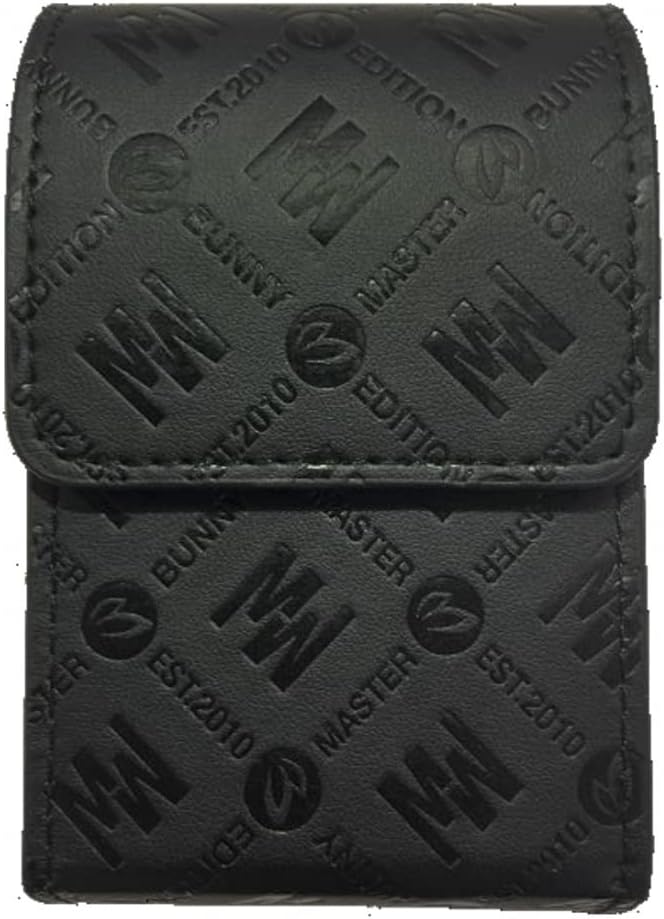
Image 6.1: The included carrying case protects the device during storage and transport.
7. Troubleshooting
If you encounter issues with your Shot Navi Voice Laser Red Leo, please refer to the following common solutions:
- Device not powering on: Ensure the battery is charged. Connect to a power source and try again.
- Inaccurate measurements: Ensure the lenses are clean. Make sure you are aiming at a clear target. Environmental conditions like fog or heavy rain can affect accuracy.
- Voice commands not recognized: Speak clearly and at a normal volume. Ensure there is no excessive background noise. Try using button operation as an alternative.
- Display issues: Check the display brightness settings. If the display is still problematic, try restarting the device.
If problems persist, please contact customer support.
8. Specifications
| Feature | Detail |
|---|---|
| Product Model Number | Red Leo MASTER BUNNY EDITION |
| Color | MASTER BUNNY EDITION (Limited Edition) |
| Material | ABS |
| Type | Golf Laser Rangefinder |
| Dimensions | 95.7 x 38.4 x 61.3 mm |
| Weight | 130 g |
| Power Source | Lithium Polymer Battery |
| Charging Time | Approx. 2 hours |
| Measurement Range | 5-999 yards (5-913 meters) |
| Display Range | ±1 meter (actual distance) |
| Water Resistance | IPX4 (Splash-proof) |
| Laser Classification | IEC60825-1 Class 1M Laser Product |
| Lens Diameter | 20 mm |
| Operating Temperature | -10°C to 50°C |
| Storage Temperature | -20°C to 60°C |
| Accessories | Carrying case, lens cloth, instruction manual/warranty card |
9. Warranty and Support
This product comes with a manufacturer's warranty. Please refer to the warranty card included with your purchase for details on coverage and duration. Keep your proof of purchase for warranty claims.
For technical support, troubleshooting assistance, or warranty inquiries, please contact Shot Navi customer service. Contact information can typically be found on the official Shot Navi website or on the warranty card.


